
iTouch Air 3
Кіраўніцтва карыстальніка разумнага гадзінніка iTouch Air 3
Мадэль: Air 3
Уводзіны
The iTouch Air 3 Smartwatch is designed to help you track your health and fitness, stay connected, and manage your daily activities. This manual provides essential information for setting up, operating, and maintaining your device.

Image: iTouch Air 3 Smartwatch with rose gold case and mesh band, displaying time and fitness metrics.

Image: Promotional image introducing the iTouch Air 3 Smartwatch.
Што ў скрынцы
- 1 iTOUCH Air 3 Smartwatch
- 1 USB-Powered Charging Cable
- Гарантыя/Кіраўніцтва па хуткім запуску
Настройка
1. Зарадка вашага разумнага гадзінніка
Before first use, fully charge your iTouch Air 3 Smartwatch. Connect the magnetic charging cable to the charging pins on the back of the watch and plug the USB end into a power source.

Image: The iTouch Air 3 Smartwatch connected to its magnetic charging cable.
2. Downloading the iTouch Wearables App
The iTouch Air 3 Smartwatch requires the iTouch Wearables app for full functionality. Download the app from the App Store (for iOS devices) or Google Play Store (for Android devices).

Image: A smartphone showing the iTouch Wearables app interface alongside the smartwatch.
3. Спалучэнне з тэлефонам
Open the iTouch Wearables app on your smartphone. Follow the on-screen instructions to pair your smartwatch via Bluetooth. Ensure Bluetooth is enabled on your phone. The app requires iOS 13 or higher for iPhones and Android 9 or higher for Android devices.
Відэа: Оверview of the iTouch Air 3 Smartwatch features, including connectivity and app integration.
Кіраванне разумным гадзіннікам
Базавая навігацыя
The iTouch Air 3 features a vibrant LCD display. Swipe left, right, up, or down to navigate through menus and access different features. Tap to select options.
Настройка цыферблатаў
Personalize your smartwatch by choosing from a variety of built-in watch faces or accessing a larger library through the iTouch Wearables app. You can also create your own custom watch faces.

Image: A collage showing various digital watch faces available for the iTouch Air 3 Smartwatch.
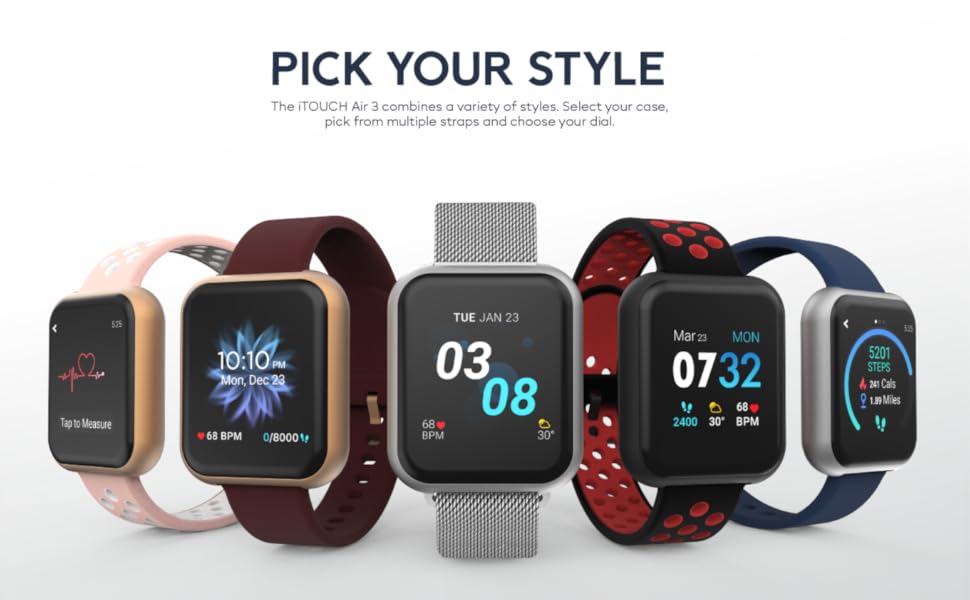
Выява: Ілюстрацыяasing different styles and customizable options for the iTouch Air 3 Smartwatch.
Апавяшчэнні
Receive notifications for calls, text messages, and social media alerts directly on your wrist. Configure notification settings within the iTouch Wearables app.

Image: Two iTouch Air 3 smartwatches showing incoming notifications from social media and messages.

Image: An illustration highlighting notifications and extended battery life features of the iTouch Air 3 Smartwatch.
Hygiene Reminders
Set reminders to wash your hands or move around if you've been sedentary for too long, promoting better health habits.
Падключаны GPS
Utilize the connected GPS feature to track your routes and distance during outdoor activities by syncing with your phone's GPS.
Sports and Workout Modes
The iTouch Air 3 offers various sports and workout modes to accurately track your activity. Select the appropriate mode for your exercise to monitor calories burned, heart rate, and duration.
- Спартыўныя рэжымы: Basketball, Baseball, Football, Soccer
- Рэжымы трэніровак: Running, Elliptical, Cycling, Hiking
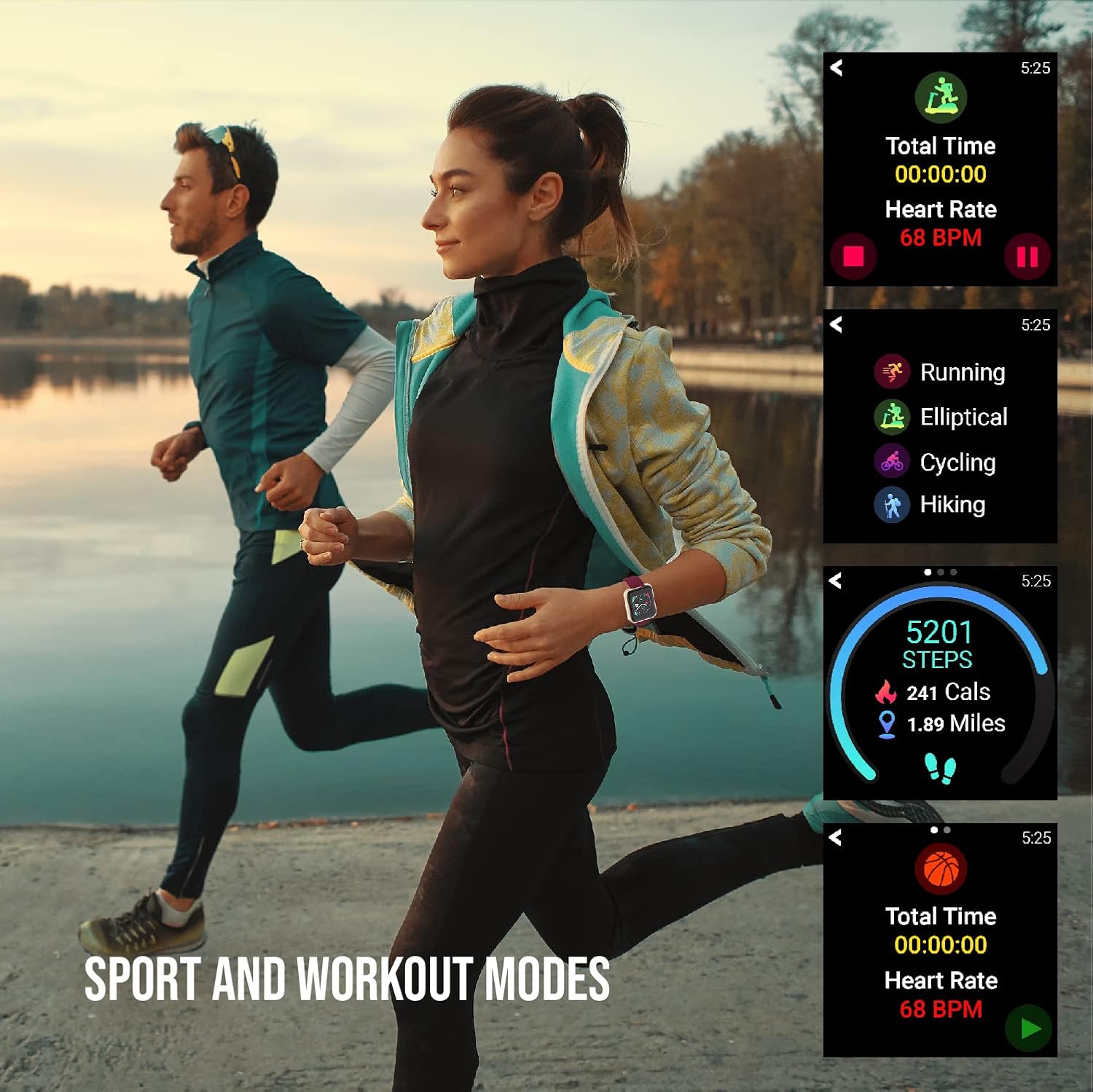
Image: Individuals engaged in physical activity, with the smartwatch interface showing various sport and workout tracking options.

Image: An illustration demonstrating the activity tracking features of the iTouch Air 3 Smartwatch, including steps, calories, and workout modes.
Маніторынг сардэчнага рытму
The iTouch Air 3 features a 24/7 optical heart rate monitor. It automatically tracks your heart rate throughout the day. You can also manually measure your heart rate from the watch interface.

Image: The iTouch Air 3 Smartwatch showing continuous heart rate tracking and historical data.
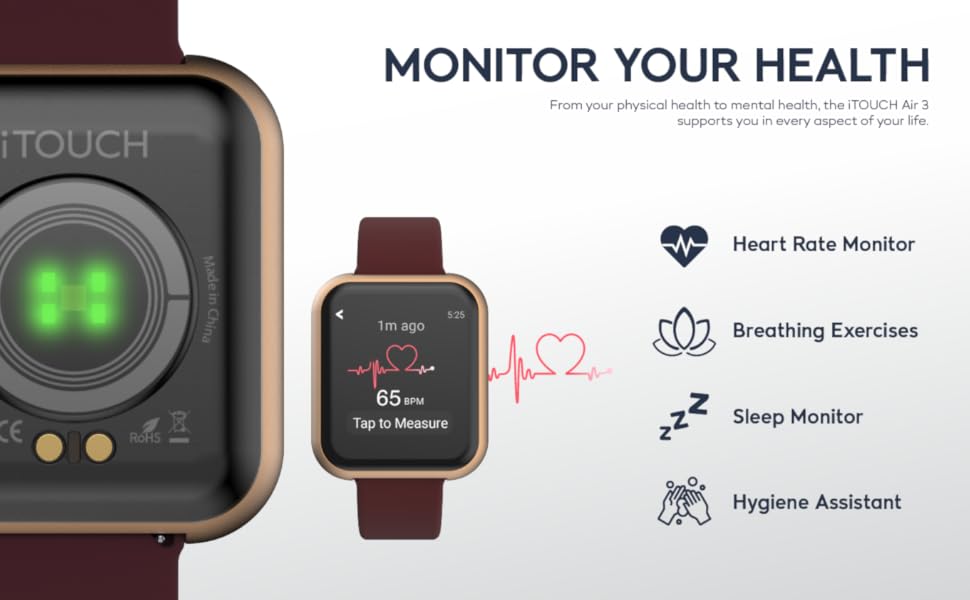
Image: An illustration detailing the health monitoring features of the iTouch Air 3 Smartwatch, including heart rate, breathing exercises, sleep, and hygiene assistance.
Маніторынг сну
The smartwatch automatically tracks your sleep patterns, providing insights into your light, deep, and awake sleep stagэс. View detailed sleep data in the iTouch Wearables app.
Кіраванне музыкай
Control your phone's music playback directly from your smartwatch, allowing you to play, pause, skip tracks, and adjust volume without taking your phone out of your pocket.
Пульт ад камеры
Use your iTouch Air 3 as a remote shutter button for your smartphone camera, making it easier to take photos from a distance.
Тэхнічнае абслугоўванне
Воданепранікальнасць
The iTouch Air 3 is IP68-rated water resistant, meaning it can withstand immersion in water up to 1.5 meters for up to 30 minutes. It is suitable for daily use and light water exposure, but not recommended for swimming or diving.
Уборка
Каб пачысціць разумны гадзіннік, працярыце яго мяккай тканінайamp cloth. Avoid using harsh chemicals or abrasive materials. Ensure the charging pins are clean and dry before charging.
Тэрмін службы батарэі
The iTouch Air 3 offers up to 7 days of battery life on a single charge, depending on usage. To maximize battery life, reduce screen brightness and limit frequent notifications.

Image: A close-up of the iTouch Air 3 Smartwatch emphasizing its scratch-resistant glass, water resistance, and long battery life.
Ліквідацыю непаладак
If you encounter issues with your iTouch Air 3 Smartwatch, try the following steps:
- Прылада не ўключаецца: Пераканайцеся, што прылада цалкам зараджана. Падключыце яе да зараднага кабеля і крыніцы харчавання як мінімум на 30 хвілін.
- Не спалучаецца з тэлефонам:
- Пераканайцеся, што Bluetooth уключаны на вашым тэлефоне.
- Make sure the iTouch Wearables app is open and running.
- Перазагрузіце тэлефон і разумны гадзіннік.
- Check if your phone's operating system meets the minimum requirements (iOS 13+ or Android 9+).
- Inaccurate Readings (Steps, Heart Rate):
- Пераканайцеся, што гадзіннік шчыльна прылягае да запясця, прыкладна на адзін палец вышэй за запясцевую костку.
- Ачысціце аптычны датчык на задняй панэлі гадзінніка.
- Sync the watch with the app regularly to ensure data transfer.
- Апавяшчэнні не з'яўляюцца:
- Check notification settings within the iTouch Wearables app.
- Ensure your phone's notification settings allow the iTouch Wearables app to send alerts.
- Пераканайцеся, што гадзіннік падключаны да тэлефона праз Bluetooth.
Тэхнічныя характарыстыкі
| Асаблівасць | Дэталь |
|---|---|
| Памеры прадукту | 4.8 х 2 х 3.23 цалі |
| Вага прадмета | 6.4 унцыі |
| Нумар мадэлі тавару | Паветра 3 |
| Батарэі | Патрабуецца 1 літый-іённыя батарэі (у камплекце) |
| Памер пастаяннага экрана | 40 міліметра |
| Аперацыйная сістэма | Android (Compatible with iOS 13+ and Android 9+) |
| Асаблівасці | Calorie Tracker, GPS, Heart Rate Monitor, Pedometer, Sleep Monitor, Time Display |
| Тэхналогія падлучэння | Bluetooth |
| Форма | квадратны |
| Вытворца | iTouch |
| Дата першай даступнасці | 5 лістапада 2020 г |
Гарантыя і падтрымка
For warranty information and customer support, please refer to the documentation included in your product packaging or visit the official iTouch Wearables webсайт. Захоўвайце пацвярджэнне пакупкі для любых гарантыйных прэтэнзій.
Вы таксама можаце наведаць в iTouch Store on Amazon для атрымання дадатковай інфармацыі і абнаўленняў прадуктаў.
Ask a question about this manual
Ask about setup, troubleshooting, compatibility, parts, safety, or missing instructions. Manuals+ will review the question and use this page’s manual context to help answer it.