
Inrico T526
Inrico T526 Network Radio User Manual
Мадэль: T526
Уводзіны
The Inrico T526 is a robust network radio designed for global communication, leveraging 4G cellular networks and Wi-Fi for extensive coverage. It offers advanced features such as GPS, Bluetooth, and programmable buttons, making it suitable for professional use in various environments. This manual provides essential information for setting up, operating, and maintaining your T526 network radio.
Што ў скрынцы
Upon unboxing your Inrico T526, please verify that all the following components are present:
- Inrico T526 Network Radio
- Антэна
- Battery (5000mAh Lithium Ion)
- Drop-in Charger
- Кабель USB
- Падключыце да сеткі
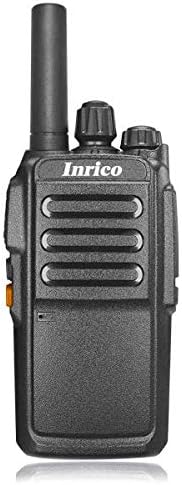
Выява: спераду view of the Inrico T526 Network Radio, showing its compact design and antenna.
Асноўныя характарыстыкі
- Intercom globally via cellular data card
- Guard Patrol function mapping capability
- Integrated WIFI and Bluetooth support
- GPS functionality for location services
- Exceptional audio output for clear communication
- Programmable buttons for emergency or quick access functions
- High-capacity 5000mAh battery for extended operation
Настройка
1. Усталёўка і зарадка акумулятара
- Пераканайцеся, што радыё выключана.
- Адкрыйце вечка батарэйнага адсека на задняй панэлі радыё.
- Insert the 5000mAh Lithium Ion battery, ensuring the contacts align correctly.
- Надзейна зачыніце крышку батарэйнага адсека.
- Place the radio into the drop-in charger. Connect the USB lead to the charger and the power plug to a wall outlet.
- Charge the battery fully before first use. The charging indicator light will change when charging is complete.
2. Мацаванне антэны
Screw the provided antenna clockwise into the antenna connector on the top of the radio until it is finger-tight. Do not overtighten.
3. Усталёўка SIM-карты (неабавязкова)
The T526 operates on cellular data. If using a SIM card for network connectivity, carefully insert it into the designated SIM card slot, usually located under the battery or on the side. Refer to the radio's internal markings for correct orientation.
Інструкцыя па эксплуатацыі
1. Уключэнне/выключэнне харчавання
- To power on: Press and hold the Power button (usually located on the side or top) until the radio powers on.
- To power off: Press and hold the Power button until the power-off prompt appears, then confirm.
2. Рэгуляванне гучнасці
Rotate the volume knob (typically on the top) clockwise to increase volume and counter-clockwise to decrease volume.
3. Push-to-Talk (PTT) Function
To transmit, press and hold the PTT button (large button on the side). Speak clearly into the microphone. Release the PTT button to listen.
4. Падключэнне да сеткі
- Сотавыя дадзеныя: Ensure a valid SIM card with an active data plan is installed. The radio will automatically connect to the available 4G network.
- Wi-Fi: Navigate to the Wi-Fi settings in the radio's menu. Select your desired Wi-Fi network and enter the password if required.
5. Асноўныя функцыі
The T526 supports basic functions such as group calls, individual calls, GPS tracking, Wi-Fi, and Bluetooth connectivity. Specific operation details for these functions can be found in the radio's on-screen menu or by referring to the detailed application software manual.

Image: Diagram illustrating the T526's radio features, technical specifications, and system functions, including network bands, memory, platform, and battery capacity.
Тэхнічнае абслугоўванне
1. Уборка
Працярыце паверхню радыёпрыёмніка мяккай губкайamp тканіна. Не выкарыстоўвайце агрэсіўныя хімікаты або абразіўныя ачышчальнікі. Перад чысткай пераканайцеся, што радыё выключана і высахла.
2. Сыход за батарэяй
- Пазбягайце частай поўнай разрадкі акумулятара.
- Захоўвайце радыё і батарэю ў прахалодным, сухім месцы, калі вы не карыстаецеся імі працяглы час.
- Use only the original Inrico charger and battery.
3. Сыход за антэнай
Ensure the antenna is securely attached. Avoid bending or forcing the antenna, as this can damage the connector or affect signal quality.
Ліквідацыю непаладак
| праблема | Магчымая прычына | Рашэнне |
|---|---|---|
| Радыё не ўключаецца. | Батарэя разраджаная або няправільна ўсталяваная. | Цалкам зарадзіце акумулятар. Устаўце акумулятар назад, пераканаўшыся ў належным кантакце. |
| Няма сігналу сеткі. | No SIM card, no data plan, or out of network coverage. | Ensure SIM card is installed and active. Move to an area with better cellular coverage. Check Wi-Fi connection. |
| Дрэнная якасць гуку. | Low volume, weak signal, or microphone/speaker obstruction. | Adjust volume. Check network signal strength. Ensure microphone and speaker are clear of debris. |
| Кнопкі не рэагуюць. | Software glitch or radio frozen. | Attempt a soft reset (power off and on). If persistent, remove and reinsert battery. |
Тэхнічныя характарыстыкі
| Асаблівасць | Спецыфікацыя |
|---|---|
| Падтрымка сеткі | 4G: TDD B38/B40/B41, FDD-LTE B1/B3/B5/B7/B20 |
| Пашыраная памяць | 512 МБ аператыўнай памяці + 4 ГБ убудаванай памяці |
| Платформа | МТ6737М |
| Аперацыйная сістэма | Android 6.0 |
| Speaker + Mic | Diameter of 40 big trumpet |
| Раз'ём для навушнікаў | 3.5 мм |
| GPS | Падтрымліваецца |
| Ёмістасць батарэі | 5000 мАг |
| Памеры (Д*Ш*У) | 106*56*33 мм |
| Вага | ~220г |
| Магутнасць Выпtage | 7.4 вольт |
| Тэхналогія цюнэра | УВЧ |
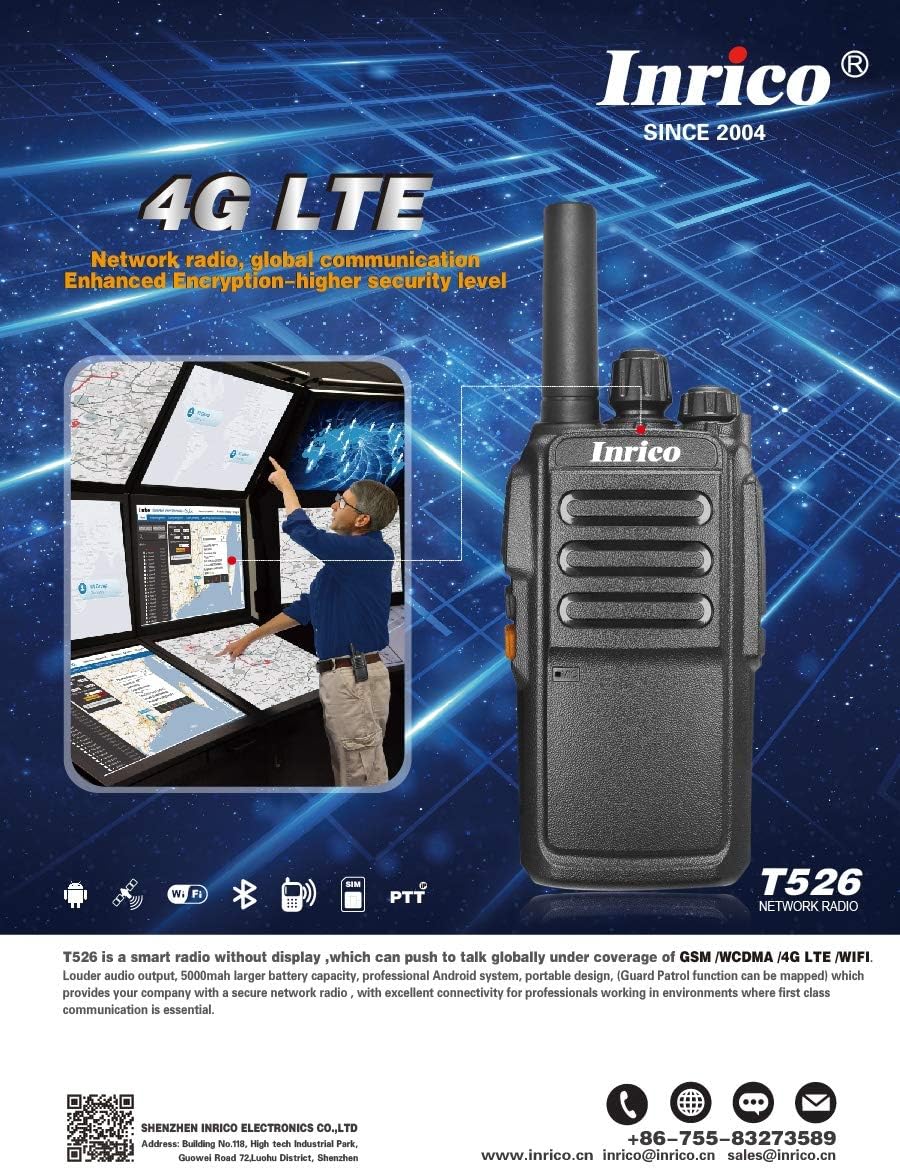
Image: Promotional image highlighting the Inrico T526's 4G LTE capabilities and showing an application schematic for network radio convergence.
Гарантыя і падтрымка
Inrico products are designed for reliability and performance. For warranty information, technical support, or service inquiries, please contact Inrico directly. Keep your purchase receipt as proof of purchase.
Кантактная інфармацыя:
- Webсайт: www.inrico.cn
- электронная пошта: sales@inrico.cn
- Тэлефон: +86-755-83273589
- Дадатковыя рэсурсы: http://733597.clewm.net/Fn4pWUL
Ask a question about this manual
Ask about setup, troubleshooting, compatibility, parts, safety, or missing instructions. Manuals+ will review the question and use this page’s manual context to help answer it.