
1. Уводзіны
Thank you for choosing the WiZ 6-inch Tunable White LED Recessed Downlight. This smart lighting solution allows you to enjoy personalized illumination, enhancing your home environment with ease. This manual provides essential information for the safe and efficient use of your new downlight, covering installation, operation, maintenance, and troubleshooting.
2. Асаблівасці прадукту
- Разумнае кіраванне асвятленнем: Enjoy intelligent lighting with the WiZ 6-inch (15cm diameter) Tunable White LED Recessed Downlight.
- Tunable White Spectrum: Choose between different shades of warm to cool white light (from 2700K to 6500K) to help you concentrate, relax, energize, or simply illuminate your space clearly.
- Customizable Schedules & Scenes: Set personalized schedules to turn lights on and off according to your daily routines, or select from preset scenes.
- Сумяшчальнасць галасавога кіравання: Control your lights using your voice with popular smart assistants like Alexa, Siri, or Google Assistant.
- Падключэнне Wi-Fi: WiZ lights connect directly to your existing Wi-Fi network without the need for additional hardware or a hub.
- Доўгі тэрмін службы і энергаэфектыўнасць: Features a lifespan of 15,000 hours and a luminous flux of 1950 lumens, offering both durability and energy savings.

Малюнак 2.1: Закончанаview of WiZ Smart Features
3. Змесціва ўпакоўкі
Праверце наяўнасць усіх кампанентаў у камплекце:
- 1 x WiZ 6-inch Tunable White LED Recessed Downlight (RD6 17W)
- 1 х Кіраўніцтва карыстальніка (гэты дакумент)
4. Інфармацыя па бяспецы
Калі ласка, прачытайце і зразумейце ўсе інструкцыі па тэхніцы бяспекі перад устаноўкай і выкарыстаннем. Невыкананне гэтых інструкцый можа прывесці да паражэння электрычным токам, пажару або іншых небяспек.
- Электрабяспека: Always turn off power at the circuit breaker before installing or servicing the downlight. Ensure proper grounding.
- Ўстаноўка: Install in accordance with national and local electrical codes. If you are unsure about the installation, consult a qualified electrician.
- Працоўнае асяроддзе: Do not use in wet locations or where directly exposed to water. Suitable for indoor use only.
- Сумяшчальнасць: Use only with WiZ compatible devices and applications.
- Утылізацыя: Утылізуйце выраб і яго кампаненты адказна ў адпаведнасці з мясцовымі правіламі.
5. Кіраўніцтва па наладцы
Follow these steps to install and connect your WiZ Recessed Downlight:
- Падрыхтоўка да ўстаноўкі: Turn off the power to the circuit at the main fuse box or circuit breaker.
- Пачатак такту: Ensure your ceiling opening is suitable for a 6-inch (15cm) recessed downlight. Refer to the product dimensions.
- Падключэнне правадоў: Connect the downlight's wiring to your household electrical wiring according to the wiring diagram provided with the product (not shown here, typically in a separate installation guide). Ensure all connections are secure.
- Устаўце свяцільню: Gently push the downlight into the ceiling opening until the spring clips secure it in place.
- Аднавіць сілу: Зноў уключыце сілкаванне на аўтаматычным выключальніку.
- Download WiZ App: Download the WiZ app from your smartphone's app store (available for iOS and Android).
- Pair the Downlight: Open the WiZ app and follow the on-screen instructions to pair your new downlight. The app will guide you through the process of connecting the light to your Wi-Fi network.

Малюнак 5.1: Памеры вырабу

Figure 5.2: WiZ App Pairing Process
6. Інструкцыя па эксплуатацыі
Once installed and paired, you can control your WiZ downlight using the WiZ app or voice commands.
6.1. Using the WiZ App
- Укл/Выкл: Tap the light icon in the app to turn the downlight on or off.
- Рэгуляванне яркасці: Use the slider in the app to adjust the brightness level.
- Каляровая тэмпература: Select from a range of warm to cool white tones (2700K to 6500K) to suit your mood or activity.
- Сцэны: Choose from a variety of pre-set dynamic light modes or create your own custom scenes for different occasions.
- Расклад: Set up daily or weekly schedules for your lights to turn on/off or change scenes automatically.
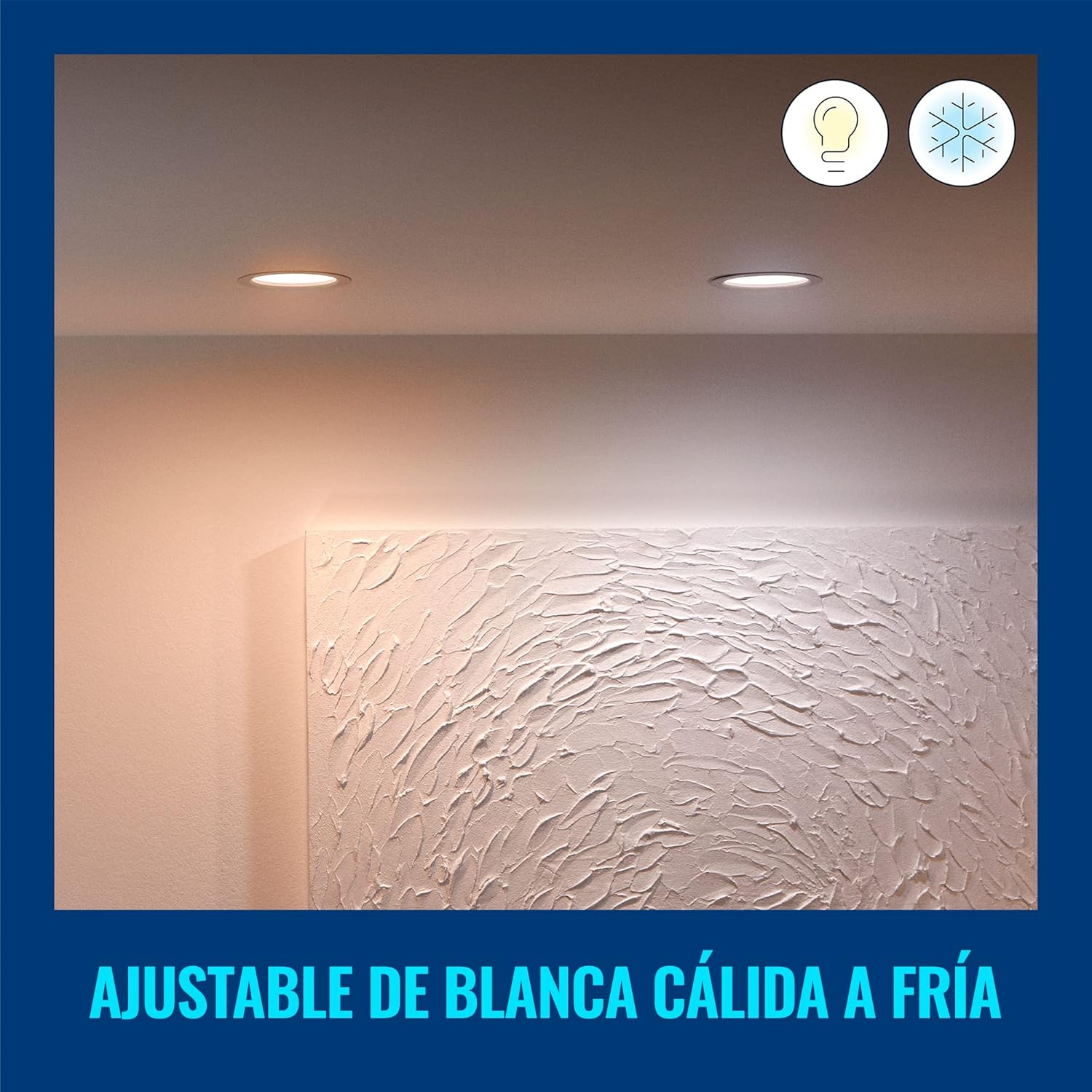
Figure 6.1: Warm White Light Setting
6.2. Галасавое кіраванне
Integrate your WiZ downlight with smart home assistants for hands-free control:
- Памочнік Google: Link your WiZ account in the Google Home app. Then use commands like, "Hey Google, turn on the living room light."
- Amazon Alexa: Enable the WiZ skill in the Alexa app. Use commands such as, "Alexa, set the kitchen light to warm white."
- Apple Siri Shortcuts: Create custom Siri Shortcuts in the WiZ app for quick voice commands.

Малюнак 6.2: Інтэграцыя галасавога кіравання
7. Тэхнічнае абслугоўванне і догляд
To ensure the longevity and optimal performance of your WiZ downlight, follow these simple care instructions:
- Уборка: Disconnect power before cleaning. Use a soft, dry cloth to wipe the surface of the downlight. Do not use abrasive cleaners or solvents.
- Няма частак, якія абслугоўваюцца карыстальнікам: The LED light source is integrated and not replaceable. Do not attempt to disassemble the downlight.
- Умовы навакольнага асяроддзя: Avoid exposing the downlight to extreme temperatures or high humidity, as this may affect its performance and lifespan.
8. Выпраўленне непаладак
If you encounter issues with your WiZ downlight, refer to the following common problems and solutions:
| праблема | Магчымая прычына | Рашэнне |
|---|---|---|
| Падсветка не ўключаецца. | No power, loose wiring, or faulty unit. | Check circuit breaker. Ensure wiring is secure. If problem persists, contact customer support. |
| Немагчыма падключыцца да Wi-Fi. | Incorrect Wi-Fi password, out of range, or router issue. | Verify Wi-Fi password. Move downlight closer to router. Restart router. Ensure you are connecting to a 2.4GHz Wi-Fi network. |
| Святло нечакана мігціць або цьмянее. | Unstable power supply or interference. | Check electrical connections. Ensure no other devices are causing electrical interference. |
| Галасавое кіраванне не працуе. | Incorrect setup with smart assistant or internet connectivity issues. | Ensure WiZ account is correctly linked in your smart assistant app. Check internet connection. |
Каб атрымаць дадатковую дапамогу, звярніцеся ў раздзел падтрымкі кліентаў.
9. Тэхнічныя характарыстыкі
| Атрыбут | Каштоўнасць |
|---|---|
| Марка | WiZ |
| Нумар мадэлі | 929002647712 |
| Вытворца | Signify Mexico |
| Колер | Белы |
| Матэрыял | Пластыкавыя |
| Форма | Круглая |
| Крыніца харчавання | Электрычны |
| тtage | 120 вольт (пераменны ток) |
| Ватtage | 17 ват |
| Тып лямпы | Святлодыёд (інтэграваны) |
| Светлавы струмень | 1950 люмен |
| Асаблівасці | Dimmable, Low Consumption |
| Выкарыстанне | Decoration, General Lighting |
| Патрабуюцца батарэі? | няма |
| Памеры прадукту (Д х Ш х У) | 16.5 х 15 х 4.7 см (6.5 х 5.91 х 1.85 цалі) |
| Вага прадукту | 220 г |
| Працягласць жыцця | 15,000 гадзіны |
10. Інфармацыя аб гарантыі
WiZ products are designed for reliability and performance. This product comes with a standard manufacturer's warranty against defects in materials and workmanship. Please refer to the official WiZ webна сайце або ў дакументацыі па куплі, каб даведацца пра канкрэтныя ўмовы гарантыі, у тым ліку пра тэрмін дзеяння і пакрыццё.
11. Падтрымка кліентаў
If you have any questions, require technical assistance, or need to report an issue, please contact WiZ customer support through the following channels:
- Інтэрнэт-падтрымка: Наведайце чыноўніка WiZ webсайт for FAQs, troubleshooting guides, and contact forms.
- Падтрымка ў дадатку: Access support resources directly within the WiZ mobile application.
- Падтрымка рознічных прадаўцоў: For purchase-related inquiries, contact the retailer where you bought the product.