
1. Уводзіны
This manual provides instructions for the Xgody Mate10+ smartphone. It covers device setup, operation, features, and maintenance to ensure optimal performance and user experience. The Mate10+ operates on Android 8.1, features a 5.5-inch HD display, dual 5MP cameras, and supports dual SIM functionality.
2. Змесціва ўпакоўкі
Праверце наяўнасць усіх прадметаў ва ўпакоўцы прадукту:
- 1 x Xgody Mate10+ Smartphone
- 1 х адаптар для зараднай прылады
- 1 х USB-кабель
- 1 х футляр для тэлефона
- 1 х Кіраўніцтва карыстальніка на англійскай мове
- 1 x HD Film (Screen Protector)
- 1 x Tempered Film (Screen Protector)

Image: Contents of the Xgody Mate10+ smartphone package.
3. Пачатак працы
3.1. Усталёўка SIM-карты і карты памяці
The Xgody Mate10+ supports dual SIM dual standby, allowing the use of two SIM cards simultaneously. It has two independent card slots: one for a Nano SIM and one for a Micro SIM or a TF (microSD) card for expandable storage.
- Знайдзіце латок для SIM-карты/TF на бакавой панэлі прылады.
- Выкарыстайце інструмент для выцягвання SIM-карты, які ўваходзіць у камплект, каб адкрыць латок.
- Carefully place your Nano SIM card, Micro SIM card, and/or TF card into the designated slots. Ensure correct orientation.
- Акуратна ўстаўце латок назад у прыладу, пакуль ён не ўстане на роўную паверхню.
3.2. Зарадка прылады
Before first use, fully charge the smartphone using the provided charger and USB cable.
- Падключыце кабель USB да адаптара зараднай прылады.
- Падключыце адаптар зараднай прылады да разеткі.
- Падключыце кабель USB да порта зарадкі на вашым тэлефоне.
- Значок батарэі на экране будзе паказваць стан зарадкі.
3.3. Уключэнне / выключэнне харчавання
- Каб уключыць: націсніце і ўтрымлівайце кнопку харчавання, пакуль не загарыцца экран.
- Каб выключыць прыладу: націсніце і ўтрымлівайце кнопку харчавання, а затым выберыце «Выключыць» з опцый на экране.
3.4. Пачатковая налада
Пасля першага ўключэння выконвайце падказкі на экране, каб завяршыць пачатковую наладу, у тым ліку выбар мовы, падключэнне да Wi-Fi, наладу ўліковага запісу Google і налады бяспекі.
4. Асноўныя характарыстыкі і прынцып працы
4.1. Дысплей
The Xgody Mate10+ features a 5.5-inch HD full-view display, providing a wide visual experience for viewзмесціва.

Image: The 5.5-inch full-view display of the Xgody Mate10+.

Image: The compact design of the Xgody Mate10+ for easy portability.
4.2. Operating System (Android 8.1)
The device runs on Android 8.1, offering a user-friendly interface and enhanced performance for daily tasks.
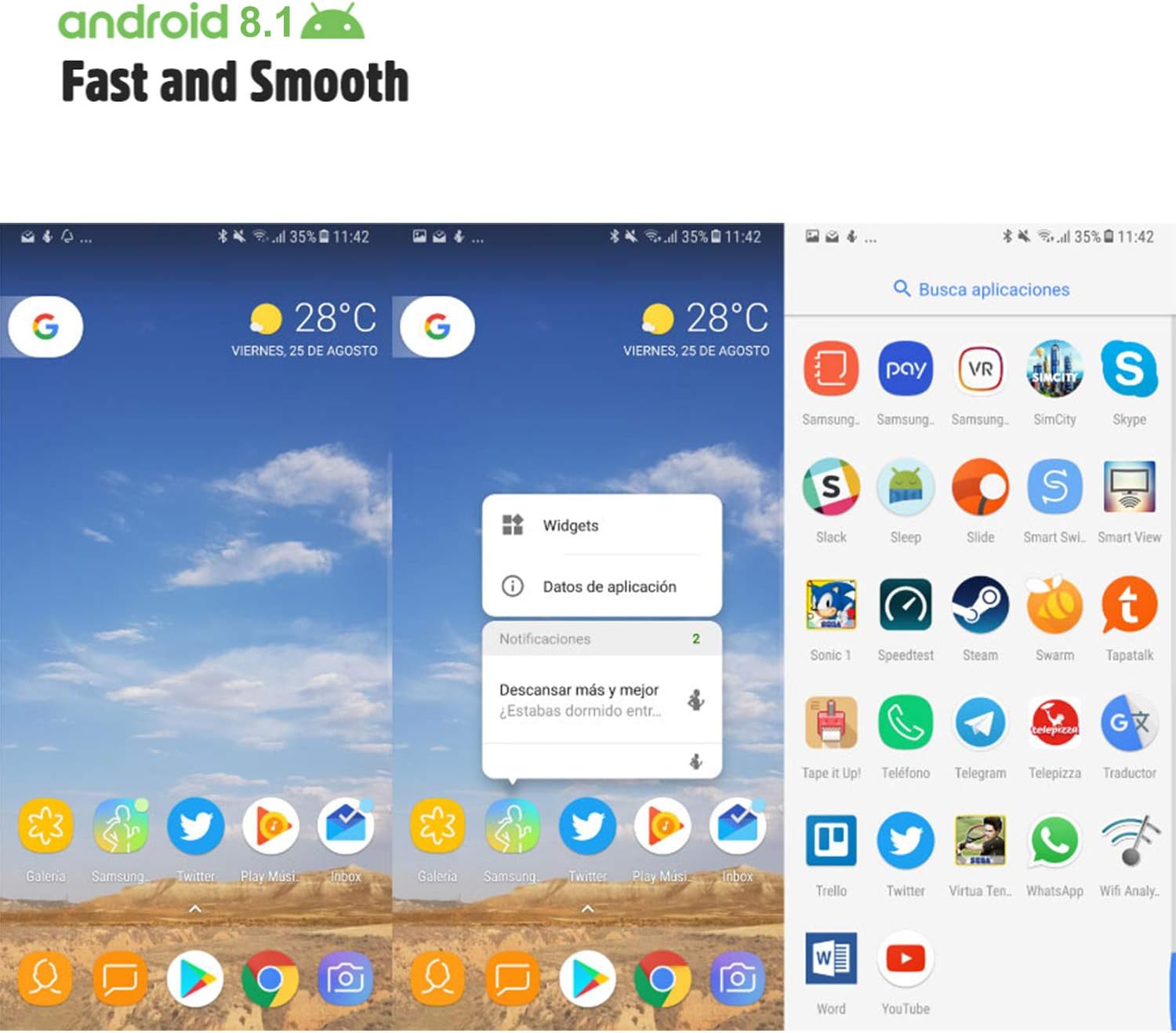
Image: Android 8.1 interface on the Xgody Mate10+.
4.3. Фотаапарат
The Xgody Mate10+ is equipped with dual 5MP cameras, including a rear camera and a front beauty camera, for capturing photos and videos.

Image: Using the front camera for selfies.
4.4. Прадукцыйнасць і захоўванне
The device includes 1GB RAM and 8GB internal storage (ROM), expandable up to 32GB with an external SD card, providing sufficient space for applications and media.

Image: Internal components and storage capabilities.
4.5. Сувязь
The Xgody Mate10+ is a 3G unlocked smartphone, supporting WCDMA 850/1900/2100MHz and GSM 850/900/1800/1900 MHz network bands. It is compatible with most WCDMA SIM carriers but not with CDMA carriers (e.g., Sprint, Verizon, Boost Mobile).
4.6. Бяспека
The device supports Face ID for unlocking, providing a convenient and secure method to access your phone.
Відэа: Скончанаview of Xgody Mate10+ features, including camera, processor, memory, Face ID, 5.5-inch screen, dual SIM, and Android 8.1 operating system.
5. Тэхнічныя характарыстыкі
| мадэль | Mate10+ |
| Аперацыйная сістэма | Android 8.1 |
| Дысплей | 5.5 inch HD Full View Экран |
| АЗП | 1 ГБ |
| ПЗУ (унутраная памяць) | 8 ГБ |
| Сховішча з магчымасцю пашырэння | Up to 32GB (TF card) |
| Задняя камера | 5 МП |
| Пярэдняя камера | 5MP (Beauty Camera) |
| Падтрымка SIM-карты | Dual SIM Dual Standby (1 Nano SIM, 1 Micro SIM or TF card) |
| Сеткавыя дыяпазоны | 3G WCDMA 850/1900/2100MHz, 2G GSM 850/900/1800/1900 MHz |
| Ёмістасць батарэі | 2000 мАг |
| Бесправадныя тэхналогіі | Bluetooth, Wi-Fi, Cellular |
| Сувязь | USB |
| GPS | ГЛОНАСС |
| Вага прадмета | 14 унцыі |
| Памеры прадукту | 0.39 х 0.39 х 0.39 цалі |
6. Выпраўленне непаладак
If you encounter issues with your Xgody Mate10+, refer to the following common solutions:
- Прылада не ўключаецца: Пераканайцеся, што акумулятар зараджаны. Падключыце зарадную прыладу і пачакайце некалькі хвілін, перш чым зноў уключыць прыладу.
- Дрэнны тэрмін службы батарэі: Reduce screen brightness, close unused apps running in the background, disable Wi-Fi/Bluetooth when not in use, and limit background data usage.
- Праблемы з падключэннем да сеткі: Check if your SIM card is properly inserted. Verify that your SIM card supports the device's network bands (3G WCDMA 850/1900/2100MHz & 2G GSM 850/900/1800/1900 MHz). Restart the device.
- Завісанне або збой праграм: Close and restart the application. If the issue persists, clear the app's cache and data in Settings > Apps. Consider uninstalling and reinstalling the app.
- Павольная прадукцыйнасць: Close unnecessary background applications. Clear cache data regularly. Ensure sufficient free storage space.
- Экран не рэагуе: Restart the device by holding the power button. If unresponsive, force restart by holding the power button for an extended period (usually 10-15 seconds).
7. Гарантыя і падтрымка
For warranty information and technical support, please refer to the warranty card included in your product package or contact Xgody customer service through their official website or designated support channels. Keep your purchase receipt as proof of purchase for warranty claims.