
Petcube CC10US
Petcube Cam Instruction Manual
Model: CC10US | Brand: Petcube
1. Уводзіны
The Petcube Cam is an indoor Wi-Fi pet security camera designed to help you monitor your pets and home 24/7. It offers high-quality video, two-way audio, and smart alerts to keep you connected to your furry companions.
Асноўныя функцыі ўключаюць у сябе:
- Vivid 1080p HD Video & 30-ft Night Vision: Monitor your pets with a 110° wide-angle view and 8x digital zoom, even in low-light conditions.
- Crystal-Clear 2-Way Audio: Communicate with your pets remotely, alleviating separation anxiety and reinforcing positive behavior.
- AI-Powered Live Motion & Sound Alerts: Receive instant notifications for human and pet identification, barking, meowing, and other activities.
- Video History & Easy Downloads: With an optional Petcube Care subscription, replay up to 90 days of activity and save your favorite moments.

Image: The Petcube Cam devices and the accompanying mobile application interface.
2. Кіраўніцтва па наладцы
Setting up your Petcube Cam is a quick and straightforward process. Please follow these steps:
- Download the Petcube App: Пошук 'Petcube' in your smartphone's app store (available for iOS and Android).
- Уключыце камеру: Plug the Petcube Cam into a power outlet using the provided USB cable and power adapter. The indicator light on the camera will begin to flash.
- Падключыцеся да Wi-Fi: Open the Petcube app and follow the on-screen instructions to connect your camera to your home Wi-Fi network. Ensure you are connecting to a 2.4GHz Wi-Fi network, as the camera does not support 5GHz Wi-Fi.
- Размяшчэнне: Position your Petcube Cam in a location that provides the best view of your pet's activity. The camera features flexible mounting options for various surfaces.
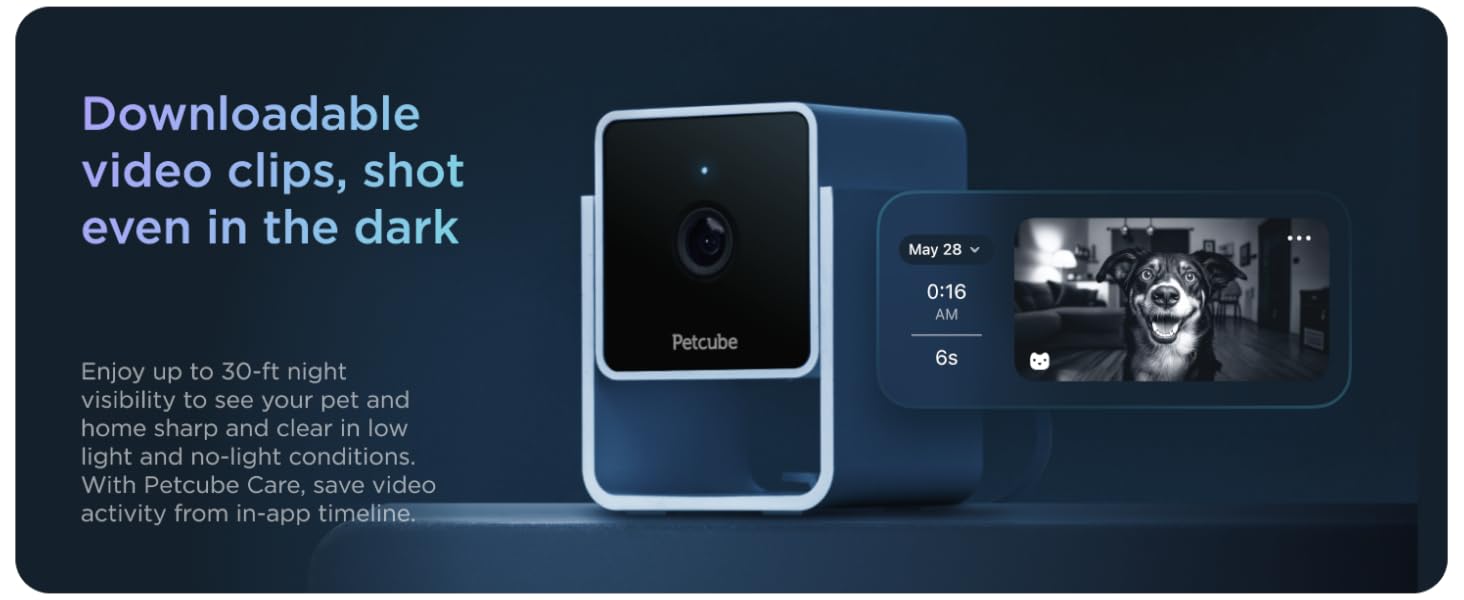
Image: Step-by-step guide within the Petcube app for initial camera setup.

Image: The Petcube Cam demonstrating its flexible mounting capability on a shelf.
3. Operating Your Petcube Cam
3.1 Live Video Monitoring
Access live 1080p HD video from your Petcube Cam anytime, anywhere, directly from your smartphone. The camera offers a 110-degree wide-angle view and 8x digital zoom, allowing you to see more of your pet's environment.

Image: Live 1080p HD video monitoring of your pet.
3.2 Двухбаковае аўдыё
Engage with your pets using the crystal-clear two-way audio feature. You can speak to them through the camera's speaker and hear their responses, such as barks or meows, through your phone's microphone. This feature is useful for comforting your pet or deterring unwanted behavior.

Image: Utilizing two-way audio to communicate with your pet.
3.3 Разумныя абвесткі
The Petcube Cam utilizes AI-powered technology to provide tailored instant sound and motion alerts. These alerts can identify humans and pets, notifying you of significant activity in your home. Customize alert sensitivity and types within the Petcube app.

Image: Smart alerts with AI-powered human and pet recognition.
3.4 Начное бачанне
The camera is equipped with 30-ft night vision, ensuring clear visibility of your pets and home even in complete darkness. This feature automatically activates in low-light conditions.

Image: Clear night vision capability of the Petcube Cam.
3.5 Video History and Downloads (Petcube Care)
For extended video history and advanced features, consider subscribing to Petcube Care. This optional service allows you to replay up to 90 days of pet cam activity, save your favorite moments, and access smart alerts and a web інтэрфейс.
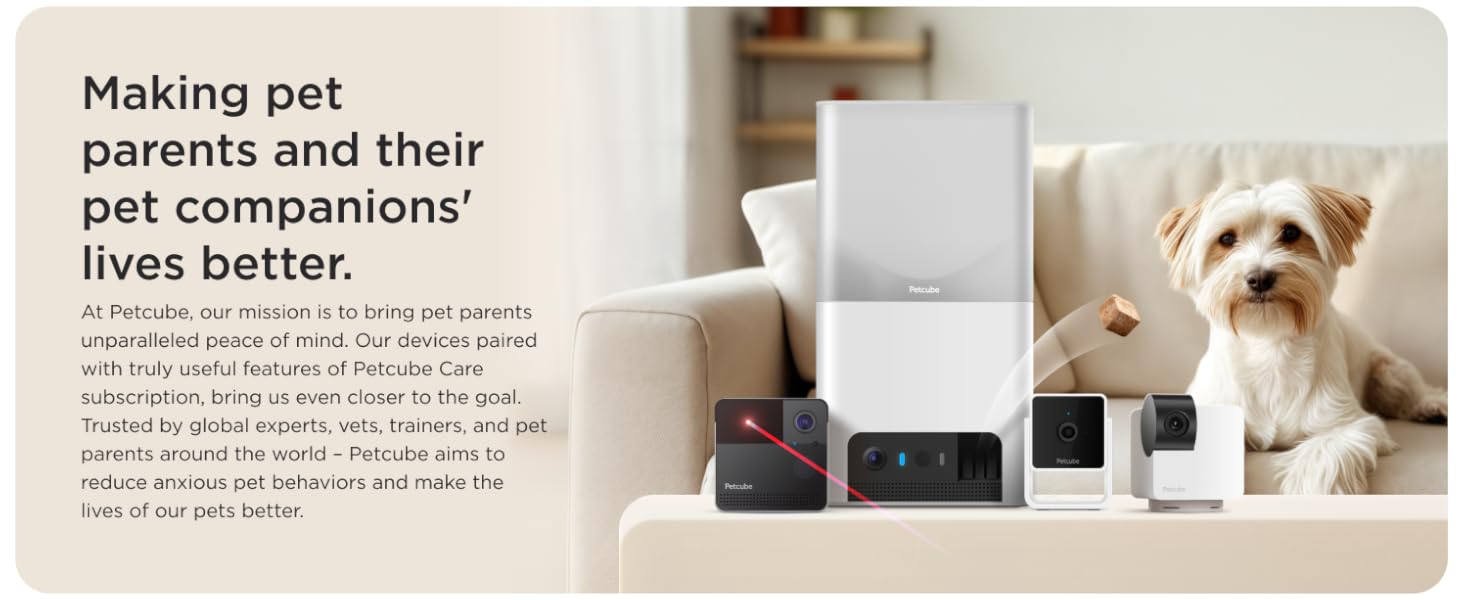
Image: In-app filters and video history features available with Petcube Care.
4. Тэхнічнае абслугоўванне
To ensure the longevity and optimal performance of your Petcube Cam, follow these maintenance guidelines:
- Уборка: Use a soft, dry cloth to clean the camera lens and body. Avoid using liquid cleaners or abrasive materials, as they may damage the device.
- Размяшчэнне: Ensure the camera is placed in a stable location, away from direct sunlight, heat sources, and moisture. It is designed for indoor use only.
- Абнаўленні праграмнага забеспячэння: Keep your Petcube app and camera firmware updated to the latest versions to benefit from new features and security enhancements. Updates are typically managed through the app.
5. Выпраўленне непаладак
If you encounter issues with your Petcube Cam, refer to the following common troubleshooting tips:
- Камера ў аўтаномным рэжыме: Check your Wi-Fi connection. Ensure the camera is within range of your 2.4GHz Wi-Fi router. Try restarting your router and the camera by unplugging it for 10 seconds and plugging it back in.
- Дрэнная якасць відэа: Verify your internet speed. A stable and fast internet connection is crucial for high-quality streaming. Ensure the camera lens is clean and free from dust or smudges.
- Праблемы з аўдыя: Check the microphone and speaker settings within the Petcube app. Ensure volume levels are adequate and there are no obstructions blocking the microphone or speaker on the camera.
- Праблемы з падключэннем праграмы: Close and reopen the Petcube app. If the issue persists, try reinstalling the app.
- Скід налад камеры: If other troubleshooting steps fail, you may need to perform a factory reset. Refer to the in-app help or the official Petcube support website for specific instructions on how to reset your model.
6. Тэхнічныя характарыстыкі
| Асаблівасць | Дэталь |
|---|---|
| Выкарыстанне ў памяшканні/на вуліцы | У памяшканні |
| Сумяшчальныя прылады | Смартфон |
| Крыніца харчавання | Правадная электрычная |
| Пратакол злучэння | Wi-Fi (толькі 2.4 ГГц) |
| Тып кантролера | Android, iOS |
| Тып мацавання | Настольнае мацаванне |
| Колер | камера |
| Колькасць элементаў | 1 (на адзінку камеры) |
| Уключаныя кампаненты | Petcube Cam, USB cable, Petcube power adapter, tape, Quick start guide |
| Формаў-фактар | скрынка |
| Viewing кут | 110 градусаў |
| Дыяпазон начнога бачання | 30 футаў |
| Памеры прадмета (Д х Ш х У) | 2.13 х 2.39 х 3.22 цалі |
| Вага прадмета | 1.52 фунта |
| Назва мадэлі | Petcube Cam |
| UPC | 854592007356 |
7. Гарантыя і падтрымка
Petcube products are designed for reliability and performance. For detailed information regarding your product's warranty, please refer to the warranty card included in your product packaging or visit the official Petcube webсайт.
For technical support, troubleshooting assistance, or any inquiries not covered in this manual, please contact Petcube Customer Support through the Petcube app or their official website. You can also find additional resources, including a PDF user guide, on the product's Amazon page or the Petcube support portal.
Кіраўніцтва карыстальніка (PDF): Спампаваць тут
Ask a question about this manual
Ask about setup, troubleshooting, compatibility, parts, safety, or missing instructions. Manuals+ will review the question and use this page’s manual context to help answer it.