
PlayZoom GoCam
PlayZoom GoCam User Manual
Воданепранікальная дзіцячая экшн-камера
Model: GoCam | Brand: PlayZoom
Уводзіны
The PlayZoom GoCam is a durable and fun waterproof action camera designed specifically for kids. It allows young adventurers to capture their exciting moments in 1080P HD video and 12MP photos, whether on land or underwater. With its robust waterproof casing, built-in microphone and speaker, and a variety of mounting options, the GoCam is ready for any adventure.

The PlayZoom GoCam, enclosed in its protective waterproof housing, ready for action.
Прадукт скончаныview
Familiarize yourself with the various parts and components of your PlayZoom GoCam.

Падрабязны view of the GoCam's buttons and ports, including the Power/Mode button, Shutter/Select button, Micro SD slot, and Micro USB port.
Кампаненты камеры:
- Аб'ектыў: Захоплівае выявы і відэа.
- 2-цалевы ВК-экран: Для viewING жыць Footagе, прайграванне і навігацыя па меню.
- Кнопка харчавання / рэжыму: Turns the camera on/off and switches between video, photo, and playback modes.
- Кнопка засаўкі/выбару: Starts/stops recording, takes photos, and confirms selections.
- Кнопка ўверх: Navigates menus upwards or zooms in.
- Down/Shutter Button: Navigates menus downwards or acts as an alternative shutter button.
- Мікрафон: Запісвае аўдыё.
- Дакладчык: Для прайгравання аўдыё.
- Слот Micro SD: For inserting a Micro SD card (up to 32GB, not included) to store recordings.
- Порт Micro USB: For charging the camera and transferring data.
- Светлавы індыкатар стану: Shows camera status (e.g., charging, recording).
Аксэсуары ў камплекце:
- Воданепранікальны корпус: Protects the camera underwater up to 90 feet (30 meters).
- Мантажны камплект: Various mounts for attaching the camera to helmets, bikes, skateboards, and more.
- USB-кабель для зарадкі: Для зарадкі камеры.

Key features of the GoCam, including its 2-inch LCD screen and built-in battery.
Настройка
1. Зарадка камеры
Before first use, fully charge your GoCam. Connect the included USB charging cable to the camera's Micro USB port and the other end to a USB power adapter (not included) or a computer's USB port. The status indicator light will show charging progress and turn off when fully charged. A full charge provides approximately 1.5 hours of recording time.
2. Installing a Micro SD Card
The GoCam requires a Micro SD card (not included) to save photos and videos. It supports cards up to 32GB. Locate the Micro SD slot on the side of the camera. Gently insert the Micro SD card with the gold contacts facing the back of the camera until it clicks into place. To remove, push the card in again until it springs out.
3. Attaching the Waterproof Case and Mounts
For underwater adventures or added protection, place the GoCam inside its waterproof case. Ensure the case is securely latched before submersion. The included mounting kit allows you to attach the camera to various surfaces and gear.
- Адкрыйце воданепранікальны корпус, адшпільваючыasinзашчапку.
- Carefully place the GoCam inside, ensuring it fits snugly.
- Close the case firmly, making sure the latch is secure.
- Attach the desired mount (e.g., helmet mount, bike mount) to the bottom of the waterproof case using the provided screws and adapters.
- Secure the mount to your gear.

Examples of how to use the mounting kit for different activities like skateboarding and biking.

The GoCam is versatile for various adventures, from roller coasters to mountain climbing.
Інструкцыя па эксплуатацыі
Уключэнне/выключэнне харчавання
- Каб уключыць: націсніце і ўтрымлівайце Кнопка харчавання/рэжыму for a few seconds until the screen lights up.
- Каб выключыць: націсніце і ўтрымлівайце Кнопка харчавання/рэжыму зноў, пакуль экран не выключыцца.
Пераключэнне рэжымаў
Once the camera is on, short press the Кнопка харчавання/рэжыму to cycle through the different modes: Video Recording, Photo Capture, and Playback.
Запіс відэа
- Switch to Video Recording mode (indicated by a video camera icon on the screen).
- Націсніце Кнопка засаўкі/выбару once to start recording. A red dot or recording timer will appear on the screen.
- Націсніце Кнопка засаўкі/выбару again to stop recording. The video file будуць захаваны на карту Micro SD.
Фатаграфаванне
- Switch to Photo Capture mode (indicated by a camera icon on the screen).
- Скампануйце кадр з дапамогай ВК-экрана.
- Націсніце Кнопка засаўкі/выбару once to take a photo. The image will be saved to the Micro SD card.
Прайграванне
- Пераключыцеся ў рэжым прайгравання (пазначаецца значком прайгравання).
- Выкарыстоўвайце Up і Уніз кнопкі для навігацыі па запісаных відэа і фотаздымках.
- Націсніце Кнопка засаўкі/выбару to play a video or view фота на ўвесь экран.
Underwater Use
The PlayZoom GoCam is waterproof up to 90 feet (30 meters) when properly enclosed in its waterproof case. Always ensure the case is clean and securely sealed before taking it underwater. After use in saltwater, rinse the case with fresh water and let it air dry.
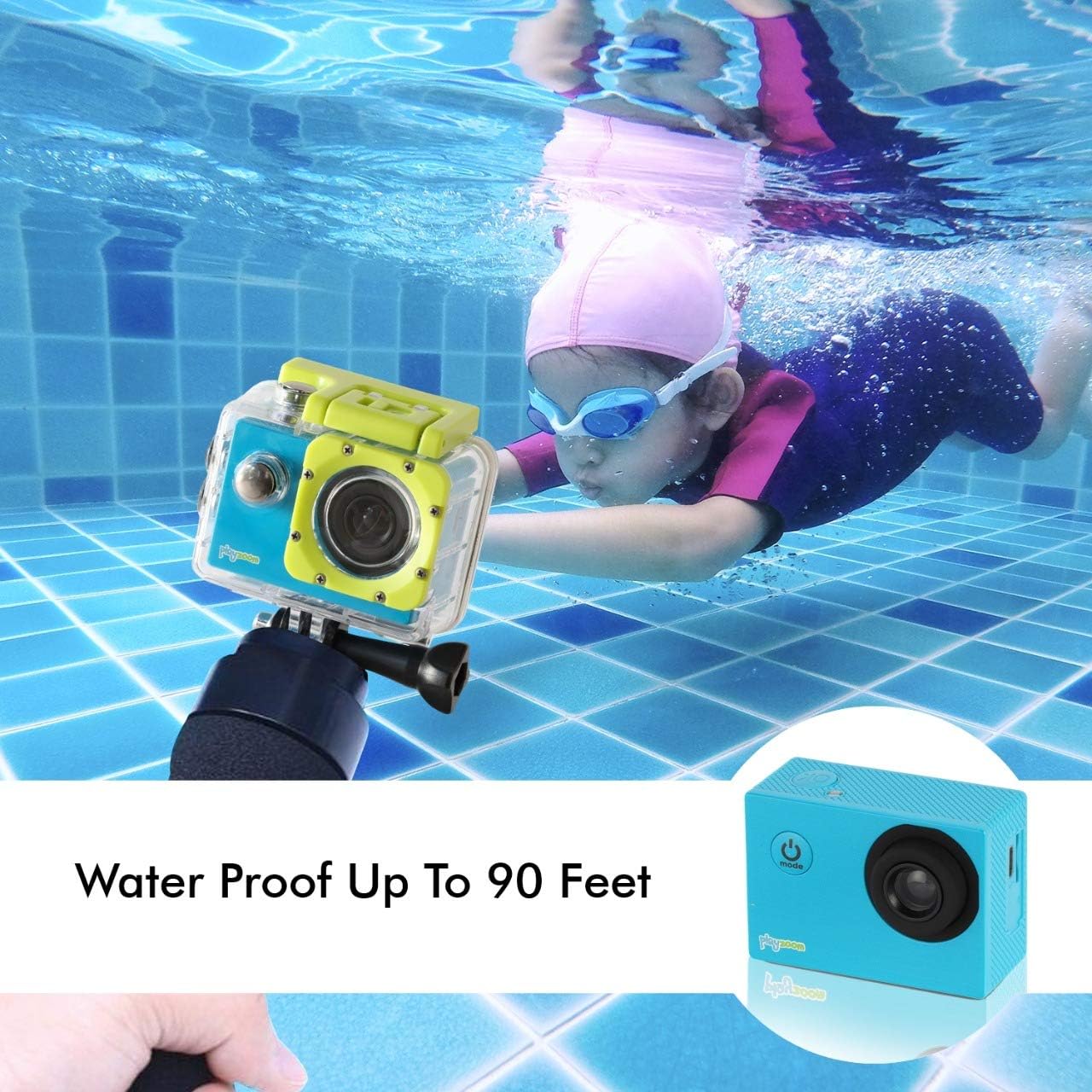
The GoCam is designed for underwater adventures, waterproof up to 90 feet.
Тэхнічнае абслугоўванне
- Уборка: Use a soft, dry cloth to clean the camera body. For the lens, use a lens cleaning cloth. For the waterproof case, rinse with fresh water after each use, especially in saltwater, and wipe dry.
- захоўванне: Захоўвайце камеру ў прахалодным, сухім месцы, удалечыні ад прамых сонечных прамянёў і экстрэмальных тэмператур. Выміце карту Micro SD, калі захоўваеце яе працяглы час.
- Сыход за батарэяй: To prolong battery life, avoid fully discharging the battery frequently. Charge the camera regularly, even if not in use, to maintain battery health.
- Waterproof Case Seal: Periodically inspect the rubber seal of the waterproof case for any dirt, debris, or damage. A clean and intact seal is crucial for maintaining its waterproof integrity.
Ліквідацыю непаладак
| праблема | Магчымая прычына | Рашэнне |
|---|---|---|
| Камера не ўключаецца. | Акумулятар разраджаны. | Цалкам зарадзіце камеру з дапамогай кабеля USB. |
| Нельга запісваць відэа ці рабіць фота. | Карта Micro SD не ўстаўлена або карта запоўненая/пашкоджаная. | Insert a Micro SD card. If already inserted, check if it's full and delete files or format the card (this will erase all data). Try a different Micro SD card. |
| Дрэнная якасць выявы/відэа. | Аб'ектыў брудны або ўмовы асвятлення дрэнныя. | Clean the camera lens with a soft cloth. Ensure adequate lighting for best results. |
| Камера завісае або перастае рэагаваць. | Праграмны збой. | Press and hold the Power/Mode button for 10-15 seconds to force a shutdown. Restart the camera. |
Тэхнічныя характарыстыкі
| Асаблівасць | Дэталь |
|---|---|
| Марка | PlayZoom |
| Назва мадэлі | GoCam |
| Дазвол відэазахопу | 1080p HD |
| Эфектыўнае рашэнне | 12 МП |
| Памер экрана | 2 цалі (ВК-дысплей) |
| Узровень воданепранікальнасці | Waterproof (up to 90 feet / 30 meters with case) |
| Тып флэш-памяці | Micro SD (падтрымлівае да 32 ГБ) |
| Убудаваны акумулятар | Літыевая акумулятарная батарэя ёмістасцю 400 мАг |
| Час запісу | Прыбл. 1.5 гадзіны |
| Вага прадмета | 4 унцыі |
| Памеры прадукту | 3 х 1 х 3.5 цалі |
Гарантыя і падтрымка
For warranty information and customer support, please refer to the contact details provided with your product packaging or visit the official PlayZoom webсайт. Захоўвайце чэк аб куплі як пацвярджэнне пакупкі ў выпадку любых гарантыйных прэтэнзій.
For additional assistance or frequently asked questions, you may visit the PlayZoom Store on Amazon.
Ask a question about this manual
Ask about setup, troubleshooting, compatibility, parts, safety, or missing instructions. Manuals+ will review the question and use this page’s manual context to help answer it.