
1. Прадукт скончыўсяview
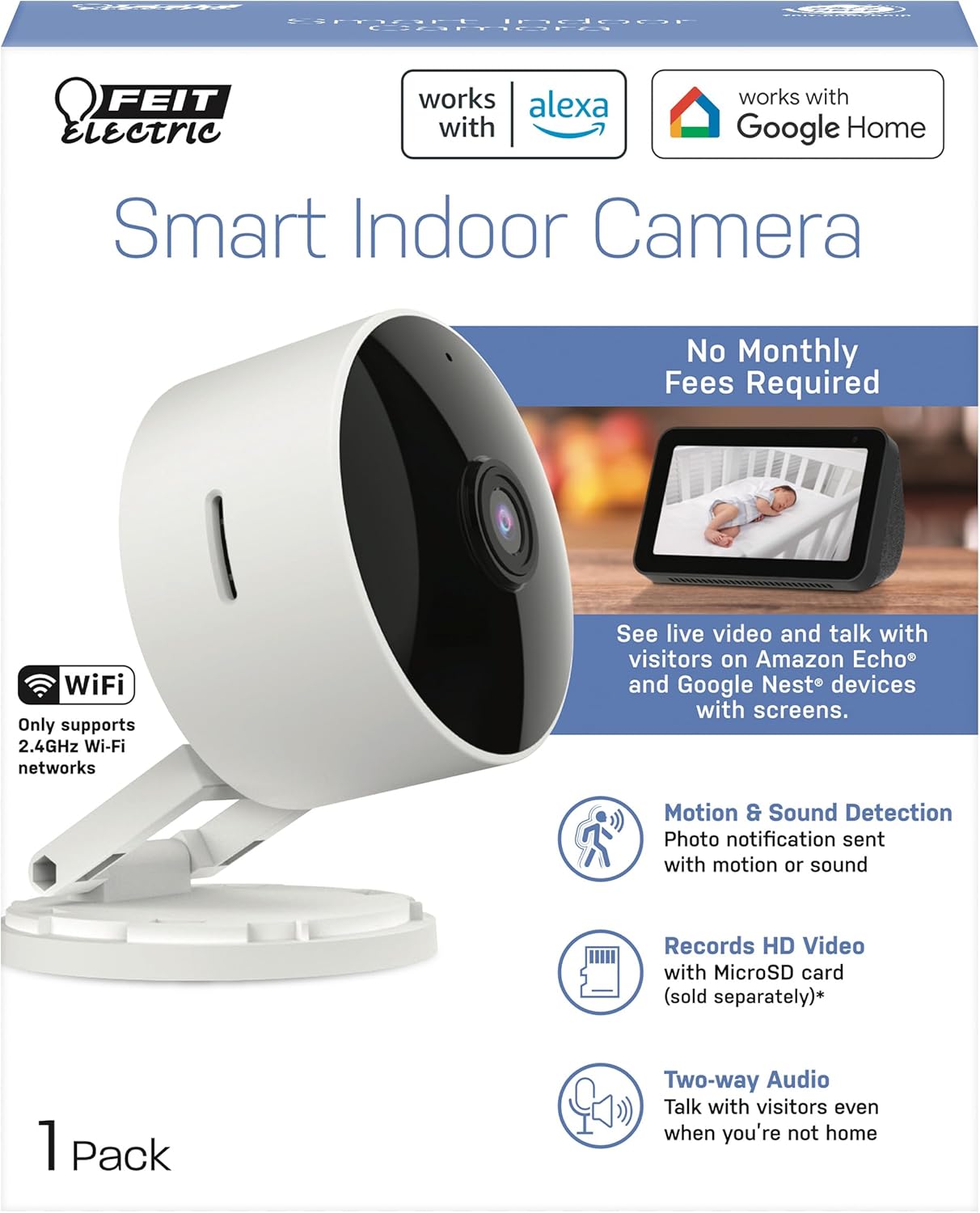
The Feit Electric CAM1/WIFI Indoor Security Camera is designed to help you monitor your property with ease. This motion-activated HD camera connects directly to your 2.4 GHz Wi-Fi network, allowing for remote control and live viewing from anywhere via the Feit Electric mobile app. It features two-way audio, 1080p HD video recording, and night vision capabilities. Recorded events can be stored locally on a Micro-SD card (sold separately), eliminating the need for monthly fees or subscriptions. The camera is compatible with popular smart home assistants like Alexa and Google Assistant for convenient voice control.
2. Змесціва ўпакоўкі
- 1 x Feit Electric Smart Security Camera (CAM1/WIFI)
- 1 х адаптар сілкавання
- 1 x 1-meter USB Cord
3. Асаблівасці прадукту
- 1080p HD відэа: High-quality video for clear monitoring and recording.
- Пашыранае выяўленне руху: Detects motion up to 30 feet with visible night vision. Receive push notifications for detected activity.
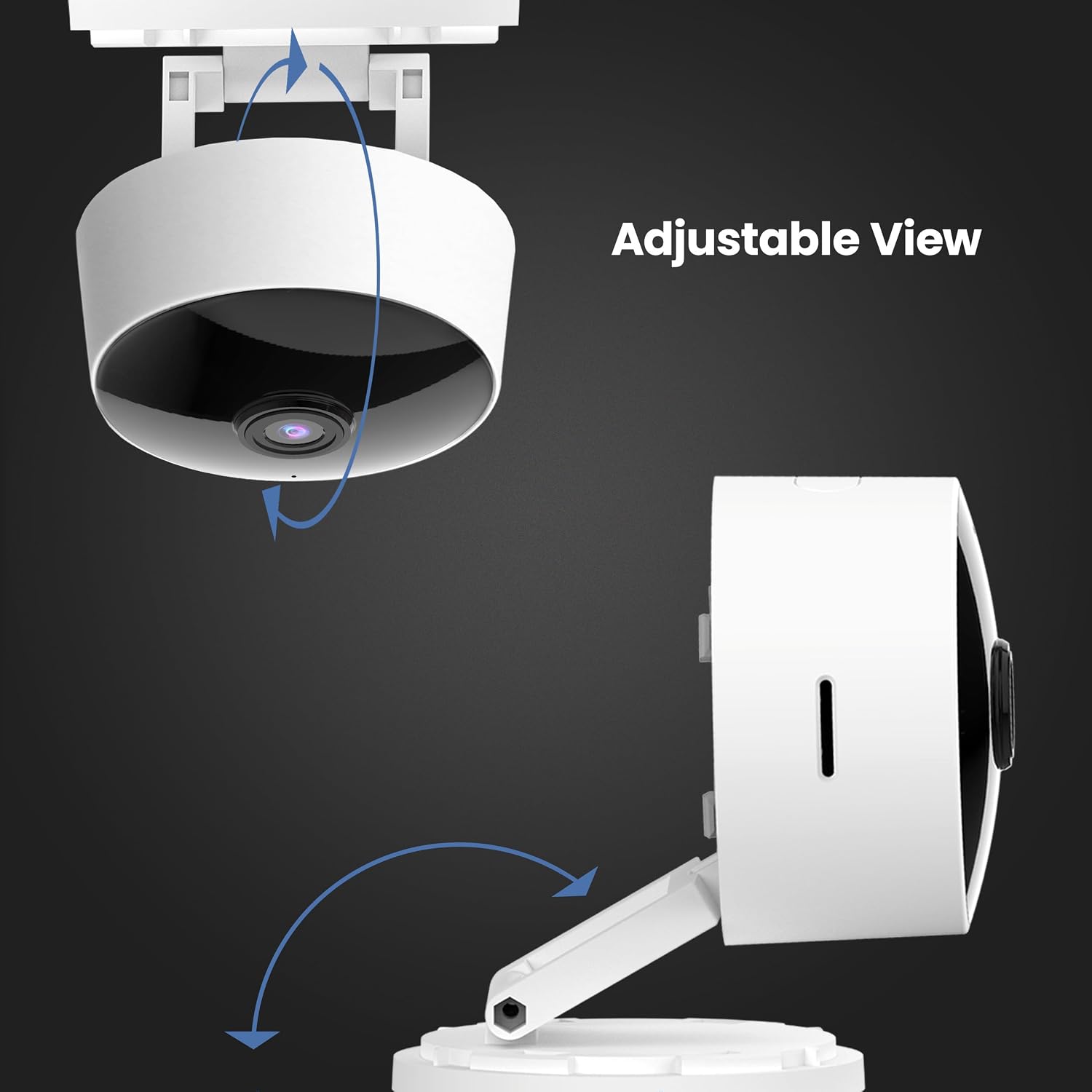
- Рэгуляваная на 360° галоўка: Дазваляе гнуткае размяшчэнне і viewныя вуглы.
- Падключэнне да Wi-Fi 2.4 ГГц: Connects directly to your home Wi-Fi network for remote access.
- 2-баковае аўдыё: Built-in microphone and speaker enable real-time conversation.
- Лакальнае сховішча: Supports Micro-SD cards up to 128GB for up to 10 days of continuous recording (SD card not included). No monthly fees or subscriptions required.
- Сумяшчальнасць з галасавым памочнікам: Сумяшчальны з Amazon Alexa і Google Assistant для зручнага галасавога кіравання.
- Дызайн плагіна: Plugs into standard outlets, no hardwiring required.



Афіцыйнае відэа пра прадукт
Гэта відэа забяспечвае завяршэннеview of the Feit Electric Smart Indoor and Outdoor Cameras, highlighting their key features and benefits for home security.
4. Тэхнічныя характарыстыкі
| Атрыбут | Каштоўнасць |
|---|---|
| Нумар мадэлі | CAM1/WIFI |
| Выкарыстанне ў памяшканні/на вуліцы | У памяшканні |
| Дазвол відэазахопу | 1080p HD |
| Дыяпазон начнога бачання | 30 футаў |
| Пратакол злучэння | Wi-Fi (2.4 ГГц) |
| Двухбаковае аўдыё | так |
| Захоўванне | Micro-SD Card (up to 128GB, not included) |
| Крыніца харчавання | Электрычная шнуровая (падключаная да сеткі) |
| Сумяшчальныя прылады | Smartphone (Feit Electric App), Amazon Alexa, Google Assistant |
| Памеры прадмета (Д х Ш х У) | 5.1 х 4.3 х 2.5 цалі |
| Вага прадмета | 6.4 унцыі |
| Колер | Белы |
5. Кіраўніцтва па наладцы
- Уключэнне: Plug the camera into a standard electrical outlet using the provided power adapter and USB cord. The camera will power on automatically.
- Спампаваць прыкладанне: Download the "Feit Electric" app from your smartphone's app store (available for Android and iOS).
- Стварыць уліковы запіс: Open the Feit Electric app and create a new account or log in if you already have one.
- Дадаць прыладу: In the app, tap the "+" icon to add a new device. Select "Camera" from the device categories.
- Падключыцеся да Wi-Fi: Follow the in-app instructions to connect the camera to your 2.4GHz Wi-Fi network. Ensure your phone is also connected to the same 2.4GHz network during setup. You may need to reset the device by pressing and holding the RESET button for 5 seconds until you hear an audible tone.
- Спалучэнне: The app will guide you through the pairing process, which may involve scanning a QR code displayed on your phone with the camera.
- Размяшчэнне: Position the camera in your desired indoor location. The adjustable head allows for optimal viewныя вуглы.

6. Інструкцыя па эксплуатацыі
- жыць View: Open the Feit Electric app and select your camera to view жывы канал.
- Двухбаковы аўдыё: Tap the microphone icon in the app to speak through the camera's speaker, or listen to audio from the camera's microphone.
- Запіс: The camera can record continuously or when motion is detected. To enable continuous recording, ensure a Micro-SD card (up to 128GB) is inserted into the camera's slot. You can download recorded video wirelessly through the Feit app.
- Абвесткі аб руху: Enable push notifications in the app settings to receive alerts on your smartphone when motion is detected.
- Галасавое кіраванне:
- With Alexa: Link your Feit Electric account in the Alexa app. Then, use commands like "Alexa, show me the [camera name]" to view the feed on compatible Echo Show devices.
- With Google Assistant: Link your Feit Electric account in the Google Home app. Use commands like "Hey Google, show me the [camera name]" on compatible Google Nest devices.


7. Тэхнічнае абслугоўванне
- Уборка: Выкарыстоўвайце мяккую сухую тканіну для чысткі аб'ектыва і корпуса камеры. Не выкарыстоўвайце вадкія ачышчальнікі або аэразолі.
- Абнаўленні прашыўкі: Regularly check the Feit Electric app for available firmware updates to ensure optimal performance and security.
- Цыкл харчавання: Калі ў камеры ўзніклі праблемы, паспрабуйце адключыць яе ад крыніцы харчавання на 10 секунд, а затым зноў падключыць.
8. Выпраўленне непаладак
| праблема | Магчымае рашэнне |
|---|---|
| Камера не падключаецца да Wi-Fi. | Ensure your Wi-Fi network is 2.4GHz. Move the camera closer to the router. Reset the camera by holding the reset button for 5 seconds. Verify Wi-Fi password. |
| Poor video quality or grainy image. | Check your Wi-Fi signal strength. Ensure the camera lens is clean. Adjust camera placement for better lighting. |
| Motion detection alerts are not received. | Verify motion detection settings are enabled in the Feit Electric app. Check your phone's notification settings for the app. |
| Двухбаковая аўдыёсувязь не працуе. | Ensure microphone and speaker permissions are granted to the Feit Electric app on your phone. Check volume settings in the app and on your phone. |
| Camera reboots itself frequently. | Ensure a stable power supply. Check the power adapter and USB cable for damage. If power goes out, the camera is designed to reboot itself upon power restoration. |
9. Гарантыя і падтрымка
This Feit Electric camera comes with a one-year warranty from the date of purchase. For customer service, technical support, or warranty inquiries, please contact Feit Electric directly.
Кантактная інфармацыя:
- электронная пошта: info@feit.com
- Бясплатны тэлефон: 1-866-326-БУЛБ
- Інтэрнэт-падтрымка: Visit the Feit Electric Help Center for FAQs and additional resources.
