
Twister TWST1001B
Twister Ninja 250 RC Helicopter User Manual
Model: TWST1001B
Уводзіны
This manual provides comprehensive instructions for the safe operation, maintenance, and troubleshooting of your Twister Ninja 250 RC Helicopter. Please read this manual thoroughly before operating the helicopter to ensure proper function and to prevent damage or injury.

Image: The Twister Ninja 250 RC Helicopter, showcasing its sleek blue and black design with white accents. This image highlights the main rotor blades and tail rotor.
Асноўныя характарыстыкі
- One-touch auto take-off.
- One-touch auto land.
- Altitude hold system.
- Model protecting panic mode.
- 6-axis gyro stabilisation.
- Extremely durable beginner-friendly construction.
- Quick release wireless LiPo.
- Outstanding 15-minute duration.
- Available in red and blue.
- Colour co-ordinated rotor blades.
- Transmitter mode changeable (1 or 2).
Змест пакета
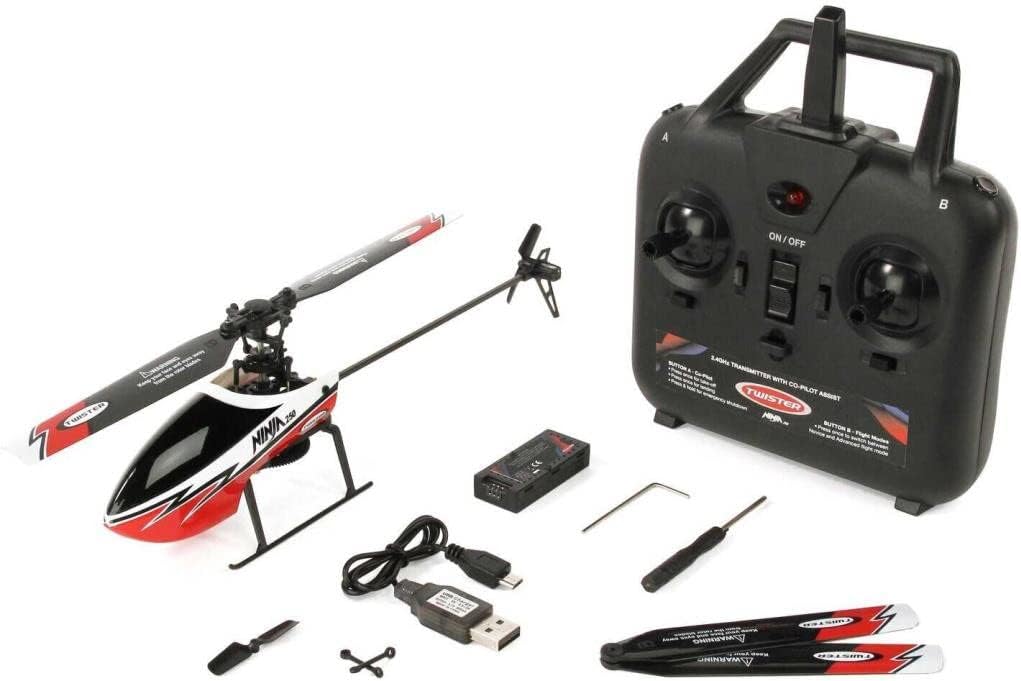
Image: All components included with the Twister Ninja 250 RC Helicopter: the helicopter itself, the 2.4GHz four-channel transmitter, LiPo battery, USB charger, spare main and tail rotor sets, spare cyclic pushrod set, and a tool set.
Што ў скрынцы:
- 1x Ninja 250 helicopter.
- 1x 2.4GHz four-channel transmitter.
- 1x 1S 3.7V 300mAh LiPo battery.
- 1x USB charger.
- 1x Spare main and tail rotor set.
- 1x Spare cyclic pushrod set.
- 1x Tool set (screw driver & Allen key).
- 1x Comprehensive instruction manual.
Needed to Complete (Not Included):
- 4x AA batteries for the transmitter.
Настройка
1. Charging the Flight Battery
Connect the included USB charger to a compatible USB power source (e.g., computer USB port, USB wall adapter). Connect the 1S 3.7V 300mAh LiPo battery to the charger. The charging indicator light will show the charging status (refer to charger's specific instructions for light indications). Ensure the battery is fully charged before first flight. Charging time is approximately 60-90 minutes.
2. Installing Transmitter Batteries
Open the battery compartment on the back of the 2.4GHz four-channel transmitter. Insert 4x AA batteries, ensuring correct polarity (+/-). Close the battery compartment securely.
3. Binding the Helicopter and Transmitter
- Ensure the helicopter's battery is disconnected and the transmitter is turned off.
- Уключыце перадатчык.
- Connect the flight battery to the helicopter. Place the helicopter on a flat, level surface.
- The helicopter's indicator light will flash. Move the throttle stick (left stick) on the transmitter to its lowest position, then to its highest position, and then back to its lowest position.
- The helicopter's indicator light should become solid, indicating a successful bind. If not, repeat the process.
Інструкцыя па эксплуатацыі
Перадпалётны кантрольны спіс
- Ensure flight battery is fully charged and securely connected.
- Transmitter batteries are installed and sufficient power.
- Helicopter and transmitter are successfully bound.
- All rotor blades are free from damage and obstructions.
- Choose a safe, open area free from people, animals, and obstacles for flight.
Take-Off and Landing
The Ninja 250 features one-touch auto take-off and land functions for ease of use.
- Auto Take-Off: After binding, press the designated auto take-off button on the transmitter. The helicopter will automatically ascend to a stable hovering altitude.
- Auto Land: During flight, press the designated auto land button. The helicopter will slowly descend and land automatically.
Flight Controls (Mode 2 - Default)
Familiarize yourself with the transmitter controls:
- Left Stick (Throttle/Rudder):
- Уверх/Уніз: Кіруе вышынёй (дросель).
- Left/Right: Controls yaw (rotation of the helicopter).
- Right Stick (Elevator/Aileron):
- Уверх/Уніз: Кіруе вышынёй тону (рух наперад/назад).
- Улева/Управа: Кіруе паваротам (рухам у бакі).
The 6-axis gyro stabilization and altitude hold system assist in maintaining stable flight, making it easier for beginners.

Image: The Twister Ninja 250 RC Helicopter in mid-flight, demonstrating its agility and stable hover. The red and black color scheme is visible.
Рэжым панікі
In case of loss of control or disorientation, activate the panic mode (refer to transmitter diagram for button location). This feature is designed to help stabilize the helicopter and prevent crashes by automatically leveling the aircraft.
Тэхнічнае абслугоўванне
- Лопасці ротара: Regularly inspect main and tail rotor blades for cracks, chips, or deformation. Replace damaged blades immediately using the included spare sets.
- Уборка: Use a soft, dry cloth to clean the helicopter body. Avoid using solvents or harsh chemicals.
- Сыход за батарэяй:
- Do not overcharge or over-discharge the LiPo battery.
- Захоўвайце батарэі ў прахалодным, сухім месцы, удалечыні ад прамых сонечных прамянёў і экстрэмальных тэмператур.
- If the helicopter will not be used for an extended period, store the battery at a partial charge (around 3.8V per cell).
- захоўванне: Store the helicopter and transmitter in a safe place, away from dust and moisture, when not in use.
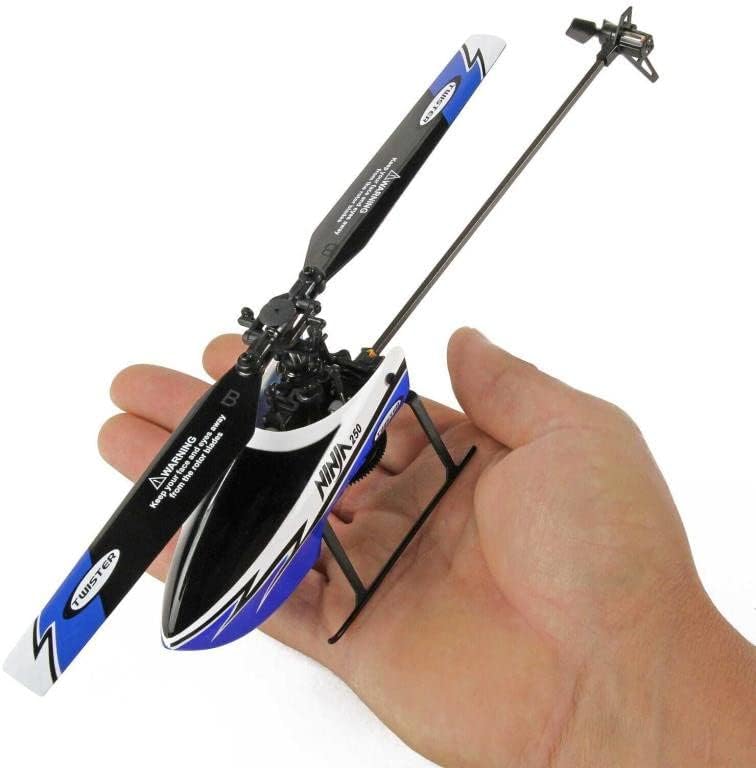
Image: The Twister Ninja 250 RC Helicopter being held in a hand, illustrating its compact size and portability. This view emphasizes the main rotor and the helicopter's body.
Ліквідацыю непаладак
| праблема | Магчымая прычына | Рашэнне |
|---|---|---|
| Верталёт не рэагуе на перадатчык. | Not bound; low transmitter batteries; helicopter battery not connected/charged. | Re-bind helicopter and transmitter; replace transmitter batteries; ensure helicopter battery is charged and connected. |
| Helicopter drifts during hover. | Not calibrated on a level surface; trim settings incorrect; minor damage to blades. | Ensure helicopter is placed on a level surface during power-on/binding; adjust trim buttons on transmitter; inspect and replace damaged blades. |
| Кароткі час палёту. | Battery not fully charged; aging battery; aggressive flying. | Ensure battery is fully charged; consider replacing battery if old; practice smoother flight maneuvers. |
| Верталёт лёгка падае. | Pilot error; strong winds; damaged components. | Practice in a safe, open area; avoid flying in windy conditions; inspect for and replace damaged parts. |
Тэхнічныя характарыстыкі
| Спецыфікацыя | Каштоўнасць |
|---|---|
| Дыяметр галоўнага ротара | 250 мм |
| Даўжыня | 268 мм |
| Вышыня | 80 мм |
| Лятаючы вага | 52.7 г |
| акумулятар | 1S 3.7V 300mAh LiPo |
| Працягласць палёту | Прыбл. 15 хвілін |
| Рэкамендаваны ўзрост | 14 гады і вышэй |
| Матэрыял | Nylon (durable construction) |
| Нумар мадэлі | TWST1001B |
Гарантыя і падтрымка
Каб атрымаць інфармацыю аб гарантыі і тэхнічнай падтрымцы, звярніцеся да дакументацыі, якая пастаўляецца з пакупкай, або звярніцеся непасрэдна да прадаўца/вытворцы. Захоўвайце пацвярджэнне пакупкі для прэтэнзій па гарантыі.
вытворца: Твістэр