
1. Уводзіны
This instruction manual provides essential information for the setup and operation of your CHUNGHOP Universal Remote. This remote is designed as a replacement for various LG Smart TV Magic Remote models. Please note that this is an infrared (IR) remote control and does not support voice control, gyro, mouse, or pointer functions.
2. Сумяшчальнасць
The CHUNGHOP Universal Remote is compatible with the following LG Smart TV Magic Remote Control models:
- AN-MR18BA, AN-MR19BA, AN-MR600G, AN-MR650, AN-MR650G, ANMR650A, ANMR600, AN-MR650B
- AKB75095307, AKB74475401, AKB74475433, AKB73975702, AKB75055701
- AKB73975711, AKB73715608, AKB74475401, AKB75375604, AGF76631064
- AKB74915324, AKB73715601, AKB75095308, AKB72915239

Image: The CHUNGHOP Universal Remote shown alongside a list of compatible LG Smart TV Magic Remote models.
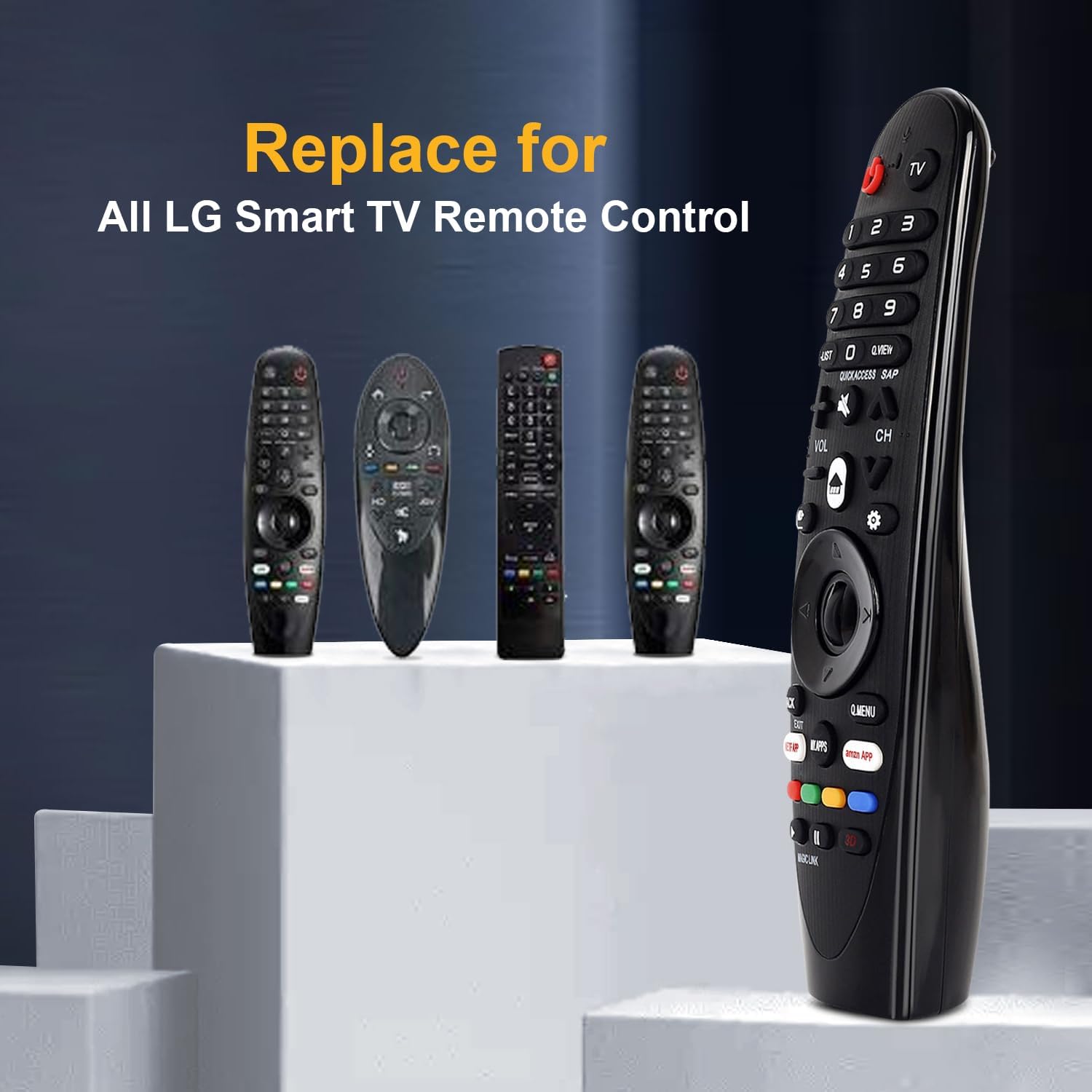
Image: The CHUNGHOP remote positioned as a replacement for several original LG Smart TV remotes.
3. Асаблівасці
- Выдзеленыя гарачыя клавішы: Includes direct access buttons for 3D, Amazon, and Netflix for quick navigation to popular streaming services and features.
- Інфрачырвоная (ВК) тэхналогія: Operates using stable infrared signals.
- Міжгародні кантроль: Effective control distance of up to 33 feet (10 meters).
- Эрганамічны дызайн: Designed for comfortable handling and ease of use.

Image: A close-up of the remote control highlighting the dedicated hotkeys for Netflix, Amazon, and My Apps.

Image: A visual representation demonstrating the remote's effective long-distance control up to 33 feet.
4. Настройка
4.1 Устаноўка батарэі
This remote control requires 2 x 1.5V AA batteries (not included). No programming or additional setup is required after battery installation.
- Адкрыйце вечка батарэйнага адсека, размешчанага на задняй панэлі пульта дыстанцыйнага кіравання.
- Устаўце дзве батарэйкі тыпу АА, сочачы за правільнай палярнасцю (+ і -), як паказана ўнутры адсека.
- Надзейна зачыніце крышку батарэйнага адсека.

Image: The remote's battery compartment is open, showing the correct placement for two AA batteries.
Video: A demonstration of installing batteries into the CHUNGHOP Universal Remote and a general overview of the remote's design and compatibility.
5. Інструкцыя па эксплуатацыі
Once batteries are installed, the remote is ready for use with your compatible LG Smart TV. Point the remote directly at your television for optimal performance.
5.1 Асноўныя функцыі
- Кнопка харчавання: Уключае або выключае тэлевізар.
- Лічбавыя кнопкі (0-9): Для прамога выбару канала.
- Павышэнне/памяншэнне гучнасці (VOL +/-): Рэгулюе гучнасць тэлевізара.
- Канал уверх/уніз (CH +/-): Змяняе тэлевізійныя каналы.
- Directional Pad (Up/Down/Left/Right) and OK Button: Навігацыя па меню і пацвярджэнне выбару.
5.2 Hotkeys and Special Buttons
- NETFLIX: Прамы доступ да праграмы Netflix.
- AMAZON: Direct access to the Amazon application.
- МАЕ ПРАГРАМЫ: Accesses your installed applications.
- Q.МЕНЮ: Opens the Quick Menu for common settings.
- BACK/EXIT: Returns to the previous screen or exits a menu/application.
- 3D: Activates or deactivates 3D mode (if supported by your TV).
5.3 Important Note on Features
This remote control operates via infrared (IR) signals only. It не робіць include the following functions found on some original LG Magic Remotes:
- Галасавое кіраванне
- Gyroscope (motion sensing)
- Функцыя мышы
- Функцыя паказальніка
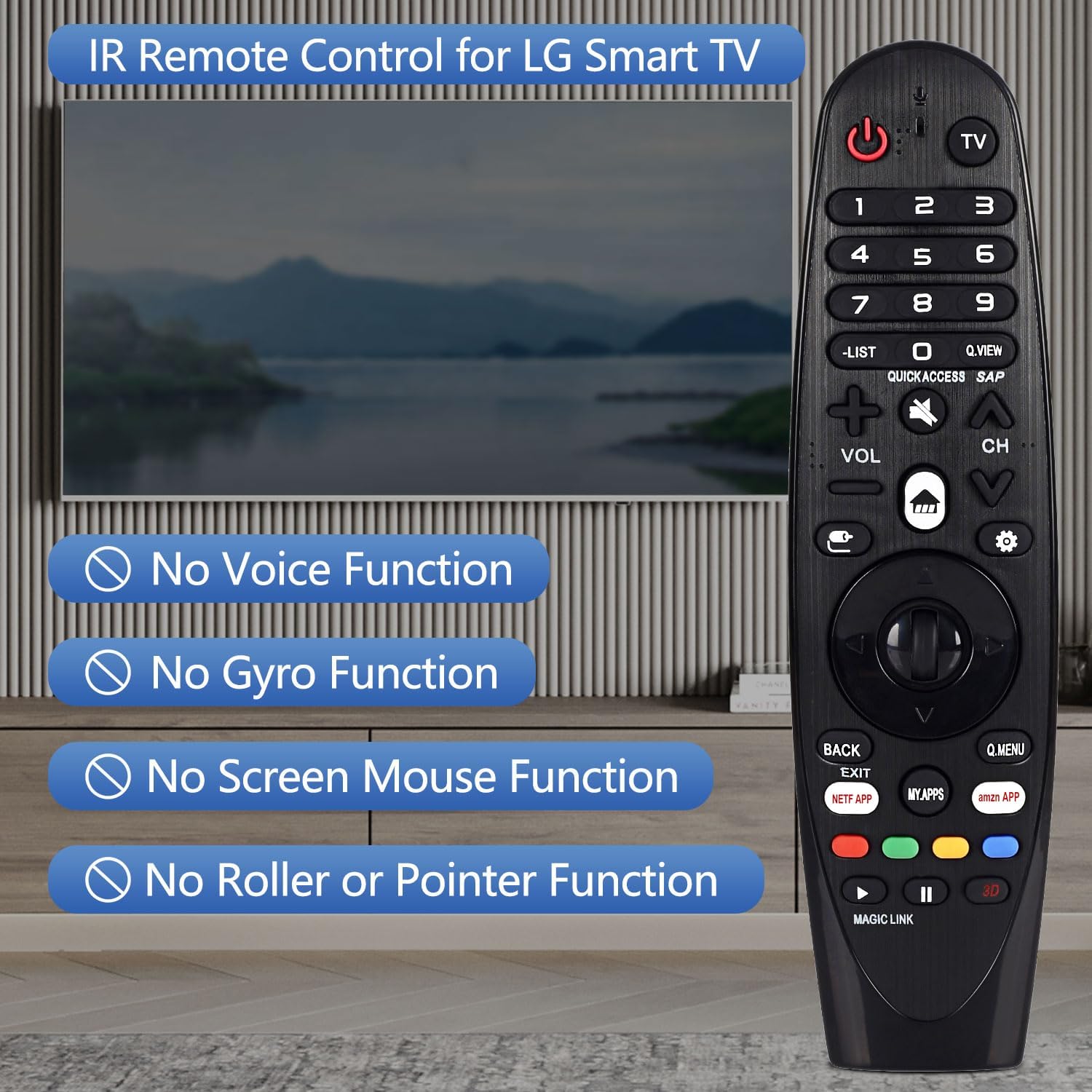
Image: The remote control displayed with text overlays explicitly stating the absence of voice, gyro, mouse, and pointer functions.

Выява: Падрабязны view of the remote control from both the front and side, highlighting its ergonomic shape and button arrangement.
6. Тэхнічныя характарыстыкі
| Спецыфікацыя | Дэталь |
|---|---|
| Марка | CHUNGHOP |
| Назва мадэлі | АН-МР19БА |
| Тэхналогія падлучэння | Інфрачырвоны (ВК) |
| Тып батарэі | 2 x AA (не ўваходзіць у камплект) |
| Максімальны дыяпазон | 10 метраў (33 фута) |
| Тып кантролера | Кіраванне кнопкамі |
| Колькасць кнопак | 18 |
| Асаблівасць | Эрганамічны дызайн |
7. Выпраўленне непаладак
- Пульт не адказвае:
- Пераканайцеся, што акумулятары ўсталяваны правільна з захаваннем палярнасці.
- Заменіце старыя батарэйкі новымі батарэйкамі тыпу АА.
- Праверце на наяўнасць перашкод паміж пультам дыстанцыйнага кіравання і ІЧ-прыёмнікам тэлевізара.
- Ensure you are within the maximum operating range of 33 feet (10 meters).
- Voice control, pointer, or mouse functions are not working:
- This CHUNGHOP Universal Remote is an infrared (IR) remote control and does not support voice, gyro, mouse, or pointer functions. These features are specific to certain original LG Magic Remote models and are not replicated by this replacement remote.
8. Гарантыя і падтрымка
For any questions, technical assistance, or warranty inquiries regarding your CHUNGHOP Universal Remote, please contact the manufacturer directly through their official support channels. Refer to the product packaging or the seller's information for specific contact details.