
1. Уводзіны
The Chieftec MUB-3003C is a versatile USB hub designed for installation into a standard 3.5-inch external drive bay of a desktop computer. It expands your system's connectivity by providing one USB 3.2 Type-C port and two USB 3.0 Type-A ports, offering high-speed data transfer capabilities directly from your PC's front panel.
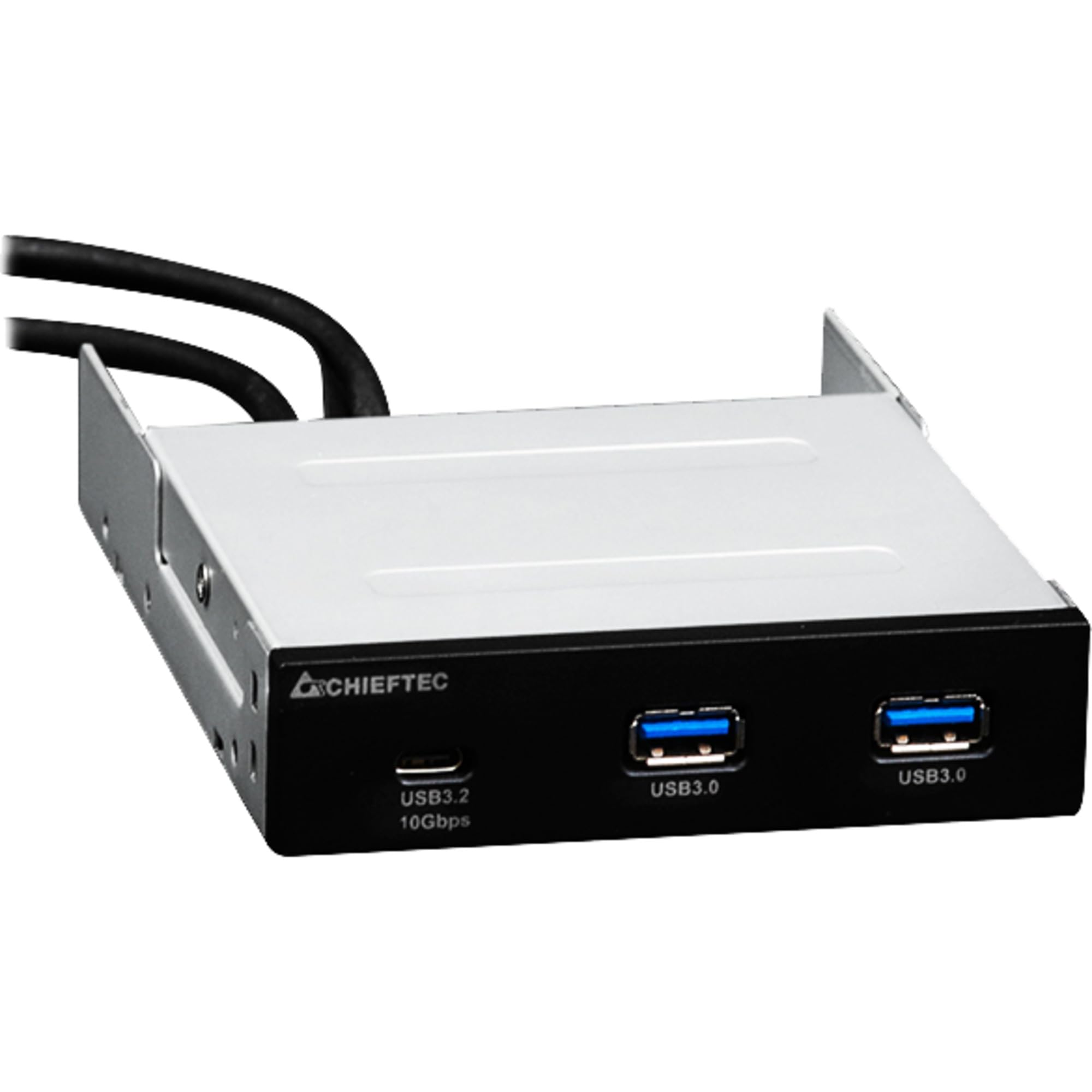
Выява 1.1: Спераду view of the Chieftec MUB-3003C USB Hub, showing the USB 3.2 Type-C and two USB 3.0 Type-A ports.
2. Інфармацыя па бяспецы
Калі ласка, уважліва прачытайце і выконвайце гэтыя інструкцыі па бяспецы, каб пазбегнуць пашкоджання прылады або траўмаў.
- Не падвяргайце прыладу ўздзеянню вільгаці, экстрэмальных тэмператур або прамых сонечных прамянёў.
- Не спрабуйце адкрываць або мадыфікаваць прыладу. Звяртайцеся па ўсё абслугоўванне да кваліфікаванага персаналу.
- Ensure proper grounding of your computer system before installation.
- Disconnect power from your computer before installing or removing the USB hub.
- Захоўвайце прыладу далей ад дзяцей.
3. Змесціва ўпакоўкі
Праверце, ці ёсць усе прадметы ў вашай упакоўцы:
- Chieftec MUB-3003C USB Hub
- Internal USB 3.0 Header Cable
- Mounting Screws (typically included with PC cases or the hub)

Image 3.1: The Chieftec MUB-3003C USB Hub shown with its retail packaging.
4. Настройка і ўстаноўка
Follow these steps to install the Chieftec MUB-3003C USB Hub into your computer system.
- Падрыхтуйце сваю сістэму: Power off your computer and disconnect the power cable from the wall outlet. Open your computer case to access the internal components.
- Locate a 3.5-inch Bay: Identify an available 3.5-inch external drive bay in your computer case. This is typically found at the front of the case.
- Усталюйце канцэнтратар: Slide the MUB-3003C USB Hub into the chosen 3.5-inch bay from the front of the case until it is flush with the front panel. Secure the hub using the appropriate mounting screws on both sides.
- Connect Internal Cables:
- Connect the internal USB 3.0 header cable from the MUB-3003C to an available USB 3.0 (or USB 3.1 Gen1) header on your motherboard. This header is usually blue and labeled 'USB3' or 'F_USB3'.
- Заўвага: The MUB-3003C typically draws power directly from the USB 3.0 header. No separate SATA power connection is usually required for this model.
- Зачыніце корпус і ўключыце харчаванне: Once all connections are secure, close your computer case, reconnect the power cable, and power on your computer. The system should automatically detect the new USB hub.

Малюнак 4.1: Збоку view of the Chieftec MUB-3003C USB Hub, illustrating the mounting bracket and the internal USB 3.0 header cable connection.
5. Інструкцыя па эксплуатацыі
Using the Chieftec MUB-3003C USB Hub is straightforward:
- Падключыце прылады: Plug your USB devices (e.g., flash drives, external hard drives, card readers, smartphones) into the available ports on the front of the hub.
- Порт USB 3.2 Type-C: This port supports data transfer speeds up to 10 Gbps (USB 3.1 Gen2). Use it for devices that require the highest speed and utilize a USB-C connector.
- Парты USB 3.0 тыпу A: These two ports support data transfer speeds up to 5 Gbps (USB 3.1 Gen1). They are compatible with standard USB-A devices.
- Plug & Play: The hub is plug-and-play compatible, meaning no additional drivers are typically required for most operating systems.

Image 5.1: Close-up of the Chieftec MUB-3003C USB Hub's front panel, highlighting the USB 3.2 Type-C and USB 3.0 Type-A ports.
6. Тэхнічнае абслугоўванне
To ensure the longevity and optimal performance of your USB hub:
- Уборка: Use a soft, dry cloth to gently wipe the exterior of the hub. Avoid using liquid cleaners or abrasive materials.
- Асяроддзе: Keep the hub installed in a well-ventilated area within your PC case to prevent overheating.
- Сувязі: Periodically check that all internal and external connections are secure.
7. Выпраўленне непаладак
If you encounter issues with your Chieftec MUB-3003C USB Hub, refer to the following common problems and solutions:
- Прылада не распазнана:
- Ensure the internal USB 3.0 header cable is securely connected to both the hub and the motherboard.
- Try connecting the USB device directly to a motherboard port to verify the device itself is functional.
- Праверце налады BIOS/UEFI вашай матчынай платы, каб пераканацца, што парты USB уключаны.
- Павольная хуткасць перадачы дадзеных:
- Ensure you are using USB 3.0/3.2 compatible devices and cables. Connecting a USB 2.0 device will result in USB 2.0 speeds.
- Verify that the hub is connected to a USB 3.0 or higher header on your motherboard.
- Avoid connecting multiple high-bandwidth devices simultaneously if you experience performance degradation.
- No Power to USB Devices:
- Confirm the internal USB 3.0 header cable is fully seated on the motherboard.
- Some high-power USB devices may require an externally powered hub. This hub draws power from the motherboard's USB header, which has power limitations.
8. Тэхнічныя характарыстыкі
| Асаблівасць | Спецыфікацыя |
|---|---|
| Марка | Шэфтэк |
| Нумар мадэлі | MUB-3003C |
| Абсталяванне інтэрфейсу | USB |
| Сумяшчальныя прылады | Card Readers, Desktops, USB Flash Drives |
| Усяго партоў USB | 3 |
| Канфігурацыя порта | 1x USB 3.2 Type-C (10 Gbps), 2x USB 3.0 Type-A (5 Gbps) |
| Installation Bay | 3.5-inch external drive bay |
| Вага прадмета | 10.6 унцыі |
9. Гарантыя і падтрымка
Chieftec products are designed for reliability and performance. For warranty information, technical support, or service inquiries, please refer to the official Chieftec webсайт або звярніцеся да мясцовага прадаўца. Захоўвайце пацвярджэнне пакупкі для прэтэнзій па гарантыі.
Інтэрнэт-рэсурсы: For the latest drivers, FAQs, and support documentation, visit the official Chieftec support page.