
NC A9 Mini Camera
A9 Mini Camera Wireless WiFi IP Home Security Camera User Manual
Brand: NC | Model: A9 Mini Camera
1. Уводзіны
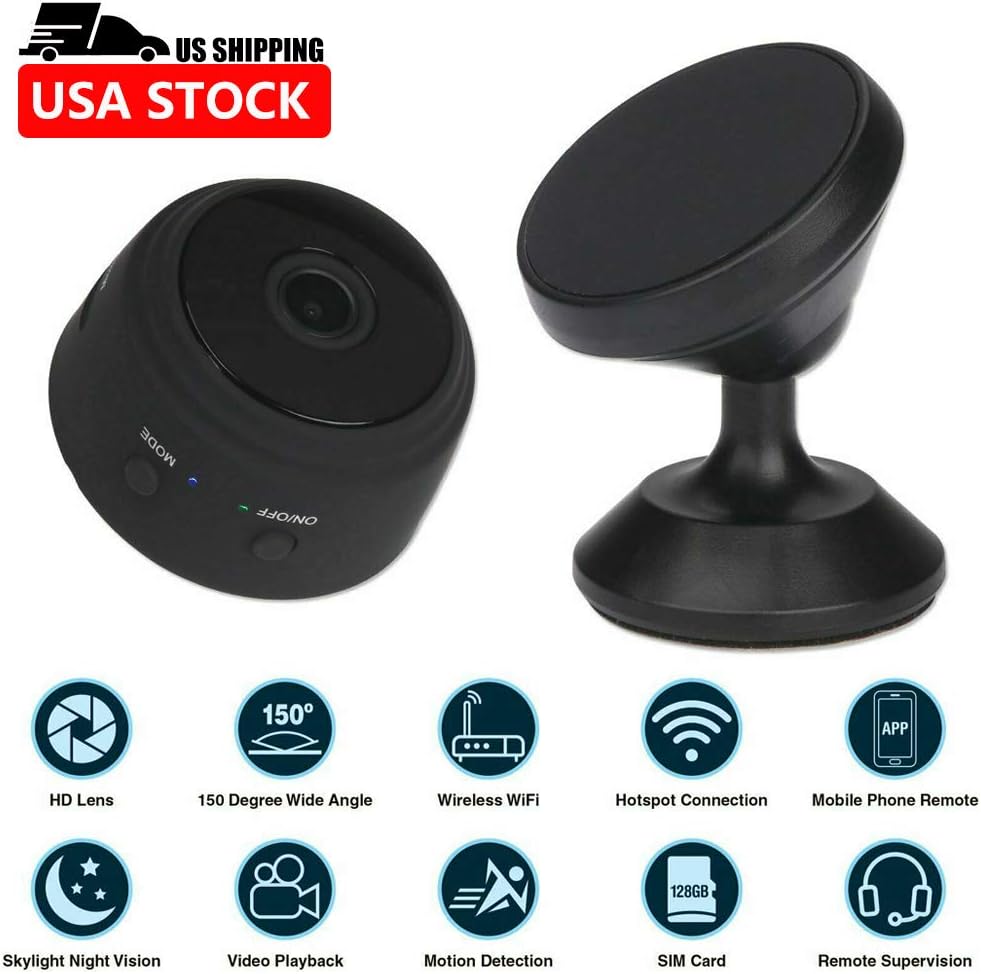
The A9 Mini Camera is a compact and versatile wireless IP camera designed for home and office security, surveillance, and general monitoring. Featuring 1080P HD video recording, 150-degree wide-angle viewing, night vision capabilities, and smart motion detection, this camera offers comprehensive monitoring solutions. Its ultra-miniature design and multiple installation options make it suitable for various indoor and outdoor applications. This manual provides detailed instructions for setup, operation, maintenance, and troubleshooting to ensure optimal performance of your device.
2. Змесціва ўпакоўкі
Калі ласка, пераканайцеся, што ўсе пералічаныя ніжэй прадметы ўваходзяць у ваш пакет:
- 1 x A9 Mini Camera
- 1 x Camera Holder
- 1 x Standard USB Cable
- 1 x Flexible Gooseneck USB Cable
- 1 х Кіраўніцтва карыстальніка

3. Прадукт скончыўсяview
Familiarize yourself with the components of your A9 Mini Camera:

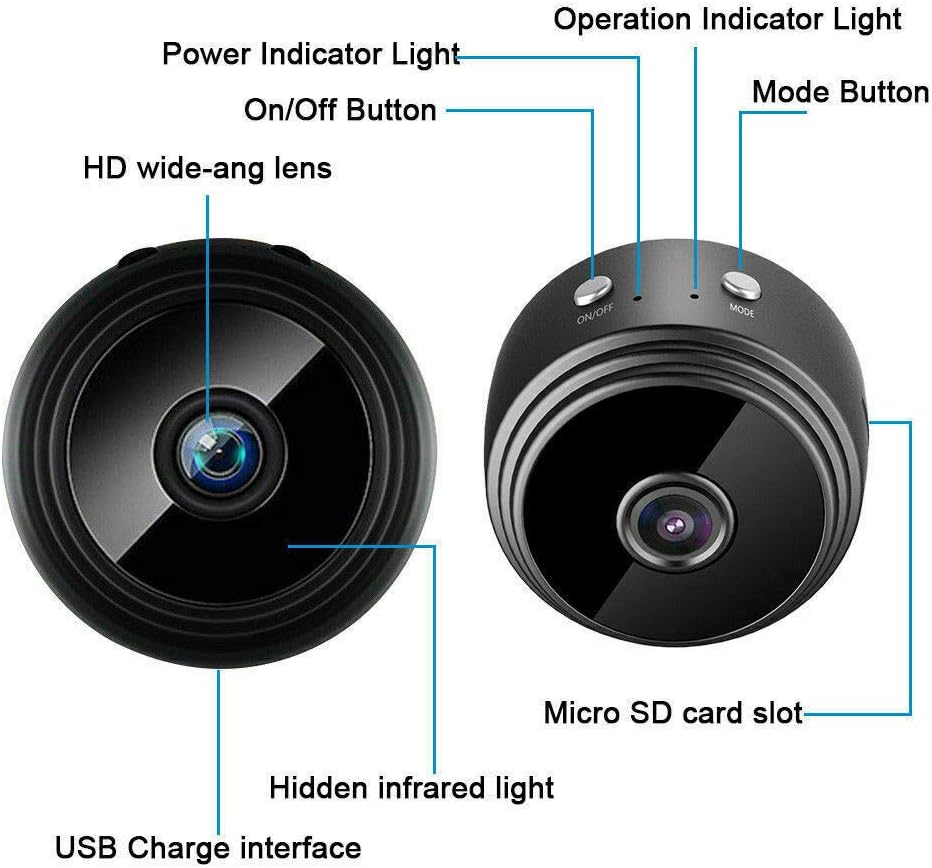
- HD wide-angle lens: Captures 1080P video with a 150-degree viewкут нахілу.
- Кнопка ўключэння/выключэння: Уключае або выключае прыладу.
- Індыкатар харчавання: Паказвае стан харчавання.
- Светлавы індыкатар працы: Shows current operating mode (e.g., recording, standby).
- Кнопка рэжыму: Пераключаецца паміж рознымі рэжымамі працы.
- Слот для карты Micro SD: For inserting a TF card (not included) for local storage.
- Hidden infrared light: Enables night vision capabilities.
- USB Charge interface: For charging the camera and connecting to power.
4. Настройка
4.1 Метады ўстаноўкі
The A9 Mini Camera offers flexible installation options:
- With Holder: Place the camera on the included holder for stable placement on countertops, desks, or flat surfaces.
- Убудаваны магніт: The camera features a powerful built-in magnet, allowing it to be easily attached to metal surfaces such as table legs, refrigerators, or metal shelves.
- Flexible Gooseneck USB Cable: Use the flexible gooseneck USB cable to power the camera and adjust its angle. This can be inserted directly into a PC USB port or a USB power adapter.

4.2 Initial Setup (App & Power)
- Спампаваць прыкладанне: Download the compatible application to your smartphone or tablet. The camera supports Android and iOS mobile operating systems.
- Уключэнне: Connect the camera to a power source using the provided USB cable. The camera will power on automatically or can be turned on using the On/Off button.
- Падключэнне Wi-Fi: Proceed to connect the camera to your Wi-Fi network as described in the next section.
4.3 Wi-Fi Connection Methods
There are two primary methods for connecting your camera to Wi-Fi:
- Wireless Wi-Fi Connection (via Router): Connect the camera to your home or office Wi-Fi router. This allows for remote control and viewing from anywhere with an internet connection.
- Camera's Built-in Wi-Fi Hotspot: The camera has a built-in Wi-Fi hotspot. You can directly connect your phone to this hotspot. This method allows for remote control within approximately 10 meters, even if your phone does not have an internet connection.
5. Інструкцыя па эксплуатацыі
5.1 Рэжымы запісу
The A9 Mini Camera supports three recording modes:
- 24H Recording: The camera records continuously throughout the day (default mode).
- Выяўленне руху: Recording starts automatically when motion is detected within the camera's field of view.
- Таймер: Set a specific schedule for the camera to record, allowing for customized recording periods.
5.2 Начное бачанне
The camera is equipped with hidden infrared lights, enabling clear video recording in low-light conditions or complete darkness. Night vision activates automatically when ambient light levels are insufficient.
5.3 Дэтэктар руху
When motion detection is enabled, the camera will begin recording when it senses movement. This feature helps conserve storage space and battery life by only recording when an event occurs. Alerts can be configured through the mobile application.
5.4 Multi-Platform and Multi-User Support
The A9 Mini Camera supports viewing and control from multiple platforms, including Android, iOS, Windows, and Mac OS. Multiple users can also access the camera feed simultaneously from different devices (phone and computer).
5.5 Recording Without Wi-Fi
The camera can record video even without a Wi-Fi connection. Simply insert a Micro SD card (TF card, not included) into the camera's slot. The camera will automatically record HD video to the Micro SD card. This is useful for situations where Wi-Fi is unavailable or unreliable.
6. Тэхнічнае абслугоўванне
- Уборка: Выкарыстоўвайце мяккую сухую тканіну для чысткі аб'ектыва і корпуса камеры. Пазбягайце выкарыстання вадкіх ачышчальнікаў або абразіўных матэрыялаў.
- Тэмпература і вільготнасць: Store and operate the camera within the specified temperature and humidity ranges to prevent damage. Avoid extreme heat, cold, or high humidity.
- захоўванне: When not in use for extended periods, ensure the camera is fully charged and stored in a cool, dry place.
- Абнаўленні прашыўкі: Праверце вытворцы website or the mobile application periodically for any available firmware updates to ensure optimal performance and security.
7. Выпраўленне непаладак
- Камера не ўключаецца: Ensure the camera is properly connected to a power source or that its internal battery is charged.
- Не магу падключыцца да Wi-Fi: Verify that your Wi-Fi network is active and within range. Ensure you have entered the correct Wi-Fi password. If using the camera's hotspot, ensure your phone is connected directly to it.
- Кароткі тэрмін службы батарэі: The camera's continuous recording time is approximately 1 hour. For extended use, keep the camera connected to a power source.
- Дрэнная якасць відэа: Check if the lens is clean and free from obstructions. Ensure adequate lighting for optimal video clarity, especially if night vision is not active. Verify the resolution settings in the app.
- Карта Micro SD не распазнаецца: Ensure the TF card is inserted correctly and is not damaged. Format the card if necessary (this will erase all data).
8. Тэхнічныя характарыстыкі
| Асаблівасць | Спецыфікацыя |
|---|---|
| дазвол | 1080P HD |
| Фармат відэа | AVI, MP4 |
| Частата кадраў | 25 кадраў у секунду |
| Viewing кут | 150 градусаў |
| Дыстанцыя выяўлення руху | 6 метраў (прама) |
| Мінімальная асветленасць | 1 ЛЮКС |
| Час бесперапыннай запісу | Прыбл. 1 гадзіна |
| Сціснуты фармат | H.264 |
| Дыяпазон запісу | 5 м² |
| Энергаспажыванне | 240MA/3.7В |
| Тэмпература захоўвання | -20 да 80 градусаў Цэльсія |
| Працоўная тэмпература | -10 да 60 градусаў Цэльсія |
| Працоўная вільготнасць | Ад 15% да 85% адноснай вільготнасці |
| Тып карты памяці | TF card (Micro SD, not included) |
| Compatible Playback Software | VLCPlayer / SMPlayer |
| Сумяшчальнасць аперацыйных сістэм кампутара | Windows / Mac OS X |
| Сумяшчальнасць з мабільнымі аперацыйнымі сістэмамі | Android/iOS |
| Web Сумяшчальнасць з браўзерамі | IE7+, Chrome, Firefox, Safari, etc. |
| Памер прадмета | 4.4 см х 2.3 см |
| Вага прадмета | 0.15 кілаграма (5.3 унцыі) |
| Матэрыял | Метал |
| Тэхналогія падлучэння | Правадное, бесправадное (Wi-Fi) |
| Крыніца харчавання | Харчаванне ад батарэі |
| Тып мацавання | Wall Mount, Stand, Magnetic |
| Асаблівасці | Датчык руху, начное бачанне |
| Выкарыстанне ў памяшканні/на вуліцы | У памяшканні, на адкрытым паветры |
| Міжнародны рэйтынг абароны | IP67 |
| UPC | 772728676361 |
9. Гарантыя і падтрымка
For information regarding the product warranty, please refer to the documentation provided at the time of purchase or visit the official website of the retailer or manufacturer. If you encounter any issues not covered in this manual or require further assistance, please contact the customer support channels provided by your point of purchase or the manufacturer's official support page.
Ask a question about this manual
Ask about setup, troubleshooting, compatibility, parts, safety, or missing instructions. Manuals+ will review the question and use this page’s manual context to help answer it.