
1. Уводзіны
The TELLUR Dash Patrol DC2 is a Full HD 1080P car camera designed to record your driving journeys and provide enhanced security for your vehicle. This manual provides essential information for the proper installation, operation, and maintenance of your device. Please read it carefully before use.
2. Змесціва ўпакоўкі
Пераканайцеся, што ўсе прадметы ёсць у наяўнасці і знаходзяцца ў добрым стане пасля распакавання.
- TELLUR Dash Patrol DC2 Car Camera
- Car Mount (Magnetic)
- Кабель USB
- Аўтамабільная зарадная прылада

Выява: Разабраная view of the Dash Patrol DC2 showing the camera, magnetic mount, and key features like GPS, Magnetic Charging, Wi-Fi, and Full HD recording.
3. Прадукт скончыўсяview
Familiarize yourself with the components of your Dash Patrol DC2 camera.
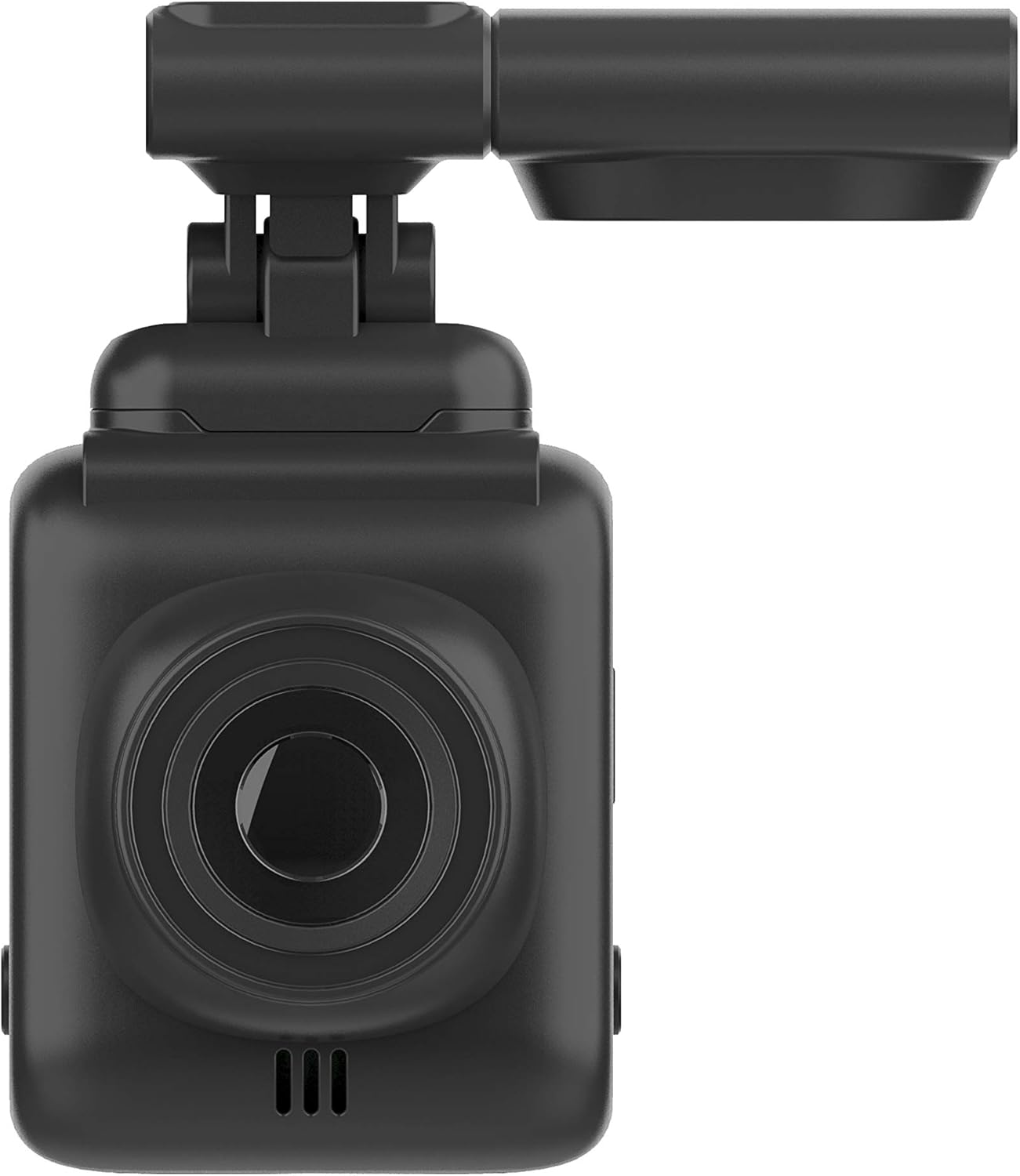
Выява: спераду view of the Dash Patrol DC2, highlighting the camera lens.
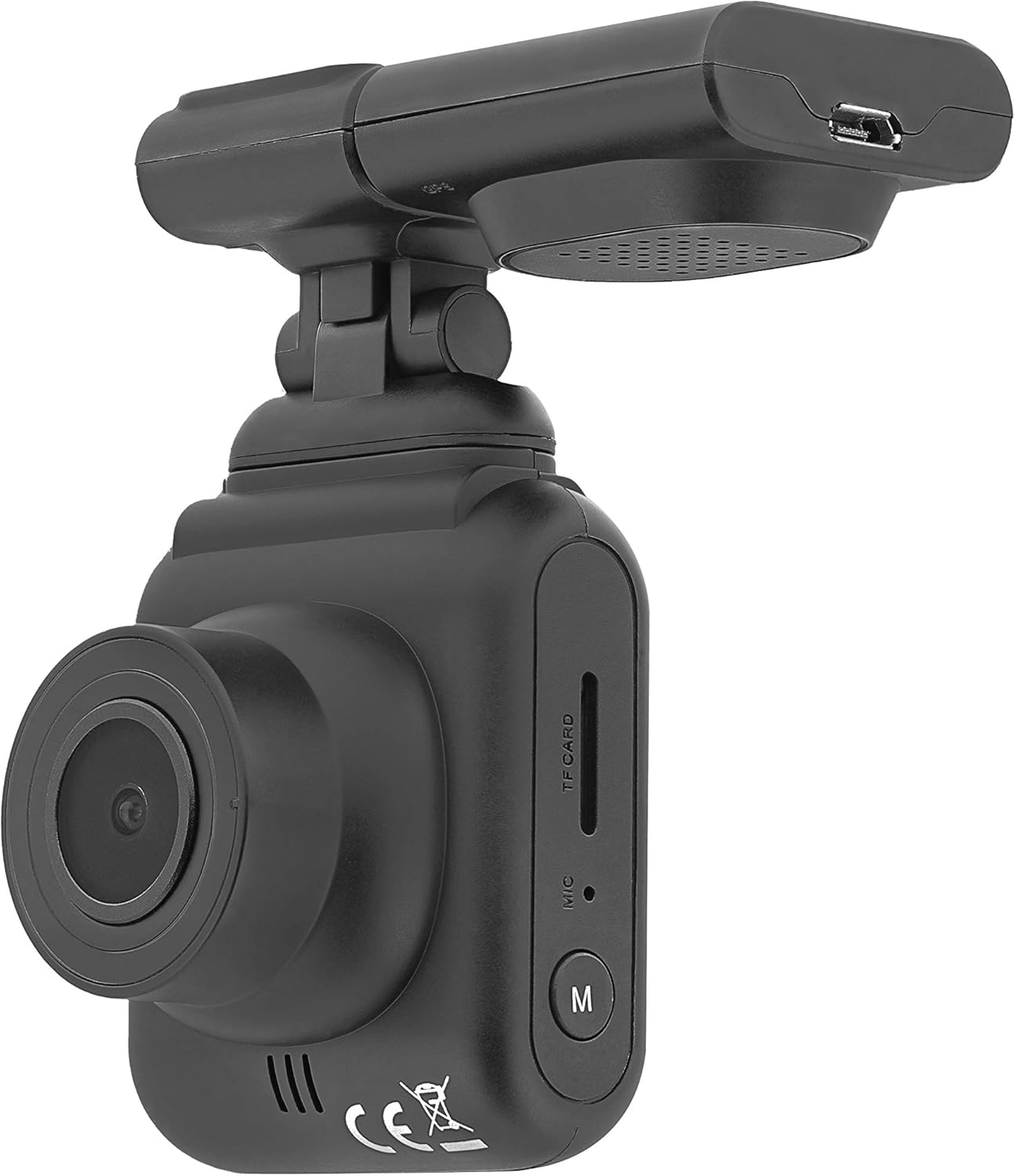
Выява: Збоку view of the Dash Patrol DC2, showing the TF card slot, microphone, and 'M' button.

Выява: Задняя частка view of the Dash Patrol DC2, displaying the screen, navigation buttons, USB port, Reset button, and Power button.
Ключавыя кампаненты:
- Аб'ектыў камеры: Захоплівае відэа footage.
- 2.7-цалевы экран дысплея: Для viewING жыць Footagе, прайграванне і навігацыя па меню.
- Слот TF карты: Insert MicroSD card for storage.
- Мікрафон: Records audio (can be disabled in settings).
- Кнопка «М»: Mode button to switch between video, photo, and playback modes.
- Кнопкі навігацыі (уверх/уніз): Для навігацыі па меню і выкарыстання пэўных функцый.
- Кнопка ОК: Пацвярджае выбар і пачынае/спыняе запіс.
- Кнопка харчавання: Уключае/выключае прыладу.
- Кнопка скіду: For factory reset (use a thin object to press).
- Порт USB: Для харчавання і перадачы дадзеных.
- Magnetic Mount Connector: For attaching the camera to the car mount.
4. Настройка
4.1 Installing the MicroSD Card
- Пераканайцеся, што камера выключана.
- Insert a Class 10 or higher MicroSD card (up to 64GB, not included) into the TF card slot until it clicks into place.
- Каб выняць, акуратна націсніце на карту, пакуль яна не выскочыць.
4.2 Мантаж камеры
- Clean the area on your windshield where you intend to mount the camera.
- Attach the magnetic car mount to the windshield using its adhesive or suction cup. Ensure it does not obstruct your view.
- Align the camera with the magnetic connector on the mount until it securely attaches.
- Адрэгулюйце кут камеры, каб забяспечыць выразны view дарогі наперадзе.
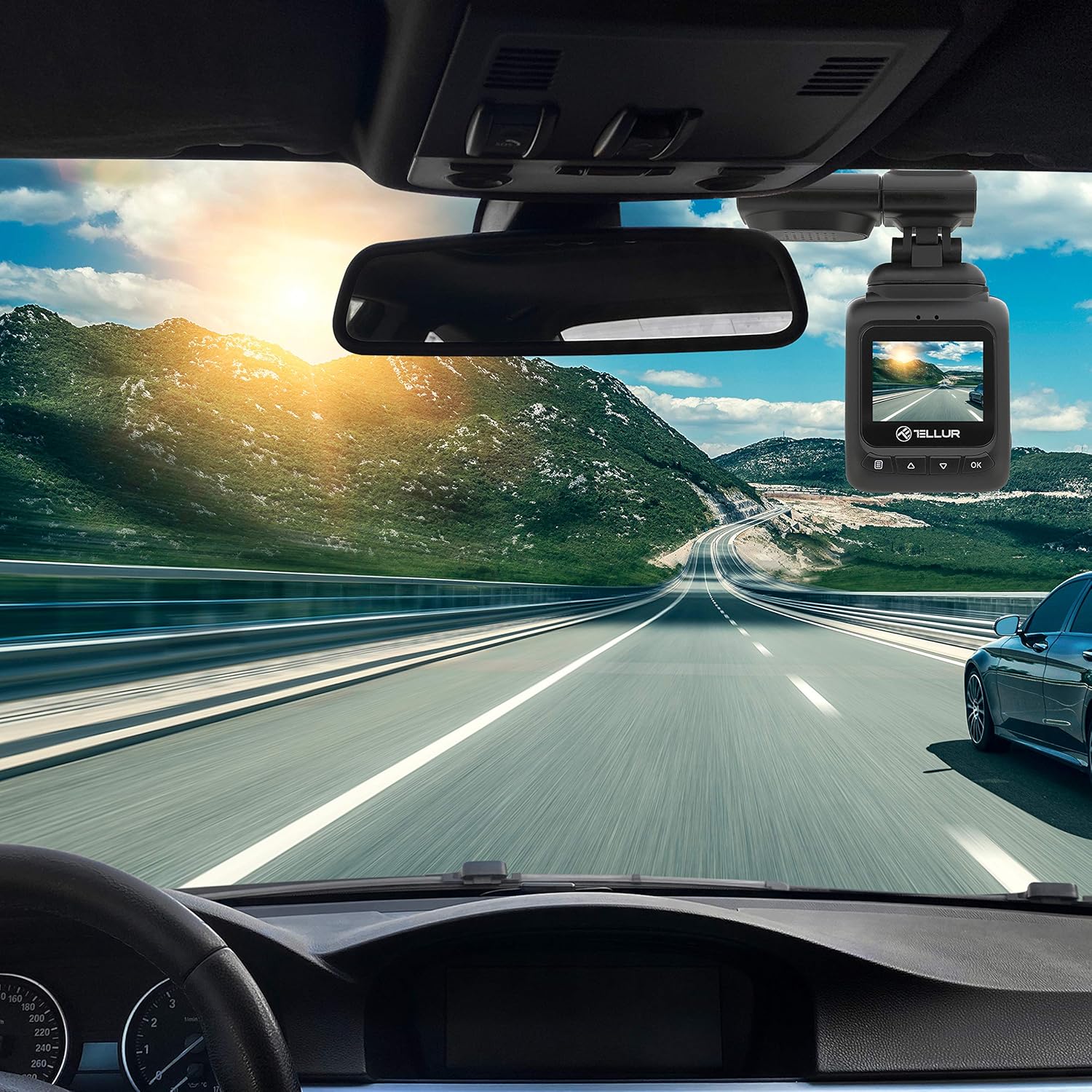
Image: The Dash Patrol DC2 camera mounted on a car windshield, showing its position relative to the rearview mirror for optimal road visibility.
4.3 Уключэнне камеры
- Connect the car charger to your vehicle's 12V power outlet (cigarette lighter socket).
- Connect the other end of the USB cable to the camera's USB port.
- The camera will automatically power on and begin recording when your vehicle starts. It will power off shortly after the vehicle is turned off.
4.4 Пачатковыя налады
Upon first use, or after a reset, you may need to set the date and time. Navigate through the menu using the Up/Down buttons and confirm with the OK button.
5. Інструкцыя па эксплуатацыі
5.1 Асноўны запіс
The camera automatically starts loop recording when powered on. Older files are overwritten when the memory card is full, except for locked files.
5.2 G-Sensor (Automatic Incident Detection)
The built-in G-sensor detects sudden impacts or collisions. When an event is detected, the current video segment is automatically locked to prevent it from being overwritten during loop recording.

Image: Illustration of the G-sensor function, showing the camera recording and a lock icon appearing when a collision is detected, indicating the video is protected.
5.3 Parking Monitor Function
When enabled, the parking monitor function allows the camera to automatically record when motion or impact is detected while the vehicle is parked and the engine is off. This provides surveillance even when you are away from your vehicle.

Image: Diagram illustrating the parking monitor function, where the dashcam automatically records when motion is detected around a parked car.
5.4 Функцыянальнасць GPS
The integrated GPS module records your vehicle's speed and location data alongside the video footagд. Гэтая інфармацыя можа быць viewed during playback using compatible software on a computer.
5.5 Падключэнне да Wi-Fi і праграма
The Dash Patrol DC2 features Wi-Fi connectivity, allowing you to connect to a smartphone app for live view, video playback, and settings adjustment. The compatible app is typically named GoPlus Cam.
- Спампаваць GoPlus Cam праграму з крамы праграм вашага смартфона.
- Turn on the Dashcam.
- Press and hold the 'Down' button on the camera until the Wi-Fi symbol appears on the screen.
- On your smartphone, go to Wi-Fi settings and connect to the camera's Wi-Fi network (SSID usually starts with 'TELLUR' or similar).
- Open the GoPlus Cam app to manage your camera.

Image: Icon for the GoPlus Cam mobile application, used for connecting to the dashcam via Wi-Fi.
6. Тэхнічнае абслугоўванне
6.1 Кіраванне картамі MicroSD
- Regularly format the MicroSD card (at least once a month) to ensure optimal performance and prevent data corruption. This can usually be done through the camera's menu settings.
- Replace the MicroSD card if you notice frequent errors or degraded performance.
6.2 Ачыстка
- Use a soft, dry cloth to clean the camera lens and screen. Avoid abrasive materials or chemical cleaners.
- Keep the camera free from dust and debris.
7. Выпраўленне непаладак
If you encounter issues with your Dash Patrol DC2, refer to the following common solutions:
| праблема | Магчымае рашэнне |
|---|---|
| Камера не ўключаецца. |
|
| Camera turns on but screen is white/blank. |
|
| Camera stops recording or records intermittently. |
|
| Праблемы з падключэннем да Wi-Fi. |
|
| GPS data not showing speed on screen. |
|
8. Тэхнічныя характарыстыкі
| Асаблівасць | Дэталь |
|---|---|
| Марка | ТЭЛУР |
| мадэль | TLL711002 |
| Дазвол відэазахопу | 1080p (FullHD) |
| Памер пастаяннага экрана | 2.7 цалі |
| Фактычны Viewing кут | 140 градусаў |
| Тып флэш-памяці | MicroSD (up to 64GB, Class 10 or higher recommended) |
| Асаблівасці | Automatic Incident Detection (G-Sensor), Parking Monitor Function, Built-in GPS, Wi-Fi Connectivity |
| Тып мацавання | Dashboard Mount (Magnetic Car Mount) |
| Памеры прадукту | 50 х 50 х 28 см |
| Вага прадмета | 270 г |
9. Гарантыя і падтрымка
For warranty information or technical support, please refer to the documentation provided with your purchase or visit the official TELLUR webсайт. Захоўвайце пацвярджэнне пакупкі для любых гарантыйных прэтэнзій.