
1. паview
The XElectron C9 Miracast Airplay WiFi Projector is designed to deliver a high-quality visual experience with Full HD 1080p native resolution and support for 4K content. Featuring Miracast and Airplay capabilities, it allows for seamless screen mirroring from compatible devices. With 12600 lumens (550 ANSI) brightness and a 10000:1 dynamic contrast ratio, it projects clear and vibrant images up to 250 inches. This manual provides essential information for setting up, operating, maintaining, and troubleshooting your projector.
2. Што ў скрынцы
Калі ласка, праверце змесціва вашай упакоўкі, каб пераканацца ў наяўнасці ўсіх прадметаў:
- XElectron C9 Projector
- Шнур харчавання
- Пульт дыстанцыйнага кіравання
- Кіраўніцтва карыстальніка
- Кабель HDMI

Image: Contents of the XElectron C9 Projector package.
3. Product Diagram & Components
Familiarize yourself with the main parts of your projector:
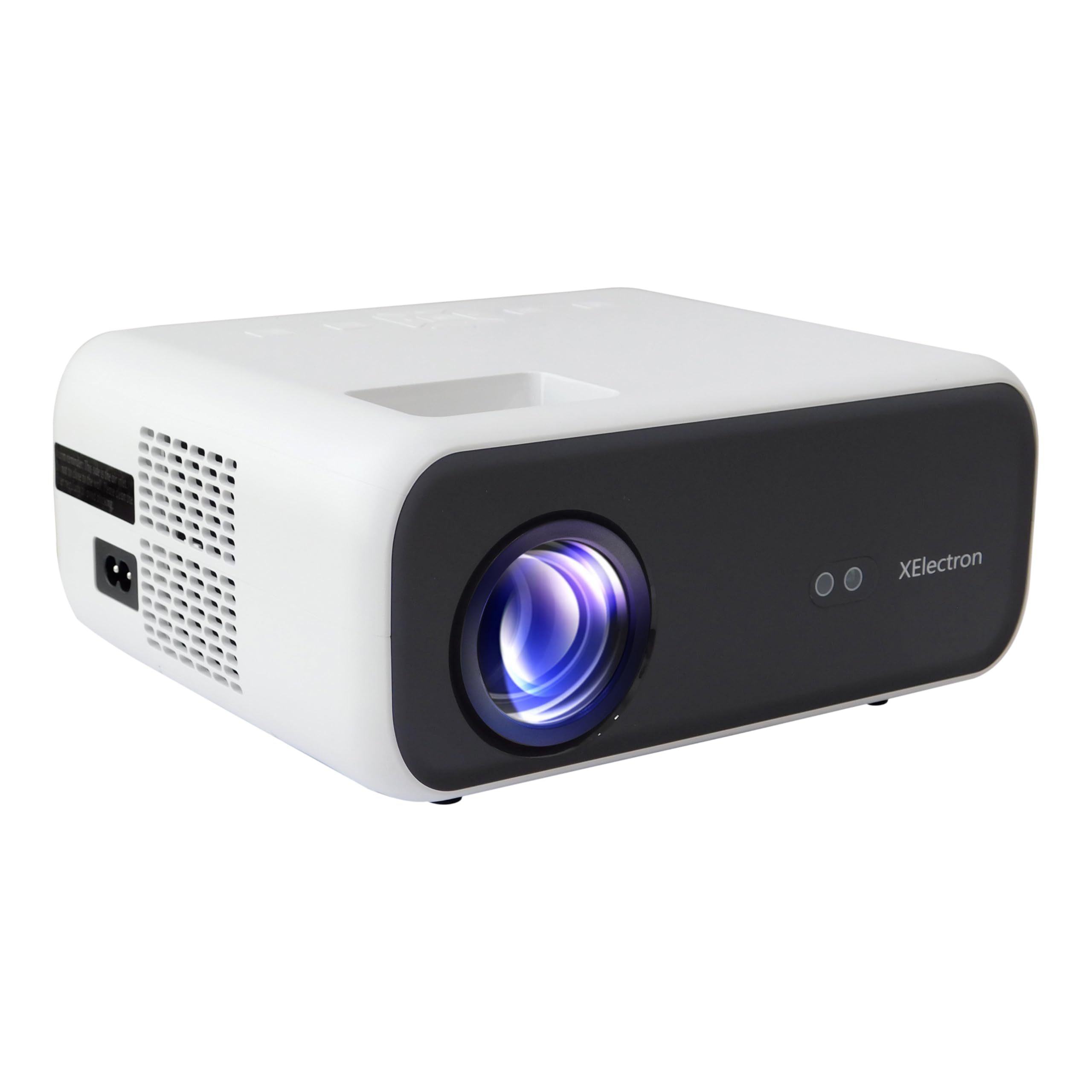
Выява: спераду view of the XElectron C9 Projector.

Выява: Збоку view of the XElectron C9 Projector highlighting connectivity ports.
- Праекцыйны аб'ектыў: Выводзіць выяву на экран.
- Кольца факусіроўкі: Рэгулюе выразнасць выявы.
- Дыск карэкцыі трапецападобнага скажэння: Выпраўляе трапецападобнае скажэнне выявы.
- Панэль кіравання: Buttons for basic navigation and settings.
- Парты HDMI: Для падключэння знешніх крыніц відэасігналу.
- Парты USB: Для падключэння USB-назапашвальнікаў.
- Порт аўдыявыхаду: Для падлучэння знешніх дынамікаў або навушнікаў.
- Спажываная магутнасць: Для падлучэння шнура харчавання.
4. Настройка
4.1 Размяшчэнне
Position the projector on a stable, flat surface. Ensure there are no obstructions blocking the lens or ventilation openings. For optimal viewing, place the projector directly in front of the screen or wall.
- Памер праекцыі: The projector can display images from 50 inches up to a maximum of 250 inches.
- Адлегласць праекцыі: For a 250-inch display, a distance of approximately 17 feet is recommended.

Image: Recommended projection distances for different screen sizes.
4.2 Падключэнне харчавання
Connect the provided power cord to the projector's power input port and then plug it into a power outlet.
4.3 Першапачатковае ўключэнне
Press the power button on the projector or the remote control to turn on the device. The projector will boot up and display the main interface.
4.4 Focus & Keystone Correction
If the projected image appears blurry or distorted (trapezoidal), adjust the focus ring and keystone correction dial until the image is clear and rectangular. The C9 features vertical keystone correction for perfect screen alignment.
5. Інструкцыя па эксплуатацыі
5.1 Налады дысплея
The XElectron C9 Projector offers a superior visual experience:
- Уласнае раздзяленне: Full HD 1080p (1920 x 1080 Pixels)
- Падтрымка 4K: Compatible with 4K content for enhanced detail.
- Яркасць: 12600 Lumens (550 ANSI) for bright and clear images.
- Каэфіцыент дынамічнай кантраснасці: 10000:1 для глыбокага чорнага і яркага белага.
- Суадносіны бакоў: Supports both 16:9 and 4:3.

Image: Visual comparison of XElectron C9's brightness and resolution.

Image: Demonstrating enhanced visual clarity and detail.
5.2 Падключэнне
Праектар прапануе некалькі варыянтаў падключэння:
- Парты HDMI (2): Connect devices such as TV set-top boxes, Fire TV Sticks, PCs/Laptops, DVD players, and gaming consoles.
- USB-парты (x2): Падключайце жорсткія дыскі, USB-флэшкі і іншыя USB-прылады для прайгравання медыя.
- Аўдыёвыхад (раздым 3.5 мм): Падключыце знешнія дынамікі або навушнікі для паляпшэння гуку.
- Бесправаднае падключэнне: Built-in 5G+2.4G WiFi and Bluetooth 5.1 for seamless wireless connections.

Image: Various devices compatible with the projector's connectivity options.
5.3 Гук
Experience clear audio with the projector's integrated sound system:
- Убудаваны дынамік: Features a 10 Watt stereo speaker.
- Bluetooth 5.1: Connect wireless speakers or headphones for a personalized audio experience.

Image: Demonstrating Bluetooth connectivity for external audio devices.

Image: Illustrating immersive sound experience with the projector.
5.4 Адлюстраванне экрана (Miracast і Airplay)
Wirelessly project content from your smartphone or tablet using Miracast for Android devices or Airplay for iOS devices. The dual-band 5G+2.4G WiFi ensures faster, smoother streaming with lower latency.

Image: Screen mirroring from a smartphone to the projector via 5G+2.4G WiFi.

Image: Seamless screen mirroring functionality.
5.5 Лічбавы зум
Adjust the display size without moving the projector using the digital zoom function, accessible via the remote control.
6. Тэхнічнае абслугоўванне
Правільнае абслугоўванне забяспечвае даўгавечнасць і аптымальную прадукцыйнасць вашага праектара:
- Ачыстка аб'ектыва: Use a soft, lint-free cloth and lens cleaning solution to gently wipe the projection lens. Avoid abrasive materials.
- Вентыляцыя: Ensure the projector's ventilation openings are clear of dust and debris to prevent overheating. Do not block the vents during operation.
- Lamp жыццё: Праектар лamp has an estimated life of 50,000 hours.
- захоўванне: Калі праектар не выкарыстоўваецца, захоўвайце яго ў прахалодным, сухім месцы, удалечыні ад прамых сонечных прамянёў і экстрэмальных тэмператур.
7. Выпраўленне непаладак
Калі ў вас узніклі праблемы з праектарам, звярніцеся да наступных распаўсюджаных праблем і рашэнняў:
| праблема | Магчымая прычына | Рашэнне |
|---|---|---|
| Не адлюстроўваецца выява | Харчаванне не падключана, няправільная крыніца ўваходнага сігналу, надзета вечка аб'ектыва. | Check power connection, select correct input source (HDMI, USB), remove lens cap. |
| Відарыс размыты | Не ў фокусе, няправільная адлегласць праекцыі. | Adjust the focus ring. Ensure the projector is within the recommended projection distance. |
| Выява мае трапецападобную форму | Incorrect keystone setting. | Adjust the keystone correction dial until the image is rectangular. |
| Няма гуку | Volume too low, external audio device not connected properly, incorrect audio output selected. | Increase volume. Check connections of external speakers/headphones. Ensure correct audio output is selected in settings. |
| Праблемы з люстраным адлюстраваннем экрана | WiFi connection unstable, device incompatibility. | Ensure strong WiFi signal. Restart both projector and source device. Check device compatibility with Miracast/Airplay. |
8. Тэхнічныя характарыстыкі
Detailed technical specifications for the XElectron C9 Projector:
- Марка: XElectron
- Нумар мадэлі: C9W
- Уласнае раздзяленне: 1920 x 1080 пікселяў (Full HD)
- Падтрымка 4K: так
- Яркасць: 12600 люмен (550 ANSI)
- Каэфіцыент дынамічнай кантраснасці: 10000:1
- Суадносіны бакоў: 16:9 і 4:3
- Lamp жыццё: 50,000 гадзін
- Тэхналогія падключэння: 3.5mm Jack, Bluetooth 5.1, HDMI (x2), USB (x2), Wi-Fi (5G+2.4G), Airplay, Miracast
- Убудаваны дынамік: 10 Watt Stereo Speaker
- Формаў-фактар: Партатыўны
- Памеры прадукту: 12.9 х 21.6 х 30.7 см
- Вага прадмета: 1.35 кг
- Крыніца харчавання: AC
- Ватtage: 90 Вт
- Асаблівасці: Digital Zoom, Vertical Keystone, Built-In Media Player, 100% NTSE & PAL Decoding
9. Гарантыя і падтрымка
Your XElectron C9 Projector comes with a 1-гадовая гарантыя ад вытворцы з дня пакупкі.
For any technical assistance, warranty claims, or support, please contact XElectron Customer Care:
- тэлефон: 0120-4134583, 8527312304
- Manufacturer/Packer/Importer Address: Xelectron Technologies Pvt. Ltd. UG-SR1B, Ansal Plaza, Vaishali, Ghaziabad, India.