
KESIEME AXLOIE S6
User Manual: AXLOIE S6 Wireless Earbuds
Model: AXLOIE S6 | Brand: KESIEME
Прадукт скончаныview
The AXLOIE S6 Wireless Earbuds are designed for active lifestyles, featuring advanced Bluetooth 5.2 technology, real-time heart rate monitoring, and clear call quality with cVc 8.0 noise reduction. These earbuds offer an immersive audio experience and extended battery life, making them suitable for workouts, gym sessions, and daily use.

Image: AXLOIE S6 Wireless Earbuds and their charging case. The earbuds feature an ear-hook design for a secure fit.
Змест пакета
Пасля адкрыцця ўпакоўкі пераканайцеся ў наяўнасці ўсіх кампанентаў:
- AXLOIE S6 Wireless Earbuds (Left and Right)
- Чахол для зарадкі
- Зарадны кабель USB-C
- Multiple Sizes of Ear Tips (XS, S, M, L)
- Кіраўніцтва карыстальніка (гэты дакумент)

Image: All items included in the AXLOIE S6 package: earbuds, charging case, USB-C cable, various ear tip sizes, and the user manual.
Кіраўніцтва па ўстаноўцы
1. Пачатковая аплата
Before first use, fully charge the earbuds and the charging case. Connect the provided USB-C cable to the charging case and a compatible power source. The indicator lights on the case will show charging status. A 10-minute charge provides up to 60 minutes of playtime.

Image: The quick charge feature, illustrating that a 10-minute charge provides 60 minutes of playback time.
2. Спалучэнне з вашай прыладай
- Пераканайцеся, што навушнікі зараджаныя і змешчаны ў зарадны футляр.
- Адкрыйце зарадны кейс. Навушнікі аўтаматычна пяройдуць у рэжым спалучэння.
- На вашай прыладзе (смартфоне, планшэце і г.д.) уключыце Bluetooth.
- Пошук "AXLOIE S6" in the list of available Bluetooth devices and select it to connect.
- Пасля падключэння галасавая падказка пацвердзіць паспяховае спалучэнне.

Выява: буйны план view of the Qualcomm QCC3040 Bluetooth 5.2 chip, highlighting the advanced connectivity technology.
3. Усталёўка праграмы (неабавязкова, але рэкамендуецца)
For full functionality, including heart rate monitoring and equalizer settings, download the dedicated AXLOIE app from your device's app store. Follow the in-app instructions to set up your profile and connect your earbuds.

Image: Screenshot of the customized fitness app interface, showing metrics like heart rate, calories, route tracking, distance, pedometer, and time.
Інструкцыя па эксплуатацыі
Асноўныя элементы кіравання
| Функцыя | Дзеянне |
|---|---|
| Уключэнне/выключэнне харчавання | Hold the multi-function button for 2-3 seconds. |
| Прайграванне/Паўза | Single tap the multi-function button on either earbud. |
| Наступны трэк | Двойчы націсніце на правы навушнік. |
| Папярэдні трэк | Двойчы націсніце левы навушнік. |
| Павялічыць гучнасць | Тройчы націсніце на правы навушнік. |
| Памяншэнне гучнасці | Тройчы націсніце левы навушнік. |
| Адказаць/завяршыць выклік | Single tap the multi-function button during a call. |
| Адхіліць выклік | Hold the multi-function button for 2 seconds during an incoming call. |
| Актывуйце галасавой памочнік | Hold the multi-function button for 2 seconds (when not on a call). |
Маніторынг сардэчнага рытму
The earbuds feature a sensitive heart rate sensor for continuous real-time monitoring during dynamic activities. Ensure the earbuds are properly seated in your ears for accurate readings. Data can be viewed and tracked via the AXLOIE app.

Image: A person running with the earbuds, illustrating the real-time heart rate monitoring feature which helps in knowing workout intensity and preventing overtraining.
Audio Quality and Noise Reduction
Equipped with Qualcomm chipset and 10mm composite drivers, the earbuds deliver rich audio with aptX, AAC, and SBC support. The cVc 8.0 noise reduction technology with 4 built-in microphones ensures crystal-clear calls by filtering out environmental noise.

Image: An exploded diagram showing the 10mm driver unit and components responsible for premium sound and rich bass, with aptX lossless audio support.
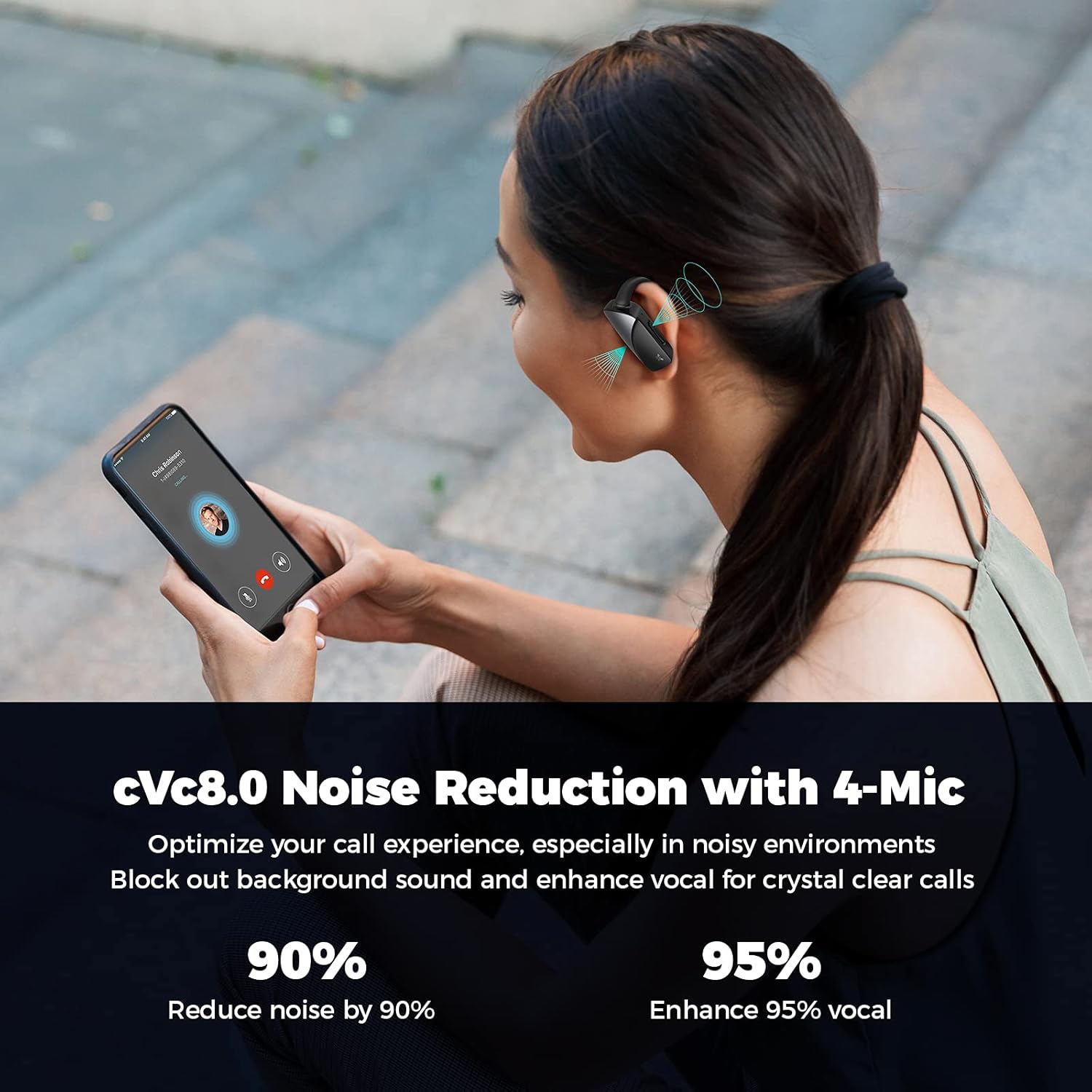
Image: A person on a phone call, demonstrating the cVc 8.0 noise reduction technology with 4 microphones that optimize call experience by blocking background sound and enhancing vocal clarity.
Тэхнічнае абслугоўванне
Уборка
Regularly clean your earbuds and charging case with a soft, dry cloth. For ear tips, remove them and clean with mild soap and water, then dry thoroughly before reattaching. Avoid using harsh chemicals or abrasive materials.
Захоўванне
Калі навушнікі не выкарыстоўваюцца, захоўвайце іх у зарадным чахле, каб абараніць і забяспечыць іх зарадку. Захоўвайце ў прахалодным, сухім месцы, удалечыні ад экстрэмальных тэмператур і прамых сонечных прамянёў.
Воданепранікальнасць
The earbuds are waterproof. However, prolonged submersion or exposure to saltwater/chlorinated water is not recommended. Always dry the earbuds completely before placing them back in the charging case to prevent damage.

Image: Close-up of the earbuds with water droplets, indicating their waterproof design suitable for active use.

Image: Three individuals engaged in various exercises (running, cycling, stretching) while wearing the earbuds, demonstrating their suitability for sports and active lifestyles.
Ліквідацыю непаладак
Агульныя праблемы і рашэнні
- Навушнікі не спалучаюцца:
- Пераканайцеся, што навушнікі цалкам зараджаныя.
- Выключыце і ўключыце Bluetooth на прыладзе.
- Forget "AXLOIE S6" from your device's Bluetooth list and try pairing again.
- Place earbuds back in the case, close, wait 5 seconds, then open to reset pairing mode.
- Няма гуку або нізкі гук:
- Праверце гучнасць прылады і гучнасць навушнікаў.
- Пераканайцеся, што навушнікі правільна падключаны да вашай прылады.
- Ачысціце амбушуры і сетку навушнікаў, каб выдаліць любыя перашкоды.
- Heart rate reading inaccurate:
- Ensure earbuds are securely and correctly placed in your ears.
- Паспрабуйце амбушюры рознага памеру для лепшай пасадкі.
- Ensure the heart rate sensor area on the earbud is clean.
- Праблемы з якасцю званкоў:
- Пераканайцеся, што навушнікі цалкам зараджаныя.
- Check for strong Bluetooth connection.
- Avoid noisy environments where possible, as extreme noise may still affect clarity.
Тэхнічныя характарыстыкі
| Асаблівасць | Дэталь |
|---|---|
| Назва мадэлі | AXLOIE S6 |
| Марка | КЕСІЭМЕ |
| Тэхналогія падлучэння | Бесправадная сувязь, Bluetooth 5.2 |
| Версія Bluetooth | 5.2 |
| Тып аўдыё драйвера | Dynamic Driver (10mm composite drivers) |
| Тэрмін службы батарэі (навушнікі) | Да 8 гадзін на адной зарадцы |
| Агульны час прайгравання (з кейсам) | Да 32 гадзін |
| Хуткая зарадка | 10 хвілін зарадкі, 60 хвілін прайгравання |
| Мікрафоны | 4 (2 per earbud) with cVc 8.0 Noise Reduction |
| Маніторынг сардэчнага рытму | Yes, real-time monitoring |
| Узровень воданепранікальнасці | Воданепранікальны |
| Матэрыял | Сілікон, пластык |
| Тып кіравання | Media Control (buttons on earbuds) |
| Дыяпазон частот | 20 Гц - 20,000 Гц |
Афіцыйнае відэа пра прадукт
Відэа: Афіцыйная відэапрэзентацыя прадуктуasing the features and usage of the AXLOIE S6 wireless earbuds.
Гарантыя і падтрымка
Specific warranty information for the KESIEME AXLOIE S6 Wireless Earbuds is not provided in the product details. Please refer to the included user manual or contact KESIEME customer support for warranty details and technical assistance.
Для атрымання дадатковай дапамогі вы таксама можаце звярнуцца да Кіраўніцтва карыстальніка (PDF).
Ask a question about this manual
Ask about setup, troubleshooting, compatibility, parts, safety, or missing instructions. Manuals+ will review the question and use this page’s manual context to help answer it.