
1. Прадукт скончыўсяview
The Logitech MK295 Silent Wireless Keyboard & Mouse Combo is designed for comfort, precision, and quiet operation. It features Logitech's SilentTouch technology, significantly reducing typing and clicking noises. This combo connects wirelessly via a tiny USB Nano receiver, offering a reliable connection and extended battery life for both the keyboard and mouse.
Асноўныя характарыстыкі
- Innovative SilentTouch technology for same typing and clicking feel with 90% less noise.
- Full-size keyboard with 8 convenient shortcuts and a full numpad for efficient data entry and easier navigation.
- Contoured and portable mouse with smooth, precise clicking and pointing on most surfaces.
- Strong, reliable 2.4 GHz wireless connection with a 10-meter range and a tiny USB receiver.
- Compatible with Windows or Chrome OS for plug-and-play simplicity.
- Spill-proof keyboard design, durable keys, and sturdy tilt legs with adjustable height.
- Extended battery life: up to 36 months for the keyboard and 18 months for the mouse, with on/off switches.
- One-touch access to media controls (play/pause, volume, mute) and internet.
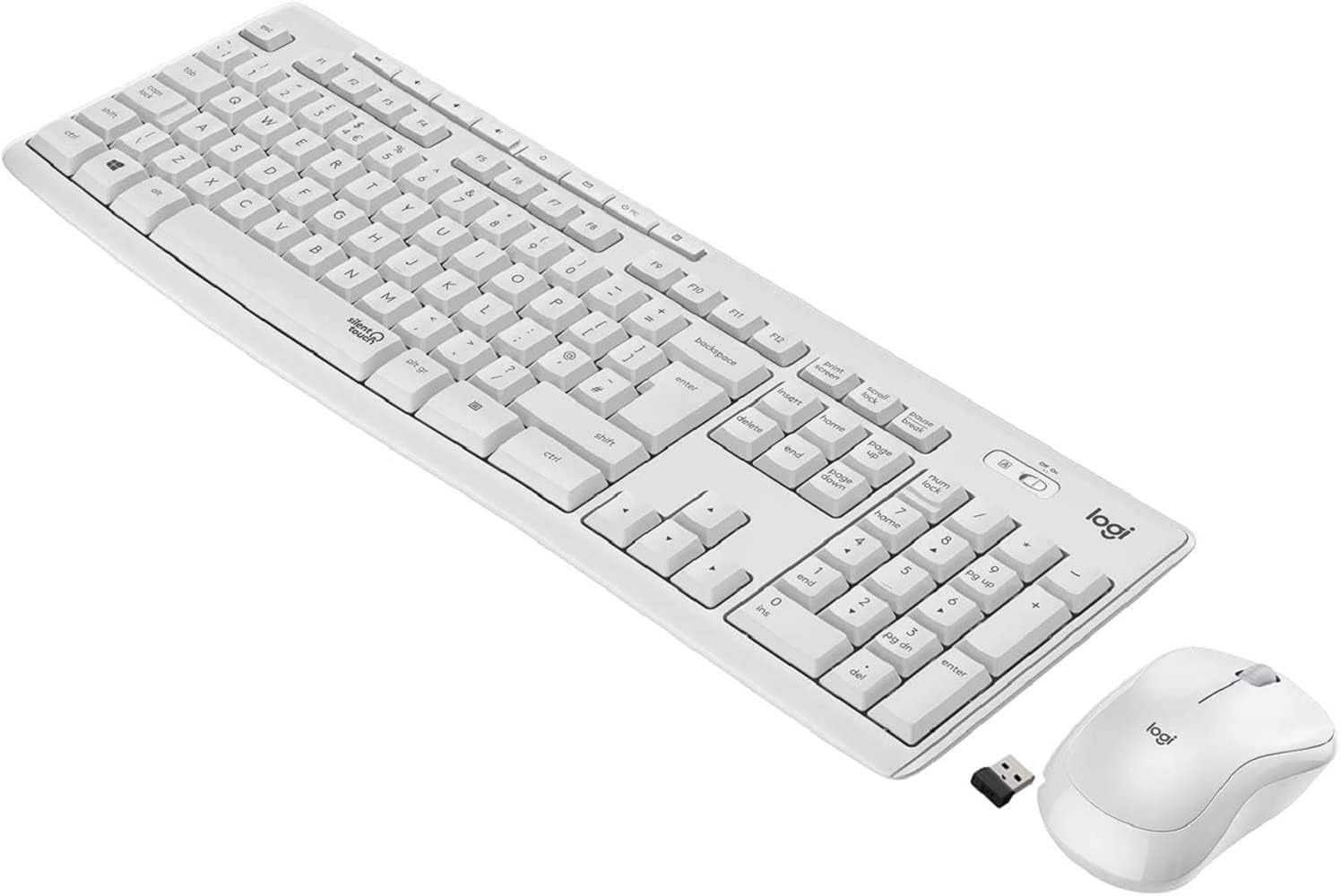
Figure 1.1: The Logitech MK295 Wireless Keyboard and Mouse Combo, including the USB receiver.
2. Кіраўніцтва па наладцы
2.1 Змест пакета
- Бесправадная клавіятура Logitech MK295
- Logitech MK295 Wireless Mouse
- USB нана прыёмнік
- 2 AAA Batteries (pre-installed in keyboard)
- 1 AA Battery (pre-installed in mouse)
- Дакументацыя карыстальніка (гэтае кіраўніцтва)
2.2 Устаноўка батарэі
The keyboard requires two AAA batteries, and the mouse requires one AA battery. Batteries are typically pre-installed. If replacement is needed:
- Знайдзіце адсек для батарэек на ніжняй частцы клавіятуры і мышы.
- Адкрыйце крышку адсека для батарэй.
- Insert the batteries, ensuring correct polarity (+ and - ends).
- Надзейна зачыніце крышку батарэйнага адсека.
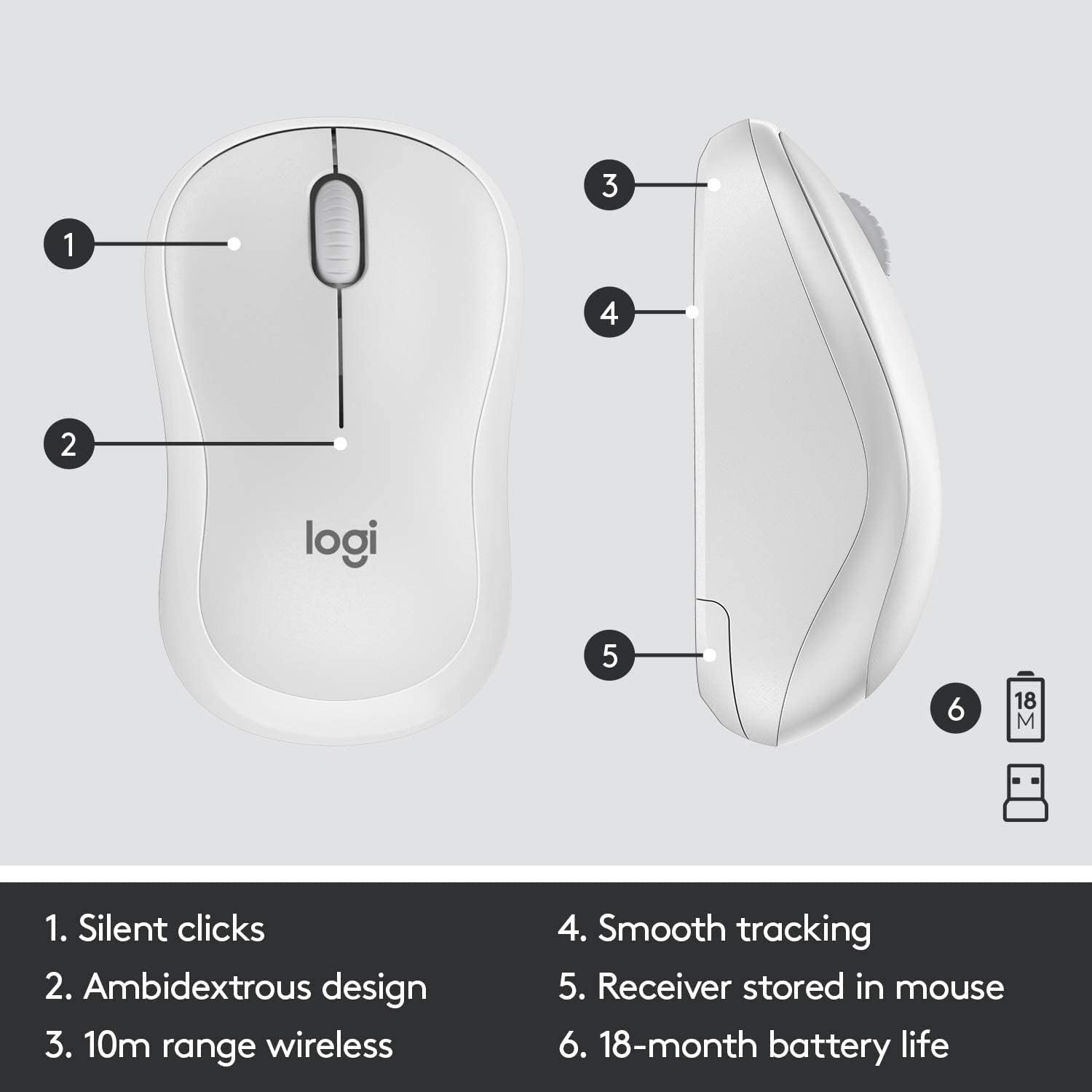
Figure 2.1: The underside of the mouse, showing the battery compartment and the storage slot for the USB receiver.
2.3 Connecting the Devices
The keyboard and mouse connect to your computer using a single USB Nano receiver.
- Remove the USB Nano receiver from its storage slot in the mouse (if stored there).
- Падключыце прыёмнік USB Nano да даступнага порта USB на вашым кампутары.
- Turn on the keyboard and mouse using their respective On/Off switches. The switches are located on the top right of the keyboard and the underside of the mouse.
- Your computer should automatically detect and install the necessary drivers. The devices are ready for use once detected.

Figure 2.2: The keyboard's On/Off switch, located above the numpad, and an indicator for its 10m (33ft) wireless range.
3. Operating Your MK295 Combo
3.1 Функцыі клавіятуры
The MK295 keyboard features a full-size layout for comfortable typing, including a dedicated numeric keypad for efficient data entry. It also includes several convenient shortcut keys:
- Элементы кіравання мультымедыя: Play/Pause, Volume Up, Volume Down, Mute.
- Application Shortcuts: Home, Mail, Calculator, PC Sleep.
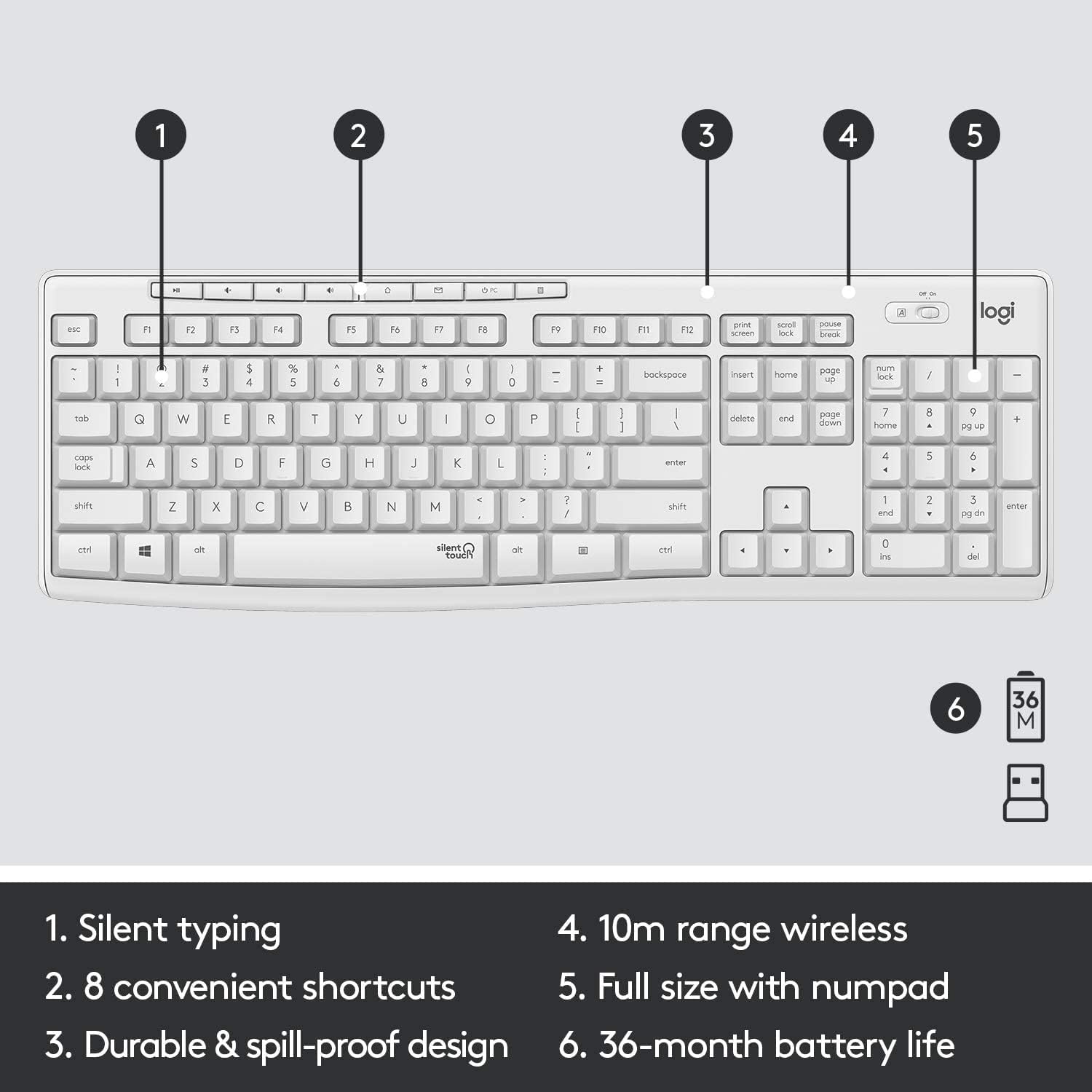
Figure 3.1: Key features of the MK295 keyboard, including its full-size layout with numpad and shortcut keys.
3.2 Функцыі мышы
The MK295 mouse is designed with a comfortable, contoured shape that fits well in either hand (ambidextrous design). It provides smooth and precise tracking on most surfaces, making navigation effortless.

Figure 3.2: The comfortable and compact design of the MK295 mouse in use.
3.3 SilentTouch Technology
Logitech's SilentTouch technology significantly reduces the noise from keyboard typing and mouse clicks by over 90% compared to traditional Logitech keyboards and mice. This allows for a quieter work environment without compromising the familiar typing and clicking feel.

Figure 3.3: SilentTouch technology provides a quiet user experience with 90% less noise from typing and clicking.
4. Догляд і абслугоўванне
- Уборка: Выкарыстоўвайце мяккі, damp тканіну для чысткі паверхняў клавіятуры і мышы. Пазбягайце выкарыстання агрэсіўных хімічных рэчываў або абразіўных матэрыялаў.
- Устойлівасць да разліву: The keyboard features a spill-resistant design. In case of accidental spills, quickly wipe off the liquid. Do not immerse the keyboard in water.
- Эканомія батарэі: Utilize the On/Off switches on both the keyboard and mouse when not in use for extended periods to conserve battery life.
- захоўванне: When transporting or storing the combo, you can store the USB Nano receiver inside the mouse's battery compartment to prevent loss.
5. Ліквідацыю распаўсюджаных праблем
- Няма падключэння/затрымка:
- Ensure the USB Nano receiver is securely plugged into a working USB port on your computer.
- Verify that both the keyboard and mouse are turned On.
- Check the battery levels and replace them if necessary.
- Перамясціце клавіятуру і мыш бліжэй да USB-прыёмніка, каб пераканацца, што яны знаходзяцца ў межах бесправадной радыусу дзеяння 10 метраў.
- Пазбягайце размяшчэння прыёмніка побач з іншымі электроннымі прыладамі, якія могуць выклікаць перашкоды (напрыклад, маршрутызатары Wi-Fi, бесправадныя тэлефоны).
- Keys Not Responding/Mouse Not Tracking:
- Replace the batteries in the affected device.
- Паспрабуйце падключыць USB-прыёмнік да іншага USB-порта на вашым кампутары.
- Перазагрузіце кампутар.
- Нечаканая паводзіна:
- If the keyboard or mouse behaves erratically, try turning it Off and On again.
- Ensure your operating system (Windows or Chrome OS) is up to date.
6. Тэхнічныя характарыстыкі
| Асаблівасць | Спецыфікацыя |
|---|---|
| Памеры прадукту | 20.08 х 6.22 х 1.81 цалі |
| Вага прадмета | 2.05 фунта |
| Вытворца | Logitech |
| ASIN | B08V5LPFLZ |
| Дата першай даступнасці | 27 студзеня 2021 г |
| Колер | Off White |
| Тэхналогія падлучэння | USB (2.4 GHz wireless via Nano receiver) |
| Асаблівасць | Portable, SilentTouch Technology, Spill-resistant keyboard |
| Сумяшчальныя прылады | Personal Computer (Windows, Chrome OS) |
| Тэрмін службы батарэі клавіятуры | Да 36 месяцаў (2 батарэйкі тыпу AAA) |
| Тэрмін службы батарэі мышы | Up to 18 months (1 AA battery) |
| Далёкасць бесправадной сувязі | 10 метраў (33 футы) |
7. Інфармацыя аб гарантыі
Logitech products typically come with a limited hardware warranty. For specific warranty terms and conditions applicable to your MK295 combo, please refer to the warranty card included with your product or visit the official Logitech webсайт. Захоўвайце пацвярджэнне пакупкі для прэтэнзій па гарантыі.
8. Падтрымка кліентаў
For further assistance, technical support, or to download the latest software and drivers for your Logitech MK295 Wireless Keyboard and Mouse Combo, please visit the official Logitech support webсайт:
You may also find helpful FAQs and community forums on the support site.