
Уводзіны
The Sharkoon Skiller SGK30 is a mechanical gaming keyboard designed for performance and durability. It features customizable RGB lighting, N-Key rollover, and a 1000Hz polling rate for responsive gameplay and typing. This manual provides essential information for setting up, operating, and maintaining your keyboard.

Image: Sharkoon Skiller SGK30 Mechanical Gaming Keyboard banner displaying the product name and type.
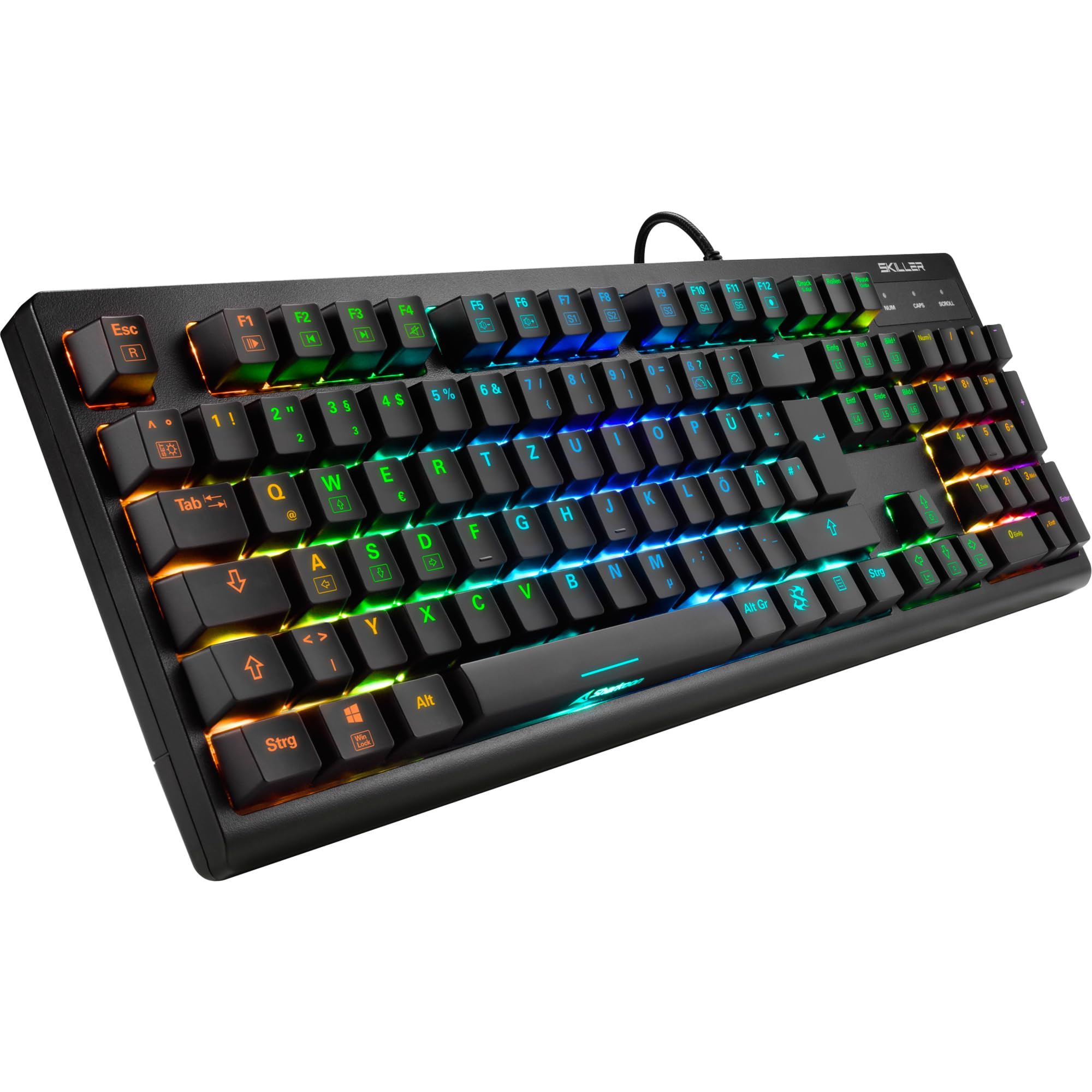
Выява: зверху ўніз view of the Sharkoon Skiller SGK30 mechanical gaming keyboard, showcasinг яго поўная планіроўка і яркая RGB-падсветка.
Прадукт скончаныview Відэа
Відэа: Афіцыйны прадукт скончыўсяview of the Sharkoon Skiller SGK30 Mechanical Gaming Keyboard, demonstrating its features, RGB lighting effects, and mechanical switches.
Настройка
Follow these steps to set up your Sharkoon Skiller SGK30 keyboard:
- Распакуйце клавіятуру: Carefully remove the keyboard and the included USB cable from its packaging.
- Падключыцеся да кампутара: Plug the Micro USB end of the cable into the keyboard's port and the standard USB-A end into an available USB port on your computer.
- Ўстаноўка драйвера: The keyboard is plug-and-play. Your operating system (Windows 10 or later recommended) should automatically detect and install the necessary drivers.
- Ўстаноўка праграмнага забеспячэння (неабавязкова): For advanced customization of RGB lighting and key assignments, download the official Sharkoon software from the manufacturer's webсайт.

Image: The Sharkoon Skiller SGK30 keyboard positioned on a desk, ready for connection.
Інструкцыя па эксплуатацыі
Асноўныя ключавыя функцыі
The Sharkoon Skiller SGK30 features a standard layout with additional function keys accessible via the FN ключ.
- FN + F1-F12: Access multimedia controls (e.g., play/pause, volume up/down, mute).
- FN + клавіша Windows: Блакуйце/разблакуйце клавішу Windows, каб прадухіліць выпадковае націсканне падчас гульні.
- Пераключэнне N-клавішы: All keys are registered simultaneously, ensuring every keystroke is detected, even during rapid input.
Кіраванне RGB асвятленнем
The keyboard offers extensive RGB lighting customization. Use the following combinations to adjust lighting effects:
- FN + Insert/Home/Page Up/Delete/End/Page Down: Cycle through various pre-programmed lighting effects.
- FN + Arrow Keys (Up/Down): Adjust brightness levels of the lighting.
- FN + Arrow Keys (Left/Right): Адрэгулюйце хуткасць дынамічных светлавых эфектаў.
- Custom Illumination: Use the dedicated software for advanced per-key lighting customization.

Выява: буйны план view of the keyboard keys highlighting the adjustable RGB illumination capabilities.
Настройка праграмнага забеспячэння
For advanced settings, macro programming, and detailed RGB customization, download and install the Sharkoon Skiller SGK30 software from the official Sharkoon webсайт. Праграмнае забеспячэнне дазваляе вам:
- Create and save custom lighting profiles.
- Program macros for specific keys.
- Remap key functions.

Image: A screenshot showing the graphical user interface of the Sharkoon Skiller SGK30 customization software, illustrating various options for lighting and key remapping.
Тэхнічнае абслугоўванне
Правільнае абслугоўванне забяспечвае даўгавечнасць і прадукцыйнасць вашай клавіятуры:
- Уборка: Use a soft, dry cloth to wipe the surface of the keyboard. For deeper cleaning, use compressed air to remove dust and debris from between the keycaps.
- Зняцце каўпачка клавіш: If necessary, keycaps can be carefully removed using a keycap puller (not included) for thorough cleaning of the switches. Reinstall keycaps by pressing them firmly onto the switch stems.
- Пазбягайце вадкасці: Не дапускайце кантакту вадкасцей з клавіятурай. У выпадку разліву вадкасцей неадкладна адключыце клавіятуру і дайце ёй цалкам высахнуць перад паўторным падключэннем.
- захоўванне: Захоўвайце клавіятуру ў прахалодным, сухім месцы, удалечыні ад прамых сонечных прамянёў і экстрэмальных тэмператур.

Выява: буйны план view of the mechanical switches on the Sharkoon Skiller SGK30 keyboard, illustrating their design for durability and ease of maintenance. Note: This model is available with Red switches, while the image shows Blue switches.
Ліквідацыю непаладак
If you encounter issues with your Sharkoon Skiller SGK30 keyboard, refer to the following common solutions:
| праблема | Магчымая прычына | Рашэнне |
|---|---|---|
| Клавіятура не адказвае | Слабае падключэнне USB, няспраўны порт USB, праблема з драйверам. |
|
| RGB-падсветка не працуе або працуе няправільна | Lighting settings incorrect, software conflict. |
|
| Ключы не рэгіструюцца | Пыл/смецце пад каўпачком клавішы, няспраўны перамыкач. |
|
Тэхнічныя характарыстыкі
| Асаблівасць | Дэталь |
|---|---|
| Марка | Шаркун |
| Нумар мадэлі | 4044951030026 |
| Тып клавіятуры | Механічная гульнявая клавіятура |
| Тып перамыкача | Red Switch (Blue switches are also available for this model series) |
| Сувязь | Micro USB |
| Стаўка апытання | 1000 Гц |
| N-Key Rollover | Падтрымліваецца |
| RGB асвятленне | Наладжвальны RGB |
| Аперацыйная сістэма | Windows 10 (і сумяшчальная з іншымі версіямі Windows) |
| Памеры (ДхШхВ) | 44 х 14.4 х 3.5 см |
| Вага | 867 г |
Што ў скрынцы
The Sharkoon Skiller SGK30 package includes:
- Sharkoon Skiller SGK30 Mechanical Gaming Keyboard
- Кабель USB
Гарантыя і падтрымка
For warranty information and technical support, please refer to the official Sharkoon webсайт або звярніцеся да мясцовага прадаўца. Захоўвайце пацвярджэнне пакупкі для прэтэнзій па гарантыі.
Заўвага: Характарыстыкі і характарыстыкі прадукту могуць быць зменены без папярэдняга паведамлення.