
Уводзіны
Welcome to the AEEZO Kids Tablet TK701 user manual. This guide provides essential information for setting up, operating, maintaining, and troubleshooting your new tablet. Designed for children, this 7-inch tablet features a Full HD IPS touch screen, Android 10 operating system, and pre-installed Kidoz for a safe and engaging experience.
Прадукт скончаныview
Кампаненты планшэта

Апісанне малюнка: A detailed diagram of the AEEZO Kids Tablet TK701, highlighting its various ports and buttons. The tablet is shown from the front, side, and top views, with numbers indicating specific components.
- Скінуць: Small pinhole for device reset.
- Уключэнне/выключэнне харчавання: Button to turn the tablet on or off.
- Аб'ём+: Button to increase volume.
- Аб'ём-: Кнопка для памяншэння гучнасці.
- Франтальная камера: Camera located on the front of the tablet.
- Раз'ём для навушнікаў: 3.5-мм порт для навушнікаў.
- Слот для SD-карты: Slot for inserting a microSD card for expanded storage.
- Порт тыпу C: Порт USB Type-C для зарадкі і перадачы дадзеных.
- Задняя камера: Camera located on the back of the tablet.
- Дакладчык: Audio output speaker.
- Мікрафон: Убудаваны мікрафон.
Асноўныя характарыстыкі

Апісанне малюнка: An image comparing 1080p FHD image quality (right, showing Red from Angry Birds clearly) with a lower resolution (left, showing a blurry green pig), illustrating the superior display of the AEEZO tablet.
- Дысплей: 7-inch FHD IPS Touch Screen with 1920x1200 resolution, 323 PPI, offering a 178° wide viewкут нахілу.
- Аперацыйная сістэма: GMS-certified Android 10.0.
- Працэсар: 1.6 GHz Quad-Core processor.
- Памяць і захоўванне: 2GB RAM, 32GB ROM (expandable up to 128GB via microSD card, not included).
- Камеры: Dual cameras (2MP front, 5MP rear).
- акумулятар: 2,600mAh battery, providing approximately 4 hours of average use.
- Падключэнне: WiFi.
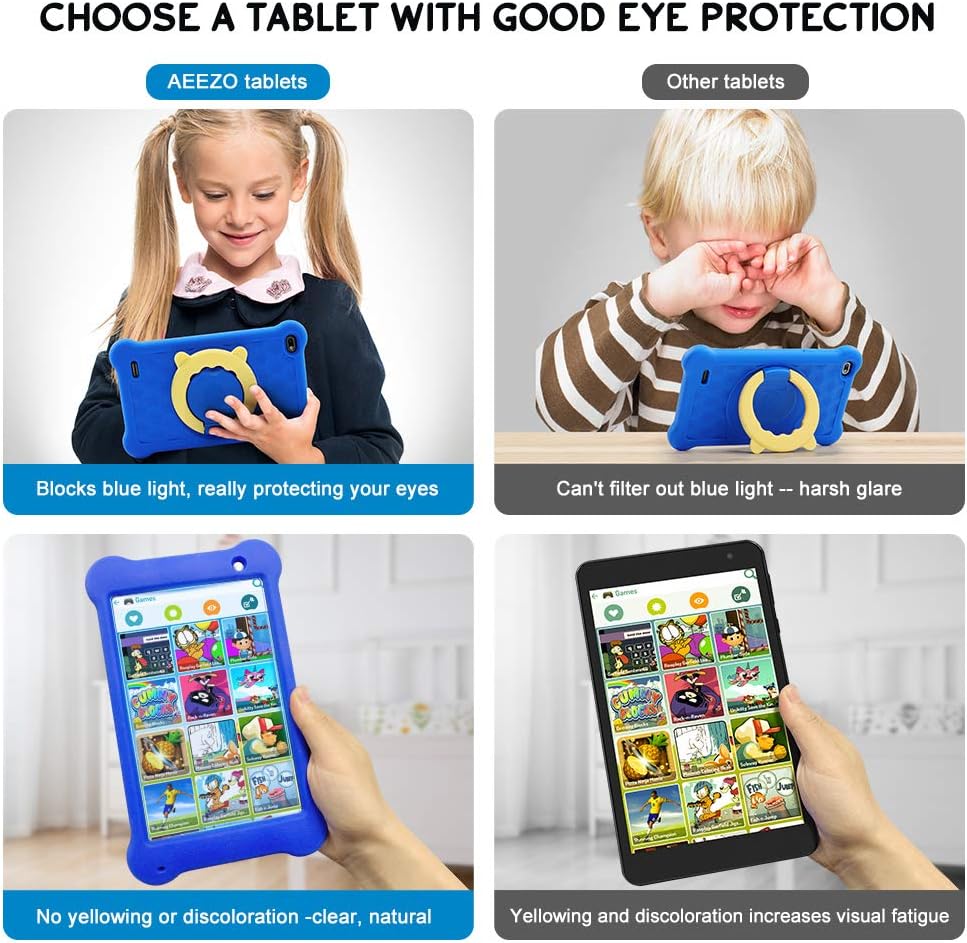
Апісанне малюнка: A four-panel image demonstrating the AEEZO tablet's eye protection features. Two top panels show a child comfortably using an AEEZO tablet (blocking blue light) versus a child squinting at another tablet (harsh glare). Two bottom panels show the AEEZO tablet's clear display versus another tablet's yellowed display, highlighting the absence of discoloration.
- Ахоўныя функцыі: Food-grade silicone cover designed to prevent damage from falls and collisions, and a pre-applied screen protection film that blocks harmful blue light for eye protection. The cover includes a 360-degree adjustable ring stand.
- Child-Friendly Software: Pre-installed Kidoz app, a COPPA-certified platform for kids, with parental controls.
Настройка
1. Пачатковая зарадка
Before first use, fully charge the tablet. Connect the provided USB Type-C cable to the tablet's Type C Port (8) and to a compatible 5V 2A charger (not included). The charging indicator will show the charging status.
2. Уключэнне / выключэнне харчавання
- Каб уключыць: Press and hold the Power on/off button (2) until the screen lights up.
- Каб выключыць: Press and hold the Power on/off button (2) until a power-off menu appears. Select "Power off" to shut down the device.
3. Майстар пачатковай налады
Upon first power-on, follow the on-screen instructions to complete the initial setup. This includes selecting your language, connecting to a Wi-Fi network, and setting up your Google account.
4. Устаўка карты MicroSD (неабавязкова)
To expand storage, insert a microSD card (up to 128GB, not included) into the SD Card Slot (7). Ensure the tablet is powered off before inserting or removing the card.
Інструкцыя па эксплуатацыі
Базавая навігацыя
- Сэнсарны экран: Navigate the tablet by tapping, swiping, and pinching on the screen.
- Галоўны экран: Access apps and widgets from the main home screen.
- Апавяшчэнні: Правядзіце пальцам уніз ад верхняй частцы экрана да view апавяшчэнні і хуткія налады.
Using Google Play

Апісанне малюнка: A young child smiling next to the AEEZO tablet, surrounded by icons for Google Play, Kidoz, Family Link, and FamilyGroup, indicating the tablet's software capabilities.
The tablet provides full access to Google services, including the Google Play Store. Parents can download a wide range of educational apps, games, and other content suitable for children. Ensure your Google account is set up and parental controls are configured within Google Play for content filtering.
Kidoz App

Апісанне малюнка: The AEEZO Kids Tablet, encased in its blue protective cover, displays the colorful Kidoz app interface. Various icons representing kid-friendly games, videos, and creative tools are shown floating above the tablet.
Kidoz is a pre-installed, COPPA-certified application designed for children. It offers a curated selection of age-appropriate content. Navigate through Kidoz to find games, videos, and educational activities.
Бацькоўскі кантроль

Апісанне малюнка: A mother and child are comfortably seated on a sofa, with the child holding the AEEZO Kids Tablet. On the right side of the image, three circular icons represent key parental control features: Child Lock, Content Filter, and Time Limits.
The AEEZO Kids Tablet is equipped with robust parental control features to ensure a safe digital environment for children.
- Kidoz Parental Control: The pre-installed Kidoz app includes an advanced parental control system. Parents can set up a password to manage access to content, filter age-inappropriate material, and monitor usage.
- Фільтраванне кантэнту: Utilize the age filter within Kidoz to ensure children only access content suitable for their age group.
- Часовыя абмежаванні: Set daily time limits for tablet usage to promote healthy screen habits.
- Кіраванне праграмамі: Control which applications your child can access.
- Google Family Link: For more comprehensive device management, consider using Google Family Link, which allows parents to manage app downloads, screen time, and device location from their own device.
Тэхнічнае абслугоўванне
- Уборка: Для чысткі экрана і корпуса планшэта выкарыстоўвайце мяккую тканіну без ворса. Пазбягайце выкарыстання абразіўных ачышчальнікаў або растваральнікаў.
- Сыход за батарэяй: To prolong battery life, avoid extreme temperatures. Do not allow the battery to fully discharge frequently. Charge the tablet regularly.
- Абнаўленні праграмнага забеспячэння: Periodically check for system updates in the tablet's settings to ensure optimal performance and security.
- Ахоўны чахол: The food-grade silicone cover provides protection against drops and impacts. Keep it clean and ensure it is properly fitted.
- Пратэктар экрана: The pre-applied screen protection film helps block harmful blue light and protects the screen. If it becomes damaged, consider replacing it with a similar eye-protective film.
Ліквідацыю непаладак
Tablet Does Not Turn On
- Ensure the tablet is sufficiently charged. Connect it to a power source for at least 30 minutes.
- Press and hold the Power on/off button (2) for 10-15 seconds.
- If unresponsive, use a thin object (like a paperclip) to press the Reset button (1) and then attempt to power on.
Павольная прадукцыйнасць
- Зачыніце невыкарыстоўваныя праграмы, якія працуюць у фонавым рэжыме.
- Ачысціце кэш часта выкарыстоўваных праграм.
- Ensure there is sufficient storage space. Uninstall unnecessary apps or move files на SD-карту.
- Перазапусціце планшэт.
Праблемы з падключэннем да Wi-Fi
- Пераканайцеся, што ў наладах планшэта ўключаны Wi-Fi.
- Перазапусціце свой Wi-Fi маршрутызатар.
- Забудзьцеся пра сетку і падключыцеся зноў, зноў увёўшы пароль.
- Ensure the tablet is within range of the Wi-Fi signal.
Акумулятар хутка разраджаецца
- Паменшыць яркасць экрана.
- Зачыніце фонавыя праграмы і адключыце непатрэбныя апавяшчэнні.
- Выключайце Wi-Fi або Bluetooth, калі яны не выкарыстоўваюцца.
- Check for apps consuming excessive battery in settings.
Тэхнічныя характарыстыкі
| Асаблівасць | Дэталь |
|---|---|
| Назва мадэлі | TK701 |
| Памер экрана | 7 цалі |
| Дазвол экрана | 1920 x 1200 (FHD IPS) |
| Працэсар | 1.6 GHz Quad-Core (ARM) |
| АЗП | 2 ГБ |
| Унутраная памяць | 32 ГБ |
| Сховішча з магчымасцю пашырэння | Up to 128 GB (MicroSD, not included) |
| Аперацыйная сістэма | Android 10.0 (сертыфікавана GMS) |
| Тыл WebДазвол камеры | 5 МП |
| Франтальная камера | 2 МП |
| акумулятар | 2,600mAh літый-іённы |
| Сярэдні тэрмін службы батарэі | Прыкладна 4 гадзін |
| Сувязь | WiFi |
| Вага прадмета | 1.43 фунта (прыблізна 648 г) |
| Памеры прадукту | 9.06 х 6.69 х 1.97 цалі |
| Колер | Сіні |
Гарантыя і падтрымка
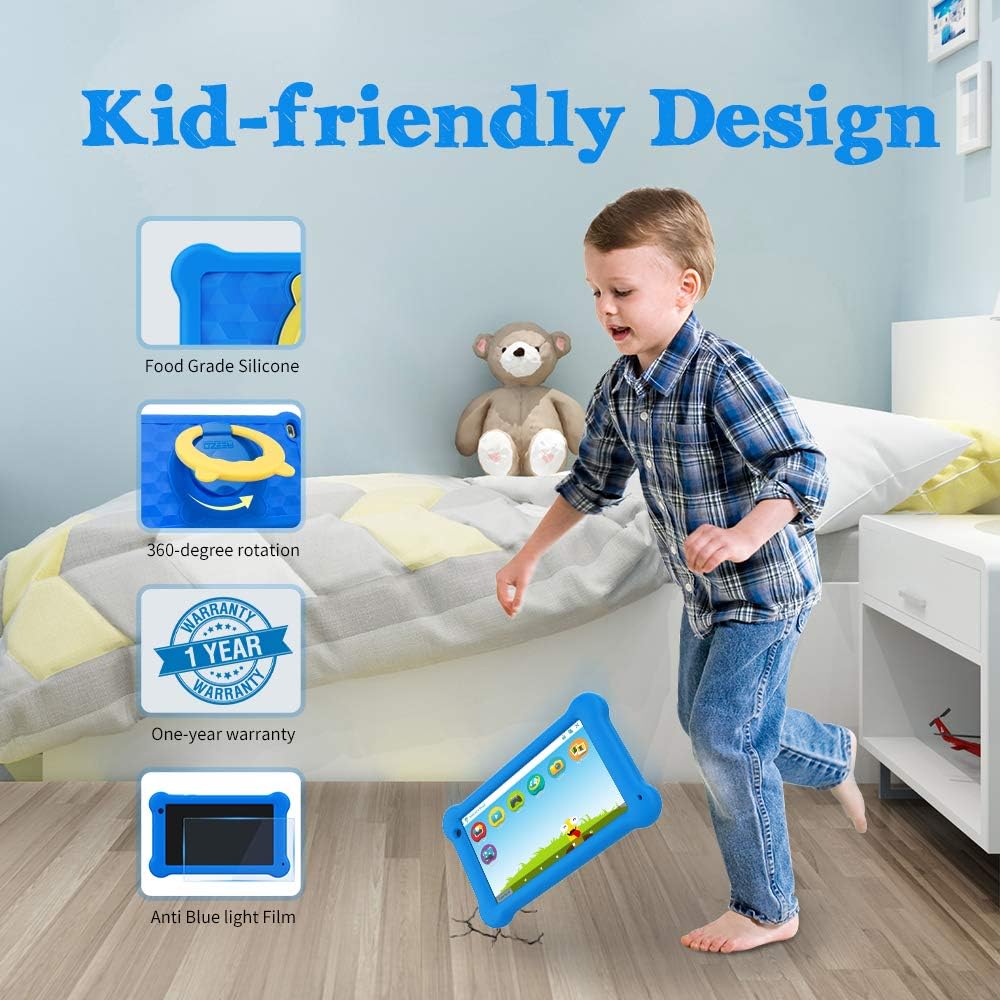
Апісанне малюнка: A young boy is shown playing with the AEEZO Kids Tablet, which is protected by a blue silicone case and features a yellow rotating stand. Insets highlight key features: Food Grade Silicone, 360-degree rotation, a "1 Year Warranty" badge, and "Anti Blue Light Film."
The AEEZO Kids Tablet TK701 comes with a Гарантыя 1 год з даты пакупкі. Гэтая гарантыя распаўсюджваецца на вытворчыя дэфекты пры нармальным выкарыстанні. Калі ласка, захавайце пацвярджэнне пакупкі для прэтэнзій па гарантыі.
For technical support, warranty service, or any questions regarding your tablet, please contact AEEZO customer service through the retailer where you purchased the product or visit the official AEEZO webсайт для кантактнай інфармацыі.