
1. Уводзіны
Thank you for choosing the Lenco SCD-720 Boombox. This versatile audio system offers a wide range of playback options, including DAB+ and FM radio, Bluetooth 5.0 connectivity, a CD/MP3 player, a cassette player, and a USB port for digital audio files. It features 2 x 6W RMS audio output with Bass Reflex for enhanced sound and comes with a remote control for convenient operation. This manual provides essential information for setting up, operating, and maintaining your device.
2. Важная інфармацыя па бяспецы
- Перад выкарыстаннем прылады ўважліва прачытайце ўсе інструкцыі.
- Захоўвайце гэта кіраўніцтва для выкарыстання ў будучыні.
- Не падвяргайце прыладу ўздзеянню дажджу або вільгаці, каб пазбегнуць пажару або паражэння электрычным токам.
- Забяспечце належную вентыляцыю. Не блакуйце вентыляцыйныя адтуліны.
- Не размяшчайце прыладу побач з крыніцамі цяпла, такімі як радыятары, абагравальнікі, пліты або іншыя прыборы (у тым ліку ampLifiers), якія вырабляюць цяпло.
- Абараняйце сеткавы шнур ад наступання або заціскання, асабліва ў месцах вілкі, разеткі і месца выхаду з прылады.
- Выкарыстоўвайце толькі насадкі/аксэсуары, указаныя вытворцам.
- Адключайце прыладу ад сеткі падчас навальніцы або калі яна не выкарыстоўваецца на працягу доўгага часу.
- Звяртайцеся да кваліфікаванага абслугоўваючага персаналу. Тэхнічнае абслугоўванне патрабуецца, калі прылада была пашкоджана якім-небудзь чынам, напрыклад, пашкоджаны шнур сілкавання або вілка, была праліта вадкасць або ў прыладу ўпалі прадметы, прылада падвяргалася ўздзеянню дажджу або вільгаці, не працуе належным чынам , або быў адкінуты.
3. Прадукт скончыўсяview
Familiarize yourself with the main components and controls of your Lenco SCD-720 Boombox.
Фронт View з портам USB

This image shows the front of the Lenco SCD-720 Boombox, highlighting the main control panel, speakers, and a USB stick inserted into the USB port on the top left.
Фронт View with CD Compartment Open

This image displays the Lenco SCD-720 Boombox from the front, with the top-loading CD compartment lid open, ready for CD insertion.
Тыл View
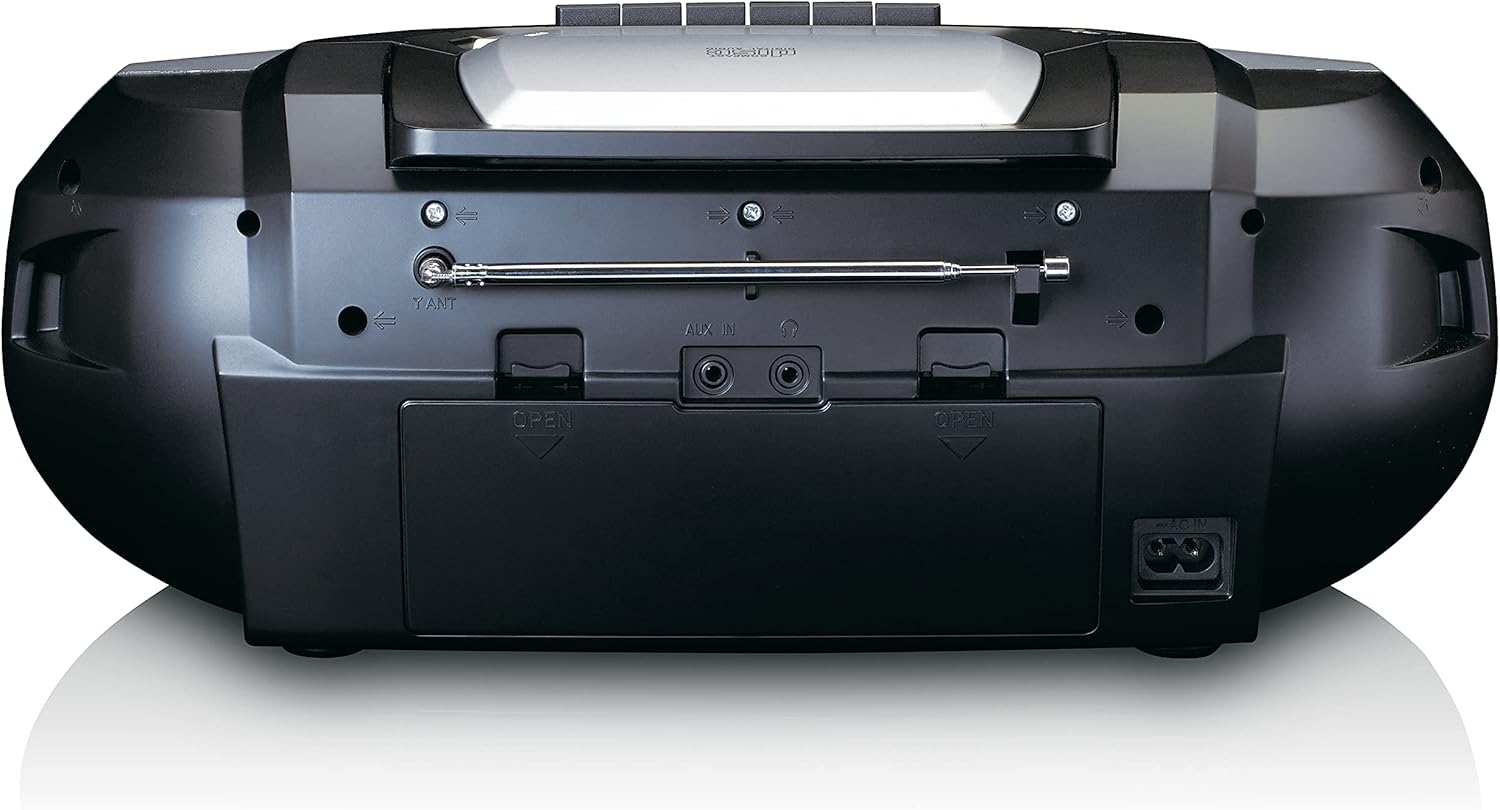
This image shows the back of the Lenco SCD-720 Boombox, featuring the telescopic antenna, AUX input, headphone jack, and the AC power input socket.
Control Panel Close-up

Падрабязны view of the Lenco SCD-720 Boombox's central control panel, including the digital display, source selection buttons, tuning/navigation buttons, and the illuminated volume knob.
Boombox with Remote Control
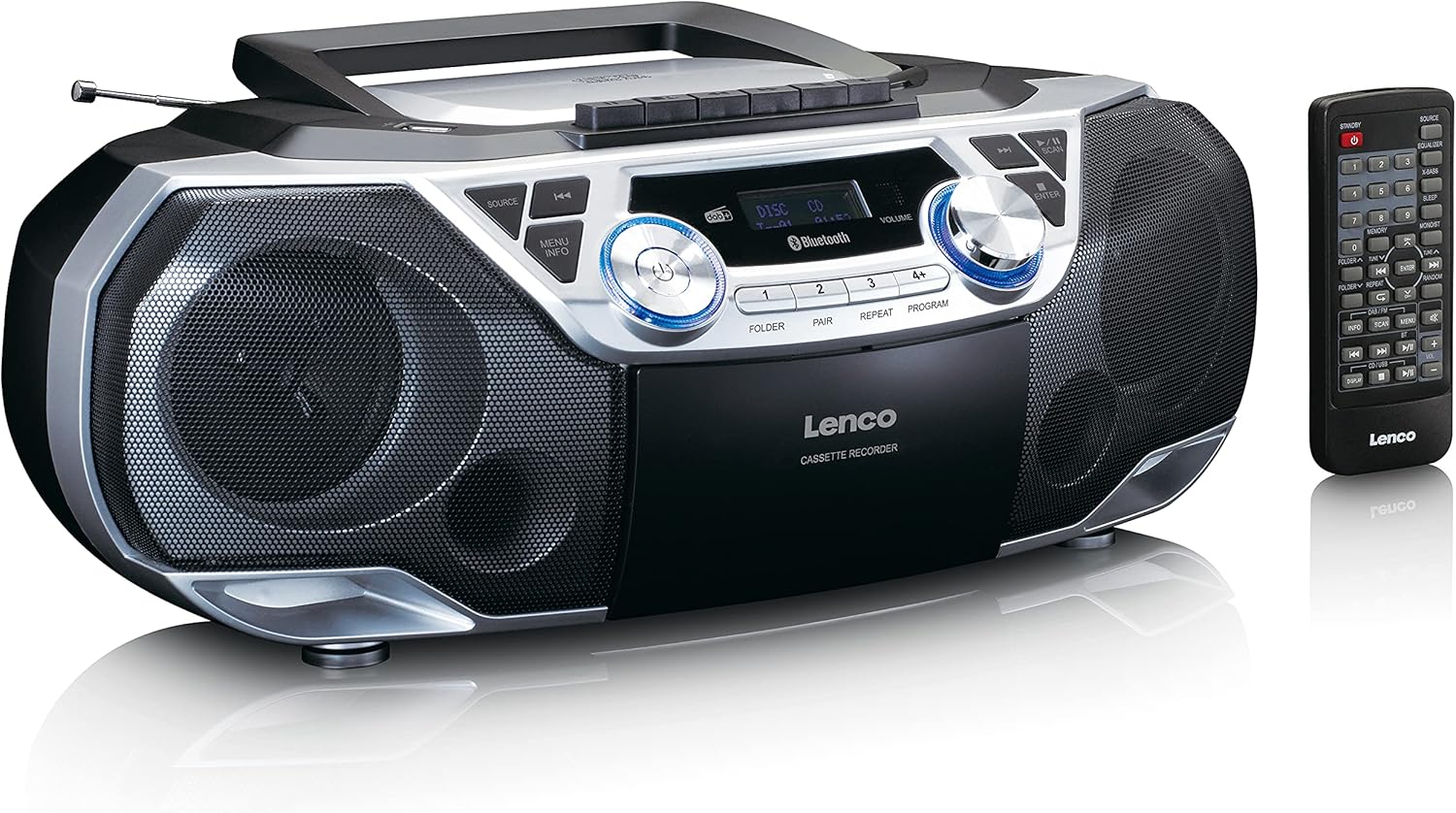
The Lenco SCD-720 Boombox is displayed next to its included remote control, illustrating the complete package.
Макет пульта дыстанцыйнага кіравання

A close-up image of the remote control for the Lenco SCD-720 Boombox, showing all buttons for power, source selection, playback, tuning, and other functions.
4. Настройка
4.1 Падключэнне харчавання
The Lenco SCD-720 Boombox can be powered by AC mains or batteries.
- Магутнасць пераменнага току: Connect the supplied AC power cord to the AC IN socket on the rear of the unit and then to a standard wall outlet.
- Праца ад батарэі: For portable use, open the battery compartment on the rear of the unit and insert 8 x 'C' type batteries (not included), ensuring correct polarity. Close the compartment securely.
4.2 Рэгуляванне антэны
For optimal radio reception, extend the telescopic antenna fully. Adjust its position and angle to achieve the best signal quality for both DAB+ and FM broadcasts.
4.3 Першапачатковае ўключэнне
Націсніце УЛАДА button on the unit or remote control to turn on the boombox. The display will light up, and the unit will typically start in the last used mode.
5. Інструкцыя па эксплуатацыі
5.1 Агульныя элементы кіравання
- Уключэнне/выключэнне харчавання: Націсніце УЛАДА кнопка.
- Рэгулятар гучнасці: Павярнуць АБ'ЁМ knob on the unit or use the ГУЧНАСЦЬ + / - кнопкі на пульце.
- Выбар крыніцы: Націсніце КРЫНІЦА button on the unit or the dedicated source buttons (DAB/FM, CD/USB, BT) on the remote to switch between modes (DAB+, FM, CD, USB, Bluetooth, AUX).
5.2 Праца з радыё (DAB+/FM)
- Выберыце рэжым: Націсніце КРЫНІЦА button until DAB+ or FM mode is selected.
- Аўтаматычнае сканаванне: У рэжыме DAB+ або FM націсніце кнопку СКАНІРАВАЦЬ кнопку для аўтаматычнага пошуку і захавання даступных станцый.
- Ручная настройка: Выкарыстоўвайце TUNE < / > кнопкі для ручной рэгулявання частаты.
- Запраграмаваныя станцыі: The unit allows you to save your favorite stations. Press and hold one of the numbered preset buttons (1-4) to store the current station. Briefly press a preset button to recall a stored station.
- DAB+ Information: У рэжыме DAB+ націсніце ІНФА button to cycle through various information such as program type, signal strength, time, and date.
5.3 Прайграванне кампакт-дыскаў/MP3
- Загрузіце кампакт-дыск: Open the CD compartment lid by pressing the АДКРЫТАЯ button. Place a CD or MP3 CD with the label side facing up. Close the lid securely.
- Прайграванне: The CD will start playing automatically. If not, press the ПРАЙГРАЦЬ/Паўза кнопка.
- элементы кіравання: Выкарыстоўвайце SKIP << / >> кнопкі для прапускання трэкаў. Націсніце і ўтрымлівайце для хуткай перамоткі наперад/назад.
- Паўтарыць: Прэса Паўтор каб паўтарыць бягучую кампазіцыю або ўсе кампазіцыі.
- праграма: Прэса ПРАГРАМА to create a custom playback order for tracks.
5.4 Прайграванне і запіс касет
- Load Cassette: Open the cassette compartment. Insert a cassette tape.
- Прайграванне: Націсніце ГУЛЬНЯ кнопка.
- Запіс: To record from Radio, CD, USB, or AUX, select the desired source. Insert a blank cassette. Press the ЗАПІС button (usually red) along with the ГУЛЬНЯ кнопку адначасова.
- элементы кіравання: Выкарыстоўвайце ХУТКАЯ ПЕРАМАДКА і НАЗАД кнопкі. Прэс СТОП/ВЫХОД to stop playback and open the compartment.
5.5 Bluetooth 5.0 Падключэнне
- Увайдзіце ў рэжым Bluetooth: Націсніце КРЫНІЦА button until 'BT' or 'Bluetooth' appears on the display. The unit will enter pairing mode, indicated by a flashing Bluetooth icon.
- Спалучэнне: On your smartphone or tablet, enable Bluetooth and search for available devices. Select 'Lenco SCD-720' from the list. Once paired, the Bluetooth icon will stop flashing.
- Прайграванне: Start playing audio on your connected device. The sound will be streamed to the boombox.
5.6 Прайграванне з USB
- Устаўце USB: Устаўце USB-назапашвальнік з MP3 files у порт USB.
- Выберыце рэжым USB: Націсніце КРЫНІЦА button until 'USB' appears. The unit will automatically scan and begin playing MP3 files.
- элементы кіравання: Use the playback control buttons (PLAY/PAUSE, SKIP << / >>) to manage your music.
5.7 AUX ўваход
Connect external audio devices (e.g., MP3 players, smartphones without Bluetooth) to the AUX IN jack on the rear of the unit using a 3.5mm audio cable (not included). Select AUX mode via the КРЫНІЦА кнопка.
5.8 Выхад для навушнікаў
For private listening, connect headphones to the НАВУШНІК jack on the rear of the unit. The main speakers will be muted automatically.
5.9 Пульт дыстанцыйнага кіравання
The included remote control provides full functionality for the boombox, allowing you to control power, source, volume, playback, tuning, and other settings from a distance. Ensure the remote has working batteries and is pointed towards the front of the boombox.
6. Тэхнічнае абслугоўванне
6.1 Чыстка прылады
Wipe the exterior of the boombox with a soft, dry cloth. Do not use abrasive cleaners, waxes, or solvents as they may damage the finish. For stubborn stains, a slightly damp можна выкарыстоўваць тканіну, а затым сухую тканіну.
6.2 Сыход за лінзамі CD
If CD playback becomes erratic, the CD lens may need cleaning. Use a commercially available CD lens cleaner disc. Do not touch the lens directly.
6.3 Чыстка галоўкі касеты
Regularly clean the cassette heads, pinch rollers, and capstans with a cotton swab lightly moistened with isopropyl alcohol to ensure optimal sound quality and prevent tape damage.
6.4 Замена батарэі
If the unit is powered by batteries and performance degrades, replace all 8 'C' type batteries with new ones, ensuring correct polarity. Do not mix old and new batteries or different types of batteries.
7. Выпраўленне непаладак
| праблема | Магчымая прычына | Рашэнне |
|---|---|---|
| Няма ўлады | Шнур харчавання не падключаны; батарэйкі разраджаныя або няправільна ўстаўленыя. | Праверце падключэнне шнура пераменнага току; заменіце батарэйкі, сачыце за правільнай палярнасцю. |
| Няма гуку | Занадта нізкая гучнасць; выбрана няправільная крыніца; падключаны навушнікі. | Increase volume; Select correct source; Disconnect headphones. |
| Дрэнны прыём радыё | Антэна няправільна выцягнутая або размешчаная; слабы сігнал. | Extend and adjust the telescopic antenna; Try moving the unit to a different location. |
| CD/USB не прайграваецца | Disc dirty/scratched; USB format not supported; Incorrect mode. | Clean or replace disc; Ensure USB contains MP3 files; Select CD or USB mode. |
| Спалучэнне Bluetooth не атрымалася | Boombox not in pairing mode; Device too far; Bluetooth off on device. | Ensure boombox is in BT pairing mode; Move device closer; Enable Bluetooth on your device. |
| Cassette recording issues | Incorrect source selected; Cassette write-protect tab engaged. | Select the desired recording source; Ensure the write-protect tab on the cassette is not broken off. |
8. Тэхнічныя характарыстыкі
- мадэль: SCD-720SI
- Марка: Ленка
- Падключэнне: DAB+, FM Radio, Bluetooth 5.0, CD/MP3 Player, Cassette Player, USB Playback, AUX Input, Headphone Output
- Аўдыявыхад: 2 х 6 Вт RMS
- Крыніца харчавання: AC 230V ~ 50Hz or 8 x 'C' type batteries (DC 12V)
- Падтрымліваюцца аўдыяфарматы: CD, CD-R/RW, MP3 (from CD/USB)
- Асаблівасці: Bass Reflex, Remote Control
- Памеры (Д х Ш х У): Прыблізна 38.5 см х 23.5 см х 14.5 см
- колер: Серабро
- вытворца: Lenco GmbH
- Краіна паходжання: Кітай
9. Гарантыя і падтрымка
Lenco products are covered by a warranty in accordance with European law. For specific warranty terms and conditions, please refer to the warranty card included with your product or visit the official Lenco website. For technical support, service, or spare parts information, please contact Lenco customer service or your local dealer. Please have your model number (SCD-720SI) and purchase details ready when contacting support.
Information regarding software updates and spare parts availability is not provided at this time.