
1. Уводзіны
Thank you for choosing the Bluenin HWS-918 Bluetooth 5.0 Neckband Wireless Headphones. This manual provides essential information for setting up, operating, and maintaining your device. Please read it carefully to ensure optimal performance and longevity of your headphones.
The Bluenin HWS-918 features Bluetooth 5.0 connectivity, retractable earbuds, CVC 8.0 noise-cancelling microphone, and a comfortable neckband design, making it suitable for various activities including sports and daily use.
2. Прадукт скончыўсяview
2.1 Змест пакета
- Bluenin HWS-918 Neckband Wireless Headphones
- USB-кабель для зарадкі
- Вушныя насадкі (памеры S, M, L)
- Кіраўніцтва карыстальніка
2.2 Кампаненты навушнікаў
Familiarize yourself with the main components and controls of your Bluenin HWS-918 headphones.

Выява: Зверхуview of the Bluenin HWS-918 neckband headphones, showing the general design and location of controls.
- Шыйная павязка: Houses battery, control buttons, and electronics.
- Высуўныя навушнікі: In-ear design with automatic retraction.
- Кнопкі кіравання: Power, Volume Up/Down, Play/Pause/Multi-function, Retract.
- Мікрафон: Built-in CVC 8.0 noise-cancelling microphone for calls.
- Порт для зарадкі USB: Для падзарадкі ўнутранай батарэі.
- Святлодыёдны індыкатар: Паказвае стан харчавання, спалучэння і зарадкі.
3. Настройка
3.1 Зарадка навушнікаў
Before first use, fully charge the headphones. Connect the USB charging cable to the headphone's charging port and to a USB power source (e.g., computer, wall adapter). The LED indicator will show charging status.
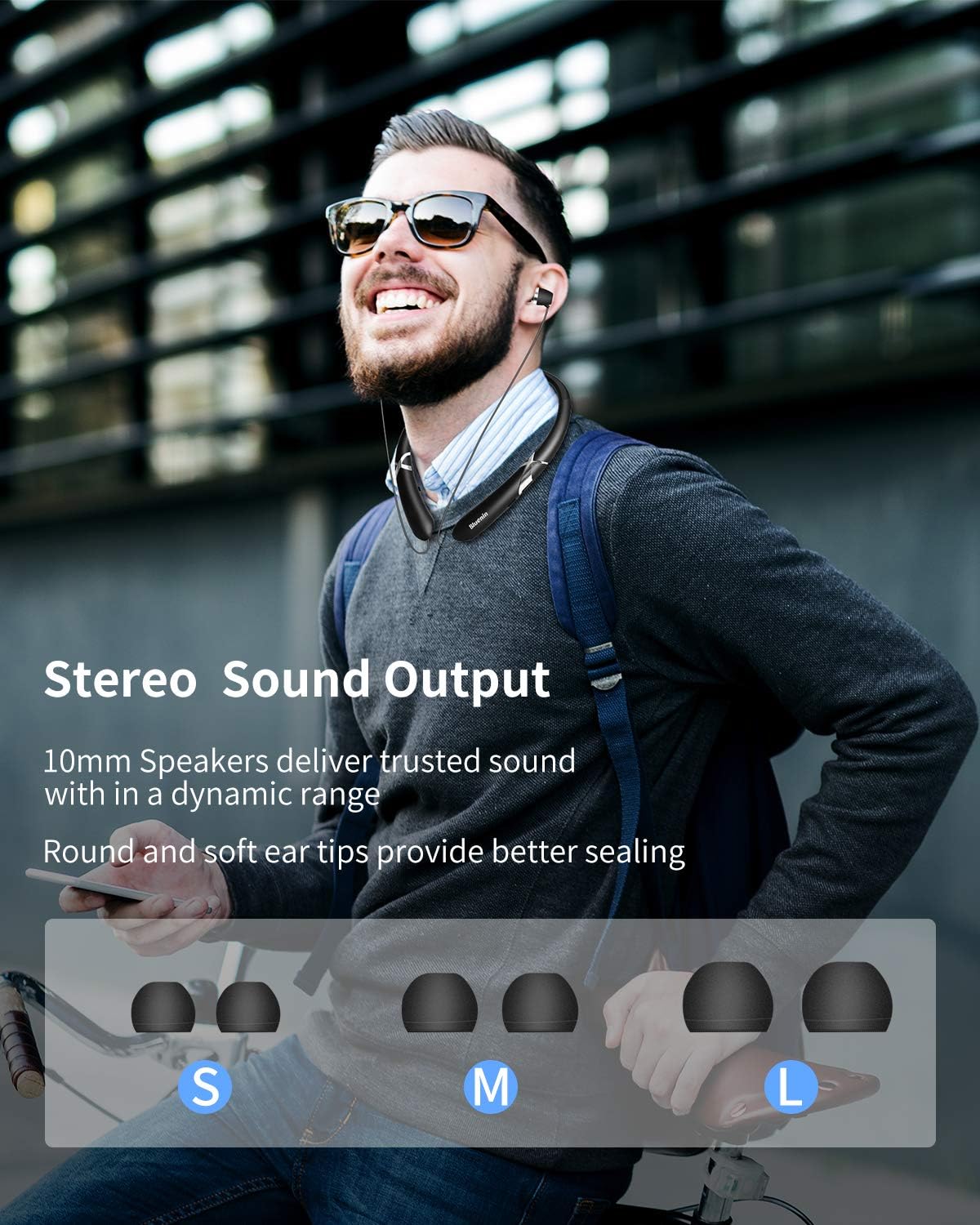
Image: The Bluenin HWS-918 headphones with an overlay showing a battery icon and text indicating 15 hours of playing time and 500 hours of standby time from a 180mAh battery.
- A full charge provides approximately 14 hours of music playback or 16 hours of talk time.
- Standby time is up to 500 hours.
- Стан батарэі можа быць viewed on your connected Bluetooth device (if supported).
3.2 Спалучэнне па Bluetooth
Каб падключыць навушнікі да прылады:

Image: The Bluenin HWS-918 headphones with graphics emphasizing Bluetooth 5.0, an integrated Qualcomm CSR chip, a wireless range of up to 33 feet, and the capability to connect to two devices simultaneously.
- Пераканайцеся, што навушнікі зараджаны і выключаны.
- Press and hold the Power button until the LED indicator flashes red and blue alternately, indicating pairing mode.
- На вашай прыладзе (смартфоне, планшэце, камп'ютары) уключыце Bluetooth і знайдзіце даступныя прылады.
- Select "Bluenin HWS-918" from the list of found devices.
- Пасля падлучэння святлодыёдны індыкатар будзе павольна міргаць сінім.
- The headphones can connect to two devices simultaneously.
4. Інструкцыя па эксплуатацыі
4.1 Уключэнне/выключэнне сілкавання
- Уключэнне: Націсніце і ўтрымлівайце кнопку харчавання на працягу 3 секунд. Святлодыёдны індыкатар будзе міргаць сінім колерам.
- Выключэнне: Press and hold the Power button for 3 seconds. The LED will flash red and then turn off.
4.2 Прайграванне музыкі
- Прайграванне/Паўза: Націсніце шматфункцыянальную кнопку адзін раз.
- Павялічыць гучнасць: Націсніце кнопку «+».
- Паменшыць гучнасць: Націсніце кнопку «-».
- Наступны трэк: Націсніце і ўтрымлівайце кнопку «+».
- Папярэдні трэк: Націсніце і ўтрымлівайце кнопку «-».
4.3 Функцыі выкліку

Image: The Bluenin HWS-918 headphones are depicted with a smartphone displaying an incoming call interface. An icon illustrates the vibrating reminder feature, and a separate image shows a mute button, indicating the ability to easily cut off the microphone.
- Адказ/завяршэнне выкліку: Націсніце шматфункцыянальную кнопку адзін раз.
- Адхіліць выклік: Націсніце і ўтрымлівайце шматфункцыянальную кнопку на працягу 2 секунд.
- Паўторны набор апошняга нумара: Двойчы націсніце шматфункцыянальную кнопку.
- Выключыць мікрафон: Press the dedicated Mute button during a call.
- Вібрацыйны сігнал выкліку: The headphones will vibrate to notify you of an incoming call.
4.4 Retractable Earbuds
The Bluenin HWS-918 features automatic retractable earbuds for tangle-free storage.

Image: The Bluenin HWS-918 neckband headphones are shown with hands demonstrating the automatic retraction of the earbud wires. Arrows indicate the movement of the wires, highlighting the one-button control for tangle-free storage.
- To extend the earbuds, gently pull them out to the desired length.
- To retract, press the dedicated Retract button on the neckband. The earbuds will automatically retract into the neckband.
- Avoid forcing the earbuds or wires, as this may cause damage. The wires are designed for over 5000 retractions.
4.5 Нашэнне навушнікаў
The ergonomic neckband design ensures comfortable wear throughout the day.

Image: A person wearing the Bluenin HWS-918 headphones, demonstrating the stereo sound output from 10mm speakers. Below, different sizes of ear tips (Small, Medium, Large) are displayed, indicating options for a better seal and comfort.
- Place the neckband around your neck, ensuring a comfortable fit.
- Select the appropriate ear tip size (S, M, L) for a secure and comfortable fit that also optimizes sound quality.
- The headphones are sweatproof, making them suitable for sports and exercise.
5. Тэхнічнае абслугоўванне
5.1 Ачыстка
- Працярыце навушнікі мяккай сухой тканінай.
- For ear tips, remove them and clean with a mild soap solution, then rinse and dry thoroughly before reattaching.
- Do not use abrasive cleaners or immerse the headphones in water.
5.2 Захоўванне
- Захоўвайце навушнікі ў прахалодным, сухім месцы, удалечыні ад прамых сонечных прамянёў і экстрэмальных тэмператур.
- Ensure earbuds are fully retracted before storing to prevent wire damage.
5.3 Воданепранікальнасць
The headphones are water resistant, suitable for sweat and light splashes. They are not designed for submersion in water.
6. Выпраўленне непаладак
| праблема | Магчымая прычына | Рашэнне |
|---|---|---|
| Навушнікі не ўключаюцься | Нізкі акумулятар | Поўнасцю зарадзіце навушнікі. |
| Немагчыма спалучыць прыладу | Навушнікі не ў рэжыме спалучэння; Bluetooth на прыладзе выключаны; Прылада знаходзіцца занадта далёка | Ensure headphones are in pairing mode (flashing red/blue). Turn on Bluetooth on your device. Move device closer to headphones (within 33ft). |
| Няма гуку | Volume too low; Not connected; Wrong audio output selected | Павялічце гучнасць навушнікаў і прылады. Пераканайцеся, што навушнікі падключаны. Праверце налады аўдыёвыхаду прылады. |
| Дрэнная якасць выкліку | Weak signal; Microphone obstructed | Move closer to your connected device. Ensure microphone is not covered. |
| Earbuds do not retract | Mechanism jammed; Retract button not pressed | Ensure no obstruction. Press the retract button firmly. Do not force the wires. |
7. Тэхнічныя характарыстыкі
| Асаблівасць | Спецыфікацыя |
|---|---|
| Назва мадэлі | HWS-918 |
| Марка | Блюнін |
| Тэхналогія падлучэння | Бесправадная сувязь (Bluetooth 5.0) |
| Чып Bluetooth | CSR8645 |
| Формаў-фактар | In Ear (Retractable) |
| Мікрафон | CVC 8.0 Noise-Cancelling |
| Тэрмін службы батарэі (музыка) | Да 14 гадзін |
| Тэрмін службы батарэі (размова) | Да 16 гадзін |
| Час чакання | Да 500 гадзін |
| Порт для зарадкі | USB |
| Узровень воданепранікальнасці | Воданепранікальнасць (непашкоджанасць ад поту) |
| Матэрыял | Пластыкавыя |
| Колер | Матавы чорны |
| Сумяшчальныя прылады | Smartphones, Laptops, Tablets, Computers |
| Метад кантролю | Touch / Buttons |
8. Гарантыя і падтрымка
Every Bluenin product includes a 45-day money-back guarantee and a one-year warranty from the date of purchase.
For technical support, warranty claims, or further assistance, please refer to the contact information provided with your purchase or visit the official Bluenin webсайт.


