
1. Уводзіны
The Thomson WEAR7701 Bluetooth HiFi Earbuds provide a wireless audio experience with high-fidelity sound. Designed for comfort and convenience, these lightweight in-ear headphones feature touch controls, voice assistant compatibility, and IPX4 splash protection, making them suitable for various activities, including sports.
This manual provides detailed instructions for setting up, operating, and maintaining your WEAR7701 earbuds to ensure optimal performance and longevity.

2. Змесціва ўпакоўкі
Калі ласка, праверце наяўнасць усіх прадметаў у камплекце:
- 1x Thomson WEAR7701 Bluetooth Earbuds
- 1x чахол для зарадкі
- 3x Pairs of Silicone Ear Tips (Sizes S, M, L)
- 1x Micro USB кабель для зарадкі
- 1x Кіраўніцтва карыстальніка
3. Настройка
3.1 Першапачатковая зарадка
Перад першым выкарыстаннем цалкам зарадзіце навушнікі і зарадны футляр.
- Connect the supplied Micro USB cable to the charging port on the charging case and to a suitable USB power source.
- Place the earbuds into the charging case. Ensure they are correctly seated; indicator lights on the earbuds or case will confirm charging status.
- A full charge for the case takes approximately 3 hours. The earbuds charge within the case.
The charging case provides up to 3 additional full charges for the earbuds, extending their usage time.
3.2 Спалучэнне з прыладай Bluetooth
For the first connection, it is crucial to remove both earbuds from the charging case simultaneously to ensure proper stereo pairing with your smartphone.
- Ensure your smartphone's Bluetooth function is enabled.
- Выміце абодва навушнікі з зараднага футляра. Яны аўтаматычна ўключацца і пяройдуць у рэжым спалучэння.
- На вашым смартфоне знайдзіце даступныя прылады Bluetooth.
- Select "Thomson WEAR7701" (or similar name) from the list of found devices.
- Once connected, your device will indicate successful pairing.
Важная заўвага: If only one earbud connects, place both earbuds back into the charging case, close the lid, wait a few seconds, then remove both simultaneously and repeat the pairing process.

4. Інструкцыя па эксплуатацыі
4.1 Уключэнне/выключэнне сілкавання
- Уключэнне: Навушнікі аўтаматычна ўключаюцца пры выманні з зараднага кейса.
- Выключэнне: Навушнікі аўтаматычна выключаюцца, калі іх зноў змясціць у зарадны кейс і зачыніць вечка.
4.2 Сэнсарнае кіраванне
The earbuds feature intuitive touch controls for managing music playback and calls.
- Прайграванне/прыпыненне музыкі: Адзін націск на любы навушнік.
- Наступны трэк: Двойчы націсніце на правы навушнік-ўкладыш.
- Папярэдні трэк: Двойчы націсніце на левы навушнік-ўкладыш.
- Адказ/завяршэнне выкліку: Адзін націск на любы навушнік.
- Адхіліць выклік: Націсніце і ўтрымлівайце любы навушнік на працягу 2 секунд.
- Актывацыя галасавога памочніка (Siri/Google Assistant): Тройчы націсніце на любы навушнік.

4.3 Нашэнне навушнікаў
Select the ear tips that provide the most comfortable and secure fit. The package includes three sizes (S, M, L) of Mushroom-shaped silicone ear tips to ensure a proper seal for optimal sound quality and stability, even during physical activity.
- Акуратна ўстаўце навушнік у слыхавы праход.
- Злёгку павярніце навушнік-ўкладыш, пакуль ён не будзе надзейна і камфортна замацаваны.
- If the fit is not ideal, try a different size of ear tip.
5. Тэхнічнае абслугоўванне
5.1 Ачыстка
- Рэгулярна працірайце навушнікі і зарадны футляр мяккай, сухой тканінай без ворса.
- Зніміце вушныя насадкі і памыйце іх мяккім мылам і вадой, затым старанна высушыце перад тым, як зноў прымацаваць іх.
- Не выкарыстоўвайце абразіўныя ачышчальнікі, спірт або хімічныя растваральнікі.
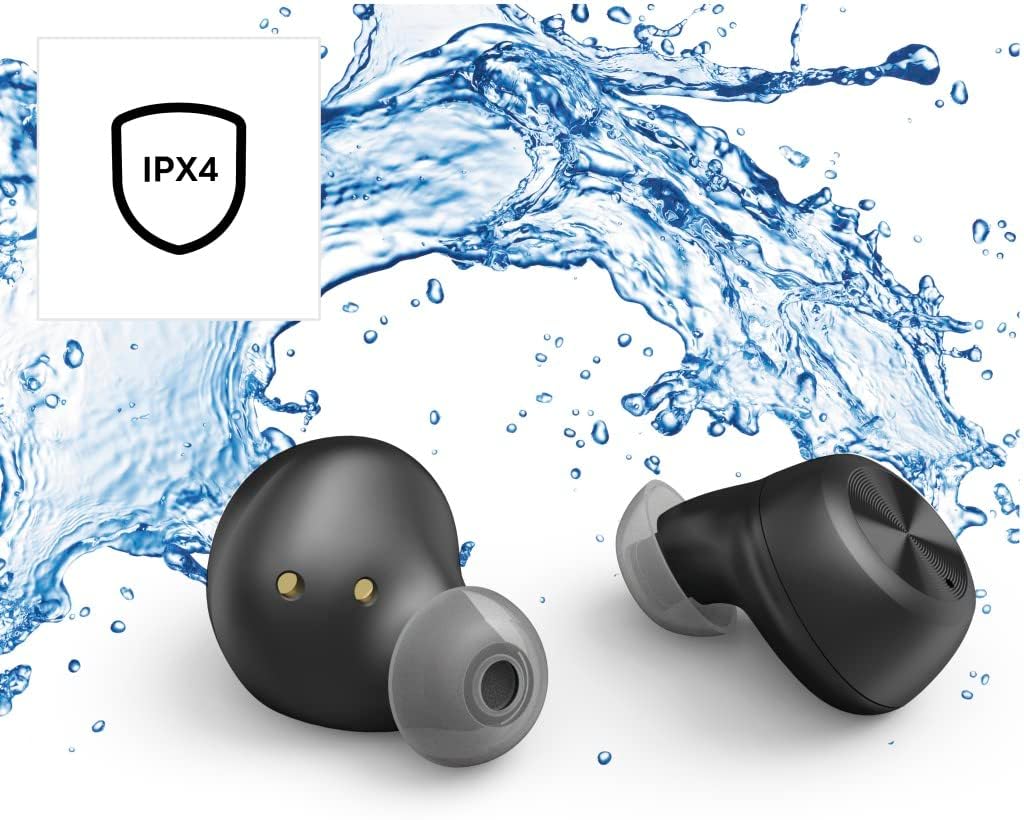
5.2 Воданепранікальнасць (IPX4)
The Thomson WEAR7701 earbuds are rated IPX4, meaning they are protected against splashing water from any direction. This makes them suitable for use during workouts or in light rain.
- Не апускайце навушнікі ў ваду.
- Не падвяргайце іх уздзеянню вады пад ціскам або хуткаснай вады, напрыклад, падчас прыняцця душа або плавання.
- Перад тым, як змясціць навушнікі назад у зарадны футляр, пераканайцеся, што яны сухія, каб пазбегнуць пашкоджання кантактаў зарадкі.
5.3 Захоўванне
Калі навушнікі не выкарыстоўваюцца, захоўвайце іх у зарадным чахле, каб абараніць і падтрымліваць зараджанасць.
6. Выпраўленне непаладак
6.1 Earbuds Not Pairing or Only One Earbud Connects
- Пераканайцеся, што абодва навушнікі цалкам зараджаны.
- Place both earbuds back into the charging case, close the lid, wait a few seconds, then remove both simultaneously.
- Delete the earbuds from your device's Bluetooth list ("Forget Device") and attempt to pair again from scratch.
- Ensure the earbuds are within Bluetooth range of your device (up to 10 meters).
6.2 Няма гуку або нізкі ўзровень гучнасці
- Праверце ўзровень гучнасці як на падлучанай прыладзе, так і на навушніках.
- Пераканайцеся, што навушнікі правільна размешчаны ў вушах, а амбушуры добра прылягаюць.
- Зноў падключыце навушнікі-ўкладышы да прылады.
- Ачысціце дынамікі навушнікаў ад смецця.
6.3 Праблемы з зарадкай
- Пераканайцеся, што зарадны кабель надзейна падключаны як да корпуса, так і да крыніцы харчавання.
- Пераканайцеся, што крыніца харчавання спраўная.
- Ачысціце зарадныя кантакты на абодвух навушніках і ўнутры зараднага футляра.
- Try a different Micro USB charging cable.
7. Тэхнічныя характарыстыкі
| Назва мадэлі | НАДЗЕЦЬ7701 |
| Нумар мадэлі | 132568 |
| Колер | Чорны |
| Сувязь | Bluetooth 5.0 |
| Клас Bluetooth | 2 клас |
| Дыяпазон частот | 2402-2480 МГц |
| Дыяпазон частот навушнікаў-ўкладышаў | 20 Гц - 20 кГц |
| Дыяпазон частот мікрафона | 100 Гц - 5 кГц |
| Імпеданс навушнікаў-ўкладышаў | 32 Ом |
| Супраціў мікрафона | 2.2 кОм |
| Адлегласць перадачы | 10 м |
| Адчувальнасць навушнікаў-ўкладышаў | 92 дБ +/- 3 дБ |
| Адчувальнасць мікрафона | -42 дБ ± 3 дБ |
| Максімальны час размовы | 4 гадзіны |
| Максімальны час прайгравання музыкі | 4 гадзіны |
| Макс. Час чакання | 150 гадзіны |
| Зарадка зараднага чахла | Да 3 разоў |
| Average Charging Time (Case) | 3 гадзіны |
| Тып зарадкі | Micro USB |
| Палажэнне мікрафона | Інтэграваны |
| Тып мікрафона | Усенакіраваны |
| Галасавое кіраванне | Apple Siri / Google Assistant |
| Падтрымліваецца Bluetooth Profiles | A2DP V1.3/AVRCP V1.6/HFP V1.7/SPP V1.2 |
| Асаблівасці | Finger-Touch Sensor, QuickPair, Call Answer Button, True Wireless |
| Рэйтынг воданепранікальнасці | IPX4 (брызгаабаронены) |
| Вага (на адзін навушнік) | 4 г |
| Агульная вага | 41 g (earbuds + case) |
| Рэкамендуемае выкарыстанне | Спорт |
8. Гарантыя і падтрымка
Thomson products are manufactured with attention to quality and performance. For information regarding warranty coverage, please refer to the warranty card included with your product or visit the official Thomson webсайт.
For technical support, troubleshooting assistance, or to inquire about replacement parts, please contact Thomson customer service through their official channels. Contact details can typically be found on the product packaging or the manufacturer's webсайт.
Калі ласка, захавайце доказы пакупкі для прэтэнзій па гарантыі.