
Inrico T522A
User Manual for Inrico T522A 4G/LTE Network Radio
Мадэль: T522A
Уводзіны
This manual provides comprehensive instructions for the Inrico T522A 4G/LTE Network Radio. Designed for reliable communication, this device integrates 4G/LTE connectivity with Zello and ZelloWork platforms, offering long-range, clear audio transmission. Please read this manual thoroughly before operating the device to ensure proper usage and optimal performance.
Прадукт скончаныview
The Inrico T522A is a robust network radio built for demanding environments. It features a durable design, including waterproof and dustproof capabilities (IP66 rating), and supports various network functionalities for seamless communication.
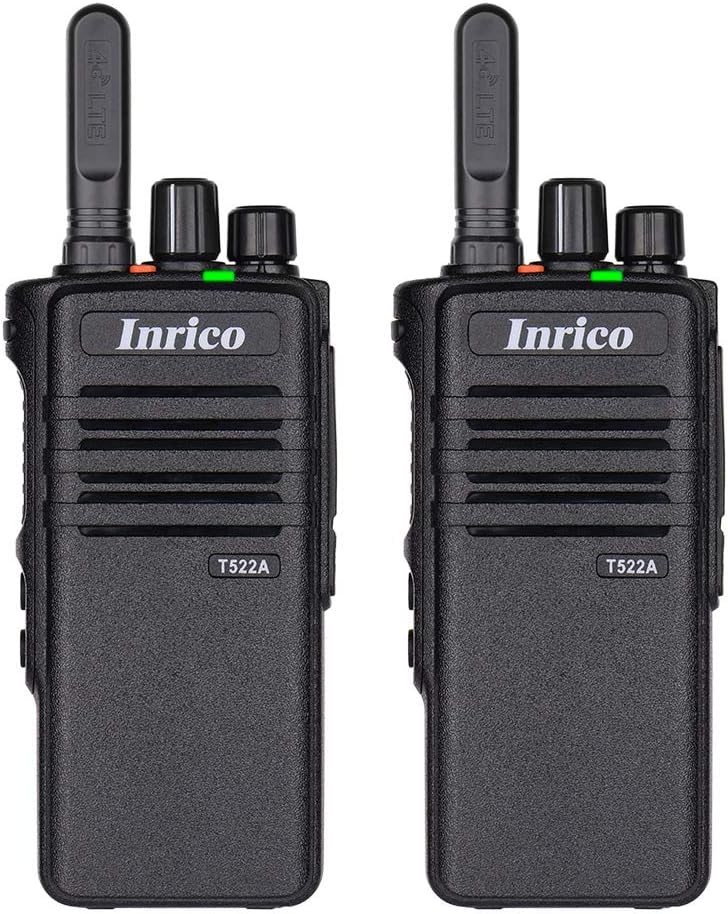
Малюнак 1: Спераду view of two Inrico T522A network radios, showing the Inrico branding and T522A model number.

Figure 2: Various angles of the Inrico T522A radio, including front, side, and back views, highlighting its compact design and belt clip.
Ключавыя кампаненты:
- Антэна: For 4G/LTE signal reception.
- Ручка харчавання/гучнасці: To turn the device on/off and adjust volume.
- Channel/Function Knob: For selecting channels or functions.
- Кнопка PTT (Push-to-Talk): For initiating voice transmissions.
- Дынамік/мікрафон: Integrated for audio input and output.
- Батарэйны адсек: Houses the removable battery.
- Заціск для рамяня: Для зручнай пераноскі.
- Кантакты для зарадкі: Located at the bottom for cradle charging.
Настройка
1. Устаноўка батарэі:
- Пераканайцеся, што радыё выключана.
- Знайдзіце батарэйны адсек на задняй панэлі радыё.
- Align the battery with the contacts and gently push it into place until it clicks.
- Secure the battery cover if applicable.
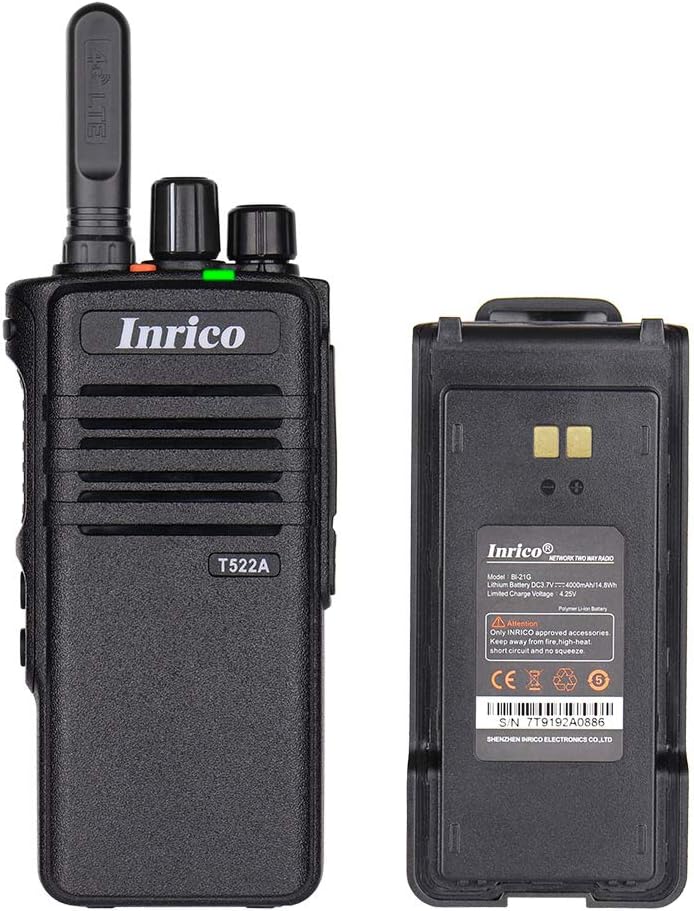
Figure 3: The Inrico T522A radio shown alongside its removable battery pack, illustrating the battery's connection points.
2. Зарадка акумулятара:
Перад першым выкарыстаннем цалкам зарадзіце акумулятар.
- Place the radio into the charging cradle, ensuring the charging contacts align.
- Connect the charging cradle to a power source using the provided adapter.
- Індыкатар зарадкі будзе гарэць (звычайна чырвоным) падчас зарадкі і мяняць колер (звычайна зялёны) пры поўнай зарадцы.

Figure 4: The Inrico T522A radio securely placed in its dedicated charging cradle, ready for power replenishment.
3. Падключэнне да сеткі:
The T522A supports 4G/LTE and WLAN connectivity. Ensure a valid SIM card is inserted for 4G/LTE operation, or configure Wi-Fi settings for WLAN use.

Figure 5: The Inrico T522A radio depicted with "4G LTE" and Android logos, indicating its cellular and operating system capabilities.

Figure 6: The Inrico T522A radio shown with a WLAN (Wi-Fi) symbol, indicating its wireless local area network connectivity.
Інструкцыя па эксплуатацыі
Уключэнне/выключэнне харчавання:
- Каб уключыць прыладу, павярніце ручку харчавання/гучнасці па гадзіннікавай стрэлцы, пакуль не пачуеце пстрычку.
- Каб выключыць прыладу, павярніце ручку харчавання/гучнасці супраць гадзіннікавай стрэлкі, пакуль не пачуеце пстрычку.
Рэгуляванне гучнасці:
- Павярніце ручку харчавання/гучнасці па гадзіннікавай стрэлцы, каб павялічыць гучнасць, і супраць гадзіннікавай стрэлкі, каб паменшыць гучнасць.
Using Zello/ZelloWork:
The Inrico T522A is optimized for Zello and ZelloWork applications.
- Ensure the Zello or ZelloWork application is installed and configured on the device.
- Log in to your Zello/ZelloWork account.
- Select the desired channel or contact.
- Press and hold the PTT button to transmit your voice. Release the PTT button to listen.
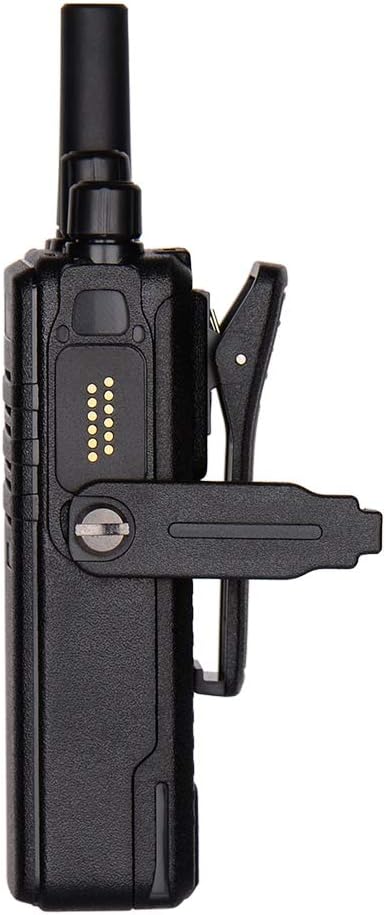
Figure 7: Two Inrico T522A radios displayed in front of a computer monitor showing a dispatch system interface, illustrating their integration with communication platforms.
Тэхнічнае абслугоўванне
- Уборка: Выкарыстоўвайце мяккі, damp тканінай для чысткі вонкавага боку радыё. Не выкарыстоўвайце агрэсіўныя хімікаты або абразіўныя ачышчальнікі.
- Сыход за батарэяй: Каб падоўжыць тэрмін службы батарэі, пазбягайце частай поўнай разрадкі батарэі. Захоўвайце радыё і батарэю ў прахалодным, сухім месцы, калі яны не выкарыстоўваюцца працяглы час.
- Ахова навакольнага асяроддзя: While the radio is waterproof and dustproof (IP66), avoid prolonged exposure to extreme temperatures or direct sunlight.
Ліквідацыю непаладак
| праблема | Магчымая прычына | Рашэнне |
|---|---|---|
| Радыё не ўключаецца. | Батарэя разраджаная або няправільна ўсталяваная. | Зарадзіце акумулятар або надзейна ўстаўце яго назад. |
| Няма гуку з дынаміка. | Volume is too low; speaker is blocked; network issue. | Increase volume; check for obstructions; verify network connection. |
| Cannot transmit/receive. | No network signal; Zello/ZelloWork not logged in; incorrect channel. | Check network signal strength; log into Zello/ZelloWork; select correct channel. |
| Дрэнная якасць гуку. | Слабы сігнал сеткі; перашкоды. | Перамясціцеся ў месца з лепшым сігналам; пазбягайце крыніц перашкод. |
Тэхнічныя характарыстыкі
| Асаблівасць | Дэталь |
|---|---|
| Марка | Ірыка |
| мадэль | T522A |
| Сувязь | 4G/LTE, WLAN |
| Сумяшчальныя прылады | Zello, ZelloWork, 4G/LTE devices on the same frequency band, internet-capable devices |
| Узровень воданепранікальнасці | Воданепранікальны (IP66) |
| Асаблівасці | Long Range, Waterproof, Dust Proof |
| Уключаныя кампаненты | 2 x Radio (as per product listing) |
| Колер | Чорны |
Гарантыя і падтрымка
For warranty information and technical support, please refer to the official Inrico webсайт або звярніцеся да аўтарызаванага дылера. Захоўвайце чэк аб куплі як пацверджанне пакупкі.
вытворца: Ірыка
Ask a question about this manual
Ask about setup, troubleshooting, compatibility, parts, safety, or missing instructions. Manuals+ will review the question and use this page’s manual context to help answer it.