
1. Уводзіны
The Avidsen HomeCam Battery is a 100% wireless outdoor surveillance camera designed for easy installation and robust home protection. Featuring 1080P Full HD resolution, a solar panel for continuous power, night vision, and two-way audio, this camera allows you to monitor your property remotely via a smartphone application without any subscription fees. This manual provides detailed instructions for setting up, operating, and maintaining your camera.
2. Што ў скрынцы
Please check that all components are present in the package:
- 1 x Avidsen HomeCam Battery IP WiFi Camera
- 1 x Solar Panel (PV module)
- 2 батарэі 18650
- 1 x Camera Sealing Gasket
- Мантажныя шрубы і дзюбелі

Image: The Avidsen HomeCam Battery camera and its accompanying solar panel, unmounted, showing the main components included in the box.
3. Кіраўніцтва па наладцы
3.1. Устаноўка батарэі
- Знайдзіце батарэйны адсек на камеры.
- Insert the two 18650 batteries, ensuring correct polarity (+/-).
- Надзейна зачыніце батарэйны адсек.
3.2. Мантаж камеры і сонечнай панэлі
The camera and solar panel are designed for outdoor use and can be mounted separately or together. Choose a location that provides optimal sunlight exposure for the solar panel and a clear view для камеры.
- Мантаж камеры: The camera features an innovative magnetic mount for precise orientation. Secure the base of the mount to a wall using the provided screws and wall plugs. Attach the camera to the magnetic base and adjust its angle.
- Мантаж панэлі сонечных батарэй: Mount the solar panel in a location that receives direct sunlight for several hours a day. Connect the solar panel cable to the camera's charging port.
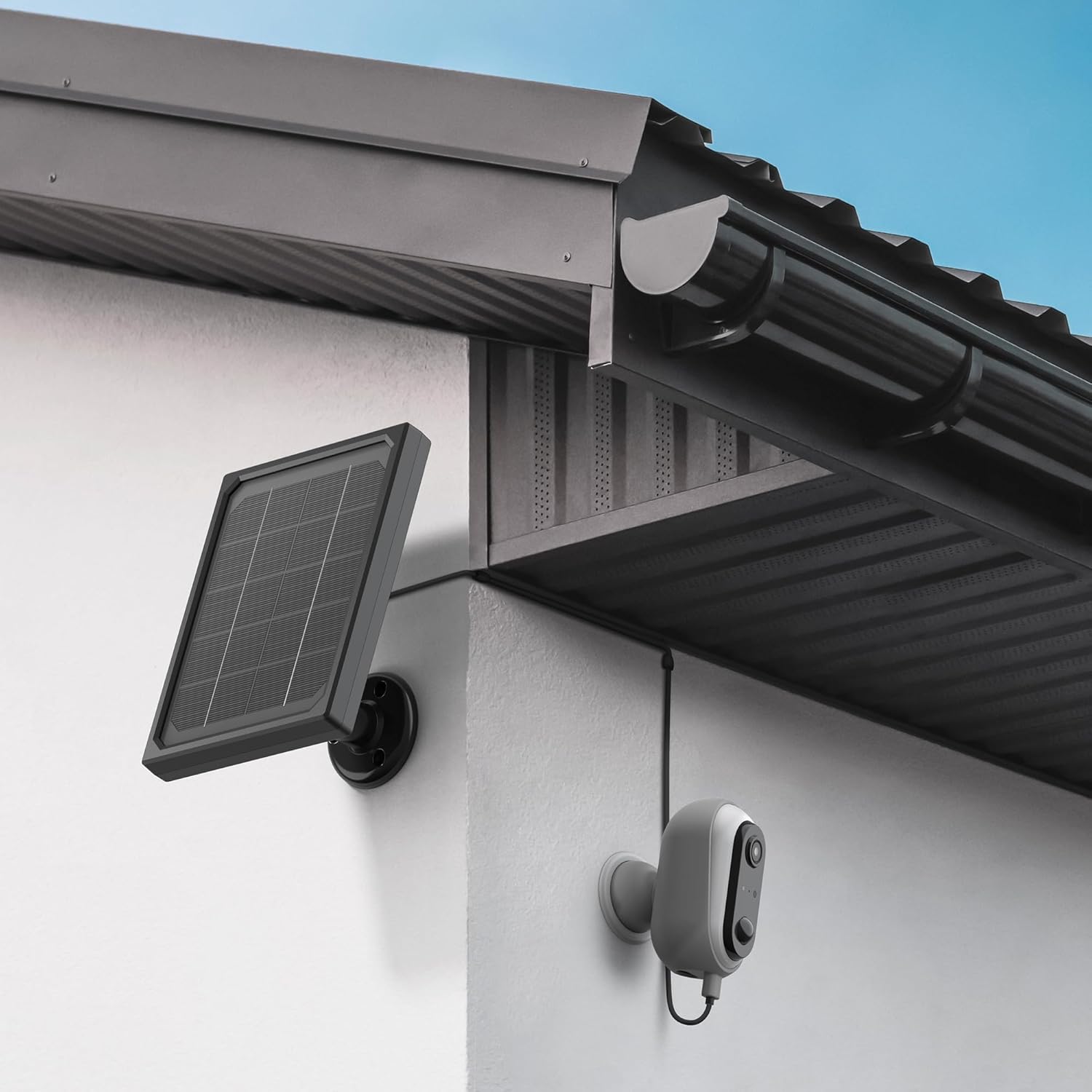
Image: The Avidsen HomeCam Battery camera and its solar panel are shown securely mounted on an exterior wall, positioned to capture sunlight and monitor the area.

Выява: буйны план view of the Avidsen HomeCam Battery camera, highlighting its adjustable magnetic mount which allows for flexible positioning and angle adjustments.
3.3. Загрузка праграмы і пачатковае спалучэнне
- Download the "Avidsen Home" application from your smartphone's app store (available on Google Play and Apple App Store).
- Адкрыйце праграму і стварыце ўліковы запіс або ўвайдзіце, калі ў вас ужо ёсць.
- Follow the in-app instructions to add a new device. This typically involves scanning a QR code on the camera or manually selecting the device type.
- Ensure your smartphone is connected to a 2.4GHz Wi-Fi network during the pairing process.
3.4. Злучэнне Wi-Fi
During the app pairing process, you will be prompted to connect the camera to your home Wi-Fi network.
- Enter your Wi-Fi network name (SSID) and password when requested by the app.
- The camera supports 2.4GHz Wi-Fi networks only. Ensure your router is configured accordingly.
- Once connected, the camera's indicator light will change, and the app will confirm successful pairing.
4. Кіраванне камерай
4.1. Жыць View і элементы кіравання
Once connected, open the Avidsen Home app to access the live feed from your camera.
- Жывое відэа: Націсніце на камеру ў дадатку, каб view the real-time video stream.
- Двухбаковы аўдыё: Use the microphone icon in the app to speak through the camera's speaker and the speaker icon to listen to audio from the camera's microphone.
- Запіс: Manually record video or capture screenshots directly from the live view інтэрфейс.
- Прайграванне: Доступ да запісанага footage stored on the MicroSD card (not included) via the app's playback feature.

Image: A smartphone screen showing the Avidsen Home app, with options for live view, screenshot, two-way talk, recording, playback, and photo album.
4.2. Выяўленне руху і апавяшчэнні
The camera features motion detection to alert you to activity.
- Уключыць/Выключыць: In the app settings for your camera, you can enable or disable motion detection.
- Адчувальнасць: Адрэгулюйце адчувальнасць выяўлення руху, каб мінімізаваць колькасць ілжывых спрацоўванняў.
- Апавяшчэнні: When motion is detected, you will receive a notification on your smartphone.
- Запіс: Motion-triggered events are automatically recorded to the MicroSD card (if installed).
4.3. Начное бачанне
The integrated infrared LEDs provide clear visibility up to 8 meters in total darkness.
- Начное бачанне ўключаецца аўтаматычна пры слабым асвятленні.
- The camera provides a clear black and white image in night vision mode.
4.4. Лакальнае сховішча (карта MicroSD)
The camera supports local storage via a MicroSD card (up to 128GB, not included).
- Insert the MicroSD card into the designated slot on the camera.
- Ensure the card is formatted correctly (FAT32 recommended).
- All recordings, including motion-triggered events, will be saved to this card.
4.5. Інтэграцыя разумнага дома
The Avidsen HomeCam Battery is compatible with Amazon Alexa and Google Assistant.
- Link your Avidsen Home account with your Alexa or Google Assistant app.
- Выкарыстоўвайце галасавыя каманды для view трансляцыя з камеры на сумяшчальныя разумныя дысплеі.
5. Тэхнічнае абслугоўванне
5.1. Уборка
- Regularly clean the camera lens and the surface of the solar panel with a soft, damp тканіна для забеспячэння аптымальнай працы.
- Пазбягайце выкарыстання агрэсіўных хімікатаў або абразіўных матэрыялаў, якія могуць пашкодзіць паверхні.
5.2. Сыход за батарэяй
- The solar panel is designed to keep the batteries charged. Ensure the panel is free from obstructions and receives adequate sunlight.
- If the camera's battery level drops significantly, consider repositioning the solar panel or manually charging the batteries if possible (refer to specific battery charging instructions if applicable).
5.3. Праверка падключэння
- Periodically check the physical connection between the solar panel and the camera to ensure it is secure and free from corrosion.
- Verify the camera's Wi-Fi connection status in the Avidsen Home app.
6. Выпраўленне непаладак
6.1. No Power / Camera Not Turning On
- Ensure the 18650 batteries are correctly inserted with the right polarity.
- Check if the batteries are charged. If not, ensure the solar panel is connected and receiving sunlight, or try charging the batteries externally if possible.
- Verify the power button (if any) is pressed.
6.2. Не ўдаецца падключыцца да Wi-Fi
- Пераканайцеся, што ваша сетка Wi-Fi працуе на частаце 2.4 ГГц. Камера не падтрымлівае сеткі 5 ГГц.
- Пераканайцеся, што пароль Wi-Fi, уведзены ў дадатку, правільны.
- Перамясціце камеру бліжэй да маршрутызатара Wi-Fi, каб палепшыць узровень сігналу.
- Перазагрузіце маршрутызатар і камеру.
- If issues persist, try resetting the camera to factory settings (refer to the reset procedure in the app or device manual) and re-pairing.
6.3. Нізкая якасць выявы
- Ачысціце аб'ектыў камеры, каб выдаліць бруд або плямы.
- Пераканайцеся, што перад аб'ектывам няма перашкод.
- Check your Wi-Fi signal strength; a weak signal can affect video streaming quality.
6.4. Датчык руху не працуе або занадта шмат ілжывых трывог
- Verify motion detection is enabled in the Avidsen Home app.
- Adjust the motion detection sensitivity settings in the app. Lower sensitivity for fewer false alarms, higher for more sensitive detection.
- Пераканайцеся, што поле зроку камеры view is clear and not obstructed by moving objects like tree branches.
7. Тэхнічныя характарыстыкі
| Назва мадэлі | HOME CAM BATTERY (127070) |
| дазвол | 1080p Full HD |
| Сувязь | Бесправадная сувязь (Wi-Fi 2.4 ГГц) |
| Крыніца харчавання | Solar Panel (5V 3W), 2x 18650 Batteries |
| Дыяпазон начнога бачання | Да 8 метраў |
| Поле в View | 130° |
| Рэйтынг IP | IP65 (Outdoor use) |
| Захоўванне | Карта MicroSD (да 128 ГБ, не ўваходзіць у камплект) |
| Асаблівасці | Motion Detection, Two-Way Audio, Smart Home Compatibility (Alexa, Google Assistant) |
| Памеры | 31.5 х 21 х 8.5 см |
| Вага | 1100 грам |
8. Гарантыя і падтрымка
8.1. Гарантыя вытворцы
This Avidsen product is covered by a 2-гадовая гарантыя вытворцы з даты пакупкі. Калі ласка, захавайце пацвярджэнне пакупкі для прэтэнзій па гарантыі. Гарантыя распаўсюджваецца на дэфекты матэрыялаў і вырабу пры нармальным выкарыстанні.
8.2. Тэхнічная падтрымка
For technical assistance, troubleshooting, or further inquiries, please visit the official Avidsen website or contact their customer support. You can find contact information and FAQs on their webсайт: