
Уводзіны
This manual provides detailed instructions for the operation and maintenance of the LAUNCH X431 PRO3S+ V5.0 automotive diagnostic tool. It covers essential information to help users effectively utilize the device's advanced diagnostic capabilities, bi-directional control, and extensive service functions.
The LAUNCH X431 PRO3S+ V5.0 is designed for professional automotive technicians, offering OE-level diagnostic features, broad vehicle coverage, and support for various specialized functions.
Асноўныя характарыстыкі
- Поўная дыягностыка сістэмы на ўзроўні арыгінальнага абсталявання: Comprehensive scanning of all available vehicle systems.
- Двунакіраванае кіраванне (актыўны тэст): Perform active tests on various vehicle components to verify functionality.
- Пашыранае кадаванне ЭБУ: Customize vehicle settings, perform online coding, and flash hidden features.
- 37+ Reset and Service Functions: Includes Oil Reset, EPB, SAS, BMS, DPF, TPMS, IMMO, ABS Bleeding, Injector Coding, Gearbox Matching, and more.
- Кіраваныя функцыі: Step-by-step instructions for complex procedures, compatible with VAG vehicles (VW/Audi/Skoda/Seat).
- AutoAuth for FCA SGW: Secure gateway access for Chrysler, Alfa Romeo, and Fiat vehicles (2017 and newer).
- Шырокае пакрыццё транспартных сродкаў: Supports over 10,000 vehicle models and 160+ brands.
- Дыстанцыйная дыягностыка: Facilitates remote technical assistance.
- Тапалагічнае адлюстраванне: Visual representation of vehicle communication networks for efficient troubleshooting.
- Support for Extension Modules: Compatible with optional modules like Videoscop, X431 TSGUN, X-PROG3, and ADAS calibration tools (sold separately).
Настройка
1. Распакаванне і першапачатковы агляд
Carefully unpack all components from the packaging. Verify that all items listed in the packing list are present and undamaged. Report any missing or damaged items to your vendor immediately.

Image: Contents of the LAUNCH X431 PRO3S+ V5.0 package, including the diagnostic tablet, various connectors, and accessories.
2. Уключэнне і пачатковая канфігурацыя
- Націсніце і ўтрымлівайце кнопку харчавання, каб уключыць прыладу.
- Follow the on-screen prompts to select your preferred language. The device supports 24 languages.
- Connect to a Wi-Fi network for software updates and online functions.
- Register your device and create a user account as prompted.

Image: The main user interface of the LAUNCH X431 PRO3S+ V5.0 diagnostic tool, showing various diagnostic and service options.
3. Connecting to the Vehicle
- Locate the vehicle's OBD-II diagnostic port, typically under the dashboard on the driver's side.
- Connect the diagnostic cable from the LAUNCH X431 PRO3S+ V5.0 to the vehicle's OBD-II port.
- Уключыце запальванне аўтамабіля (рухавік выключаны).
- The device will automatically establish communication with the vehicle.
Інструкцыя па эксплуатацыі
1. Дыягнастычныя функцыі
- Intelligent Diagnose: Automatically identifies vehicle VIN and performs a full system scan.
- Local Diagnose: Manually select vehicle make, model, and year to perform specific diagnostic tests.
- Зчытаць/ачысціць коды няспраўнасці: Retrieve and erase Diagnostic Trouble Codes from all control modules.
- Жывы паток дадзеных: View real-time sensor data in text, graph, or gauge format. Supports 12-in-1 live data graphing for detailed analysis.
- Тапалагічнае адлюстраванне: Access a visual map of the vehicle's communication network to quickly identify problematic modules.

Image: The full system diagnostic interface of the LAUNCH X431 PRO3S+ V5.0, showing a vehicle's system status.

Image: The intuitive topology mapping feature on the LAUNCH X431 PRO3S+ V5.0, displaying vehicle module connections.
2. Special Functions and Services
- Кадаванне ЭБУ: Modify vehicle parameters, activate hidden functions, and perform component matching.
- Двунакіраванае кіраванне (актыўны тэст): Send commands to vehicle systems to test their operational status. Exampўключаюць у сябе:
- Turning on/off radiator fan
- Мадулюючая дросельная засланка
- Operating windows and mirrors
- Testing injector buzz
- Activating interior/exterior lights and horn
- Testing door locks
- Reset Services: Access over 37 common maintenance and reset functions. Navigate to the "Reset" menu and select the required service.

Image: A display of the 37+ reset and service functions available on the LAUNCH X431 PRO3S+ V5.0, including ABS bleeding, oil reset, and IMMO services.
3. Remote Diagnosis and Reporting
- Дыстанцыйная дыягностыка: Initiate a remote diagnostic session to receive assistance from a technician.
- Справаздача аб стане здароўя: Generate and print comprehensive diagnostic reports for record-keeping or client presentation.
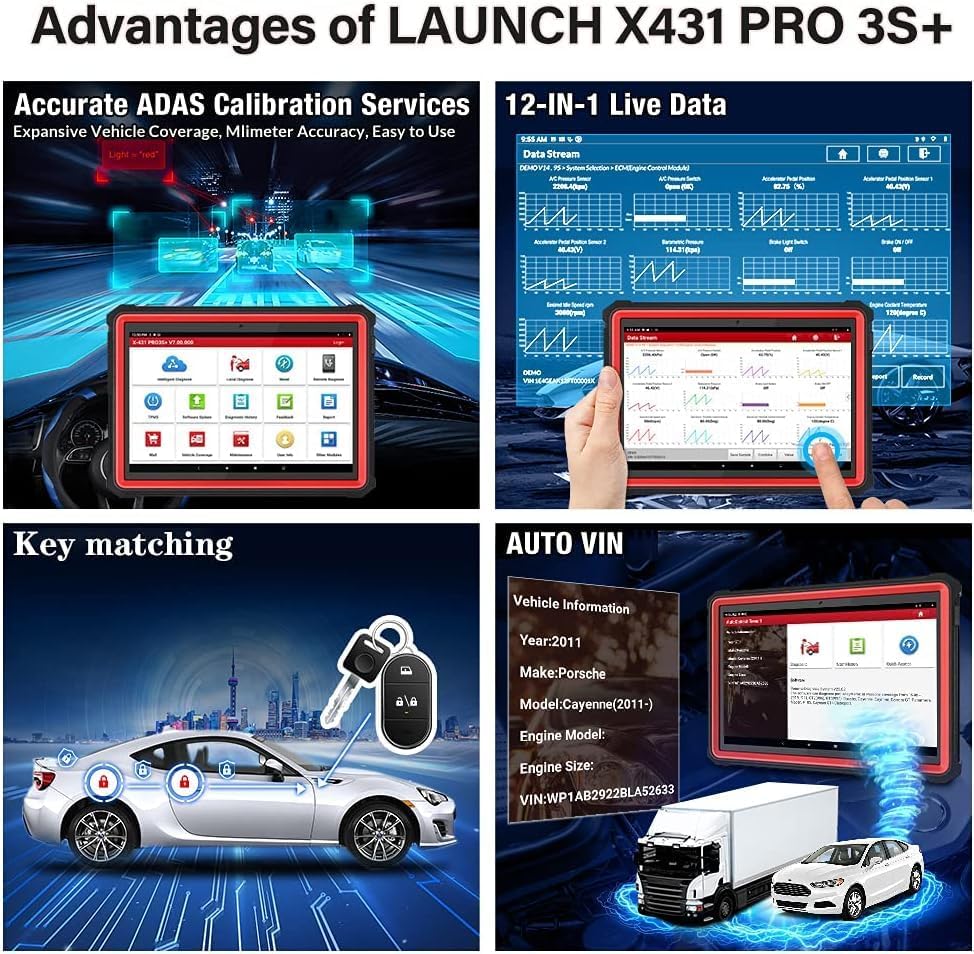
Image: Screenshots illustrating the remote diagnosis and health report generation capabilities of the LAUNCH X431 PRO3S+ V5.0.
Тэхнічнае абслугоўванне
1. Абнаўленне праграмнага забеспячэння
Regularly update the diagnostic software to ensure compatibility with the latest vehicle models and access new features. Connect the device to a stable Wi-Fi network and navigate to the "Software Update" section on the main menu.
2. Сыход за батарэяй
The device is equipped with a 6300mAh Lithium-ion battery. To prolong battery life:
- Пазбягайце экстрэмальных тэмператур.
- Charge the device regularly, but avoid overcharging for extended periods.
- If storing the device for a long time, ensure the battery is charged to approximately 50-70%.
3. Уборка і захоўванне
Ачысціце прыладу мяккай, damp cloth. Avoid using abrasive cleaners or solvents. Store the device in its protective case in a dry, cool environment when not in use.
Ліквідацыю непаладак
If you encounter issues with your LAUNCH X431 PRO3S+ V5.0, refer to the following common troubleshooting steps:
- Прылада не ўключаецца: Пераканайцеся, што акумулятар зараджаны. Падключыце прыладу да адаптара харчавання і паспрабуйце яшчэ раз.
- Няма сувязі з транспартным сродкам:
- Verify the diagnostic cable is securely connected to both the device and the vehicle's OBD-II port.
- Пераканайцеся, што запальванне аўтамабіля знаходзіцца ў становішчы ON.
- Праверце, ці дастаткова зараджаны акумулятар аўтамабіля.
- Try a different vehicle to rule out vehicle-specific issues.
- Праграмнае забеспячэнне завісае або запавольвае працу:
- Перазапусціце прыладу.
- Пераканайцеся, што праграмнае забеспячэнне абноўлена.
- Clear cache or free up storage space if necessary.
- Няправільныя паказанні: Ensure the correct vehicle information (make, model, year) is selected. Perform a software update.
For persistent issues, consult the "Feedback" section on the device or contact technical support.
Тэхнічныя характарыстыкі
| Асаблівасць | Спецыфікацыя |
|---|---|
| Нумар мадэлі | X431-005 |
| Аперацыйная сістэма | Android 10.0 |
| Працэсар | Васьмі'ядравы |
| Унутраная памяць | 64 ГБ (з магчымасцю пашырэння да 128 ГБ) |
| Памер экрана | 10.1 цаляў |
| акумулятар | 6300mAh Літый-іён |
| Сувязь | Dual-band Wi-Fi (2.4 & 5 GHz), Bluetooth |
| Памеры (Д х Ш х У) | 60 х 44 х 19 см |
| Вага | 7.65 кілаграма |
| Падтрымліваюцца мовы | 24 моў |
| Пратаколы, якія падтрымліваюцца | CAN FD & DOIP Protocols |

Image: An illustration highlighting the high-configuration hardware of the LAUNCH X431 PRO3S+ V5.0, including its Octa-Core processor, 6300mAh battery, 64GB ROM, 10.1-inch touchscreen, Wi-Fi, and Bluetooth capabilities.

Image: A visual representation of the 24 supported languages on the LAUNCH X431 PRO3S+ V5.0 diagnostic tool.
Гарантыя і падтрымка
- Гарантыя: The LAUNCH X431 PRO3S+ V5.0 comes with a 24-month maintenance warranty.
- Тэхнічная падтрымка: 7 days a week, 24 hours a day, 365 days a year technical support is available.
- Палітыка вяртання: A 60-day refund or return policy is applicable.
For technical assistance or warranty claims, please contact your vendor or LAUNCH customer service.