
Уводзіны
This manual provides detailed instructions for the installation, operation, and maintenance of your SSYING 1080P Battery Home Security Camera System. Please read this manual thoroughly before use and retain it for future reference.
Асаблівасці прадукту
- 1080P HD Video Resolution
- Wire-Free Design for Flexible Placement
- IP65 Weatherproof Rating for Outdoor Use
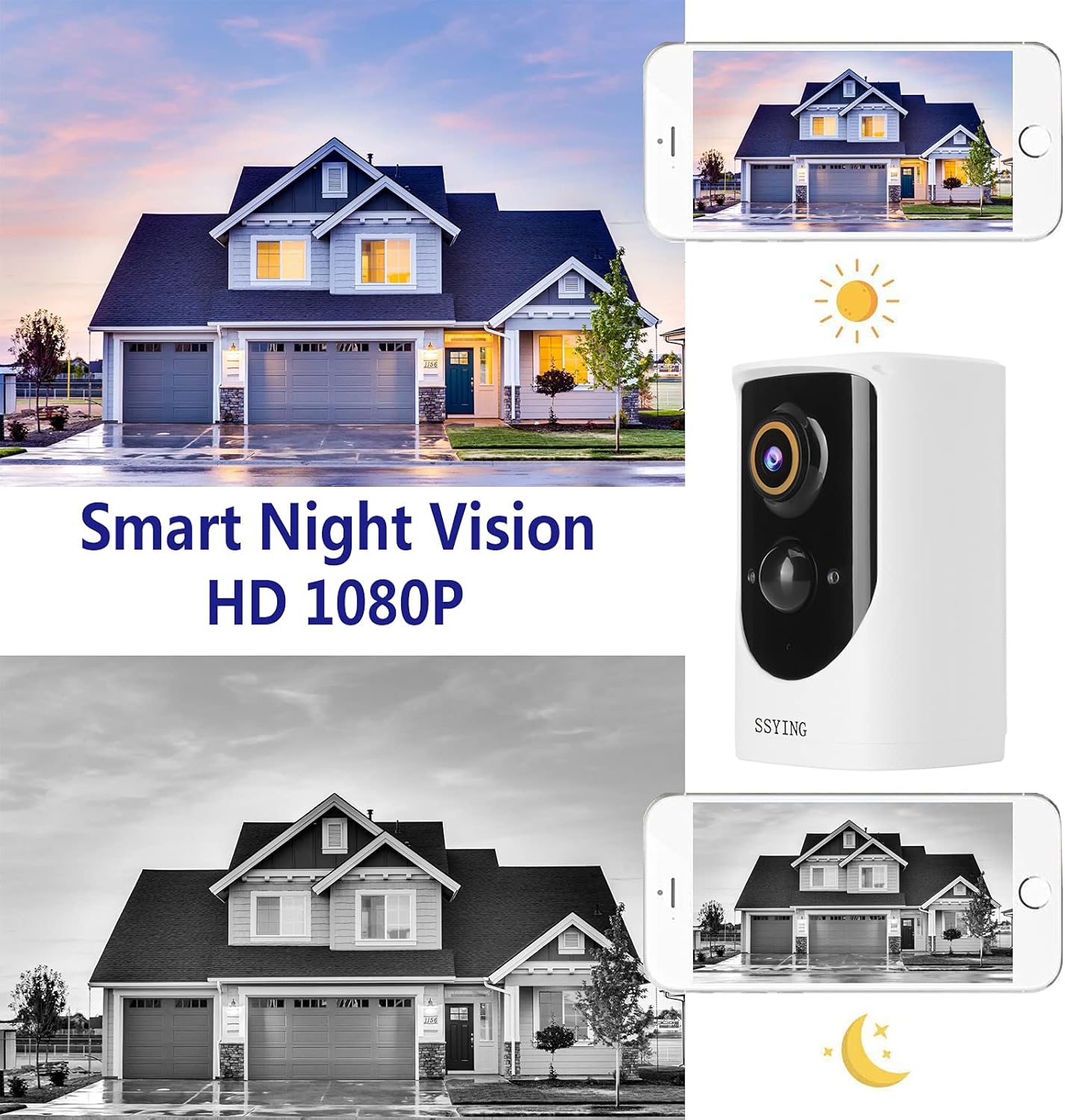
- HD Night Vision (Infrared)
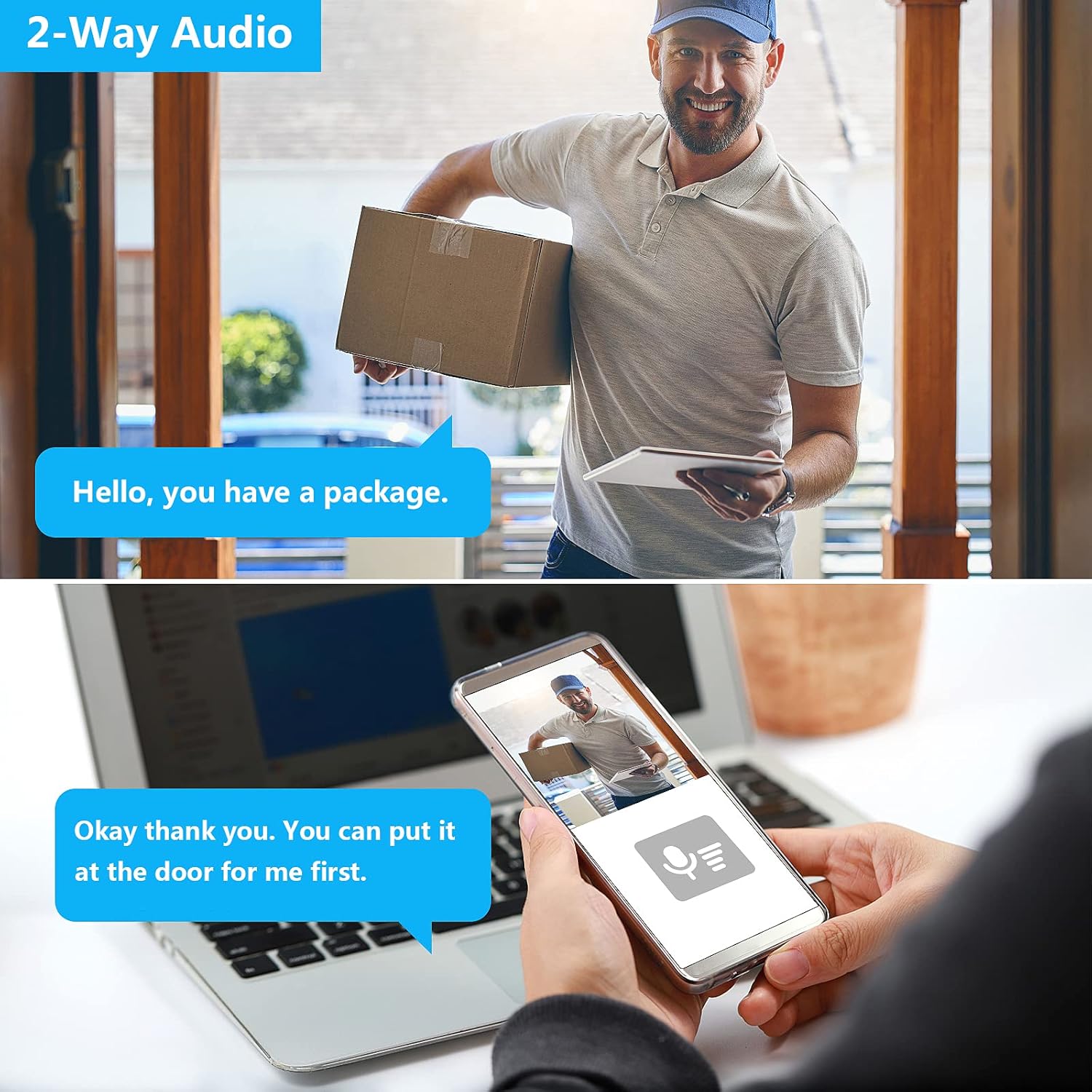
- Двухбаковая гукавая сувязь
- PIR Motion Detection with Instant Mobile Notifications
- Магутнасць акумулятара
- Wide-Angle Camera Lens
- Падтрымлівае прылады iOS і Android

Змест пакета
Калі ласка, праверце наяўнасць і спраўнасць усіх кампанентаў:
- SSYING 1080P Battery Camera
- Мантажны кранштэйн
- USB-кабель для зарадкі
- Шрубы і насценныя анкеры
- Кіраўніцтва карыстальніка
Кіраўніцтва па ўстаноўцы
1. Зарадка камеры
Before initial use, fully charge the camera battery using the provided USB cable. A full charge ensures optimal performance and battery life.
2. Загрузка праграмы і рэгістрацыя ўліковага запісу
Download the official SSYING app from the App Store (iOS) or Google Play Store (Android). Register for an account and log in.
3. Pairing the Camera with the App
- Уключыце камеру.
- Follow the in-app instructions to add a new device. This typically involves scanning a QR code on the camera or connecting to a temporary Wi-Fi hotspot created by the camera.
- Connect the camera to your home 2.4GHz Wi-Fi network. Note: 5GHz Wi-Fi is not supported.
- Once connected, the camera will appear in your app's device list.

4. Ўстаноўка
The camera can be mounted on a wall or ceiling, or simply placed on a flat surface.
Насценны/потолочный мантаж
- Выберыце падыходнае месца, якое забяспечвае жаданае viewкут агляду і моцны сігнал Wi-Fi.
- Use the mounting bracket as a template to mark drill holes.
- Прасвідруйце адтуліны і пры неабходнасці ўстаўце анкеры.
- Замацуеце мантажны кранштэйн шрубамі.
- Attach the camera to the mounting bracket and adjust the angle.


Інструкцыя па эксплуатацыі
жыць View
Open the SSYING app and select your camera to view the live feed. You can pinch to zoom and pan the view.
Двухбаковае аўдыё
У жывым эфіры view, tap the microphone icon in the app to speak through the camera's speaker. Tap again to end. This allows for direct communication with visitors.
Выяўленне руху і абвесткі
The camera uses a Passive Infrared (PIR) sensor to detect motion. When motion is detected, the camera will record a video clip and send an instant notification to your smartphone.
You can adjust motion sensitivity and set detection zones within the app settings.
Начное бачанне
The camera automatically switches to infrared night vision in low-light conditions, providing clear black-and-white video footage.
Воблачнае сховішча
The camera supports cloud storage for recorded events. Refer to the app for details on storage plans and access to recorded footage.
Тэхнічнае абслугоўванне
Зарадка акумулятара
When the battery level is low, you will receive a notification. Disconnect the camera from its mount and charge it using the USB cable.
Уборка
Periodically wipe the camera lens and body with a soft, dry cloth to remove dust and debris. Do not use harsh chemicals.
Ўстойлівасць да надвор'я
The IP65 rating ensures protection against dust and water jets. However, avoid submerging the camera in water or exposing it to extreme weather conditions beyond its operating limits.
Ліквідацыю непаладак
Камера не падключаецца да Wi-Fi
- Пераканайцеся, што ваша сетка Wi-Fi працуе на частаце 2.4 ГГц. Камера не падтрымлівае сеткі 5 ГГц.
- Праверце ўзровень сігналу Wi-Fi ў месцы, дзе знаходзіцца камера.
- Restart your router and the camera, then attempt pairing again.
- Праверце, ці правільна ўведзены пароль Wi-Fi.
If issues persist, try moving the camera closer to the router during setup.
No Motion Detection Alerts
- Check the motion detection settings in the app to ensure it's enabled and sensitivity is appropriate.
- Пераканайцеся, што камера view не перашкаджае.
- Праверце, ці ўключаны апавяшчэнні праграм на вашым смартфоне.
Кароткі тэрмін службы батарэі
- Частыя падзеі выяўлення руху або жывыя view usage can drain the battery faster. Adjust sensitivity or reduce live view час.
- Extreme cold weather can reduce battery performance.
- Ensure the camera is fully charged each time.
Дрэнная якасць відэа
- Check your Wi-Fi connection speed. A weak signal can affect video streaming quality.
- Ачысціце аб'ектыў камеры.
For further assistance, please contact SSYING customer support.
Тэхнічныя характарыстыкі
| Асаблівасць | Дэталь |
|---|---|
| мадэль | BACA-422 |
| Дазвол відэа | 1080P HD |
| Крыніца харчавання | Акумулятар (6000 мАг) |
| Сувязь | 2.4GHz Wireless WiFi |
| Ўстойлівасць да надвор'я | IP65 |
| Начное бачанне | Інфрачырвоны |
| Аўдыё | Двухбаковае аўдыё |
| Дэтэктар руху | Датчык руху PIR |
| Памеры (Д х Ш х У) | 3.7 х 2.3 х 2.3 цалі |
| Вага прадмета | 14.8 унцыі |
| Працоўная тэмпература | Да 50°C (122°F) |
Гарантыя і падтрымка
For warranty information and technical support, please refer to the product packaging or contact SSYING customer service through their official webсайт або кантактную інфармацыю, указаную ў дадатку.