
1. Уводзіны
This instruction manual provides comprehensive guidance for the installation, operation, and maintenance of your AKAMATE Dual Din Car Stereo. Please read this manual thoroughly before using the product to ensure proper function and safety. Keep this manual for future reference.
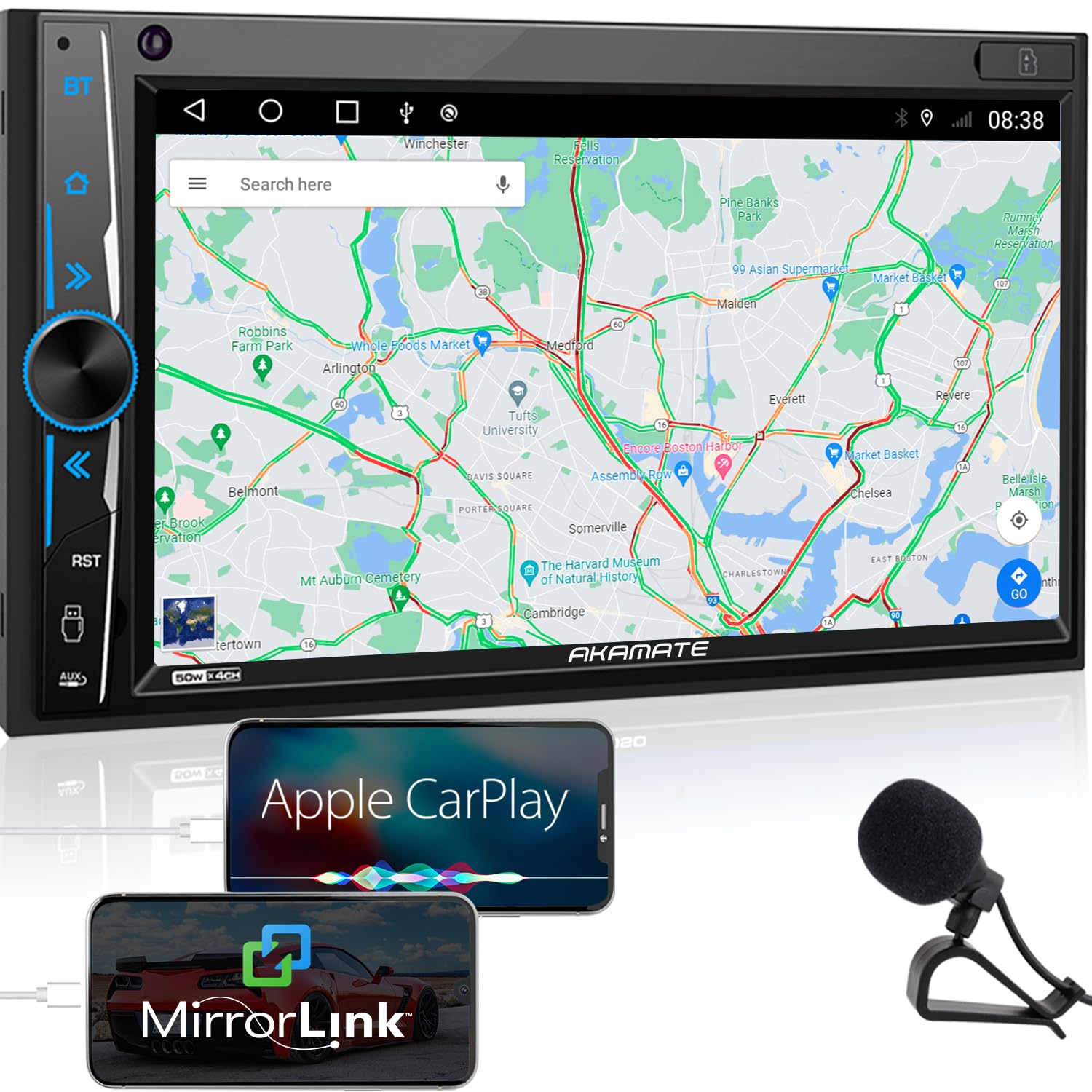
Image 1.1: AKAMATE Dual Din Car Stereo main unit. This image shows the front view of the car stereo with its 7-inch touchscreen and physical buttons on the left side.
2. Інфармацыя па бяспецы
WARNING: Improper installation or operation can lead to serious injury or damage. Always consult a qualified professional for installation if you are unsure.
- Не карыстайцеся прыладай такім чынам, каб гэта адцягвала вас ад кіравання. Заўсёды надавайце прыярытэт бяспецы дарожнага руху.
- Пераканайцеся, што ўся праводка падключана правільна, каб пазбегнуць кароткага замыкання або паражэння электрычным токам.
- Do not disassemble or modify the unit. This may cause damage, electric shock, or fire.
- Падтрымлівайце гучнасць на ўзроўні, каб вы маглі чуць гукі звонку.
- Пазбягайце працяглага ўздзеяння экстрэмальных тэмператур, прамых сонечных прамянёў або празмернай вільготнасці на прыладу.
3. Змесціва ўпакоўкі
Праверце наяўнасць усіх прадметаў у камплекце:
- 1 × Dual Din Car Stereo with Frame
- 1 × Power and Audio Cable
- 1 × IR Remote Control
- 1 × External Microphone
- 1 × Steering Wheel Control (SWC) Interface
- 1 × Backup Camera and Camera Cable
- 2 × Installation Brackets and Screws
- 2 × User Manuals (This document is one of them)
4. Настройка
4.1. Ўстаноўка
Before beginning installation, ensure the vehicle's battery is disconnected to prevent electrical damage. This unit is designed for a standard Dual Din opening. Please measure your dash opening before installation.

Image 4.1: Wiring diagram and dimensions for the AKAMATE car stereo. This image illustrates the physical dimensions of the head unit and provides a detailed wiring diagram for power, speakers, external microphone, steering wheel control, and camera inputs.
- Падрыхтуйце прыборную панэль: Remove the existing car stereo and any necessary trim panels to access the wiring harness and mounting area.
- Падключэнне правадоў: Refer to the provided wiring diagram (Image 4.1). Connect the power, ground, accessory, speaker, and other necessary wires from your vehicle's harness to the stereo's harness. Ensure secure connections.
- Знешні мікрафон: Connect the external microphone to the designated input on the stereo. Position the microphone in a suitable location for clear voice pickup, such as near the sun visor.
- Камера задняга віду (неабавязкова): If installing the backup camera, connect its video cable to the "Rear Camera Input" on the stereo and its power cable to the vehicle's reverse light circuit.
- Кіраванне рулём (SWC): Connect the SWC wires according to your vehicle's specifications. Configuration may be required in the stereo's settings menu.
- Устанавіце блок: Secure the stereo into the dashboard opening using the provided brackets and screws. Reinstall any removed trim panels.
- Паўторнае падключэнне батарэі: Зноў падключыце акумулятар аўтамабіля.
4.2. Пачатковае ўключэнне і асноўныя налады
After installation, turn on your vehicle's ignition. The stereo should power on. Follow any on-screen prompts for initial setup, such as language selection and time/date settings.
5. Інструкцыя па эксплуатацыі
5.1. Touchscreen and General Controls
The unit features a 7-inch 1024x600 HD capacitive touchscreen for intuitive control. Use gestures like tapping, swiping, and pinching (where applicable) to navigate menus and control functions.
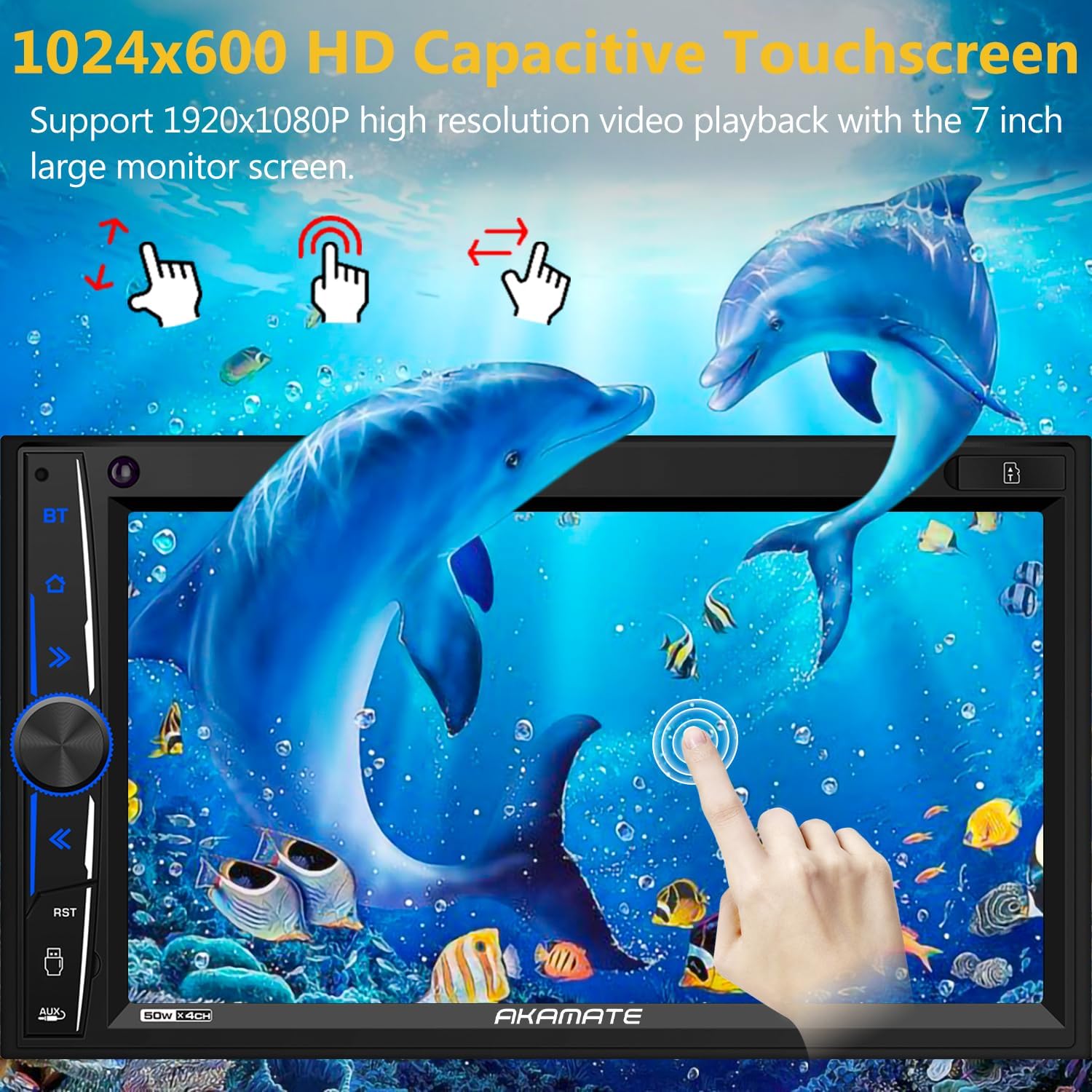
Image 5.1: Demonstration of the 7-inch HD Capacitive Touchscreen. This image shows the stereo displaying a high-resolution image of dolphins, with finger gestures indicating touch and swipe functionality.
The physical knob on the left typically controls volume and can be pressed for mute or power functions. Other physical buttons provide quick access to common features like Bluetooth, Home, or Reset.
5.2. Apple CarPlay
Connect your iPhone to the stereo using an original USB cable. The unit will automatically detect your phone and launch Apple CarPlay. You can then access familiar iPhone features directly on the stereo's screen, including:
- Тэлефонныя званкі
- Navigation (Maps)
- Прайграванне музыкі
- Паведамленні
- Галасавы памочнік (Siri)

Image 5.2: Apple CarPlay interface showing navigation and call functions. This image displays the car stereo screen with a navigation map and a phone call interface, demonstrating Apple CarPlay functionality.
5.3. Mirror Link (for Android & iOS)
The Mirror Link function allows you to display your smartphone's screen content directly on the stereo. This feature is compatible with iPhone 12 Pro/12 and earlier models, and most Android 11 phones.
- Падключыце смартфон да стэрэасістэмы праз USB-кабель.
- Select the "Mirror Link" or "Phone Link" option on the stereo's interface.
- Follow any on-screen prompts on both your phone and the stereo to establish the connection.
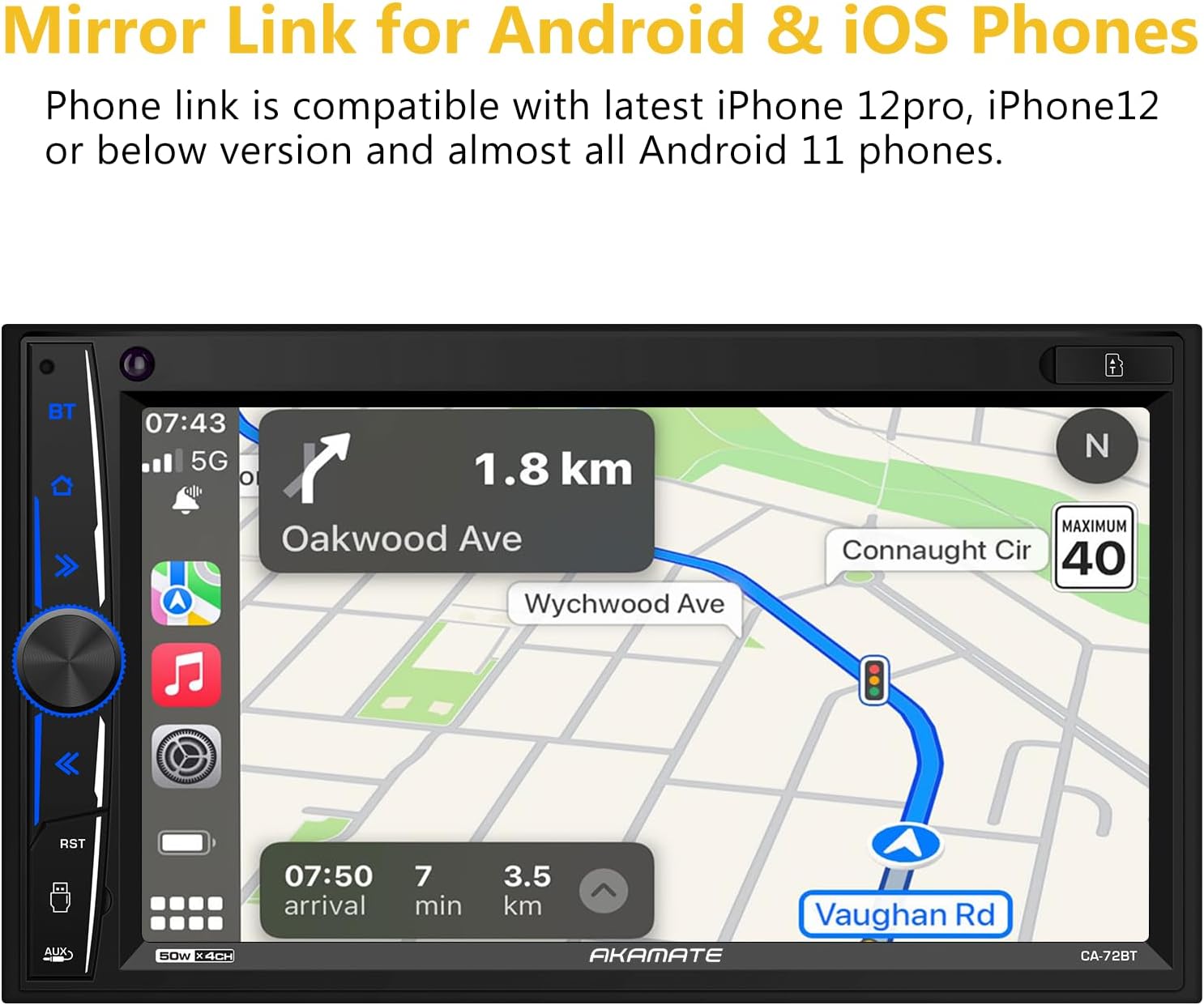
Image 5.3: Mirror Link feature displaying a phone's navigation screen on the car stereo. This image shows the stereo screen mirroring a navigation application from a connected smartphone.
5.4. Bluetooth 5.0 Падключэнне
The unit supports Bluetooth 5.0 for stable wireless connections, enabling hands-free calling and audio streaming.
- Спалучэнне: On the stereo, navigate to the Bluetooth menu. On your smartphone, search for available Bluetooth devices and select "AKAMATE" (or similar device name). Enter the PIN (usually "0000") if prompted.
- Гучная сувязь: Once paired, you can make and receive calls directly through the stereo. The dual microphone design ensures clear audio for conversations.
- Паток аўдыё: Stream music from your phone or apps like Spotify and Pandora to the car stereo. Use the stereo's controls to manage playback (play/pause, skip tracks, adjust volume).

Image 5.4: Bluetooth 5.0 interface showing a phone dialer and indicating dual microphone functionality. This image displays the stereo screen with a phone keypad for dialing and highlights the Bluetooth connection and dual microphone feature.
5.5. Радыё (FM/AM)
Access the Radio function from the main menu. Use the touchscreen to scan for stations, save presets, and switch between FM and AM bands.
5.6. Прайграванне з USB/SD-карты
Insert a USB drive or SD card containing media files into the designated ports. The stereo will automatically detect the media and allow you to browse and play audio or video files.
5.7. Audio Settings (16-Band EQ)
Navigate to the Audio or EQ settings menu. The 16-band customizable equalizer allows for precise adjustment of audio frequencies to suit your preferences. Preset EQ modes (Rock, Pop, Jazz, etc.) are also available.
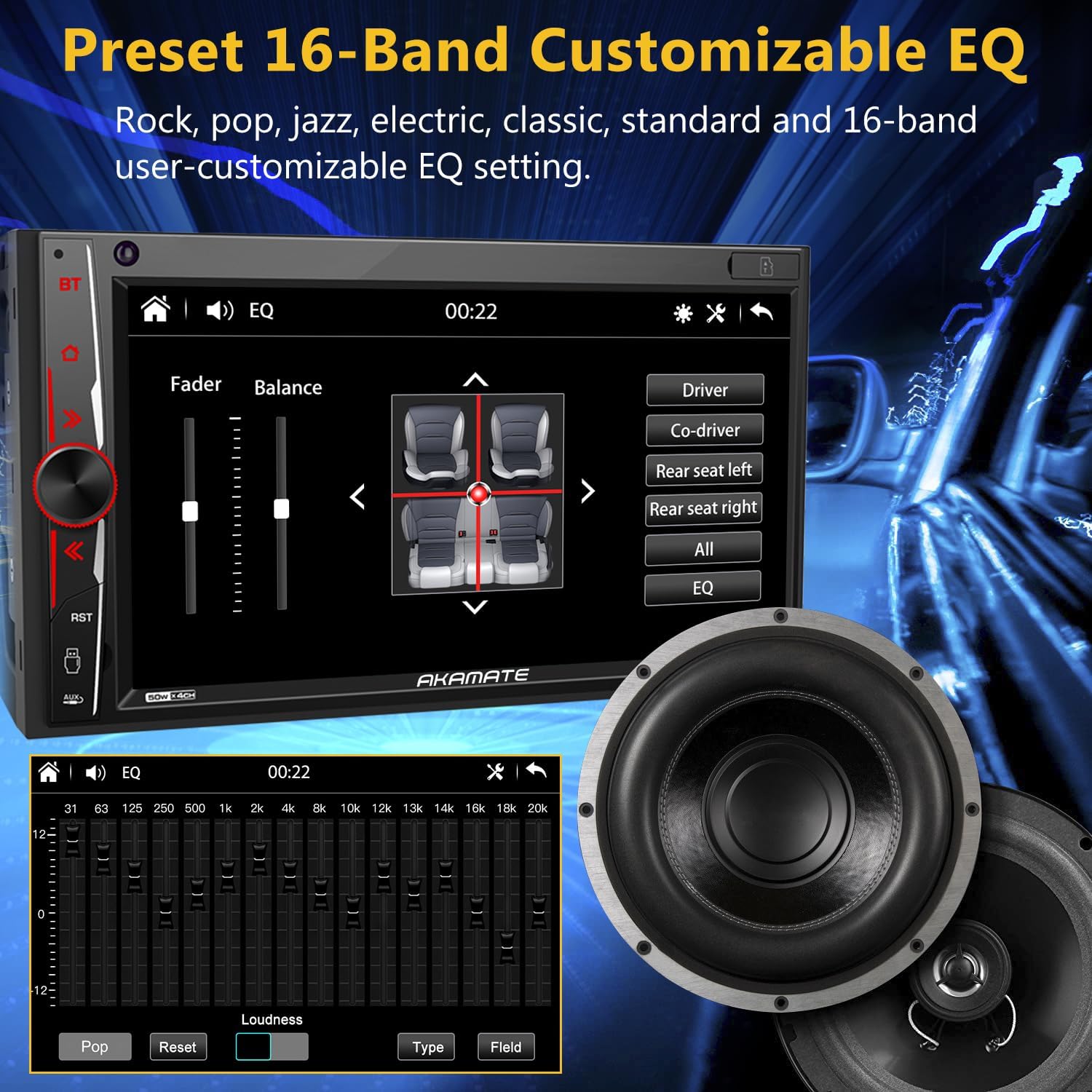
Image 5.5: 16-Band Customizable EQ settings interface. This image shows the stereo screen displaying the equalizer settings, allowing users to adjust audio frequencies and select preset sound modes.
5.8. Задняяview Увод з камеры
When the vehicle is shifted into reverse, the stereo automatically displays the video feed from the connected rearview camera. The included camera provides 720P HD night vision for improved visibility.

Малюнак 5.6: ззадуview camera display showing 720P quality. This image compares the clarity of a 720P rearview camera feed with a lower resolution one, highlighting the enhanced detail provided by the included camera.
5.9. Кіраванне рулём (SWC)
If your vehicle supports steering wheel controls, you can configure them through the stereo's settings menu. This allows you to control functions like volume, track changes, and mode selection directly from your steering wheel.
6. Тэхнічнае абслугоўванне
- Ачыстка экрана: Выкарыстоўвайце мяккую тканіну без ворса, каб акуратна працерці сэнсарны экран. Для выдалення ўстойлівых плям злёгкуampПрацярыце тканіну вадой або сродкам для ачысткі экрана. Пазбягайце агрэсіўных хімічных рэчываў або абразіўных матэрыялаў.
- Генеральная ўборка: Трымайце прыладу чыстай ад пылу і смецця. Выкарыстоўвайце мяккую шчотку або сціснутае паветра для чысткі вакол кнопак і партоў.
- тэмпература: Avoid leaving the unit in direct sunlight or extreme temperatures for extended periods, as this can affect performance and lifespan.
7. Выпраўленне непаладак
| праблема | Магчымая прычына | Рашэнне |
|---|---|---|
| Няма харчавання / Прылада не ўключаецца. | Incorrect wiring (power/ground), blown fuse, vehicle battery issue. | Check all power connections (yellow, red, black wires). Verify vehicle fuses. Ensure battery is charged. |
| Няма гуку. | Занадта нізкі гук, уключаны рэжым адключэння гуку, няправільнае падключэнне дынамікаў, ampLifier пытанне. | Increase volume. Check if mute is active. Verify speaker connections. Ensure external ampЗапальвальнік (калі выкарыстоўваецца) уключаны ў сетку. |
| Праблемы з падключэннем Bluetooth. | Device not in pairing mode, incorrect PIN, interference, device already connected. | Ensure both devices are in pairing mode. Re-enter PIN. Move closer to the unit. Disconnect other Bluetooth devices. |
| Apple CarPlay / Mirror Link not working. | Non-original USB cable, phone not compatible, software glitch. | Use an original USB cable. Check phone compatibility. Restart both phone and stereo. |
| Тылview камера не адлюстроўвае. | Incorrect camera wiring, camera power issue, reverse trigger wire not connected. | Verify camera video and power connections. Ensure the reverse trigger wire (usually pink/brown) is correctly connected to the vehicle's reverse light. |
| Touchscreen unresponsive or slow. | Temporary software issue, screen calibration needed. | Perform a system reset (locate the RST button, often a small pinhole). Check for firmware updates if available. |
8. Тэхнічныя характарыстыкі
- Марка: АКАМАЦЭ
- мадэль: B093B9ZPS5
- ASIN: B093B9ZPS5
- GTIN/UPC: 759337201146
- Дысплей: 7-inch HD Capacitive Touchscreen (1024x600 resolution, 178° viewвугал)
- Падключэнне: Bluetooth 5.0, USB, SD Card, A/V Input
- Асаблівасці: Apple CarPlay, Mirror Link (Android/iOS), FM/AM Radio Tuner, RDS, 16-Band EQ, Rearview Camera Input (720P HD), Steering Wheel Control (SWC) support, Dual Microphone (built-in & external)
- Аўдыявыхад: Stereo, 4 Channels
- Выходная магутнасць: 200 ват
- Інтэрнэт-сэрвісы, якія падтрымліваюцца: Pandora, Spotify (via connected smartphone)
- Метады кантролю: Touchscreen, Mechanical Knob, Voice (via CarPlay/Mirror Link), IR Remote Control
- Падтрымліваюцца фарматы: Audio and Video Interleave (AVI), WMA, WAV (and others for video playback up to 1920x1080P)
- USB-зарадка: 1.5A for phone charging
- Падсвятленне кнопак: 7 different LED colors
9. Гарантыя і падтрымка
AKAMATE products are designed for reliability and performance. For specific warranty details, please refer to the warranty card included with your purchase or contact AKAMATE customer support.
If you encounter any issues during installation or operation that are not covered in this manual, please contact AKAMATE customer service for assistance. Our support team is available to help and will respond within 24 hours.
Кантактная інфармацыя: Refer to your product packaging or the official AKAMATE webсайт для атрымання найбольш актуальнай кантактнай інфармацыі.