
1. Прадукт скончыўсяview
The WISCENT WTB-795 is a versatile portable cassette player recorder boombox designed for both classic audio playback and modern connectivity. It features a cassette player/recorder, AM/FM radio, Bluetooth streaming, USB playback and recording, and a built-in microphone for recording. This manual provides instructions for its safe and efficient operation.

Малюнак 1: Спераду view of the WISCENT WTB-795 Portable Cassette Player Recorder Boombox.
2. Змесціва ўпакоўкі
Праверце наяўнасць усіх прадметаў у камплекце:
- 1x WISCENT WTB-795 Cassette Player Boombox
- 1x шнур харчавання пераменнага току
- 1x Кіраўніцтва карыстальніка
3. Настройка
3.1 Харчаванне прылады
The WTB-795 can be powered by either AC power or batteries.
- Магутнасць пераменнага току: Connect the included AC power cord to the AC input jack on the back of the unit and plug it into a standard 110V-50Hz wall outlet.
- Магутнасць батарэі: For portable use, insert 4 x C-size batteries (not included) into the battery compartment on the back of the unit. Ensure correct polarity.
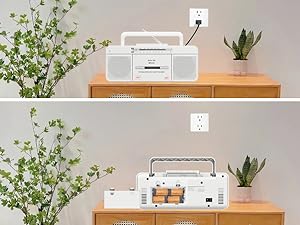
Figure 2: The boombox can be powered by AC cord or 4 C-size batteries.
3.2 Antenna Adjustment for Radio Reception
For optimal AM/FM radio reception, extend the telescopic antenna fully. Adjust its position and direction to achieve the clearest signal.
4. Інструкцыя па эксплуатацыі
4.1 Праца з касетным прайгравальнікам
- Set the FUNCTION switch to "TAPE/OFF".
- Націсніце PAUSE/STOP/EJECT кнопку, каб адкрыць аддзяленне для касеты.
- Устаўце касету адкрытым краем уверх.
- Шчыльна зачыніце адсек для касеты.
- Націсніце ГУЛЬНЯ кнопку, каб пачаць прайграванне.
- Выкарыстоўвайце FFWD (Fast Forward) or F.REW (Fast Rewind) to navigate the tape.
- Прэса Паўза to temporarily stop playback. Press again to resume.
- Прэса СТОП/ВЫХОД to stop playback and open the compartment.
Video 1: Demonstrates how to use the Tape, Bluetooth, and USB functions on the WTB-795. Cassette player operation is shown from 0:18.
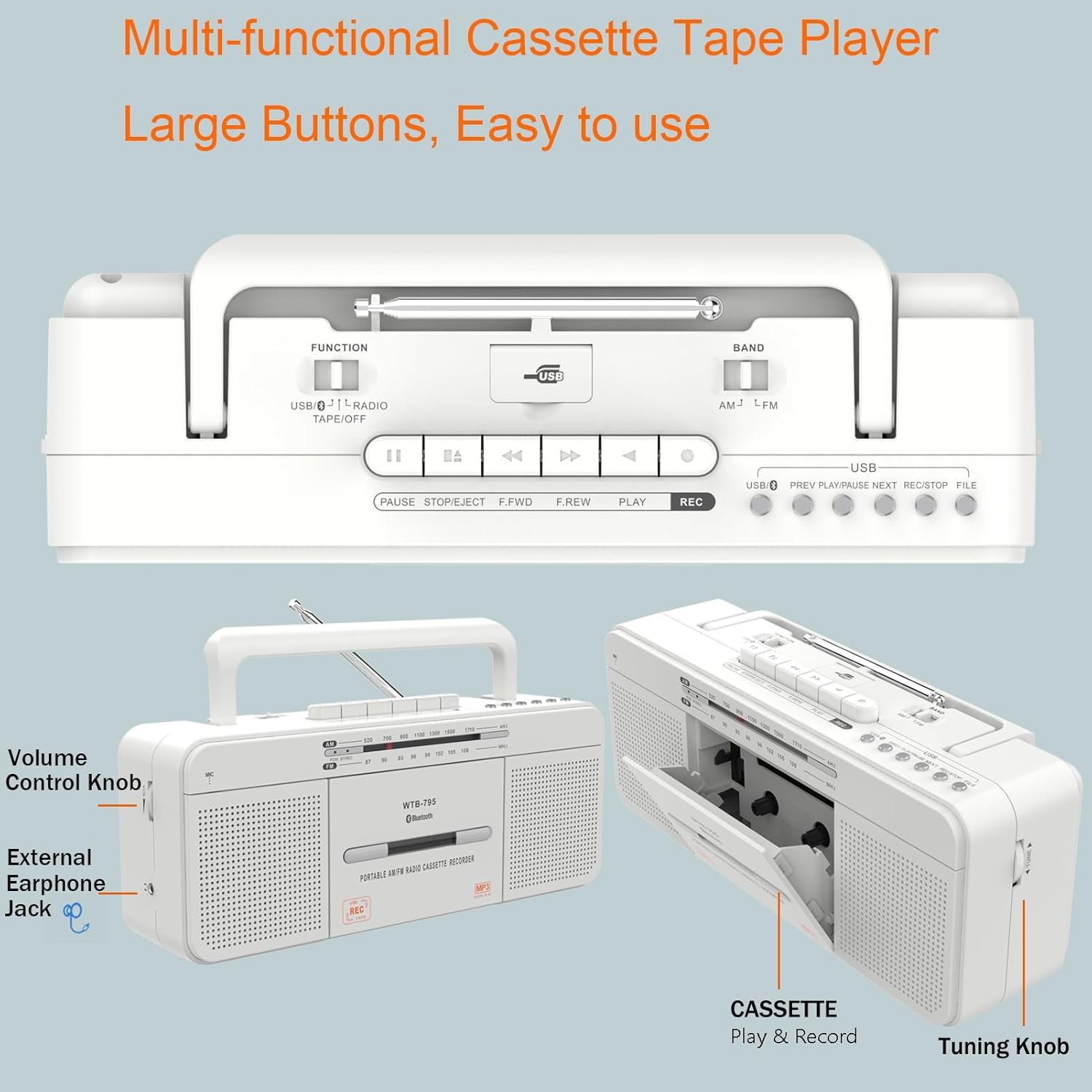
Малюнак 3: падрабязна view of the control buttons and cassette compartment.
4.2 Злучэнне Bluetooth
- Set the FUNCTION switch to "USB/BT/RADIO".
- Set the BAND switch to "BT". The unit will enter Bluetooth pairing mode, indicated by a flashing blue light.
- On your mobile device, enable Bluetooth and search for "WTB-795".
- Select "WTB-795" to pair. Once connected, the blue light will stop flashing.
- You can now stream audio from your device to the boombox.
Video 2: Demonstrates Bluetooth connection on the WTB-795. Bluetooth pairing is shown from 0:29.
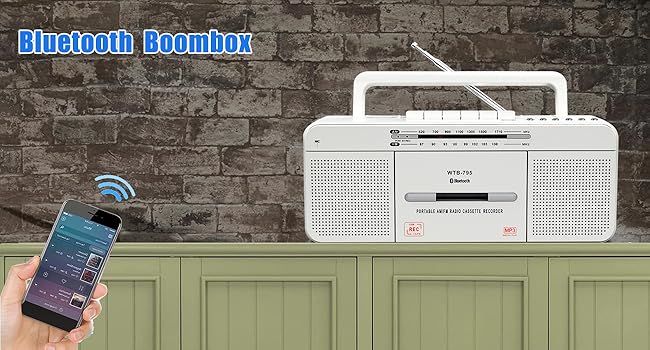
Figure 4: The boombox connected via Bluetooth to a smartphone.
4.3 Прайграванне з USB
- Set the FUNCTION switch to "USB/BT/RADIO".
- Insert a USB flash drive (FAT32 format recommended) into the USB port.
- Прылада аўтаматычна распазнае і пачне прайграваць MP3 files з USB-дыска.
- Выкарыстоўвайце ПАПЯРЭДНІ, ПРАЙГРАЦЬ/Паўза, і ДАЛЕЙ кнопкі для кіравання.
Video 3: Demonstrates USB playback on the WTB-795. USB playback is shown from 0:41.

Figure 5: The USB port for playing MP3 files.
4.4-дыяпазонны рэжым AM/FM-радыё
- Set the FUNCTION switch to "USB/BT/RADIO".
- Set the BAND switch to "AM" or "FM" for the desired radio band.
- Для лепшага прыёму выцягніце тэлескапічную антэну.
- Павярнуць ЦЮНІНГ knob to search for radio stations.
- Адрэгулюйце АБ'ЁМ усталюйце патрэбны ўзровень праслухоўвання.

Figure 6: The boombox features an AM/FM radio with an extendable antenna.
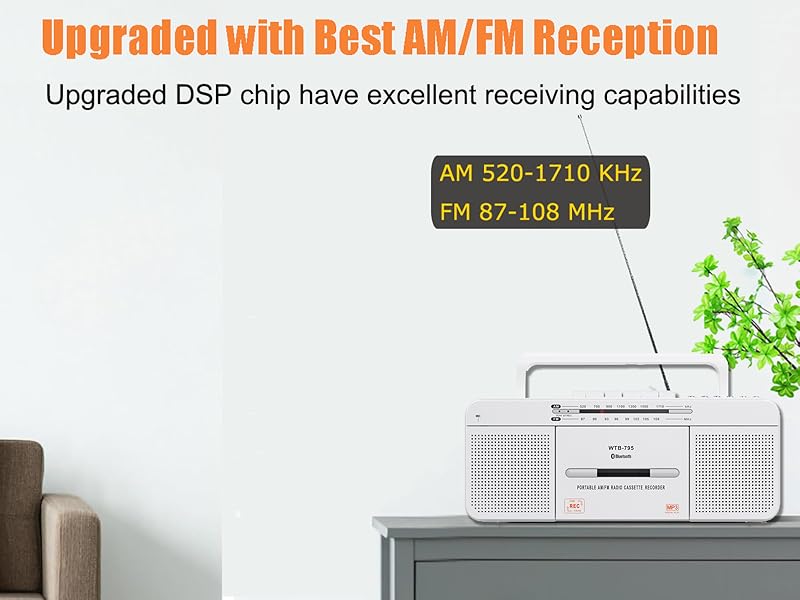
Figure 7: The telescopic antenna for improved radio reception.
4.5 Функцыі запісу
The WTB-795 supports multiple recording methods:
- External Voice Recording to Tape: Use the built-in microphone to record external audio directly to a blank cassette tape.
- Запіс голасу на знешні USB: Record external audio via the built-in microphone directly to a USB flash drive.
- Radio Recording to Tape: Record live AM/FM radio broadcasts to a blank cassette tape.
- Radio Recording to USB: Record live AM/FM radio broadcasts directly to a USB flash drive.
- Tape to MP3 (USB) Conversion: Convert existing cassette tapes into MP3 files на флэш-дыску USB.
4.5.1 Recording from Tape to USB (MP3 Conversion)
- Set the FUNCTION switch to "TAPE/OFF".
- Insert the cassette tape you wish to record.
- Націсніце ГУЛЬНЯ button on the cassette player.
- Insert a USB flash drive (FAT32 format) into the USB port.
- Націсніце і ўтрымлівайце ЗАПІС button on the USB control area until the red light illuminates. This indicates recording has started.
- Каб спыніць запіс, націсніце СТОП/ВЫХОД button on the cassette player. The USB recording will also stop.
- To record the other side of the tape, flip the tape and repeat the process.
- To check the recorded file, switch the FUNCTION to "USB/BT/RADIO" and the BAND to "USB". Use the НАПЕРАД/ДАЛЕЙ кнопкі для навігацыі.
Video 4: Detailed instructions on how to record cassette tapes to USB with the WTB-795.
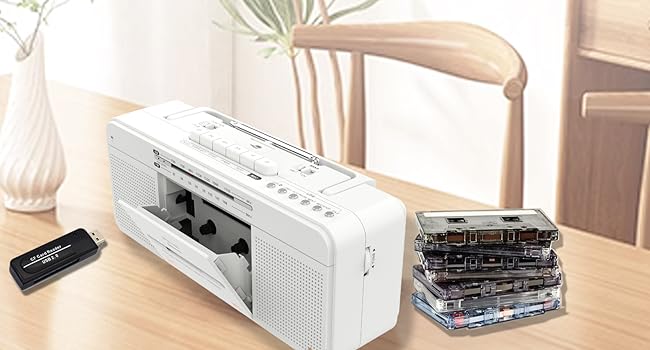
Figure 8: Visual representation of the tape to USB MP3 conversion process.
4.5.2 Recording via Built-in Microphone
- To record to tape: Set FUNCTION to "TAPE/OFF". Insert a blank cassette. Press ЗАПІС on the cassette controls.
- To record to USB: Set FUNCTION to "USB/BT/RADIO". Insert a USB flash drive. Press and hold ЗАПІС on the USB control area until the red light illuminates.
- Speak clearly into the built-in microphone (labeled "MIC").
- Прэса СТОП/ВЫХОД (for tape) or release ЗАПІС (for USB) to end recording.

Figure 9: The built-in microphone allows for direct voice recording.
4.6 Выкарыстанне навушнікаў
Connect 3.5mm headphones to the headphone jack on the side of the unit for private listening. The internal speakers will be muted automatically.
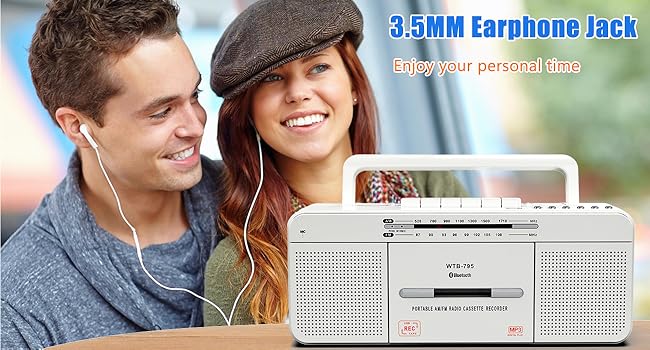
Figure 10: The 3.5mm headphone jack for personal audio experience.
5. Тэхнічнае абслугоўванне
To ensure the longevity and optimal performance of your WISCENT WTB-795, follow these maintenance guidelines:
- Уборка: Use a soft, dry cloth to clean the exterior of the unit. Do not use abrasive cleaners or solvents. For the cassette head and pinch roller, use a specialized tape head cleaning kit periodically.
- захоўванне: Калі прылада не выкарыстоўваецца працяглы час, захоўвайце яе ў прахалодным, сухім месцы, удалечыні ад прамых сонечных прамянёў і экстрэмальных тэмператур. Выміце батарэйкі, калі захоўваеце прыладу працяглы час, каб прадухіліць уцечку.
- Сыход за касетай: Avoid exposing cassette tapes to direct sunlight, heat, or strong magnetic fields. Store tapes in their cases to prevent dust accumulation.
6. Выпраўленне непаладак
If you encounter issues with your WTB-795, refer to the following common problems and solutions:
| праблема | Магчымая прычына | Рашэнне |
|---|---|---|
| Няма ўлады | AC cord not connected, batteries depleted/incorrectly inserted. | Check AC connection, replace batteries, ensure correct polarity. |
| Дрэнны прыём радыё | Antenna not extended/adjusted, weak signal area. | Extend and adjust the telescopic antenna. Try moving the unit to a different location. |
| Cassette tape not playing/poor sound | Tape incorrectly inserted, tape damaged, dirty tape head. | Ensure tape is inserted correctly. Try a different tape. Clean the tape head and pinch roller. |
| Bluetooth не падключаецца | Unit not in pairing mode, device too far, incorrect pairing. | Ensure unit is in BT mode and flashing. Keep devices close. Re-pair the device. |
| Прайграванне з USB не працуе | USB drive not FAT32, no MP3 files, USB drive damaged. | Ensure USB is FAT32 format. Verify MP3 files are present. Try a different USB drive. |
| Запіс не працуе | No blank tape/USB, REC button not held long enough (for USB). | Ensure a blank tape or formatted USB is inserted. Hold the REC button until the indicator light comes on. |
7. Тэхнічныя характарыстыкі
| Асаблівасць | Дэталь |
|---|---|
| Марка | ВІСЦЭНТ |
| Нумар мадэлі | WTB-795W |
| Памеры прадукту (Д х Ш х У) | 11.4 х 3.35 х 4.53 цалі (290 х 85 х 115 мм) |
| Вага прадмета | 2.53 фунта (1.15 кг) |
| Тэхналогія падлучэння | Bluetooth, USB |
| Тып дынаміка | Stereo (Dual 3W speakers) |
| Радыёгрупы | AM 520-1710 кГц, FM 87-108 МГц |
| Крыніца харчавання | AC 110V-50Hz or 4 x C-size batteries (not included) |
| Метады запісу | 5-way recording (Mic to Tape/USB, Radio to Tape/USB, Tape to USB) |
8. Гарантыя і падтрымка
For warranty information and customer support, please refer to the documentation included with your purchase or contact WISCENT customer service directly. Keep your purchase receipt as proof of purchase for warranty claims.