
1. Уводзіны
The Qilmy 1080P Wireless WiFi Home Security Camera is designed to provide reliable surveillance for your home. This device combines a high-definition camera with motion detection, night vision, and remote viewing capabilities, all integrated into a standard light bulb form factor for easy installation. This manual will guide you through the installation, setup, and operation of your new security camera.
2. Асноўныя магчымасці
- Раздзяленне Full HD 1080P: Забяспечвае выразнае і падрабязнае відэа footage.
- Бесправадное падключэнне Wi-Fi: Easy connection to your home network for remote access.
- Motion Detection & Instant Alarm: Automatically detects movement and sends alerts to your connected device.
- Выразнае начное бачанне: Забяспечвае бачнасць ва ўмовах нізкай асветленасці.
- Дыстанцыйнае ViewING: Monitor your property from anywhere using a smartphone app.
- Integrated Flood Light: Features 3 built-in flood lights that can activate automatically upon motion detection.
- Лёгкая ўстаноўка: Screws into a standard E27 light socket.
- Слот для карты Micro SD: Для лакальнага захоўвання запісаў.

Выява: Зверхуview of the Qilmy Home Security Camera's key features, including 1080P resolution, video recording, 360 panoramic viewing, Wi-Fi connection, light function, motion detection, remote viewing, and Micro SD card slot.
3. Што ў скрынцы
- Qilmy 1080P Wireless WiFi Home Security Camera (Bulb-shaped)
- E27 Light Socket Adapter (for mounting)
- Мантажныя шрубы і насценныя анкеры
- Кароткае кіраўніцтва

Image: Contents of the Qilmy Home Security Camera package, showing the camera, an E27 socket adapter, mounting hardware, and a quick start guide.
4. Настройка
4.1 Фізічная ўстаноўка
- Выберыце месца: Select a location with a standard E27 light socket that provides the desired viewing angle and is within range of your 2.4GHz Wi-Fi network.
- Выключэнне: Ensure the power to the light socket is turned off at the circuit breaker before installation.
- Усталяваць камеру: Carefully screw the Qilmy security camera into the E27 light socket. If no existing socket is available, use the provided E27 adapter and mounting hardware to install it on a wall or ceiling.
- Уключэнне: Restore power to the light socket. The camera will power on and emit a voice prompt indicating it is ready for configuration.

Image: A person's hands installing the Qilmy Home Security Camera into a ceiling light fixture, demonstrating its easy and quick installation process.
4.2 Падключэнне да Wi-Fi і налада праграмы
- Спампаваць прыкладанне: Download the recommended mobile application (e.g., "iCSee" or similar as indicated in the Quick Start Guide) from your smartphone's app store.
- Зарэгістраваць уліковы запіс: Open the app and register a new user account if you don't already have one.
- Дадаць прыладу: Follow the in-app instructions to add a new device. This typically involves scanning a QR code on the camera or selecting the device type and following prompts.
- Падключыцеся да Wi-Fi: Connect the camera to your 2.4GHz Wi-Fi network. Ensure your smartphone is also connected to the same 2.4GHz network during the setup process.
- Канфігурацыя: The camera will confirm successful connection with a voice prompt. Once connected, you can access live video and adjust settings through the app.

Image: A smartphone displaying the live feed from the Qilmy Home Security Camera, illustrating Wi-Fi connection and remote viewing capabilities from anywhere, anytime.
5. Інструкцыя па эксплуатацыі
5.1 У прамым эфіры Viewінг і запіс
- Open the mobile app to view the live feed from your camera.
- Use the app interface to manually record video or capture screenshots.
- Доступ да запісанага footage stored on the Micro SD card or cloud storage (if subscribed).
5.2 Выяўленне руху і абвесткі
- Уключыце выяўленне руху ў наладах праграмы.
- Адрэгулюйце ўзровень адчувальнасці, каб мінімізаваць колькасць ілжывых спрацоўванняў.
- Receive instant push notifications on your smartphone when motion is detected.
- The camera can automatically activate its floodlights and siren alarm upon detecting motion, deterring intruders.
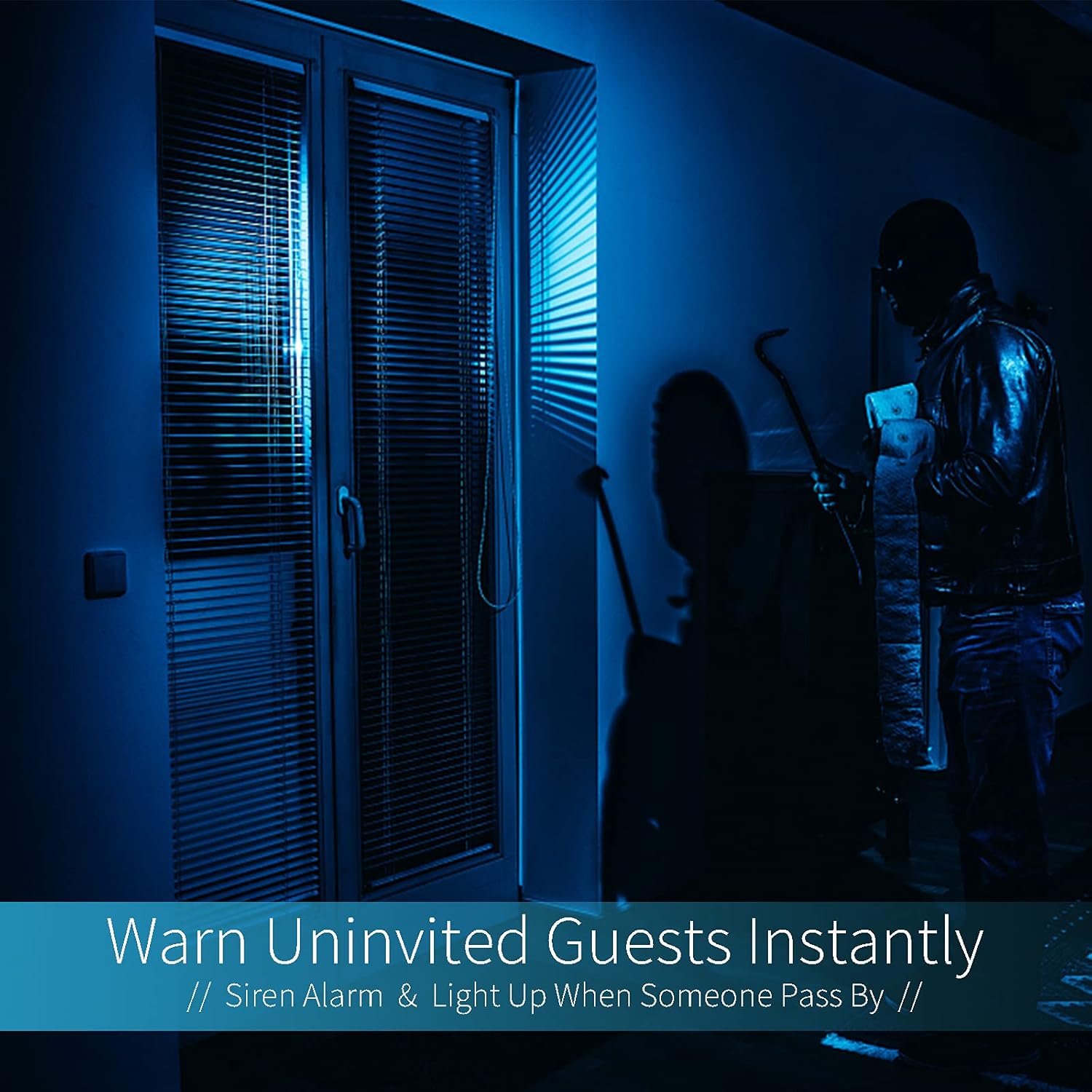
Image: A dark room with a security camera's light illuminating a figure, depicting the camera's ability to warn uninvited guests instantly with a siren alarm and light activation upon motion detection.
5.3 Функцыя святла
- The camera features built-in floodlights.
- Control the floodlights manually through the app.
- Configure the floodlights to turn on automatically when motion is detected, especially during nighttime.

Image: A comparison of a standard light bulb and the Qilmy Home Security Camera, highlighting its dual function as both a light bulb and a security camera with 3W consumption.
6. Тэхнічнае абслугоўванне
- Уборка: Акуратна працярыце аб'ектыў і корпус камеры мяккай сухой тканінай. Не выкарыстоўвайце агрэсіўныя хімікаты або абразіўныя ачышчальнікі.
- Абнаўленні прашыўкі: Regularly check the mobile app for available firmware updates to ensure optimal performance and security.
- Кіраванне SD-картай: Пры выкарыстанні карты Micro SD перыядычна папаўняйцеview and delete old footage to free up space, or enable loop recording if supported by the app.
- Стабільнасць сеткі: Ensure your Wi-Fi network is stable and strong for uninterrupted camera operation.
7. Выпраўленне непаладак
| праблема | Магчымая прычына | Рашэнне |
|---|---|---|
| Камера не ўключаецца. | No power to the light socket; camera not screwed in properly. | Check the circuit breaker. Ensure the camera is securely screwed into the E27 socket. |
| Немагчыма падключыцца да Wi-Fi. | Няправільны пароль Wi-Fi; камера занадта далёка ад маршрутызатара; выкарыстоўваецца сетка Wi-Fi 5 ГГц. | Verify Wi-Fi password. Move camera closer to router. Ensure you are connecting to a 2.4GHz Wi-Fi network. |
| Няма папярэджанняў аб выяўленні руху. | Motion detection disabled; sensitivity too low; app notifications blocked. | Enable motion detection in the app. Increase sensitivity. Check app notification settings on your phone. |
| Дрэнная якасць відэа. | Weak Wi-Fi signal; dirty lens. | Палепшыце сігнал Wi-Fi. Працярыце аб'ектыў камеры мяккай тканінай. |
| Дыстанцыйнае viewне працуе. | Internet connection issue on camera or phone; app not updated. | Check internet connectivity for both camera and phone. Update the app to the latest version. |
8. Тэхнічныя характарыстыкі
- Нумар мадэлі: ZXL2023011
- Дазвол відэазахопу: 1080p Full HD
- Тэхналогія падключэння: Бесправадная сувязь (Wi-Fi)
- Тэхналогія бесправадной сувязі: Wi-Fi (толькі 2.4 ГГц)
- Крыніца харчавання: AC/DC (E27 light socket)
- Ватtage: 3 ват
- Асаблівасці: Motion Sensor, Night Vision, Integrated Flood Light
- Формаў-фактар: Dome (Bulb-shaped)
- Тып мацавання: Wall Mount (via E27 adapter)
- Памеры прадмета (Д х Ш х У): 6.45 х 4.1 х 3.54 цалі
- Вага прадмета: 7.8 унцыі (222 грама)
- Міжнародны рэйтынг абароны: IP67
- Сумяшчальныя прылады: Смартфон
- UPC: 605660998393
9. Гарантыя і падтрымка
Specific warranty information and detailed support contact details are typically provided with the product packaging or on the manufacturer's official website. Please refer to the documentation included with your purchase for the most accurate and up-to-date warranty terms and customer support options.