
CALEX 429262
CALEX Smart Aroma Diffuser (Model 429262) User Manual
1. Уводзіны
Прадукт скончаныview
The CALEX Smart Aroma Diffuser is a versatile device designed to enhance your home environment. It functions as an aroma diffuser, humidifier, air purifier, and ambient light source. With WiFi connectivity, you can control its features, including fragrance diffusion, humidification, and RGB lighting, directly from the free Calex application on your smartphone. This manual provides comprehensive instructions for safe and effective use of your device.
Асноўныя характарыстыкі:
- Smart App Control (Calex App)
- Падключэнне да Wi-Fi
- Aroma Diffusion
- Ўвільгатненне
- Ачыстка паветра
- Customizable RGB Ambient Lighting (100+ options)
- Programmable Timers and Scenarios
2. Папярэджанні па тэхніцы бяспекі
Please read all safety warnings carefully before using the device.
- Пазбягайце непасрэднага кантакту скуры з неразведзенымі эфірнымі алеямі.
- Keep the device and essential oils out of reach of children and pets.
- Ensure adequate ventilation in the area where the diffuser is used.
- Unplug the device from the power outlet when not in use or during maintenance.
- Do not exceed the maximum water fill line.
- Выкарыстоўвайце толькі чыстую ваду з-пад крана або дыстыляваную ваду.
- Do not tilt or move the device when it is operating or contains water.
- Не апускайце прыладу ў ваду ці іншую вадкасць.
- Не закрывайце выхад туману.
3. Прадукт скончыўсяview
Familiarize yourself with the components of your CALEX Smart Aroma Diffuser.

Выява 3.1: Спераду view of the CALEX Smart Aroma Diffuser, showing the wood-grain base, translucent top, and control buttons (ON/OFF, +, -, LIGHT).

Image 3.2: The CALEX Smart Aroma Diffuser in operation, emitting a fine mist, placed on a stack of magazines next to a vase of flowers.
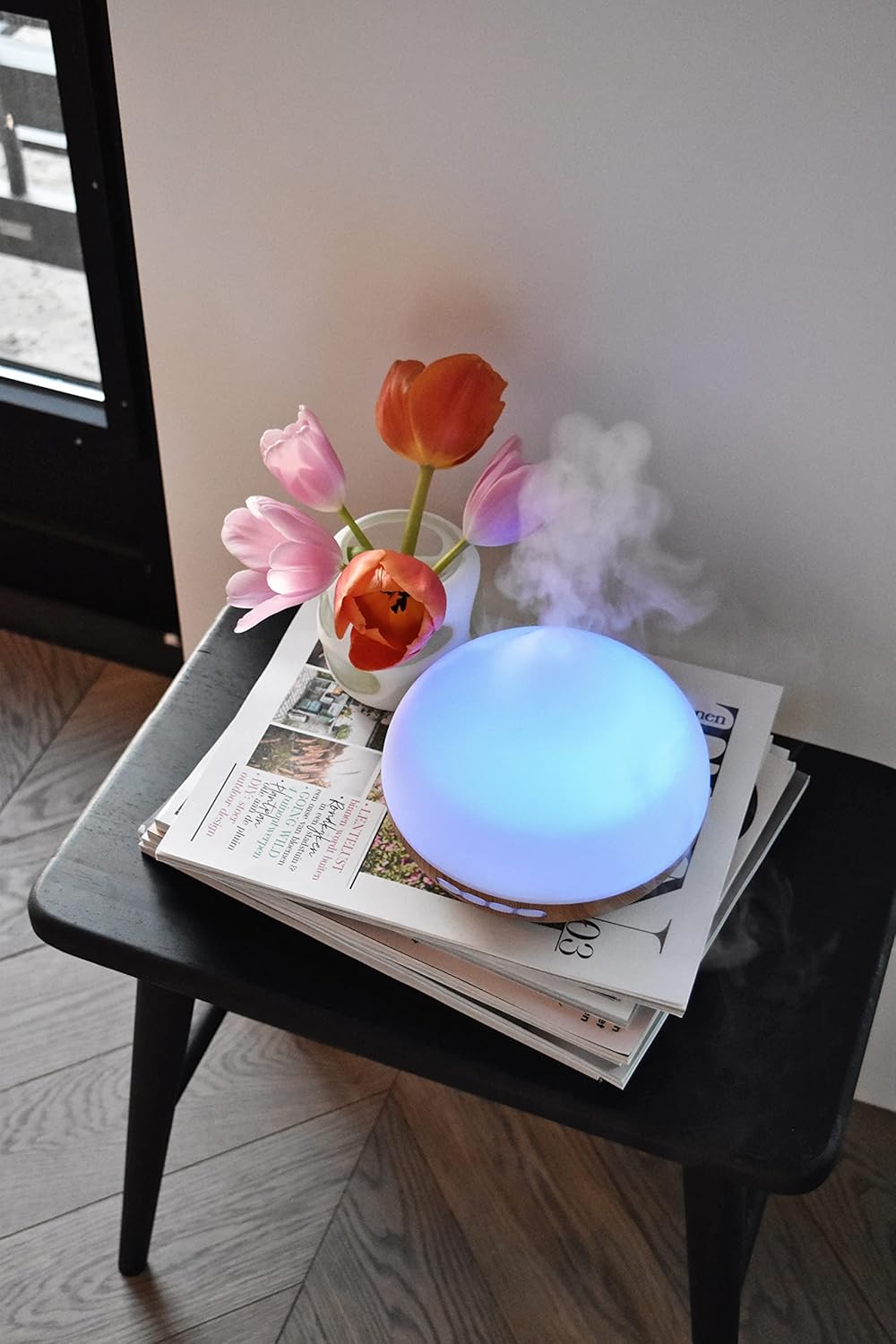
Image 3.3: The CALEX Smart Aroma Diffuser displaying a blue ambient light, placed on a table with flowers and magazines.

Image 3.4: The CALEX Smart Aroma Diffuser displaying a warm yellow ambient light, emitting mist, placed on a table with flowers and magazines.
4. Інструкцыі па ўсталёўцы
- Распакуйце дыфузар: Акуратна дастаньце ўсе кампаненты з упакоўкі.
- Place the Diffuser: Position the diffuser on a flat, stable, and water-resistant surface.
- Падключыце харчаванне: Plug the power adapter into the diffuser's power input, then plug the adapter into a standard electrical outlet.
- Заліць вадой: Remove the top cover. Fill the water tank with clean tap water or distilled water up to the indicated maximum fill line (300 ml capacity). Do not overfill.
- Add Essential Oil (Optional): Add a few drops of your preferred essential oil or fragrance to the water.
- Замяніць вокладку: Шчыльна ўстаўце верхнюю крышку назад на дыфузар.
- Download Calex App: Download the free Calex app from your smartphone's app store (available for iOS and Android).
- Падключыцеся да WiFi: Follow the in-app instructions to connect your diffuser to your home WiFi network. This typically involves putting the diffuser into pairing mode (refer to app for specific steps) and selecting your WiFi network.
5. Эксплуатацыя дыфузара
5.1 Асноўныя аперацыі
- Уключэнне/выключэнне харчавання: Press the "ON/OFF" button on the diffuser or use the Calex app to turn the device on or off.
- Кантроль туману: Use the "+" and "-" buttons on the diffuser to adjust the mist intensity (if applicable) or control via the app.
- Кіраванне святлом: Press the "LIGHT" button on the diffuser to cycle through light colors or turn the light off. For full RGB control and advanced options, use the Calex app.
5.2 Інтэлектуальнае кіраванне праграмамі
The Calex app provides extensive control over your smart aroma diffuser:
- Пульт дыстанцыйнага кіравання: Operate the diffuser from anywhere with an internet connection.
- Налады туману: Adjust mist output levels and set continuous or intermittent diffusion modes.
- RGB асвятленне: Choose from over 100 color options, adjust brightness, and select dynamic lighting effects to match your mood or decor.
- Таймеры і расклады: Set specific times for the diffuser to turn on/off, change light settings, or adjust mist output. Create personalized scenarios for different routines (e.g., "Wake Up," "Relax," "Sleep").
- Галасавое кіраванне: Integrate with smart home assistants like Amazon Alexa or Google Assistant for hands-free control (e.g., "Alexa, turn on the diffuser light").

Image 5.1: Screenshot of the Calex app displaying color and brightness controls for the smart diffuser's RGB lighting.

Image 5.2: Screenshot of the Calex app's main screen, showing the "My Home" section where connected smart devices are managed.
6. Тэхнічнае абслугоўванне і догляд
Рэгулярная чыстка забяспечвае аптымальную прадукцыйнасць і падаўжае тэрмін службы дыфузара.
- Штодзённае абслугоўванне:
- Выліце рэшткі вады з рэзервуара.
- Працярыце ўнутраную частку рэзервуара для вады чыстай мяккай тканінай.
- Перад кожным выкарыстаннем далівайце свежую ваду.
- Штотыднёвая ўборка:
- Адключыце дыфузар ад электрычнай разеткі.
- Зніміце верхнюю крышку і апаражніце рэзервуар для вады.
- Add a small amount of white vinegar (about 10 ml) to the water tank and let it sit for 10-15 minutes to loosen mineral buildup.
- Gently wipe the inside of the tank and the ultrasonic disc with a soft brush or cotton swab. Avoid scrubbing forcefully.
- Rinse the tank thoroughly with clean water, ensuring no vinegar residue remains.
- Працярыце вонкавую паверхню дыфузара мяккай губкайamp тканіна.
- Дайце ўсім дэталям цалкам высахнуць перад зборкай або захоўваннем.
- захоўванне: If storing the diffuser for an extended period, ensure it is clean and completely dry. Store it in a cool, dry place away from direct sunlight.
7. Выпраўленне непаладак
If you encounter issues with your CALEX Smart Aroma Diffuser, refer to the following common problems and solutions:
| праблема | Магчымая прычына | Рашэнне |
|---|---|---|
| Няма туману або яго нізкая выпрацоўка | Low water level; Water tank dirty; Ultrasonic disc blocked; Diffuser tilted. | Add water to the tank; Clean the water tank and ultrasonic disc; Ensure diffuser is on a flat surface. |
| Прылада не ўключаецца | Not plugged in; Power adapter faulty; No power from outlet. | Check power connection; Try a different outlet; Contact support if adapter is faulty. |
| Праблемы з падключэннем праграмы | Incorrect WiFi password; Diffuser too far from router; Router issues; App not updated. | Verify WiFi password; Move diffuser closer to router; Restart router; Update Calex app. |
| Light not working correctly | App settings; Internal fault. | Check light settings in the Calex app; Restart the diffuser. |
8. Тэхнічныя характарыстыкі прадукту
| Асаблівасць | Спецыфікацыя |
|---|---|
| Марка | КАЛЕКС |
| Нумар мадэлі | 429262 |
| Колер | White/Wood look |
| Памеры прадукту (Д х Ш х У) | 14 х 16.8 х 14 см |
| Вага прадмета | 305 грамаў |
| Ёмістасць | 300 мілілітраў |
| Магутнасць | 10 ват |
| тtage | 240 вольт |
| Матэрыял | Reeds (wood-look base) |
| Функцыя аўтаматычнага адключэння | так |
| Асаблівасці | Aroma Diffuser, Humidifier, Timer |
| Зона пакрыцця | Approximately 10 square meters |
9. Гарантыя і падтрымка
For warranty information and customer support, please refer to the documentation included with your purchase or visit the official CALEX webсайт. Захоўвайце пацвярджэнне пакупкі для любых гарантыйных прэтэнзій.
Інтэрнэт-рэсурсы:
Ask a question about this manual
Ask about setup, troubleshooting, compatibility, parts, safety, or missing instructions. Manuals+ will review the question and use this page’s manual context to help answer it.