
Уводзіны
Thank you for choosing the MEDION MD 10319 Tower Fan. This manual provides essential information for the safe and efficient operation of your new fan. Please read these instructions carefully before use and keep them for future reference.
Важныя інструкцыі па бяспецы
Заўсёды выконвайце асноўныя меры бяспекі пры выкарыстанні электрапрыбораў, каб знізіць рызыку пажару, паражэння электрычным токам і траўмаў людзей.
- Пераканайцеся, што аб'ём блока харчаванняtage адпавядае на этыкетцы з характарыстыкамі вентылятара.
- Не выкарыстоўвайце вентылятар з пашкоджаным шнуром або вілкай. Калі шнур пашкоджаны, яго павінен замяніць вытворца, яго сэрвісны агент або спецыяліст з аналагічнай кваліфікацыяй, каб пазбегнуць небяспекі.
- Трымайце вентылятар далей ад вады ці іншых вадкасцей. Не апускайце вентылятар у ваду.
- Не ўстаўляйце пальцы або староннія прадметы ў рашотку падчас працы вентылятара.
- Адключайце вентылятар ад разеткі, калі ён не выкарыстоўваецца, пры перамяшчэнні яго з аднаго месца ў іншае і перад чысткай.
- Гэты прыбор не прызначаны для выкарыстання асобамі (уключаючы дзяцей) з абмежаванымі фізічнымі, сэнсарнымі або разумовымі здольнасцямі або з адсутнасцю вопыту і ведаў, за выключэннем выпадкаў, калі яны знаходзяцца пад наглядам або праінструктаваныя адносна выкарыстання прыбора асобай, адказнай за іх бяспеку.
- За дзецьмі трэба сачыць, каб яны не гулялі з прыборам.
- Пастаўце вентылятар на ўстойлівую, роўную паверхню, каб ён не перакуліўся.
Змест пакета
Калі ласка, праверце ўпакоўку на наяўнасць наступных кампанентаў:
- MEDION MD 10319 Tower Fan
- Base (two halves)
- Гайка мацавання
- 4 Mounting Screws for Base
- Remote Control (with 2 x AAA batteries)
- Кіраўніцтва па эксплуатацыі
Зборка і налада
Выканайце наступныя дзеянні, каб сабраць вентылятар на вежы:
- Акуратна дастаньце ўсе кампаненты з упакоўкі.
- Assemble the two halves of the base by interlocking them.
- Align the assembled base with the bottom of the fan unit. Ensure the power cord passes through the designated slot in the base.
- Secure the base to the fan unit using the 4 mounting screws provided.
- Tighten the securing nut from underneath the base to firmly attach it to the fan body.
- Insert the 2 AAA batteries into the remote control, observing polarity.
- Пастаўце вентылятар на цвёрдую, роўную паверхню.
- Падключыце шнур харчавання да адпаведнай электрычнай разеткі (220 В).
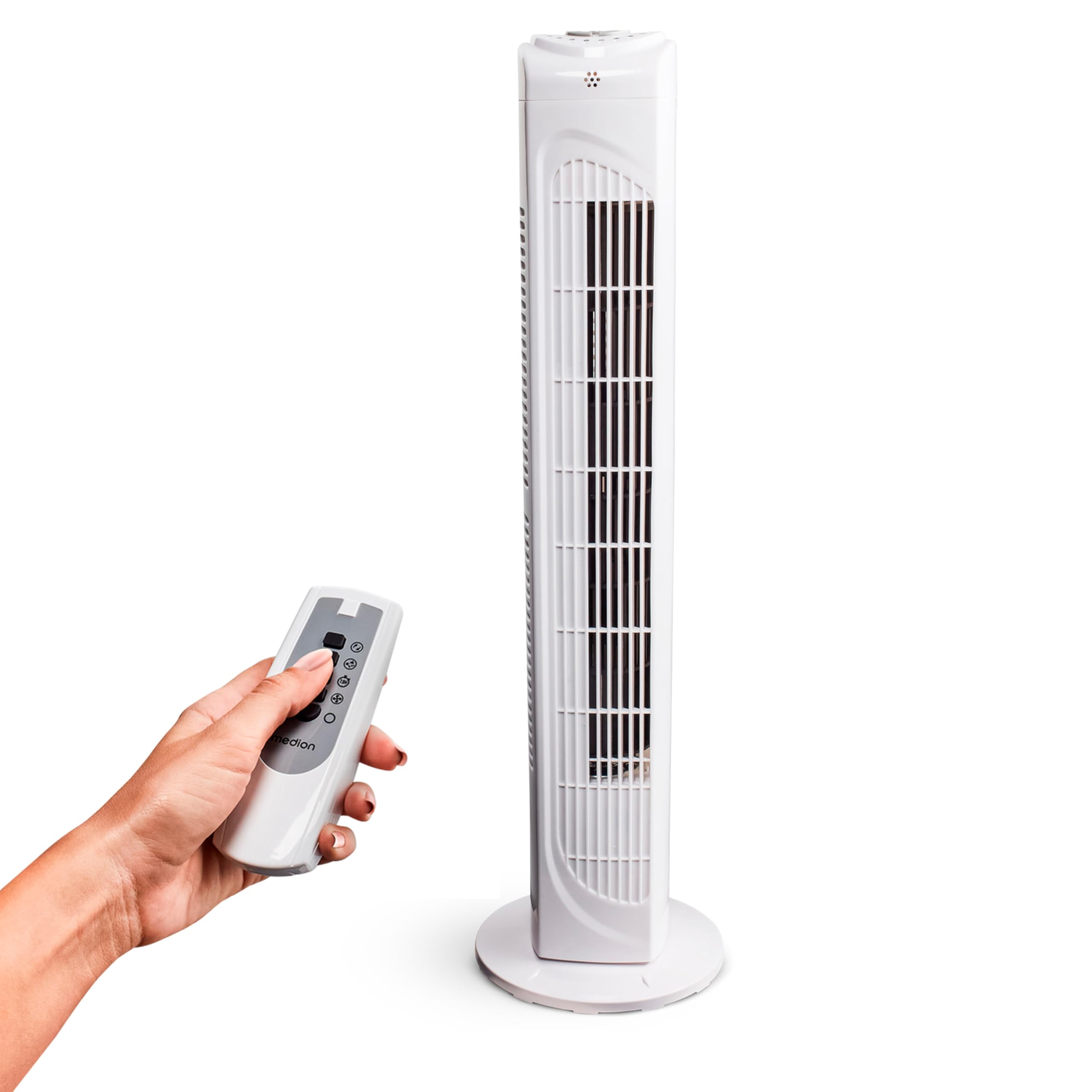
Image: The MEDION MD 10319 Tower Fan, fully assembled with its base, ready for use.

Image: A hand demonstrating the integrated carrying handle on top of the fan for easy portability.
Прадукт скончаныview
Панэль кіравання
The control panel is located on the top of the fan unit. It features buttons for power, speed, oscillation, and timer functions.

Выява: Падрабязная view of the fan's top control panel, showing buttons for power, speed settings (3 levels), timer, and oscillation.
Пульт дыстанцыйнага кіравання
The included remote control allows you to operate all fan functions from a distance.
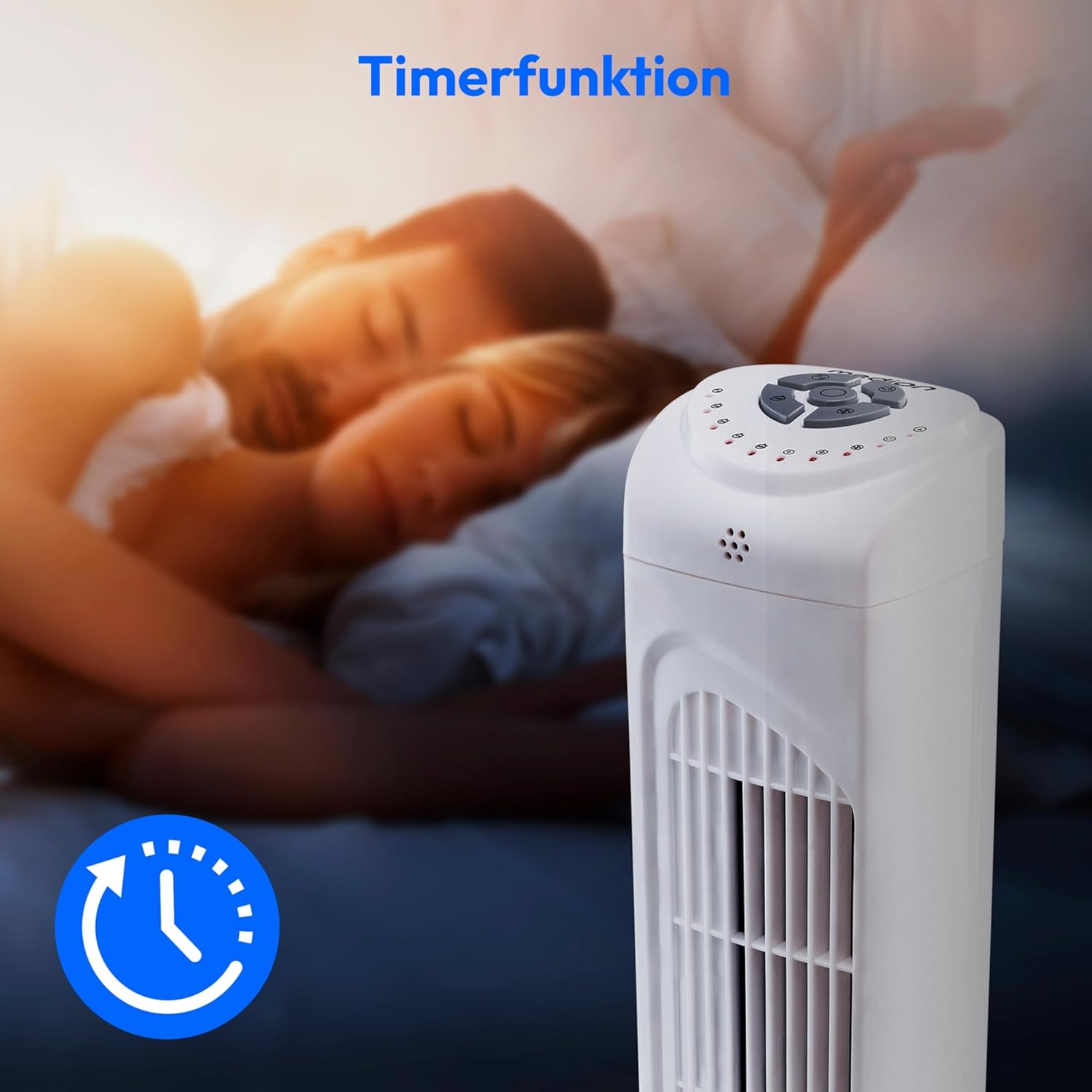
Image: A hand holding the remote control, which features buttons for power, speed, oscillation, and timer, mirroring the main control panel.
Інструкцыя па эксплуатацыі
Уключэнне/выключэнне харчавання
- Націсніце УЛАДА button on the control panel or remote control to turn the fan ON.
- Націсніце УЛАДА button again to turn the fan OFF.
Рэгуляванне хуткасці вентылятара
The fan has 3 speed settings: Low, Medium, and High.
- Націсніце ХУТКАСЦЬ button repeatedly to cycle through the speed settings.
- The current speed level will be indicated by LED lights on the control panel.
Вагальная функцыя
The oscillation function allows the fan to rotate horizontally, distributing air over a wider area.
- Націсніце OSC button on the control panel or remote control to activate oscillation. The fan will rotate approximately 60 degrees.
- Націсніце OSC button again to stop oscillation. The fan will stop in its current position.

Image: The tower fan oscillating, indicated by blue arrows showing a 60-degree rotation for wider air distribution.
Функцыя таймера
The timer function allows you to set the fan to automatically turn off after a specified period, up to 7.5 hours.
- Націсніце ТАЙМЕР button repeatedly to set the desired operating time (e.g., 0.5h, 1h, 2h, 4h, up to 7.5h).
- The selected timer duration will be indicated by LED lights on the control panel.
- To cancel the timer, cycle through the settings until no timer LEDs are illuminated, or turn the fan off.

Image: The fan with a timer icon, illustrating its use for setting automatic shut-off, ideal for use during sleep.
Тэхнічнае абслугоўванне
Regular cleaning will help maintain the performance and extend the lifespan of your fan.
- Заўсёды адключайце вентылятар ад разеткі перад чысткай.
- Выкарыстоўвайце мяккі, damp тканінай для працірання вонкавых паверхняў вентылятара. Не выкарыстоўвайце абразіўныя ачышчальнікі або растваральнікі.
- Use a vacuum cleaner with a brush attachment to gently remove dust from the air intake and outlet grilles.
- Не дапускайце траплення вады ўнутр вентылятара.
- Захоўвайце вентылятар у прахалодным, сухім месцы, калі ён не выкарыстоўваецца працяглы час.
Ліквідацыю непаладак
If you encounter any issues with your MEDION MD 10319 Tower Fan, please refer to the following common problems and solutions:
| праблема | Магчымая прычына | Рашэнне |
|---|---|---|
| Вентылятар не ўключаецца. | Няма крыніцы харчавання. Кнопка харчавання не націснутая. | Праверце, ці надзейна падключаны шнур харчавання да спраўнай разеткі. Press the POWER button on the fan or remote. |
| Пульт дыстанцыйнага кіравання не працуе. | Батарэйкі разраджаныя або няправільна ўстаўленыя. Перашкода паміж пультам і вентылятарам. | Replace batteries (2 x AAA) and ensure correct polarity. Remove any objects blocking the signal path. Ensure you are within range. |
| Вентылятар выдае незвычайны шум. | Вентылятар не стаіць на роўнай паверхні. Obstruction in the fan grille. | Пастаўце вентылятар на ўстойлівую роўную паверхню. Unplug the fan and carefully check for any foreign objects in the grilles. |
| Функцыя ваганняў не працуе. | Кнопка ваганняў не актываваная. | Press the OSC button on the control panel or remote control. |
Тэхнічныя характарыстыкі
| Асаблівасць | Дэталь |
|---|---|
| Марка | MEDION |
| Назва мадэлі | MD 10319 |
| Тып | Tower Fan / Floor Fan |
| Колер | Белы |
| Крыніца харчавання | Правадная электрычная |
| Ватtage | 45 Вт |
| тtage | 220 вольт |
| Колькасць хуткасцяў | 3 |
| Асаблівасці | Oscillating, Timer Function |
| Вугал ваганняў | 60° |
| Функцыя таймера | Да 7.5 гадзін |
| Метад кантролю | Remote, On-unit buttons |
| Узровень шуму | 50 дэцыбел |
| Памеры прадукту (Д х Ш х У) | 28 см х 28 см х 79 см |
| Вага прадмета | 2.5 кілаграма |
| Матэрыял | Пластыкавыя |
| Асноўны тып раздыма харчавання | CEE 7/7 (разетка Schuko) |

Image: The MEDION MD 10319 Tower Fan with its height (79 cm) and base width (28 cm) clearly indicated.
Гарантыя і падтрымка
Your MEDION MD 10319 Tower Fan comes with a manufacturer's warranty. Please refer to the warranty card included in your package for detailed terms and conditions, including the warranty period and coverage.
Каб атрымаць тэхнічную падтрымку, абслугоўванне або запасныя часткі, звярніцеся ў службу падтрымкі кліентаў MEDION. Кантактную інфармацыю звычайна можна знайсці на афіцыйным сайце MEDION. webна сайце або ў гарантыйнай дакументацыі.