
1. Уводзіны
Thank you for choosing the IROAD X5 Dash Cam. This device is designed to record your driving journey in Full HD, providing crucial evidence in case of an incident. It features front and rear cameras, Wi-Fi connectivity for smartphone access, a G-Sensor for impact detection, and advanced driver assistance systems (ADAS). Please read this manual carefully before installation and operation to ensure proper use and optimal performance.

Figure 1: IROAD X5 Dash Cam (Front and Rear Units)
2. Прадукт скончыўсяview
2.1 Змест пакета
- Main Unit (Front Camera)
- Задняя камера
- Ключ Wi-Fi
- IROAD Genuine 16GB MicroSD Card
- Мантажны кранштэйн
- Constant Power Cable (3m)
- Rear Camera Connection Cable (6m)
- Інструкцыя па эксплуатацыі (гэты дакумент)
- Spare Double-sided Tape
2.2 Асноўныя магчымасці
- Dual Full HD Recording: Front and rear cameras record in 1920x1080P at 30fps.
- Шырокі Viewкут нахілу: Поле 140° view for both front and rear cameras.
- G-сэнсар: 3-axis acceleration sensor for automatic impact detection and event recording.
- Падключэнне Wi-Fi: Connect to your smartphone via Wi-Fi for live view, playback, and settings adjustment.
- ADAS (Пашыраная сістэма дапамогі кіроўцу): Includes Lane Departure Warning, Front Vehicle Departure Warning, and Forward Collision Warning.
- Розныя рэжымы запісу: Continuous, Impact, Parking, and Motion Detection recording.
- Начное бачанне: Enhanced recording quality in low-light conditions.
- Аўдыёзапіс: On/Off selectable.
3. Настройка
3.1 Устаўка карты MicroSD
- Пераканайцеся, што відэарэгістратар выключаны.
- Locate the MicroSD card slot on the main unit.
- Insert the provided 16GB MicroSD card into the slot until it clicks into place. Ensure the correct orientation.
3.2 Усталёўка пярэдняй камеры
- Ачысціце лабавое шкло, дзе вы плануеце ўсталяваць камеру.
- Attach the mounting bracket to the front camera.
- Peel off the protective film from the double-sided tape on the bracket.
- Mount the front camera on the windshield, ideally behind the rearview люстэрка, забяспечваючы выразны view of the road. Press firmly for secure adhesion.

Figure 2: IROAD X5 Front Camera
3.3 Устаноўка задняй камеры
- Clean the rear window area.
- Attach the rear camera to the rear window using the double-sided tape, ensuring a clear view.
- Connect the rear camera to the main unit using the provided 6m rear camera connection cable. Route the cable neatly along the vehicle's interior trim.
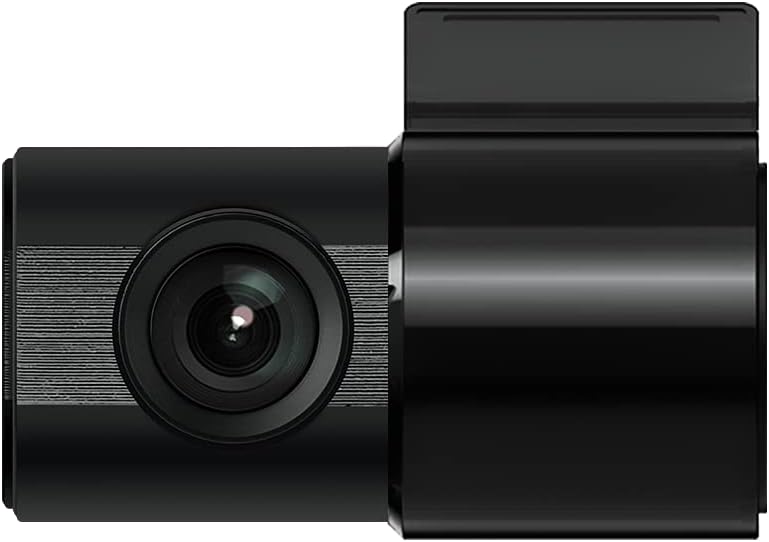
Figure 3: IROAD X5 Rear Camera
3.4 Падключэнне харчавання
- Connect the constant power cable to the main unit's power input port.
- Connect the other end of the power cable to your vehicle's power source (e.g., OBDII port for general and hybrid vehicles, if using the optional OBDII power cable, or fuse box for constant power). Consult a professional for hardwiring if unsure.
3.5 Wi-Fi Dongle Connection (Optional)
If your model requires an external Wi-Fi dongle, insert it into the designated USB port on the main unit. This enables Wi-Fi connectivity for smartphone app control.
4. Інструкцыя па эксплуатацыі
4.1 Аўтаматычнае ўключэнне/выключэнне
The IROAD X5 Dash Cam will automatically power on and begin recording when your vehicle's ignition is turned on. It will power off automatically when the ignition is turned off.
4.2 Рэжымы запісу
- Бесперапынная запіс: The dash cam continuously records while driving. Older files are overwritten by new ones when the MicroSD card is full.
- Impact Recording: When the G-Sensor detects a sudden impact or collision, the dash cam automatically saves the current recording segment as an event file, што прадухіляе яго перазапіс.
- Запіс паркоўкі: When the vehicle is parked and the ignition is off, the dash cam enters parking mode. It records events triggered by motion detection or impacts.
- Запіс выяўлення руху: In parking mode, the camera records when motion is detected in its field of view.
4.3 Функцыі ADAS
The IROAD X5 includes Advanced Driver Assistance Systems to enhance driving safety:
- Lane Departure Warning (LDWS): Alerts you if your vehicle drifts out of its lane.
- Front Vehicle Departure Warning (FVDW): Паведамляе вам, калі аўтамабіль, які рухаецца наперадзе, пачынае рухацца з месца.
- Forward Collision Warning (FCWS): Warns you of a potential collision with a vehicle ahead.
These features can be configured via the IROAD smartphone application.
4.4 Аўдыёзапіс
Audio recording is enabled by default. You can toggle this feature on or off through the IROAD smartphone application settings.
4.5 Using the IROAD App (Wi-Fi)
- Download the "IROAD" app from your smartphone's app store.
- Уключыце відэарэгістратар.
- On your smartphone, go to Wi-Fi settings and connect to the IROAD dash cam's Wi-Fi network (SSID and password can be found in the app or on the device label).
- Open the IROAD app to access live view, recorded videos, and adjust settings.
5. Тэхнічнае абслугоўванне
5.1 Кіраванне картамі MicroSD
It is recommended to format the MicroSD card regularly (e.g., once a month) to maintain optimal recording performance and prevent data corruption. This can be done through the IROAD smartphone app or by removing the card and formatting it on a computer.
5.2 Чыстка лінзаў
Periodically clean the front and rear camera lenses with a soft, dry cloth to ensure clear video quality. Avoid using abrasive cleaners.
5.3 Абнаўленне прашыўкі
Check the official IROAD website or the IROAD app for available firmware updates. Keeping your dash cam's firmware up-to-date ensures the latest features and bug fixes.
6. Выпраўленне непаладак
| праблема | Магчымая прычына / рашэнне |
|---|---|
| Відэарэгістратар не ўключаецца. | Check power cable connection. Ensure vehicle ignition is on. Verify fuse in power cable or vehicle's fuse box. |
| No recording or recording stops. | MicroSD card may be full or corrupted. Format the MicroSD card. Ensure the card is inserted correctly. |
| Праблемы з падключэннем да Wi-Fi. | Ensure Wi-Fi dongle is properly connected (if applicable). Restart the dash cam and your smartphone. Check Wi-Fi settings on your phone. |
| Дрэнная якасць відэа. | Clean camera lenses. Ensure protective film is removed from lenses. Check recording resolution settings in the app. |
| ADAS warnings are inaccurate. | Ensure the camera is properly calibrated and mounted centrally. Environmental factors (heavy rain, fog) can affect performance. |
7. Тэхнічныя характарыстыкі
| Асаблівасць | Спецыфікацыя |
|---|---|
| Поле в View (Пярэдні/Задні) | 140° |
| Resolution (Front/Rear) | Full HD 1920x1080P |
| Frame Rate (Front/Rear) | 30 кадраў у секунду |
| рэжымы запісу | Continuous, Impact, Parking, Motion Detection |
| Асаблівасці ADAS | Lane Departure Warning, Front Vehicle Departure Warning, Forward Collision Warning |
| G-сэнсар | 3-восевы датчык паскарэння |
| Аўдыёзапіс | On/Off selectable |
| Энергаспажыванне | 2.6 Вт |
| Працоўная тэмпература | -30°C да 75°C |
| Носьбіты запісу | Карта MicroSD (16 ГБ у камплекце) |
| Памеры асноўнага блока | 90 х 40 х 30 мм |
| Вага асноўнага блока | 60 г |
| Сувязь | Wi-Fi |
| Тып дысплея | LCD (4 inch, if applicable, though product description implies no screen on main unit) |
| Спосаб мантажу | Клейкі |
8. Гарантыя і падтрымка
For warranty information, technical support, or service inquiries, please refer to the warranty card included with your product or visit the official IROAD webсайт. Захоўвайце чэк аб куплі як пацвярджэнне пакупкі для гарантыйных прэтэнзій.