
Уводзіны
This manual provides detailed instructions for the setup, operation, maintenance, and troubleshooting of your Logilink UA0384 Full HD USB Webcam. Please read this manual thoroughly before using the device to ensure proper functionality and to maximize your user experience.
Асаблівасці прадукту
- Full HD 1080p resolution at 30 frames per second.
- 76° wide-angle lens for broader coverage.
- Integrated ring light with 3 adjustable brightness levels for optimal illumination.
- Automatic autofocus for clear image quality.
- Dual microphone with noise cancellation for clear audio.
- Automatic Low Light Correction, Exposure (AE), and White Balance (AWB).
- Plug and Play functionality, no driver installation required.
- Versatile mounting options: LCD screens, laptops, tabletops, or tripod.
- Compatible with Windows, Mac OS, Linux, Chrome OS, Xbox One, and Android.
Змест пакета
- Logilink UA0384 Full HD USB Webкамера
Настройка
1. Распакаванне і размяшчэнне
Акуратна зніміце webcam from its packaging. The webcam can be placed on a flat surface, clipped onto an LCD monitor or laptop screen, or mounted on a tripod using the integrated thread.
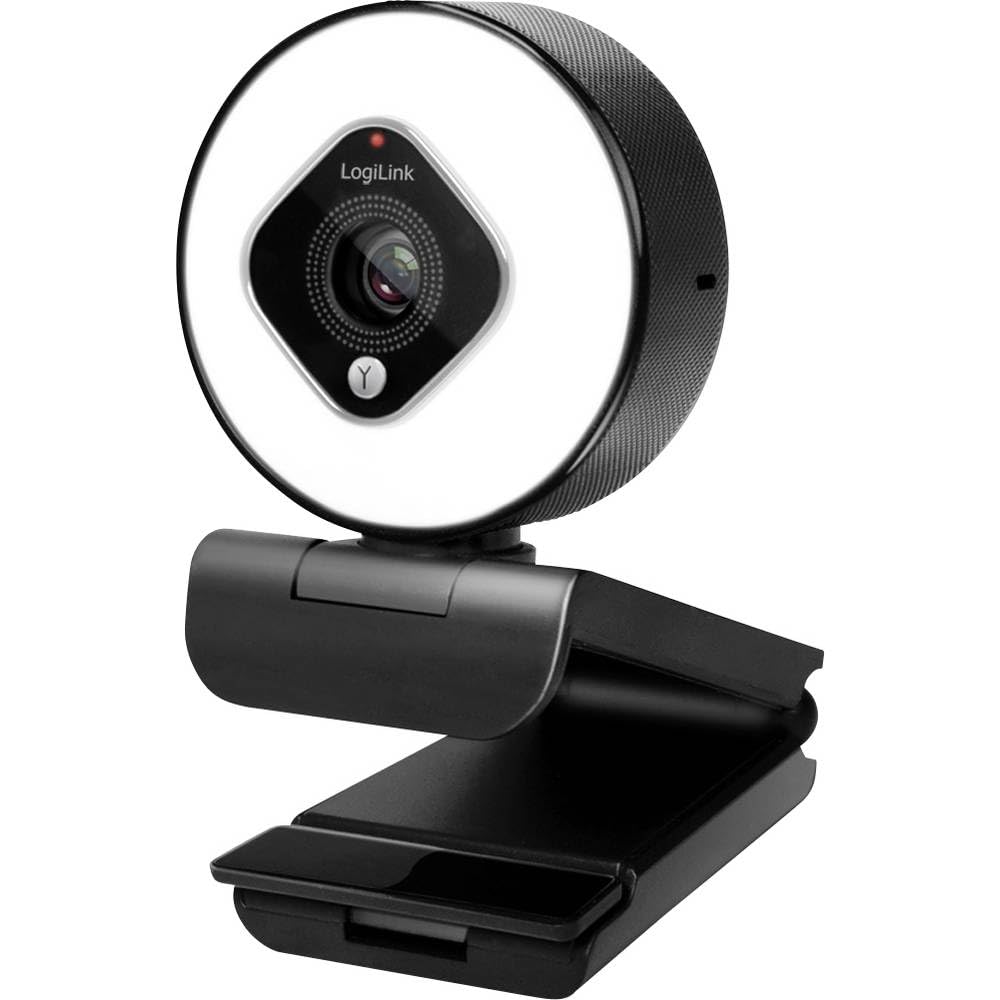
Image showing the Logilink UA0384 webcam, highlighting its compact design, integrated ring light, and flexible mounting options.
2. Падключэнне Webкамера
- Знайдзіце даступны USB-порт на вашым кампутары або прыладзе.
- Plug the USB cable of the Logilink UA0384 webпадключыце камеру да порта USB.
- The webcam is plug-and-play, meaning no additional drivers are typically required. Your operating system should automatically detect and install the necessary software.
- Wait for your system to confirm that the device is ready for use. This may be indicated by a notification or a light on the webкулачок.
Інструкцыя па эксплуатацыі
1. Асноўнае выкарыстанне
Пасля падлучэння, the webcam is ready for use with video conferencing applications (e.g., Skype, Zoom, Google Meet, FaceTime) or streaming software (e.g., OBS, XSplit, Twitch). Select the Logilink UA0384 as your preferred camera and microphone device within your application's settings.
2. Праца кальцавой падсветкі
The integrated ring light provides additional illumination. To activate or adjust the brightness:
- Locate the touch-sensitive control on the webcam, typically around the ring light itself.
- Tap the control to cycle through the 3 brightness levels or to turn the light off.
3. Autofocus and Automatic Adjustments
The UA0384 features automatic autofocus, ensuring your image remains sharp even if you move. It also includes automatic low light correction, auto exposure, and auto white balance to adapt to various lighting conditions without manual intervention.
4. Двайны мікрафон
The built-in dual microphones with noise cancellation are designed to capture clear audio. Ensure the webcam is selected as the audio input device in your application settings for optimal sound quality.
Тэхнічнае абслугоўванне
Ачыстка аб'ектыва і корпуса
- Забяспечце webПерад чысткай камера адключана ад кампутара.
- Use a soft, lint-free cloth to gently wipe the lens. For stubborn smudges, a small amount of lens cleaning solution can be applied to the cloth (not directly to the lens).
- Працярыце цела webкулачок з сухім або злёгку дamp soft cloth. Avoid using harsh chemicals or abrasive materials.
Захоўванне
Калі ён не выкарыстоўваецца, захоўвайце яго webЗахоўвайце камеру ў чыстым, сухім месцы, удалечыні ад экстрэмальных тэмператур і прамых сонечных прамянёў.
Ліквідацыю непаладак
1. WebКамера не выяўлена
- Праверце падключэнне USB: Пераканайцеся, што кабель USB надзейна падключаны да абодвух webcam and the computer. Try a different USB port.
- Перазагрузіце кампутар: Часам просты перазапуск можа вырашыць праблемы з выяўленнем.
- Тэст на іншай прыладзе: If possible, try connecting the webcam to another computer to determine if the issue is with the webcam or your primary device.
2. No Video or Poor Video Quality
- Налады прыкладання: Verify that the Logilink UA0384 is selected as the camera device in your video conferencing or streaming application.
- Умовы асвятлення: Ensure adequate lighting. Use the integrated ring light if necessary.
- Чысціня лінзаў: Ачысціць webаб'ектыў камеры, як апісана ў раздзеле «Тэхнічнае абслугоўванне».
- Сістэмныя рэсурсы: Зачыніце іншыя рэсурсаёмістыя праграмы, якія могуць спажываць сістэмныя рэсурсы.
3. No Audio or Poor Audio Quality
- Налады прыкладання: Confirm that the Logilink UA0384 is selected as the microphone device in your application settings.
- Сістэмны аб'ём: Check your computer's microphone input volume settings.
- Перашкоды: Ensure the microphones are not covered or obstructed.
Тэхнічныя характарыстыкі
| Асаблівасць | Спецыфікацыя |
|---|---|
| Нумар мадэлі | UA0384 |
| Марка | Лагілінк |
| Дазвол відэазахопу | 1080p Full HD |
| Кадраў у секунду | 30 кадраў у секунду |
| Поле в View | 76° |
| Тып мікрафона | Dual Microphone with Noise Cancellation |
| Тып аб'ектыва | 6 tempered glass and plastic elements |
| Дыяфрагма | f/2.1 |
| Фокусная адлегласць | 7 см |
| Асаблівасці | Autofocus, Ring Light (3 levels), Low Light Correction |
| Сувязь | USB |
| Даўжыня кабеля | 1.6 м |
| Памеры прадукту | 2.44 х 1.81 х 2.91 цалі |
| Вага прадмета | 5 унцыі |
Гарантыя і падтрымка
For warranty information and technical support, please refer to the documentation provided with your purchase or visit the official Logilink webсайт. Канкрэтныя гарантыйныя ўмовы могуць адрознівацца ў залежнасці ад рэгіёна і прадаўца.