
1. Настройка
1.1 Распакоўка і першапачатковая аплата
Upon receiving your Tecno BDE01 earbuds, locate the ear-tips and USB-C charging cable within the inner box. Before first use, ensure to remove any insulating film from both earbuds. Fully charge both the earbuds and the charging case using a specified 5V/1A USB adapter.

Малюнак 1.1: Tecno BDE01 Earbuds resting in their charging case, indicating charge status with LED lights.
1.2 Selecting Ear-Tips
The earbuds come with three sizes of ear-tips (Small, Medium, Large) to ensure a secure and comfortable fit. Experiment with different sizes to find the best fit for your ears, which is crucial for optimal sound quality and noise isolation.

Малюнак 1.2: A selection of silicone ear-tips in different sizes to customize fit.
1.3 Спалучэнне з вашай прыладай
To pair the earbuds with your device, first take them out of the charging case. They will automatically enter pairing mode. On your device, go to Bluetooth settings and select "TECNO-BDE01" for stereo mode or left earbud mono mode. If you wish to use only the right earbud in mono mode, select "TECNO-BDE01-R".
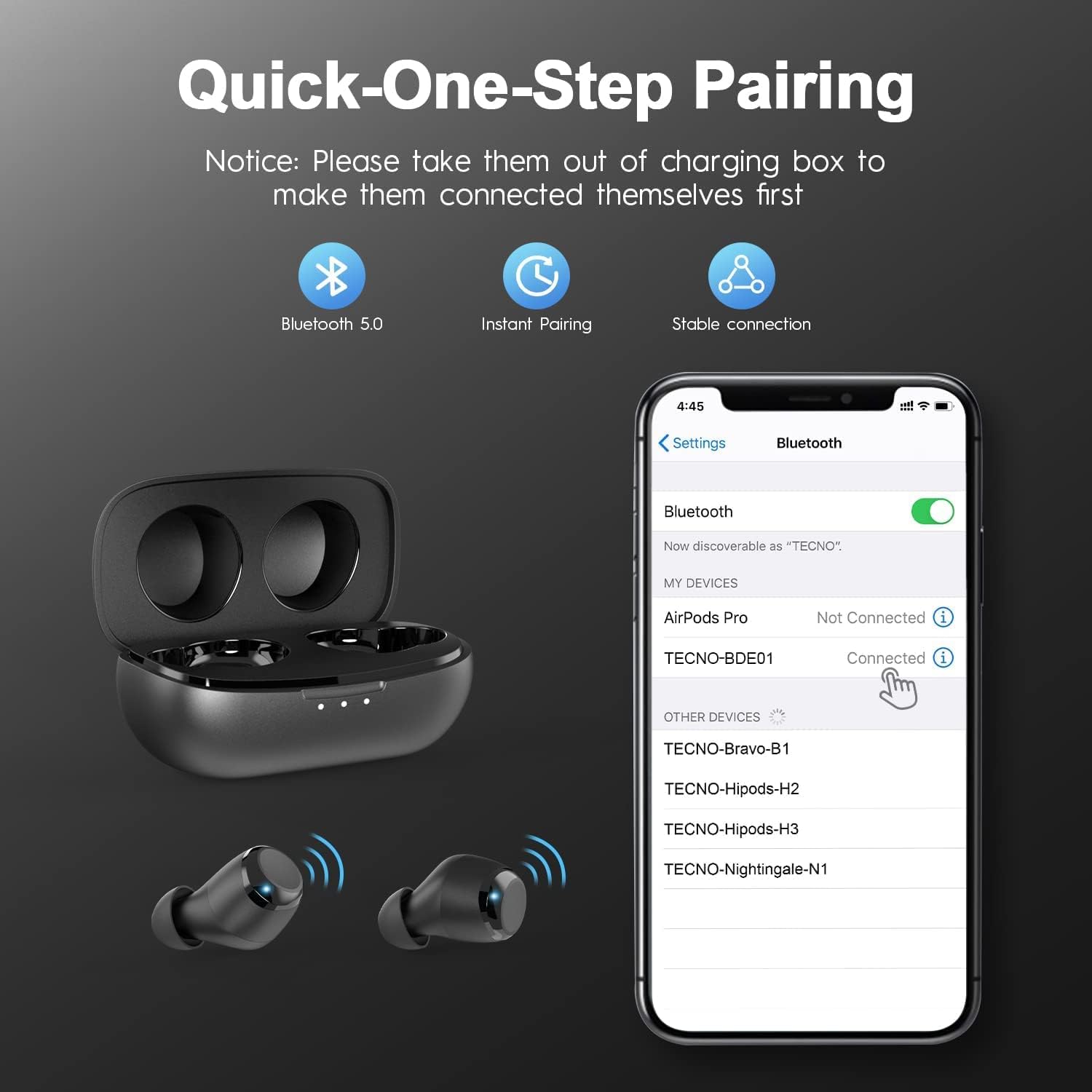
Малюнак 1.3: A smartphone displaying the Bluetooth pairing menu, with TECNO-BDE01 highlighted as an available device.
1.4 Video Guide: TECNO BDE01 Earbuds Overview
Відэа 1.1: An official video from Tecno-Mobile-Official demonstrating the features and basic setup of the TECNO BDE01 True Wireless Earbuds.
2. Інструкцыя па эксплуатацыі
The Tecno BDE01 earbuds feature intuitive touch controls for various functions. Below is a guide to their operation:

Малюнак 2.1: Visual representation of the touch controls for music, calls, and voice assistant functions.
2.1 Прайграванне музыкі
- Прайграванне/Паўза: Tap the touch panel of either the Left (L) or Right (R) earbud twice.
- Previous Track (Twin Mode Only): Утрымлівайце левы (L) навушнік на працягу 2 секунд.
- Next Track (Twin Mode Only): Утрымлівайце правы (R) навушнік на працягу 2 секунд.
2.2 Тэлефонныя званкі
- Адказ/завяршэнне выкліку: Single tap the touch panel of either the Left (L) or Right (R) earbud.
- Адхіліць выклік: Long press the touch panel of either earbud for 2 seconds.
2.3 Галасавы памочнік
- Activate Voice Assistant (Twin Mode Only): Tap the touch panel of the Left (L) earbud twice.
2.4 Рэгулятар гучнасці
The Tecno BDE01 wireless earbuds do not have a built-in volume control function. Please adjust the volume directly from your connected device.
2.5 Mono & Twin Mode
Both earbuds support Mono Mode, allowing either earbud to function independently. Seamlessly swap between Left & Right earbuds. If you power on the left earbud while using the right earbud individually, the right earbud will disconnect, and both will automatically reconnect to enter Twin Mode. If you power on the right earbud while using the left individually, they will automatically reconnect and enter Twin Mode, with the left earbud continuing to work throughout this process.

Малюнак 2.2: Demonstrates the flexibility of using earbuds individually (Mono Mode) or together (Twin Mode).
3. Тэхнічнае абслугоўванне
3.1 Ачыстка
Regularly clean your earbuds and charging case to maintain optimal performance and hygiene. Use a soft, dry, lint-free cloth. Do not use harsh chemicals or abrasive materials. For ear-tips, remove them from the earbuds and clean with mild soap and water, then dry thoroughly before reattaching.
3.2 Зарадка
Charge the earbuds by placing them back into their charging case. The case itself is charged via the provided USB-C cable. The LED indicators on the case show the charging status and battery level.

Малюнак 3.1: Earbuds in their charging case, connected via USB-C for recharging.
3.3 Воданепранікальнасць
The earbuds are IPX5 water-resistant, protecting against rain and sweat. However, do not submerge the earbuds directly in water, and avoid wearing them while swimming or surfing.
Малюнак 3.2: User demonstrating the IPX5 water resistance during a workout.
4. Выпраўленне непаладак
4.1 Праблемы са спалучэннем
If the earbuds fail to pair or connect successfully, try the following steps:
- Пераканайцеся, што абодва навушнікі цалкам зараджаны.
- Place both earbuds back into the charging case, close the lid, and wait for 5 seconds.
- Open the lid and remove the earbuds. They should automatically enter pairing mode.
- On your device, forget or delete the "TECNO-BDE01" and "TECNO-BDE01-R" entries from your Bluetooth list.
- Restart your device and attempt the pairing process again.
4.2 Скід да заводскіх налад
If pairing issues persist, a factory reset may resolve the problem:
- Устаўце абодва навушнікі ў чахол для зарадкі.
- Press and hold the multi-function button on both earbuds simultaneously for approximately 10-15 seconds until the LED indicators flash red and white, then release.
- Close the charging case lid and wait for a few seconds.
- Open the lid and remove the earbuds. They should now be reset to factory settings.
- Repeat the pairing process as described in Section 1.3.
5. Тэхнічныя характарыстыкі
| Асаблівасць | Дэталь |
|---|---|
| Марка | Тэхна |
| Нумар мадэлі | TECNO BDE01 |
| Тэхналогія падлучэння | Бесправадная сувязь (Bluetooth) |
| Версія Bluetooth | 5.0 |
| Дыяпазон Bluetooth | 10 метраў |
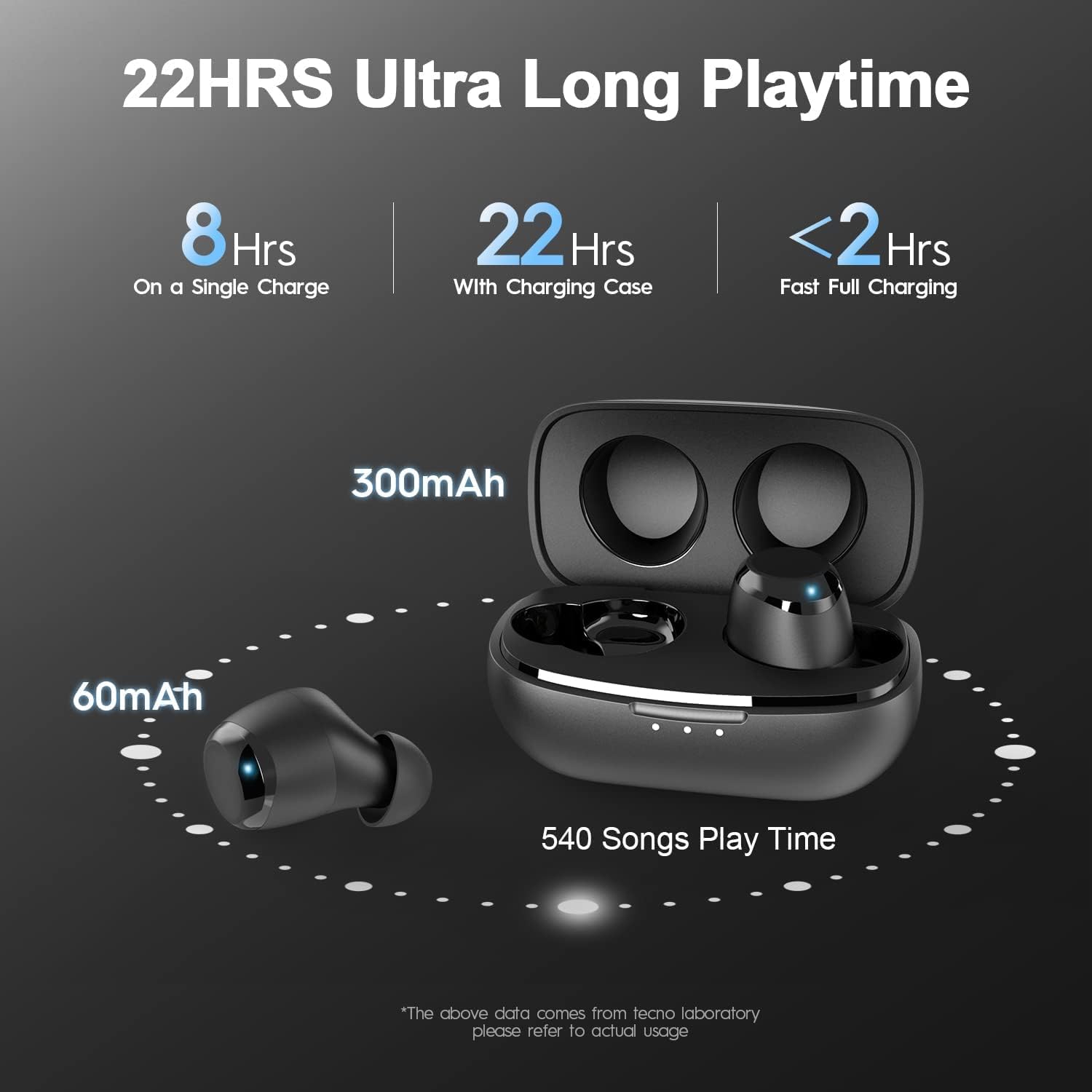
| Тэрмін службы батарэі (навушнікі) | Да 8 гадзін на адной зарадцы |
| Агульны час прайгравання (з зарадным чахлом) | Да 22 гадзін |
| Кантроль шуму | CVC 8.0 шумапрыглушэнне навакольнага асяроддзя |
| Узровень воданепранікальнасці | IPX5 (воданепранікальны) |
| Тып аўдыё драйвера | Дынамічны драйвер |
| Метад кантролю | Сэнсарнае кіраванне |
6. Гарантыя і падтрымка
6.1 Інфармацыя аб гарантыі
For detailed warranty information regarding your Tecno BDE01 True Wireless Bluetooth Earbuds, please refer to the warranty card included in your product packaging or visit the official Tecno webсайт.
6.2 Падтрымка кліентаў
If you encounter any issues or have questions about your Tecno BDE01 earbuds, please contact customer support at: service@tecnomobile.com