
1. Уводзіны
Thank you for choosing the Ledwood Capella Wireless Bluetooth 5.2 Stereo Earphones. This manual provides essential information for the proper setup, operation, and maintenance of your new earphones. Please read it carefully before use and retain it for future reference.
Змест пакета:
- 1 x CAPELLA In-Ear Headphones
- 1 х чахол для зарадкі
- 1 х кабель USB-C
- 2 x Pairs of Silicone Earbuds

Image: Ledwood Capella earphones and charging case. The white earphones are shown next to their matching white charging case, which has a USB-C port visible.
2. Настройка
2.1 Зарадка навушнікаў і чахла
Перад першым выкарыстаннем пераканайцеся, што зарадны футляр і навушнікі цалкам зараджаны.
- Place the earphones into the charging case. Ensure they are correctly seated to make contact with the charging pins.
- Connect the provided USB-C cable to the charging port on the case and the other end to a USB power source (e.g., wall adapter, computer USB port).
- The LED indicator on the case will show the charging status. Once fully charged, the indicator will change or turn off.
- A full charge typically takes approximately 1 hour. The case provides up to 9 hours of total battery life (3 charges of 3 hours each for the earphones).
2.2 Спалучэнне з прыладай Bluetooth
To connect your Ledwood Capella earphones to your smartphone or other Bluetooth-enabled device:
- Пераканайцеся, што навушнікі зараджаны.
- Open the charging case. The earphones will automatically enter pairing mode, indicated by a flashing LED on the earphones.
- На прыладзе перайдзіце ў налады Bluetooth і ўключыце Bluetooth.
- Пошук available devices. You should see "Ledwood Capella" or a similar name appear in the list.
- Select "Ledwood Capella" to connect. Once connected, the LED indicator on the earphones will stop flashing.
- Навушнікі аўтаматычна падключацца да апошняй спалучанай прылады, калі іх дастаць з чахла, калі на прыладзе ўключаны Bluetooth.
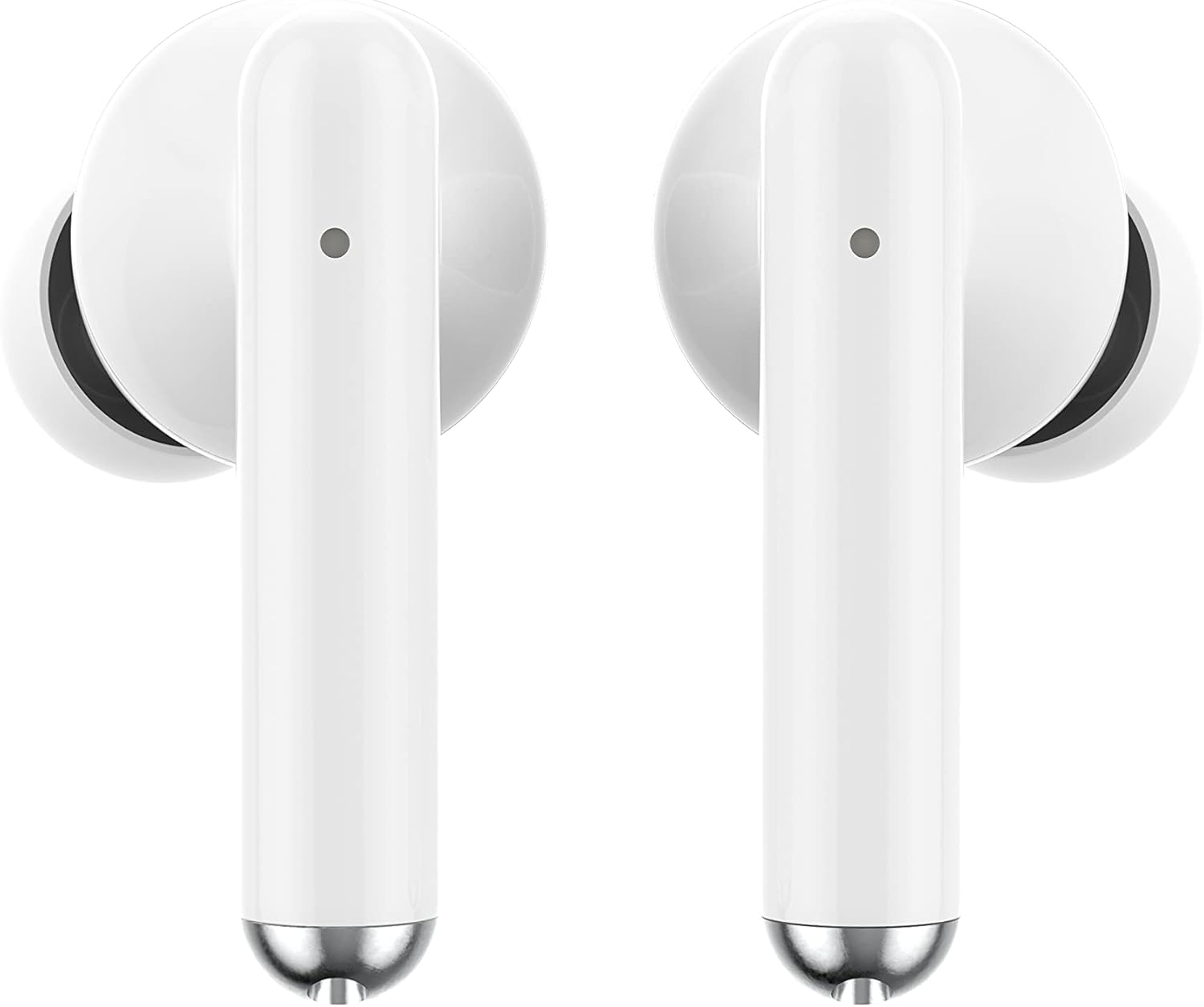
Выява: Крупны план view of the Ledwood Capella earphones. The white earbuds feature a sleek design with a small microphone hole visible on the stem.
3. Кіраванне навушнікамі
The Ledwood Capella earphones feature sensitive touch controls for easy management of your audio and calls.
3.1 Сэнсарнае кіраванне
The touch-sensitive area is located on the outer surface of each earphone stem. Refer to the diagram below for typical touch control functions:
- Адзін націск: Прайграванне/прыпыненне музыкі, адказ/завяршэнне выкліку.
- Double Tap (Left Earphone): Папярэдні трэк.
- Double Tap (Right Earphone): Наступны трэк.
- Triple Tap (Left Earphone): Паменшыць гучнасць.
- Triple Tap (Right Earphone): Павялічыць гучнасць.
- Доўгі націск (2 секунды): Activate Voice Assistant, Reject call.
3.2 Галасавы памочнік
The Capella earphones are compatible with major voice assistants (e.g., Siri, Google Assistant). To activate your device's voice assistant, perform a long press (2 seconds) on either earphone's touch control area. You can then issue commands through the earphone's microphone.
3.3 Super Bass Technology
The earphones are equipped with Super Bass technology, utilizing highly flexible polymer membranes to reproduce deep and rich bass sounds for an enhanced audio experience.
4. Тэхнічнае абслугоўванне
4.1 Ачыстка
Для падтрымання аптымальнай прадукцыйнасці і гігіены:
- Рэгулярна працірайце навушнікі і зарадны футляр мяккай, сухой тканінай без ворса.
- Не выкарыстоўвайце абразіўныя ачышчальнікі, спірт або хімічныя растваральнікі.
- Акуратна выдаліце вушную серу або смецце з амбушур і сеткі дынаміка з дапамогай невялікай мяккай шчотачкі або ватовага тампона.
- Ensure the charging contacts on both the earphones and case are clean and dry.
4.2 Захоўванне
Калі навушнікі не выкарыстоўваюцца, захоўвайце іх у зарадным чахле, каб абараніць ад пылу, пашкоджанняў і падтрымліваць зараджанасць.
5. Выпраўленне непаладак
If you encounter issues with your Ledwood Capella earphones, try the following solutions:
- Навушнікі не спалучаюцца:
- Пераканайцеся, што абодва навушнікі зараджаныя.
- Выключыце і ўключыце Bluetooth на прыладзе.
- Forget "Ledwood Capella" from your device's Bluetooth list and attempt to pair again.
- Place earphones back in the case, close it, wait a few seconds, then open it again to re-enter pairing mode.
- Няма гуку або нізкі гук:
- Праверце ўзровень гучнасці як на прыладзе, так і ў навушніках.
- Пераканайцеся, што навушнікі правільна размешчаны ў вушах.
- Ачысціце сетку дынаміка навушнікаў ад смецця.
- Праблемы з зарадкай:
- Праверце, ці надзейна падключаны кабель USB-C да корпуса і крыніцы харчавання.
- Паспрабуйце іншы кабель USB-C або адаптар сілкавання.
- Ensure charging contacts on earphones and case are clean.
- Earphones disconnecting frequently:
- Пераканайцеся, што вы знаходзіцеся ў радыусе дзеяння Bluetooth вашай прылады — 10 метраў.
- Avoid obstacles between the earphones and your device that might interfere with the signal.
- Пераканайцеся, што паблізу няма іншых моцных бесправадных сігналаў, якія могуць выклікаць перашкоды.
6. Тэхнічныя характарыстыкі
| Асаблівасць | Спецыфікацыя |
|---|---|
| Назва мадэлі | Капэла |
| Нумар мадэлі | LD-T06 |
| Бесправадная сувязь | Bluetooth 5.2 |
| Дыяпазон | Да 10 метраў |
| Тэрмін службы батарэі (навушнікі) | Прыбл. 3 гадзіны на адной зарадцы |
| Тэрмін службы батарэі (з зарадным футлярам) | Up to 9 hours (3 x 3 hours) |
| Час зарадкі | Прыбл. 1 гадзіна |
| Тып зарадкі | USB-C |
| Галасавое кіраванне | так |
| Адчувальны дотык | так |
| Матэрыял | Сілікон (амбушюры) |
7. Гарантыя і падтрымка
7.1 Інфармацыя аб гарантыі
Your Ledwood Capella earphones are covered by a manufacturer's warranty against defects in materials and workmanship. Please refer to the warranty card included in your package or contact your retailer for specific warranty terms and conditions.
7.2 Падтрымка кліентаў
For further assistance, technical support, or inquiries regarding your Ledwood Capella earphones, please contact the retailer where you purchased the product or visit the official Ledwood webсайт для кантактнай інфармацыі службы падтрымкі.