
Westclox 71051
Westclox 71051 Sunrise Alarm Clock User Manual
Мадэль: 71051
1. Уводзіны
The Westclox 71051 Sunrise Alarm Clock is designed to enhance your sleep and wake-up experience. This clock features a simulated natural sunrise to gently wake you, a restful sunset simulator to help you fall asleep, and a dimmable nightlight. It is easy to set and operate, providing a refreshing start to your day.

Figure 1: Westclox 71051 Sunrise Alarm Clock
2. Асноўныя магчымасці
- Сімуляцыя ўзыходу сонца: Паступова яркае святло, імітуючы натуральны ўзыход сонца, спрыяючы мяккаму абуджэнню.
- Сімуляцыя заходу сонца: Gradually dims to simulate a natural sunset, aiding in relaxation and sleep.
- Dimmable Nightlight: Provides a soft glow for nighttime use, adjustable for comfort.
- Ascending Audible Alarm: Gently increases in volume after the light alarm, ensuring you wake up.
- Large 0.6" Red Digital LED Display: Clear and easy to read time display, day or night.
- Electric Operated with Battery Backup: Ensures time and alarm settings are maintained during power outages (патрабуюцца 2 батарэйкі тыпу ААА, не ўключаны ў камплект).
- Простыя ў выкарыстанні элементы кіравання: Simple buttons for setting time, alarm, and other functions.
- Функцыя затрымкі: Allows for extra minutes of sleep.
3. Настройка
3.1 Падключэнне харчавання
Connect the alarm clock to a standard electrical outlet using the provided power cord. The clock is primarily electric operated.
3.2 Усталёўка рэзервовага акумулятара
Для бесперабойнай працы падчас адключэння электрычнасціtages, install 2 AAA batteries (not included) into the battery compartment located on the underside of the unit. This will preserve your time and alarm settings.

Figure 2: Battery Backup Feature
4. Інструкцыя па эксплуатацыі

Figure 3: Rear Controls Overview
4.1 Настройка часу
- Націсніце і ўтрымлівайце ЧАС button located on the back of the clock.
- Пакуль трымае ЧАС, націсніце ГАДЗІНА кнопку, каб наладзіць гадзіну.
- Пакуль трымае ЧАС, націсніце ХВІЛІНА кнопку для налады хвілін.
- Адпусціце ЧАС button once the desired time is set.
4.2 Налада будзільніка
- Націсніце і ўтрымлівайце ТРЫВОГА button located on the back of the clock.
- Пакуль трымае ТРЫВОГА, націсніце ГАДЗІНА кнопку, каб наладзіць час будзільніка.
- Пакуль трымае ТРЫВОГА, націсніце ХВІЛІНА кнопку, каб наладзіць хвіліну будзільніка.
- Адпусціце ТРЫВОГА button once the desired alarm time is set.
4.3 Уключэнне/адключэнне сігналізацыі
Націсніце ТРЫВОГА ВКЛ / ВЫКЛ button to toggle the alarm function. An indicator light on the display will show if the alarm is active.
4.4 Мадэляванне ўзыходу сонца
The sunrise simulation feature will gradually brighten the light before your set alarm time, mimicking a natural sunrise. This helps to gently prepare your body for waking.

Figure 4: Sunrise Light Feature
4.5 Sunset Simulation / Nightlight
To activate the sunset simulation or use the dimmable nightlight:
- Націсніце і ўтрымлівайце ЗАКАТ кнопка.
- Пакуль трымае ЗАКАТ, націсніце ХВІЛІНА or ГАДЗІНА buttons to set the duration of the sunset simulation.
- The light will gradually dim over the set period, helping you relax and fall asleep.
- To use as a static nightlight, simply press the ЗАКАТ button briefly to turn the light on/off. The brightness can be adjusted by holding the button.
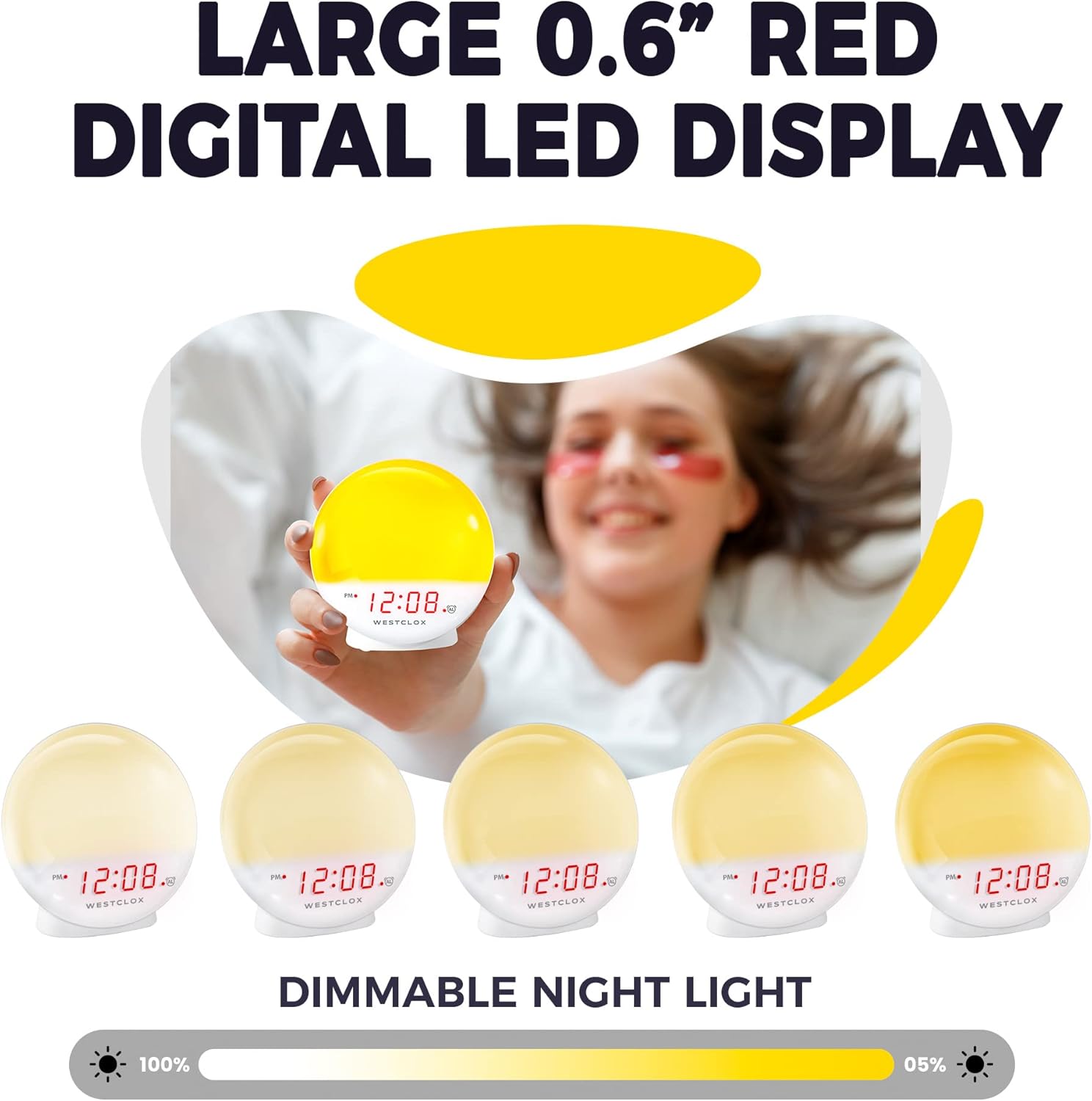
Figure 5: Dimmable Night Light
4.6 Функцыя паўтору
Калі гучыць будзільнік, націсніце вялікую кнопку СНАОЗ button (typically located on top) to temporarily silence the alarm and get a few extra minutes of sleep. The alarm will sound again after the snooze period.

Figure 6: Snooze Button
4.7 Рэгулятар яркасці дысплея
The digital LED time display can be adjusted to be dim or bright according to your preference. Refer to the product's specific controls for dimmer adjustment, usually a dedicated button or a combination of buttons.
5. Тэхнічнае абслугоўванне
- Уборка: Працірайце гадзіннік мяккай сухой тканінай. Не выкарыстоўвайце абразіўныя ачышчальнікі або растваральнікі.
- Замена батарэі: Replace AAA batteries in the backup compartment annually or when the display shows signs of dimming during power outagэс.
- захоўванне: Калі гадзіннік захоўваецца працяглы час, выміце рэзервовыя батарэйкі, каб прадухіліць уцечку.
6. Выпраўленне непаладак
- Clock Not Working/Display Blinking: Ensure the power cord is securely plugged into a working electrical outlet. If using battery backup, check if batteries are correctly installed and not depleted.
- Будзільнік не гучыць: Verify that the alarm is activated using the ALARM ON/OFF button. Check the alarm time setting.
- Light Not Bright Enough: The sunrise simulation gradually increases brightness. If the nightlight is too dim, adjust the dimmer setting. Note that the light intensity is designed for a gentle wake-up, not as a primary room light source.
- Гудлівы шум: If you experience an unusual humming sound, try plugging the clock into a different outlet. If the issue persists, contact customer support.
7. Тэхнічныя характарыстыкі
| Асаблівасць | Дэталь |
|---|---|
| Марка | Вестклокс |
| Нумар мадэлі | 71051 |
| Колер | Чырвоны |
| Тып дысплея | Лічбавы |
| Асаблівасць | Small, Sound Machine |
| Памеры прадукту | 5"Ш х 5.1"В |
| Крыніца харчавання | Battery Powered, Electrical |
| Тып нумара | Спальня |
| Форма | Круглая |
| Выкарыстанне ў памяшканні/на вуліцы | У памяшканні |
| Матэрыял каркаса | Пластыкавыя |
| Ці ўваходзяць батарэі | няма |
| Тып мацавання | Стальніца |
| Будзільнік | так |
| Тып гарантыі | Абмежаваны |
| Рэжым працы | Электрычныя |
| Бланк гадзінніка | Усход сонца |
| Тэхналогія падлучэння | USB |
| Вага прадмета | 10.2 унцыі |
| Вытворца | Кампанія Nyl Holdings LLC |
| Дата першай даступнасці | 21 мая 2021 г |
8. Відэадэманстрацыя
Відэа 1: Афіцыйнае скончанаеview of the Westclox 71051 Sunrise Alarm Clock, demonstrating its features and functionality.
9. Гарантыя і падтрымка
This Westclox 71051 Sunrise Alarm Clock comes with a Limited Warranty. For specific details regarding warranty coverage, terms, and conditions, please refer to the documentation included with your product or contact Westclox customer support directly.
For technical assistance, troubleshooting not covered in this manual, or warranty claims, please reach out to the manufacturer, Nyl Holdings llc, or visit the official Westclox webсайт для кантактнай інфармацыі службы падтрымкі.
Ask a question about this manual
Ask about setup, troubleshooting, compatibility, parts, safety, or missing instructions. Manuals+ will review the question and use this page’s manual context to help answer it.