
1. Уводзіны
The C-LOGIC 5100 is a manual ranging digital multimeter designed for precise electrical measurements. This versatile instrument is capable of measuring AC/DC voltage, AC/DC current, resistance, capacitance, frequency, temperature, and transistor hFE. It features a durable rubber housing for enhanced grip and comfort, along with a hinged bracket for convenient table-top operation. This manual provides essential information for the safe and effective use of your C-LOGIC 5100 Digital Multimeter.
2. Інфармацыя па бяспецы
Always observe the following safety precautions when operating the C-LOGIC 5100 Digital Multimeter to prevent personal injury or damage to the instrument:
- Ensure the multimeter is set to the correct function and range before connecting the test leads to any circuit.
- Do not exceed the maximum input values specified for each function. The C-LOGIC 5100 is rated for CAT III 600V.
- Адключыце вымяральныя дроты ад ланцуга перад зменай функцый або дыяпазонаў.
- Inspect test leads for damaged insulation or exposed metal before each use. Replace damaged leads immediately.
- Do not operate the multimeter if it appears damaged or if the case is open.
- Праяўляйце асаблівую асцярожнасць пры працы з абtagвышэй за 60 В пастаяннага току або 30 В пераменнага току RMS, бо гэта стварае небяспеку паражэння электрычным токам.
- Remove test leads from the multimeter before opening the battery compartment or fuse cover.
3. Асаблівасці прадукту
The C-LOGIC 5100 Digital Multimeter incorporates several features designed for user convenience and functionality:
- Rubber Housing: Provides improved grip and protection against accidental drops.
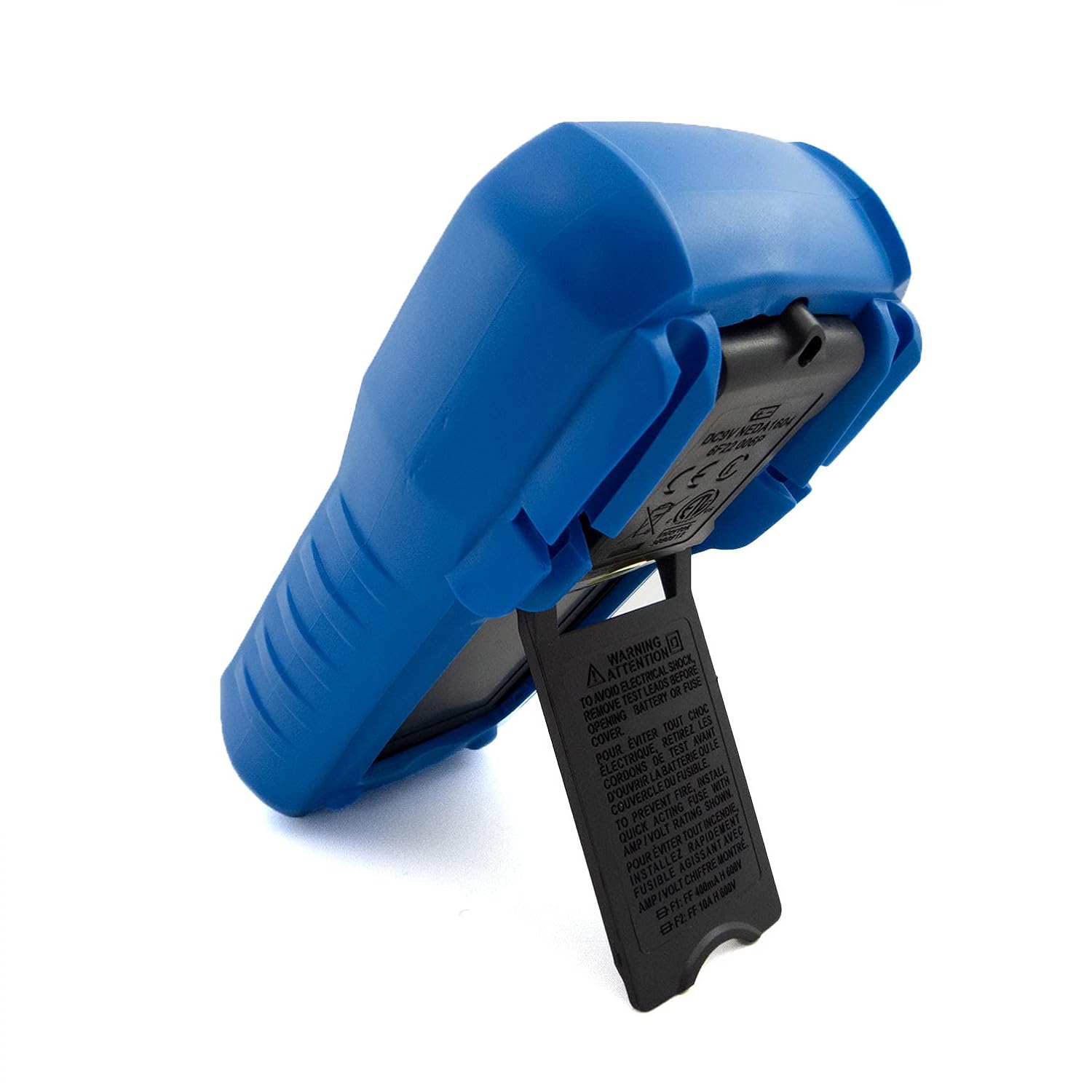
- Hinged Bracket: Allows the multimeter to stand upright for hands-free operation on a workbench.
- Магчымасці вымярэння: AC/DC Voltage, AC/DC Current, Resistance, Capacitance, Frequency, Temperature, and Transistor hFE.
- Колькасць дысплеяў: 2000-count digital display for clear readings.
- Аўтаматычнае выключэнне (APO): Automatically turns off the device after a period of inactivity to conserve battery life.
- Утрыманне дадзеных: Зафіксуе паказанні, якія адлюстроўваюцца, для зручнага запісу.
- Low Battery Display (LBD): Indicates when the battery needs replacement.
- Diode Test and Continuity Buzzer: For testing diodes and checking circuit continuity.
4. Кампаненты і элементы кіравання

Малюнак 1: Фронт view of the C-LOGIC 5100 Digital Multimeter, showing the display, function selector, and input jacks.
Азнаёмцеся з асноўнымі кампанентамі вашага мультыметра:
- ВК-дысплей: Паказвае паказанні вымярэнняў, адзінкі вымярэння і індыкатары функцый.
- Function/Range Selector Dial: Выкарыстоўваецца для выбару патрэбнай функцыі вымярэння і дыяпазону.
- Кнопка HOLD: Націсніце, каб зафіксаваць бягучае паказанне на дысплеі. Націсніце яшчэ раз, каб адпусціць.
- Пераключальнік уключэння/выключэння: Уключае або выключае мультыметр.
- Уваходныя гнязда:
- VΩHzTemp: Дадатны ўваход для аб'ёмуtage, resistance, frequency, temperature, capacitance, diode, and continuity measurements.
- COM: Агульны (адмоўны) уваход для ўсіх вымярэнняў.
- мА: Дадатны ўваход для вымярэння току да 200 мА.
- 10А: Positive input for current measurements up to 10A (MAX 30 sec. every 15 min.). This input is fused.
- Раз'ём hFE: For testing transistor hFE (DC current gain).
5. Настройка
5.1 Устаноўка батарэі
The C-LOGIC 5100 requires one 9V 6F22 battery (not included). To install or replace the battery:
- Пераканайцеся, што мультыметр выключаны, і адключыце ўсе вымяральныя дроты ад уваходных раздымаў.
- Locate the battery compartment cover on the rear of the unit.
- Unscrew the retaining screw(s) and carefully remove the cover.
- Падключыце батарэйку 9 В да клеммы, выконваючы правільную палярнасць.
- Устаўце батарэйку ў адсек і зачыніце вечка, замацаваўшы яго шрубай (шрубамі).
5.2 Падключэнне вымяральнага кабеля
Proper connection of test leads is crucial for accurate and safe measurements:
- Для большасці вымярэнняў (аб'ёмtage, resistance, capacitance, frequency, temperature, diode, continuity), insert the чырвоны вымяральны провад у VΩHzTemp Джэк і чорны вымяральны провад у COM дамкрат.
- For current measurements up to 200mA, insert the чырвоны вымяральны провад у mA Джэк і чорны вымяральны провад у COM дамкрат.
- Для вымярэння току да 10 А ўстаўце чырвоны вымяральны провад у 10А Джэк і чорны вымяральны провад у COM дамкрат.
6. Інструкцыя па эксплуатацыі

Малюнак 2: The C-LOGIC 5100 Digital Multimeter actively measuring voltagе ў электрычнай панэлі.
Follow these general steps for making measurements:
- Turn the multimeter ON using the ON/OFF switch.
- Select the desired function and appropriate range using the rotary dial. If unsure of the range, start with the highest range and work downwards.
- Падключыце вымяральныя шнуры да ланцуга або кампанента, які правяраецца.
- Прачытайце значэнне вымярэння на ВК-дысплеі.
- After measurement, disconnect the test leads and turn the multimeter OFF.
6.1 Канкрэтныя функцыі вымярэння
- DC Voltage (V=): Select the V= range. Connect the red lead to the positive side and the black lead to the negative side of the DC voltagе крыніца паралельна.
- Пераменнага токуtage (V~): Select the V~ range. Connect the test leads across the AC voltage source in parallel. Polarity is not critical for AC voltage.
- DC Current (A=): Select the A= range (mA or 10A jack). Disconnect power to the circuit. Open the circuit where current is to be measured and connect the multimeter in series. Reapply power.
- AC Current (A~): Select the A~ range (mA or 10A jack). Follow the same series connection procedure as for DC current.
- Resistance (Ω): Select the Ω range. Ensure the circuit is de-energized. Connect the test leads across the component to measure its resistance.
- Праверка бесперапыннасці (♫): Select the continuity function. If resistance is below approximately 50Ω, the buzzer will sound, indicating continuity.
- Тэст дыёдаў (→|→): Select the diode function. Connect the red lead to the anode and the black lead to the cathode of the diode. The display will show the forward voltagПадзенне электрычнай напругі. Памяняйце правады месцамі; на дысплеі павінна адлюстроўвацца «OL» (разамкнуты контур), калі дыёд спраўны.
- Ёмістасць (F): Select the F range. Ensure the capacitor is discharged before connecting the test leads.
- Частата (Гц): Select the Hz range. Connect the test leads across the signal source.
- Тэмпература (Temp): Select the Temp range. Connect a K-type thermocouple (if included or purchased separately) to the VΩHzTemp and COM jacks.
- Транзістар hFE: Insert the transistor's emitter, base, and collector leads into the corresponding holes in the hFE socket, ensuring correct NPN/PNP type selection.
7. Тэхнічнае абслугоўванне
7.1 Замена батарэі
When the low battery indicator appears on the display, replace the 9V battery as described in Section 5.1. Using a multimeter with a low battery can lead to inaccurate readings.
7.2 Ачыстка
Каб ачысціць мультыметр, працярыце корпусamp cloth and a mild detergent. Do not use abrasive cleaners, solvents, or alcohol, as these may damage the casing or display. Ensure the multimeter is completely dry before use.
7.3 Замена засцерагальніка
If the 10A current measurement function stops working, the fuse may need replacement. This procedure should only be performed by qualified personnel. Refer to the specifications for the correct fuse type and rating. Always disconnect test leads and power off the unit before opening the case.
8. Выпраўленне непаладак
If your C-LOGIC 5100 Multimeter is not functioning as expected, refer to the following common issues and solutions:
- Няма дысплея: Check if the multimeter is turned ON. Verify the 9V battery is correctly installed and has sufficient charge. Replace the battery if necessary.
- Няправільныя паказанні: Ensure the correct function and range are selected for the measurement. Check that the test leads are securely connected to the correct input jacks and to the circuit. Verify the battery is not low.
- 'OL' (Overload) Indication: This indicates that the input value exceeds the selected range. Switch to a higher range or ensure the input is within the multimeter's maximum specifications.
- Няма зуммера бесперапыннасці: Check if the continuity function is selected. Ensure the circuit is de-energized.
- Вымярэнне току не працуе: Check the fuse for the current input (especially the 10A input). Replace if blown. Ensure test leads are connected to the correct current jacks (mA or 10A) and the multimeter is in series with the circuit.
9. Тэхнічныя характарыстыкі

Малюнак 3: Detailed specifications and features of the C-LOGIC 5100 Digital Multimeter.
| Вымярэнне | Дыяпазон/Значэнне |
|---|---|
| DC Voltage | Да 600В |
| Пераменнага токуtage | Да 600В |
| Пастаянны ток | Да 10А |
| Ток пераменнага току | Да 10А |
| Супраціў | Up to 200MΩ |
| Ёмістасць | Up to 100µF |
| Частата | Да 20 кГц |
| тэмпература | -20°C да 1000°C / 1°F да 1832°F |
| Адлюстраванне лічыльнікаў | 2000 |
| Электразабеспячэнне | 1x 9V 6F22 Battery |
| Памеры прадукту (ДxШxВ) | 18.8 х 9.3 х 5 см (7.4 х 3.7 х 1.96 цалі) |
| Вага прадукту | 380 г (0.84 фунта) |
| Рэйтынг бяспекі | CAT III 600В |
| Сертыфікаты | CE, ETL, RoHS |
10. Асноўныя сферы прымянення
Малюнак 4: Visual representation of common domestic and electronics applications for the C-LOGIC 5100 Multimeter.
The C-LOGIC 5100 Digital Multimeter is suitable for a wide range of applications, including:
- Domestic Electrical Testing: Checking household wiring, outlets, batteries, and appliance continuity.
- Аўтамабільная дыягностыка: Testing vehicle electrical systems, battery voltage, and component resistance.
- Electronics Troubleshooting: Вымяральны выпtage, current, resistance, and capacitance in electronic circuits, testing diodes and transistors.
- HVAC System Checks: Verifying voltage and current in heating, ventilation, and air conditioning systems.
- Hobbyist and DIY Projects: Essential tool for various electrical and electronic projects.
11. Гарантыя і падтрымка
For information regarding warranty coverage, technical support, or customer service, please visit the official C-LOGIC website or contact their support team directly. You can find more product details at clogic-intl.com/clogic-5100 або асноўны webсайт на clogic-intl.com.