
Уводзіны
Welcome to the user manual for your Infinity by Harman CLUBZ 250 Portable Waterproof Wireless Speaker. This guide provides essential information on setting up, operating, maintaining, and troubleshooting your speaker to ensure optimal performance and longevity. Please read this manual thoroughly before using your device.
Што ў скрынцы
Пасля распакавання пераканайцеся, што ўсе наступныя прадметы ў камплекце:
- 1 x Infinity CLUBZ 250 Speaker
- 1 х зарадны кабель
- 1 х Кароткае кіраўніцтва карыстальніка (QSG)
Прадукт скончаныview
The Infinity CLUBZ 250 is a compact and powerful portable wireless speaker designed for robust audio performance and durability. It features intuitive controls and a rugged, waterproof design.

Выява: спераду view of the Infinity CLUBZ 250 Portable Wireless Speaker in red, showcasing its cylindrical design and top-mounted control buttons.
Элементы кіравання і індыкатары
- Кнопка харчавання: Located on the top surface, used for turning the speaker on/off.
- Кнопка памяншэння гучнасці (-): Памяншае гучнасць гуку.
- Кнопка павелічэння гучнасці (+): Павялічвае гучнасць гуку.
- Play/Pause Button (►►): Кіруе прайграваннем мультымедыя.
- Bluetooth Pairing Button (∞): Запускае рэжым спалучэння Bluetooth.
- Святлодыёдны індыкатар: Паказвае стан харчавання і падключэння.
Настройка
1. Зарадка дынаміка
Before first use, fully charge your speaker. Connect the provided charging cable to the speaker's charging port and a compatible USB power adapter (not included). The LED indicator will show charging status and turn off when fully charged.

Image: The Infinity CLUBZ 250 speaker on a beach, illustrating its portability and the '10 Hours Playtime' feature.
A full charge provides approximately 10 hours of music playtime under optimum audio settings.
2. Уключэнне/выключэнне харчавання
- Каб уключыць: Націсніце і ўтрымлівайце кнопку харчавання, пакуль не загарыцца святлодыёдны індыкатар.
- Каб выключыць: Націсніце і ўтрымлівайце кнопку харчавання, пакуль не пагасне святлодыёдны індыкатар.
3. Спарванне Bluetooth
- Пераканайцеся, што дынамік уключаны.
- The speaker will automatically enter Bluetooth pairing mode if not connected to a device. The LED indicator will flash.
- На мабільнай прыладзе ўключыце Bluetooth і знайдзіце даступныя прылады.
- Select "Infinity CLUBZ 250" from the list of devices.
- Пасля падключэння святлодыёдны індыкатар будзе свяціцца сінім колерам.
4. Dual Speaker Connect (TWS Mode)
You can pair two Infinity CLUBZ 250 speakers together for a stereo sound experience.

Image: Two Infinity CLUBZ 250 speakers wirelessly connected to a laptop, demonstrating the Dual Connect feature for stereo sound.
- Ensure both CLUBZ 250 speakers are powered on and not connected to any Bluetooth device.
- On one speaker (this will be your primary speaker), press and hold the Bluetooth pairing button (∞) for 3 seconds. It will enter TWS pairing mode.
- Асноўны дынамік аўтаматычна пачне шукаць другасны дынамік.
- Once connected, you will hear an audible confirmation, and the LED indicators on both speakers will change to a solid color.
- Цяпер падключыце мабільную прыладу да асноўнага дынаміка праз Bluetooth, як апісана ў кроку 3.
Інструкцыя па эксплуатацыі
1. Асноўныя элементы кіравання
- Прайграванне/Паўза: Press the Play/Pause button (►►) once to play or pause music.
- Павялічыць гучнасць: Націсніце кнопку «+», каб павялічыць гучнасць.
- Паменшыць гучнасць: Націсніце кнопку «-», каб паменшыць гучнасць.
- Наступны трэк: Double-press the Play/Pause button (►►).
- Папярэдні трэк: Triple-press the Play/Pause button (►►).
2. Dual Equalizer Modes
The CLUBZ 250 features Dual Equalizer modes, allowing you to switch between 'Normal' and 'Deep Bass' sound profiles.
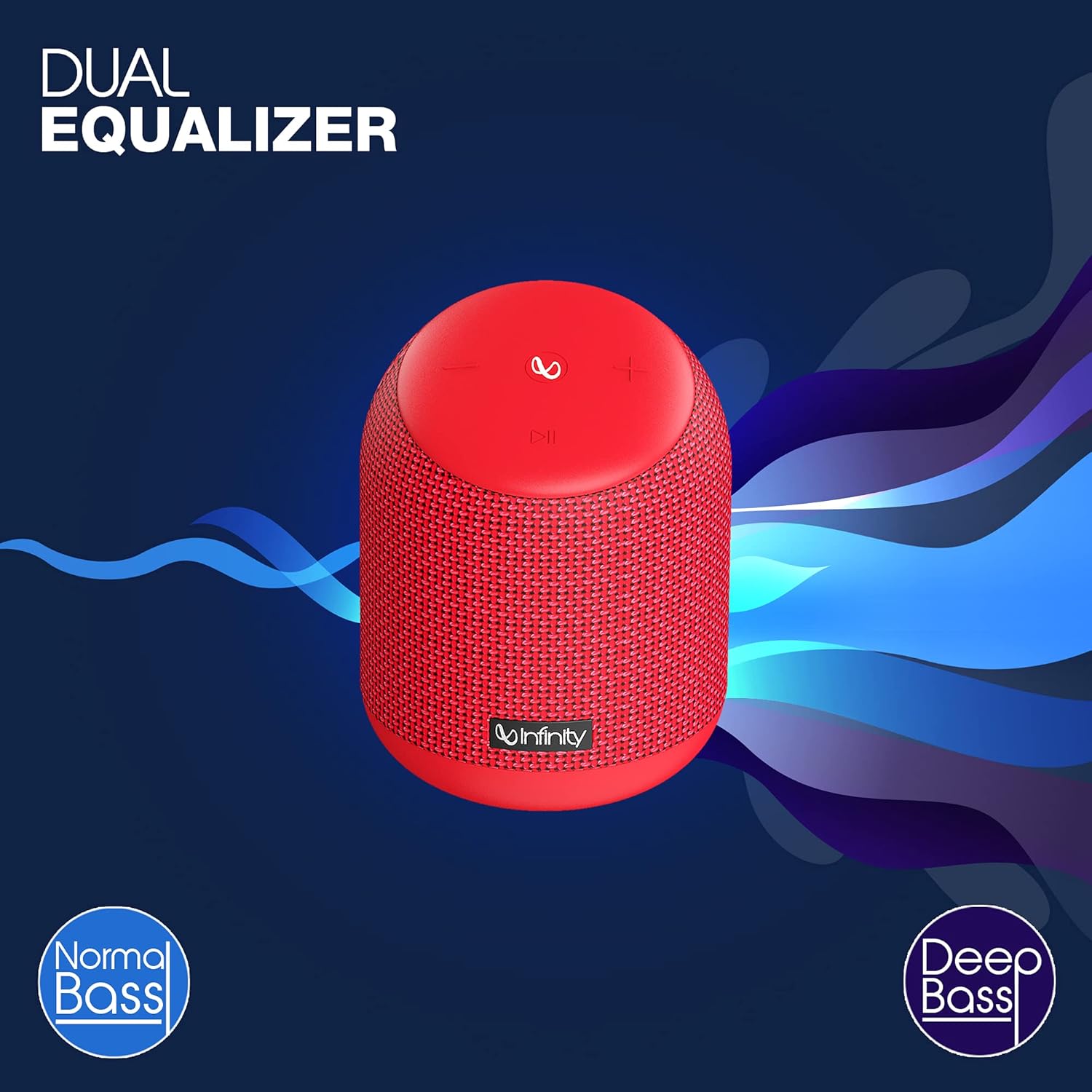
Image: The Infinity CLUBZ 250 speaker highlighting the 'Dual Equalizer' feature with options for 'Normal Bass' and 'Deep Bass'.

Image: The Infinity CLUBZ 250 speaker with a 'Deep Bass' graphic, emphasizing its enhanced bass capabilities.
To switch between modes, press the Bluetooth pairing button (∞) once. You will hear an audible cue indicating the active mode.
3. Інтэграцыя галасавога памочніка
Access your device's voice assistant (e.g., Google Assistant, Siri) directly through the speaker.

Image: A woman interacting with the Infinity CLUBZ 250 speaker, which displays a voice assistant interface on a laptop screen, demonstrating 'Voice Assistant Integration'.
To activate, press and hold the Play/Pause button (►►) for 2 seconds. The speaker will then relay your commands to your paired device's voice assistant.
4. Гучная сувязь
Пры падключэнні да смартфона дынамік можна выкарыстоўваць для званкоў у рэжыме hands-free.
- Адказаць на званок: Press the Play/Pause button (►►) once.
- Завяршыць выклік: Press the Play/Pause button (►►) once during a call.
- Адхіліць выклік: Press and hold the Play/Pause button (►►) for 2 seconds.
Тэхнічнае абслугоўванне
1. Воданепранікальнасць (IPX7)
The Infinity CLUBZ 250 is IPX7 waterproof, meaning it can be submerged in water up to 1 meter for up to 30 minutes. This makes it suitable for use near water, but it is not designed for prolonged underwater use.

Image: The Infinity CLUBZ 250 speaker with water splashing around it, indicating its 'IPX7 Waterproof' rating.
- Перад тым, як падвяргаць дынамік уздзеянню вады, пераканайцеся, што вечка зараднага порта шчыльна зачынена.
- Do not expose the speaker to salt water or other chemicals. If exposed, rinse with fresh water and dry thoroughly.
2. Уборка
Ачысціце дынамік мяккай, damp тканінай. Не выкарыстоўвайце абразіўныя ачышчальнікі або растваральнікі, бо яны могуць пашкодзіць пакрыццё або ўнутраныя кампаненты.
3. Захоўванне
Захоўвайце дынамік у прахалодным, сухім месцы, удалечыні ад прамых сонечных прамянёў і экстрэмальных тэмператур. Пры працяглым захоўванні перыядычна зараджайце акумулятар, каб падоўжыць тэрмін яго службы.
Ліквідацыю непаладак
- Няма харчавання: Ensure the speaker is charged. Connect it to a power source and try turning it on again.
- Няма гуку: Праверце ўзровень гучнасці як на дынаміку, так і на падлучанай прыладзе. Пераканайцеся, што дынамік правільна спалучаны праз Bluetooth.
- Праблемы спалучэння Bluetooth: Make sure the speaker is in pairing mode (flashing LED). Turn off Bluetooth on other nearby devices that might be interfering. Try unpairing and re-pairing the speaker from your device's Bluetooth settings.
- Дрэнная якасць гуку: Ensure the speaker is within the Bluetooth range of your device. Move away from sources of interference (e.g., Wi-Fi routers, microwaves).
- Dual Speaker Connect Failure: Перад пачаткам спалучэння TWS пераканайцеся, што абедзве калонкі цалкам зараджаныя і не падключаны да іншых прылад Bluetooth.
Тэхнічныя характарыстыкі
| Асаблівасць | Спецыфікацыя |
|---|---|
| Назва мадэлі | КЛУБ 250 |
| Выходная магутнасць | 15 ват |
| Сувязь | Bluetooth |
| Тэрмін службы батарэі | Да 10 гадзін |
| Рэйтынг воданепранікальнасці | IPX7 |
| Метад кантролю | Дакранацца |
| Памеры (ДхШхВ) | 11.6 х 11.6 х 17.8 см |
| Вага прадмета | 421 грам |
| Тып батарэі | Літый-іённы акумулятар (1 у камплекце) |
Гарантыя і падтрымка
Your Infinity by Harman CLUBZ 250 speaker comes with a 1-year manufacturer's warranty. Please refer to the warranty card included in your packaging for detailed terms and conditions.
For technical support, service, or warranty claims, please contact Infinity customer service through their official webсайт або кантактную інфармацыю, указаную ў вашым кіраўніцтве па хуткім запуску.