
Уводзіны
Thank you for choosing the VizGiz Micro SD Card Reader. This compact and portable device allows you to easily transfer data between your Micro SD (TF) cards and various devices such as computers, laptops, and other compatible electronics. Designed for convenience and efficiency, it supports USB 2.0 for fast data transfer.
This manual provides essential information on setting up, operating, and maintaining your card reader to ensure optimal performance and longevity.
Змест пакета
- 6 x VizGiz Micro SD Card Readers (Random Colors)

Image: A pack of six VizGiz Micro SD Card Readers, each in a different vibrant color, showcasinг іх кампактны дызайн.
Асаблівасці прадукту
- Mini and Portable Design: Compact size (approximately 4.8cm x 2cm x 0.6cm) for easy carrying.
- Інтэрфейс USB 2.0: Ensures fast data transfer rates and supports hot-plugging.
- Шырокая сумяшчальнасць: Compatible with Windows ME, 2000, XP, Vista, WIN 7, and Mac OS.
- Праца без кіроўцы: No additional driver installation required for most operating systems.
- Падтрымка TF-карт: Specifically designed for Micro SD (TF) cards.

Выява: Пабочны прафесіяналfile view of the six card readers, illustrating their compact dimensions, with a ruler indicating a length of 4.8 cm.
Кіраўніцтва па ўстаноўцы
- Устаўце карту Micro SD: Gently insert your Micro SD (TF) card into the designated slot on the card reader. Ensure the card is inserted correctly with the gold contacts facing down, as shown in the diagram.
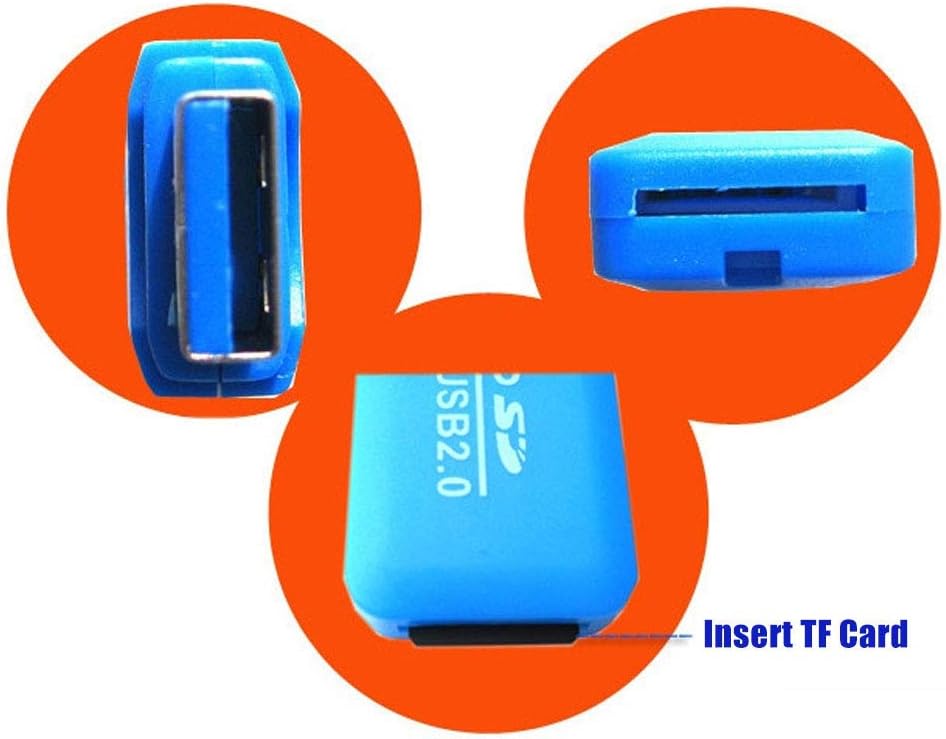
Выява: Падрабязны view of the blue card reader, highlighting the slot where the TF (Micro SD) card is to be inserted.
- Падключэнне да прылады: Plug the USB end of the card reader into an available USB 2.0 port on your computer, laptop, or other compatible device.
- Аўтаматычнае распазнаванне: Your operating system (Windows, Mac OS) should automatically detect the card reader and the inserted Micro SD card. A new drive letter will typically appear in "My Computer" or "Finder."
Інструкцыя па эксплуатацыі
Once the card reader is connected and recognized by your device, you can begin transferring files.
- Доступ Files: Open "My Computer" (Windows) or "Finder" (Mac OS) and locate the new removable disk drive corresponding to your Micro SD card.
- Перадача Files:
- Капіяваць files ад the Micro SD card to your device: Drag and drop files from the card reader's drive to a folder on your computer.
- Капіяваць files каб the Micro SD card from your device: Drag and drop files from your computer's folders to the card reader's drive.
- Бяспечнае выдаленне: Before disconnecting the card reader, always safely eject the device from your operating system to prevent data corruption.
- Windows: Click the "Safely Remove Hardware and Eject Media" icon in the system tray, then select the card reader.
- MacOS: Drag the drive icon of the Micro SD card to the Trash or right-click (Control-click) the drive icon and select "Eject."
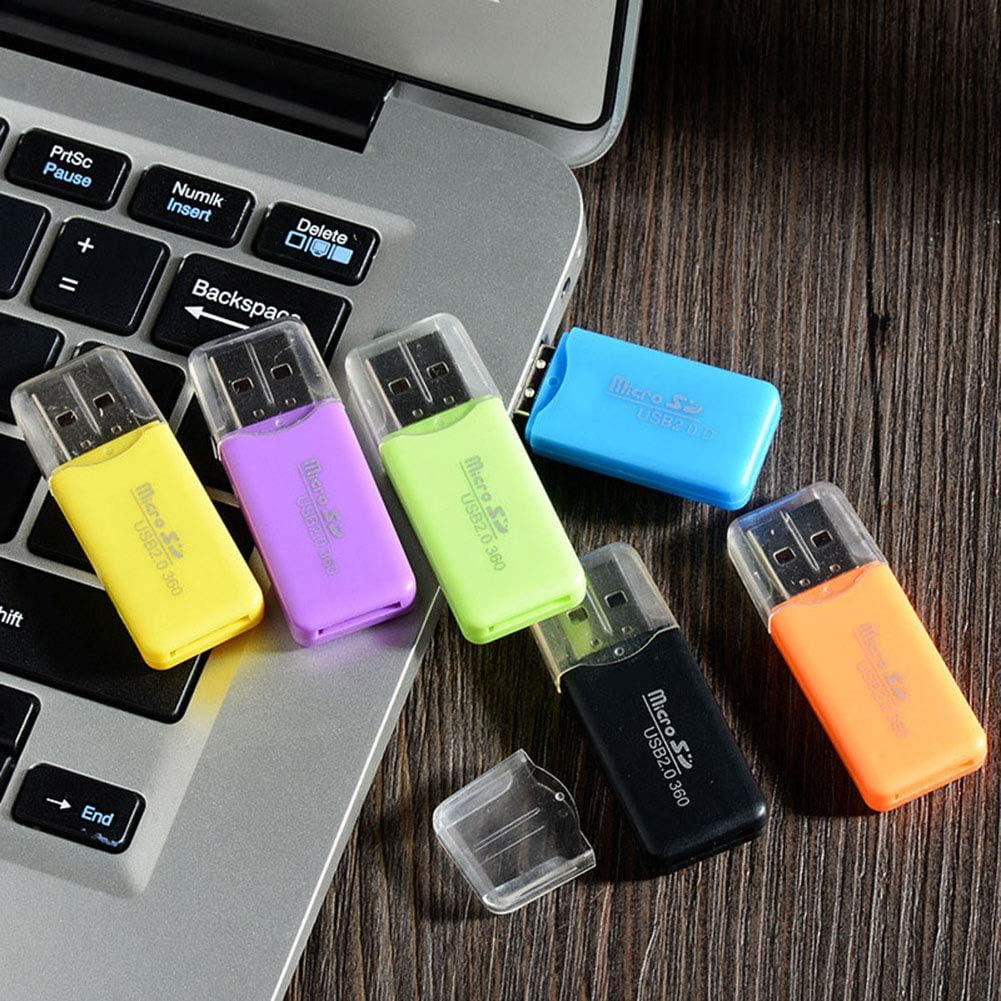
Image: Several card readers connected to a laptop, illustrating how they can be used simultaneously for data transfer.
Тэхнічнае абслугоўванне і догляд
- Захоўваць у чысціні: Для чысткі вонкавай паверхні картрыдара выкарыстоўвайце мяккую сухую тканіну. Пазбягайце выкарыстання вадкіх ачышчальнікаў або растваральнікаў.
- Абараніце раздымы: Keep the USB connector and the Micro SD card slot free from dust and debris. Use the included cap to protect the USB connector when not in use.
- Пазбягайце экстрэмальных умоў: Do not expose the card reader to extreme temperatures, humidity, or direct sunlight.
- Акуратна звяртайцеся: Avoid dropping or subjecting the card reader to strong impacts.
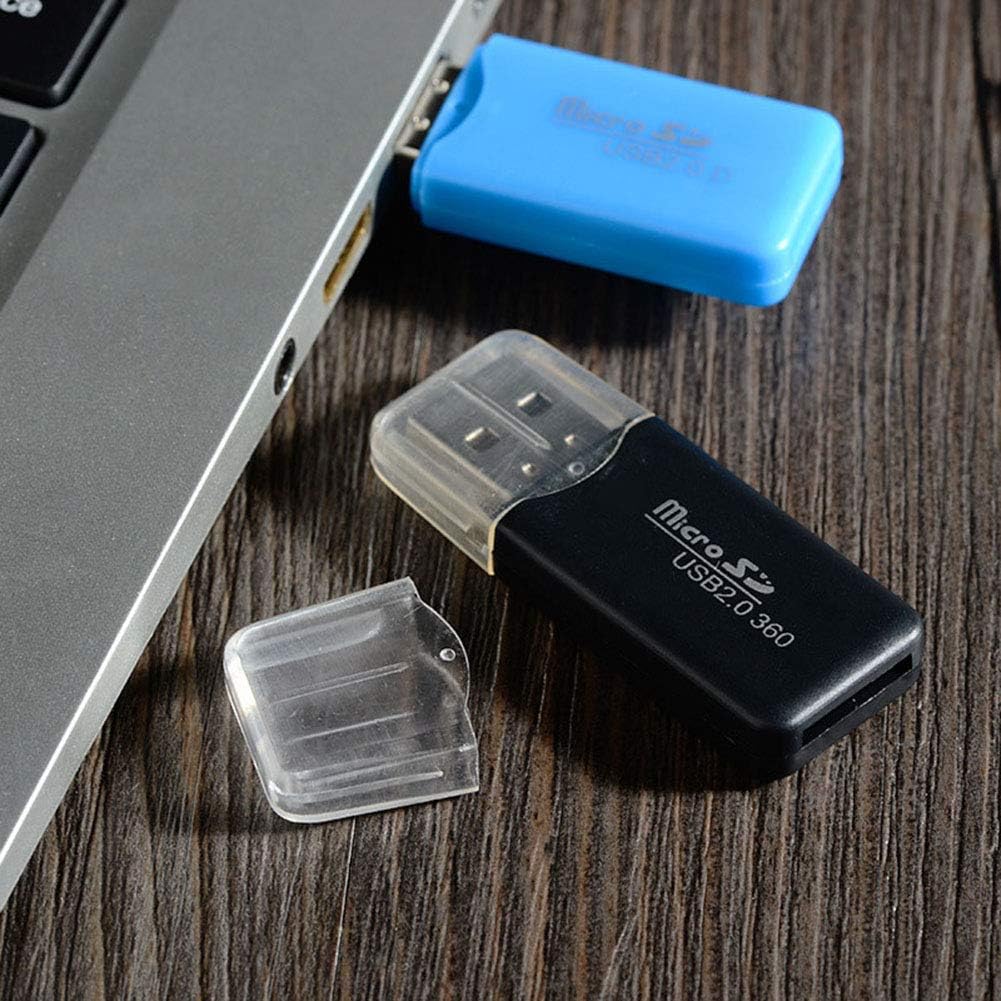
Image: A black card reader with its protective cap, demonstrating the removable cap feature for maintenance and protection.
Ліквідацыю непаладак
- Праблема: камп'ютар не распазнае прыладу для чытання карт.
- рашэнне:
- Пераканайцеся, што картрыдар цалкам устаўлены ў порт USB.
- Паспрабуйце іншы порт USB на вашым кампутары.
- Test the card reader on another computer to rule out a computer-specific issue.
- Пераканайцеся, што ваша аперацыйная сістэма абноўлена.
- Problem: Micro SD card not detected.
- рашэнне:
- Ensure the Micro SD card is correctly and fully inserted into the card reader slot.
- Try a different Micro SD card to check if the issue is with the card itself.
- Check if the Micro SD card is damaged or corrupted.
- Праблема: нізкая хуткасць перадачы дадзеных.
- рашэнне:
- Ensure you are using a USB 2.0 port on your computer. While backward compatible, USB 1.1 ports will result in slower speeds.
- The speed of the Micro SD card itself can affect transfer rates. Use a high-speed card for faster transfers.
- Пазбягайце запуску некалькіх рэсурсаёмістыных праграм падчас вялікіх file перадачы.
Тэхнічныя характарыстыкі
| Назва прадукту | VizGiz Micro SD Card Reader |
| мадэль | USB 2.0 TF Card Reader |
| Тэхналогія падлучэння | USB 2.0 |
| Падтрымліваюцца тыпы носьбітаў | Карта Micro SD (TF). |
| Памеры (Д х Ш х У) | 4.8 cm x 2 cm x 0.6 cm (Approx.) |
| Вага | 18 g (for the pack of 6, individual weight not specified) |
| Матэрыял | Пластыкавыя |
| Колер | Multicolor (Random Colors in pack) |
| Сумяшчальнасць аперацыйнай сістэмы | Windows ME/2000/XP/Vista/WIN 7, Mac OS |
Інфармацыя аб гарантыі
VizGiz products are designed for reliability and performance. While specific warranty details for this product are not provided in the general product description, standard consumer rights and return policies apply. For detailed warranty information, please refer to the purchase platform or contact the seller directly.
Заўвага: The product description mentions an optional "2-Year Extended Warranty by Salama Care" available for purchase. This is a third-party service and not directly provided by VizGiz.
Падтрымка кліентаў
For any questions, technical assistance, or support regarding your VizGiz Micro SD Card Reader, please contact the seller or the customer service department of the platform where you purchased the product. Please have your order number and product details ready when contacting support.
For general inquiries about VizGiz products, you may visit the official VizGiz brand page on the respective e-commerce platform.