
Уводзіны
This manual provides comprehensive instructions for the Mesqool Vibrating Alarm Clock, designed for heavy sleepers, individuals with hearing impairment, and those who prefer a silent wake-up. Please read this manual thoroughly before using the device to ensure proper operation and to maximize its features.
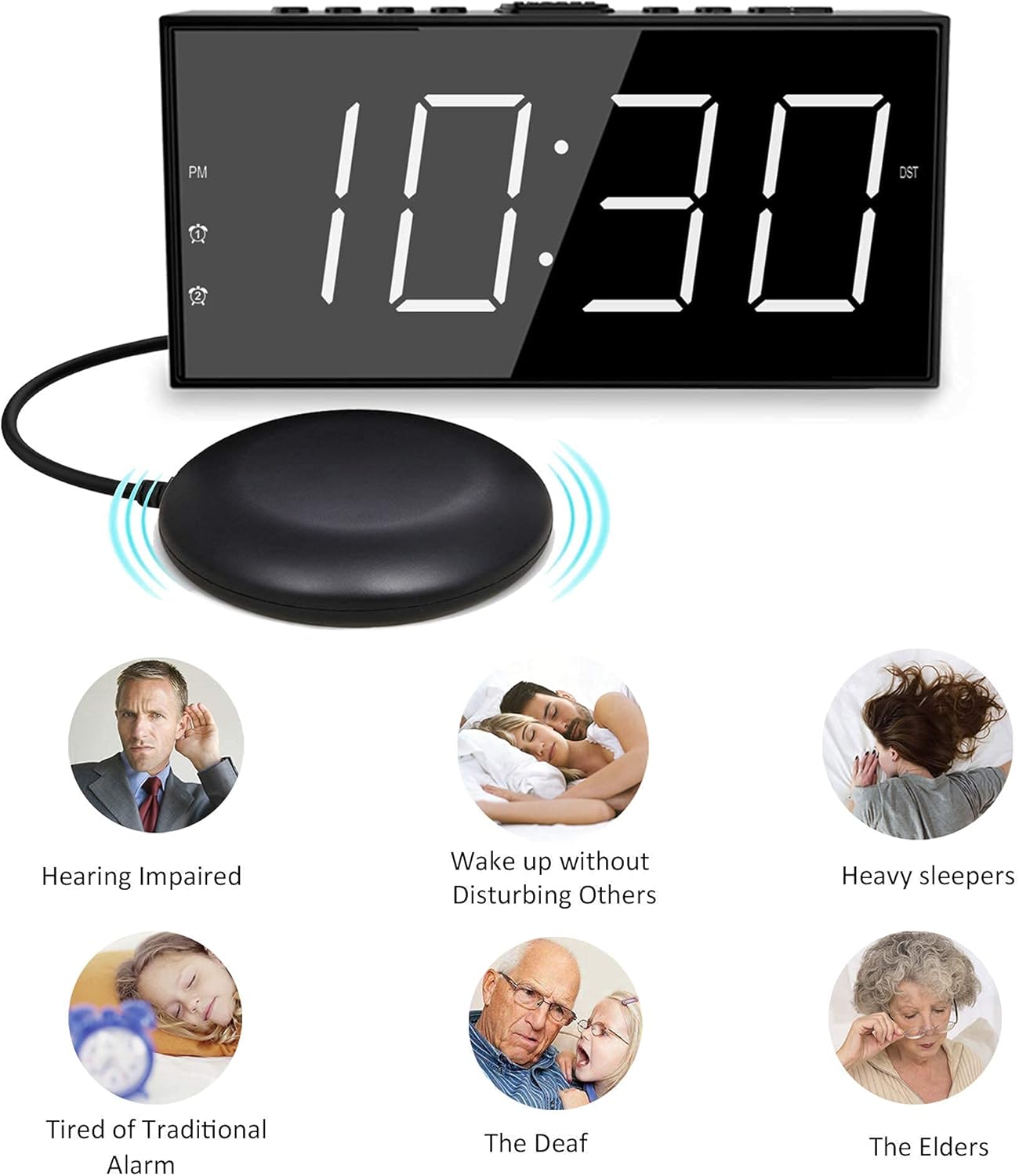
Image: The Mesqool Vibrating Alarm Clock with its bed shaker, illustrating its use for hearing impaired, heavy sleepers, and for waking without disturbing others.
Змест пакета
Праверце наяўнасць усіх прадметаў у камплекце:
- 1 x Mesqool Digital Alarm Clock
- 1 x US Plug Power Adapter
- 1 x Bed Shaker with 78-inch Cable
- 2 x Black Brackets (for stability)
- 1 х Кіраўніцтва карыстальніка (гэты дакумент)
Асаблівасці прадукту
- Некалькі рэжымаў абуджэння: Choose from bed shaker only, loud buzzer only, or both.
- Adjustable Buzzer Volume: 4 levels of buzzer volume to suit individual preferences.
- Функцыя падвойнай сігналізацыі: Set two independent alarms for different schedules.
- Вялікая кнопка паўтору: Provides an additional 9 minutes of sleep.
- 7-цалевы святлодыёдны дысплей: Large, clear digits for easy readability.
- 5-Level Brightness Dimmer: Adjustable display brightness from completely dark to extra bright.
- Порт для зарадкі USB: Conveniently charge mobile devices (5V/1A output).
- Рэзервовае капіраванне батарэі: Maintains time settings and ensures alarm function during power outages (патрабуюцца 2 батарэйкі тыпу ААА, не ўключаны ў камплект).
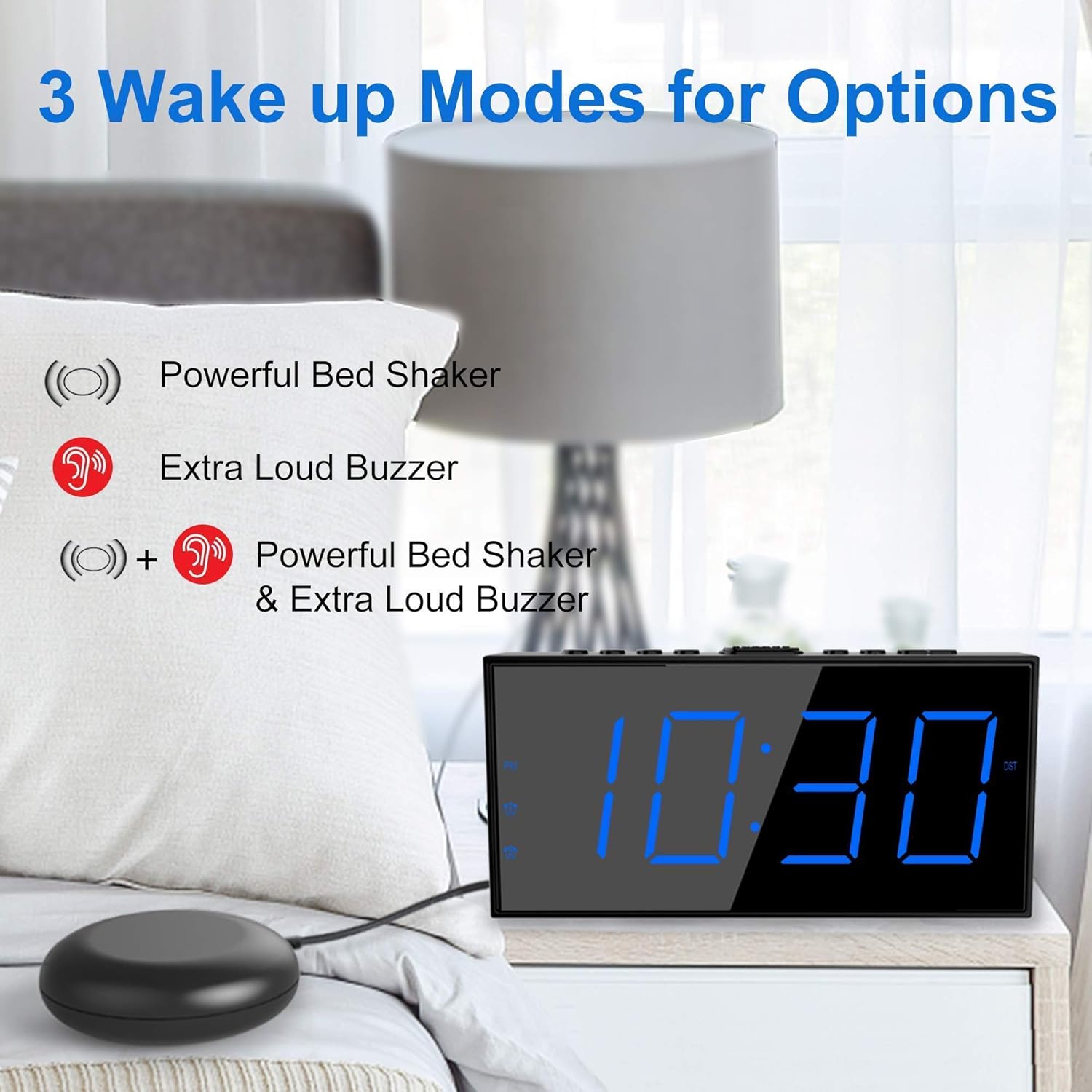
Image: The alarm clock illustrating its three wake-up modes: bed shaker, buzzer, or a combination of both.
Элементы кіравання і дысплей
Familiarize yourself with the buttons and display indicators:

Image: The alarm clock's large LED display, physical dimensions, and the bed shaker with its 78-inch cable.
Кнопкі верхняй панэлі:
- SET TIME/HOUR: Press to enter time setting mode; use to adjust hour.
- MIN/DIMMER: Press to adjust minute; use to adjust display brightness.
- 12/24 гадзіны: Toggle between 12-hour and 24-hour time format.
- летні час: Activate/deactivate Daylight Saving Time.
- ALM PAUSE: Temporarily silence the alarm.
- БУДЗІЛЬ 1/БУДЗІЛ 2: Set or activate/deactivate Alarm 1 or Alarm 2.
- ALM OFF: Turn off all active alarms.
- АДЛОМІЦЬ/СОН: Large button for snooze function.
Індыкатары дысплея:
- PM: Indicates PM in 12-hour format.
- Alarm 1 Icon: Загараецца, калі ўключаны сігнал трывогі 1.
- Alarm 2 Icon: Загараецца, калі ўключаны сігнал трывогі 2.
- летні час: Lights up when Daylight Saving Time is active.
Настройка
1. Падключэнне сілкавання
- Connect the provided US Plug Power Adapter to the DC IN port on the back of the alarm clock.
- Падключыце адаптар да звычайнай разеткі. Дысплей загарыцца.

Выява: Задняя частка view of the alarm clock highlighting the USB charging port and the battery backup compartment.
2. Battery Backup Installation (Optional but Recommended)
- Адкрыйце вечка батарэйнага адсека ў ніжняй частцы гадзінніка.
- Insert 2 AAA batteries (not included) according to the polarity markings (+ and -).
- Close the battery compartment cover. These batteries will maintain time settings and alarm function during a power outage.
3. Bed Shaker Connection
- Plug the bed shaker cable into the designated port on the back of the alarm clock.
- Place the bed shaker under your mattress or pillow. Ensure the cable is not pinched or damaged.
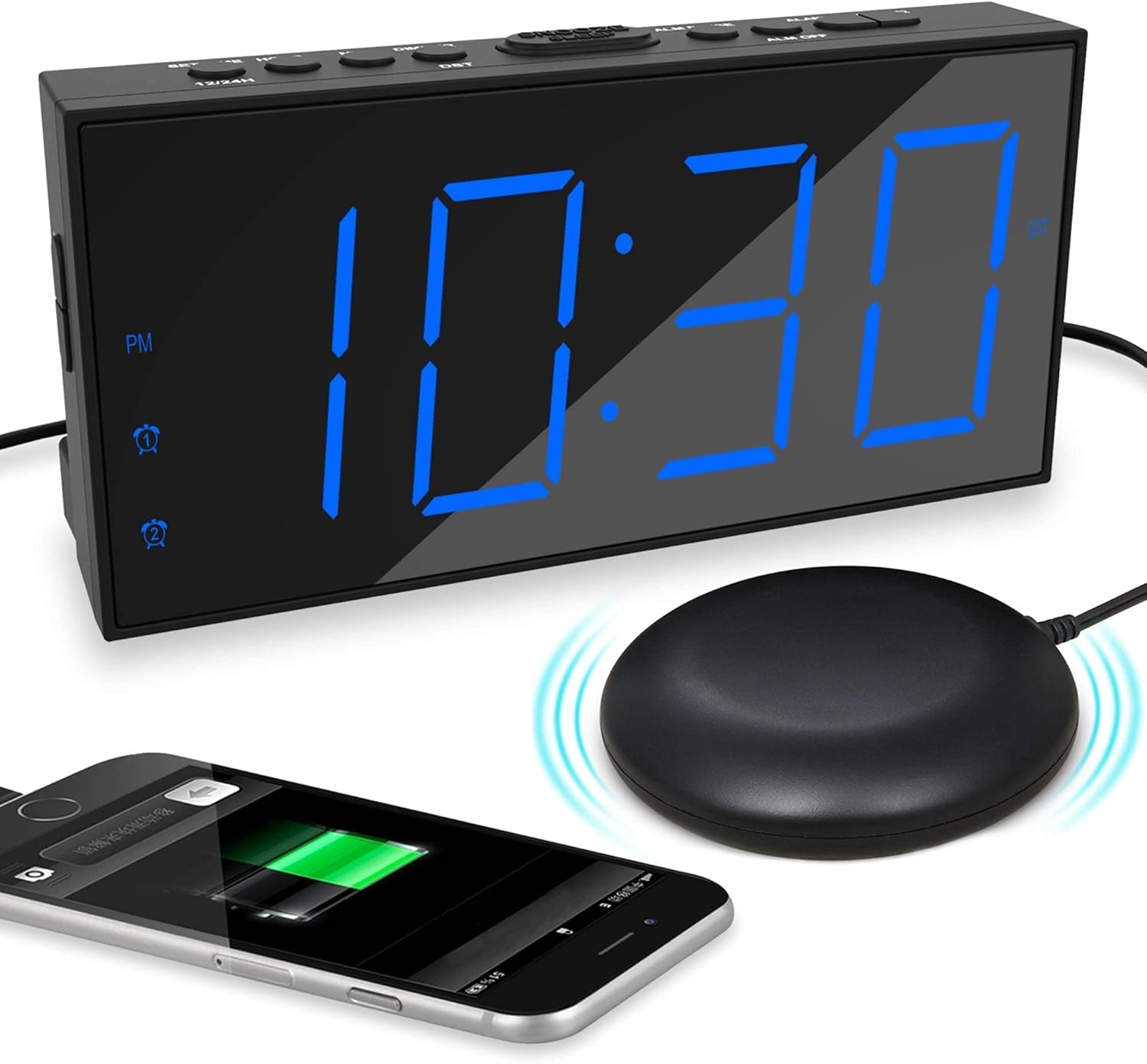
Image: The alarm clock displaying time with a blue LED, connected to a bed shaker, and a smartphone charging from its USB port.
Інструкцыя па эксплуатацыі
Ўстаноўка часу
- Націсніце і ўтрымлівайце SET TIME/HOUR кнопку, пакуль не пачнуць міргаць лічбы гадзін.
- Прэса SET TIME/HOUR repeatedly to adjust the hour.
- Націсніце MIN/DIMMER некалькі разоў націсніце кнопку, каб наладзіць хвіліны.
- Прэса SET TIME/HOUR again to confirm and exit time setting mode, or wait for 5 seconds for it to exit automatically.
- Каб пераключыцца паміж 12-гадзінным і 24-гадзінным фарматам, націсніце кнопку 12/24 гадзіны кнопка.
- To activate/deactivate Daylight Saving Time (DST), press the летні час button. The DST indicator will light up when active.
Налада будзільнікаў (Будзільнік 1 і Будзільнік 2)
Гадзіннік падтрымлівае два незалежныя будзільнікі.

Image: The alarm clock demonstrating its dual alarm capability with two distinct alarm times.
- Націсніце і ўтрымлівайце ТРЫВОГА 1 or ТРЫВОГА 2 кнопку, пакуль не замігаюць лічбы гадзін будзільніка.
- Націсніце адпаведную ТРЫВОГА некалькі разоў націсніце кнопку, каб наладзіць гадзіну будзільніка.
- Націсніце MIN/DIMMER некалькі разоў націсніце кнопку, каб наладзіць хвіліны будзільніка.
- Націсніце адпаведную ТРЫВОГА зноў націсніце кнопку, каб пацвердзіць час.
- Next, select the wake-up mode by pressing the ТРЫВОГА кнопка:
- Значок зуммера: Buzzer only.
- Shaker Icon: Bed shaker only.
- Buzzer + Shaker Icons: Both buzzer and bed shaker.
- Націсніце адпаведную ТРЫВОГА button one more time to confirm the wake-up mode and activate the alarm. The alarm icon will light up on the display.
- Каб адключыць будзільнік, націсніце адпаведную ТРЫВОГА кнопку, пакуль значок будзільніка не знікне з дысплея.
Adjusting Buzzer Volume
Калі прагучыць сігналізацыя, націсніце MIN/DIMMER button to cycle through the 4 volume levels.
Функцыя адкладання

Image: A hand pressing the large snooze button on the alarm clock.
Калі гучыць будзільнік, націсніце вялікую кнопку АДРЫМАЦЬ/СОН button to temporarily silence the alarm for 9 minutes. The alarm will sound again after 9 minutes. To cancel snooze and turn off the alarm, press the АЛМ ВЫКЛ кнопка.
Рэгуляванне яркасці дысплея
Націсніце MIN/DIMMER button (when not in time setting mode) to cycle through the 5 brightness levels (including OFF) for the LED display.
USB-порт для зарадкі
The USB port on the back of the clock provides 5V/1A output for charging mobile phones or other small electronic devices. Connect your device's charging cable to this port.
Тэхнічнае абслугоўванне
- Уборка: Працірайце гадзіннік мяккай сухой тканінай. Не выкарыстоўвайце абразіўныя ачышчальнікі або растваральнікі.
- Размяшчэнне: Place the clock on a stable, flat surface. Avoid direct sunlight, extreme temperatures, and high humidity.
- Bed Shaker Care: Ensure the bed shaker cable is not tangled or damaged. Avoid placing heavy objects directly on the shaker.
- Замена батарэі: Replace AAA backup batteries annually or when the battery backup function is no longer reliable.
Ліквідацыю непаладак
| праблема | Магчымая прычына | Рашэнне |
|---|---|---|
| Адлюстраванне гадзінніка выключана. | No power, or display brightness set to OFF. | Check power adapter connection. Press MIN/DIMMER для рэгулявання яркасці. |
| Сігналізацыя не гучыць/не вібруе. | Alarm not activated, wrong wake-up mode selected, or volume too low. | Ensure alarm icon is lit. Verify correct wake-up mode (buzzer/shaker). Adjust buzzer volume. Check bed shaker connection. |
| Скід налад часу/будзільніка пасля адключэння харчаванняtage. | Рэзервовыя батарэі не ўсталяваныя або разрадзіліся. | Усталюйце 2 новыя батарэйкі ААА. |
| Зарадка ад USB не працуе. | Clock not powered, or device cable faulty. | Ensure clock is plugged into wall power. Try a different USB cable or device. |
Тэхнічныя характарыстыкі
- Марка: Мескул
- мадэль: B096F79526
- Тып дысплея: Лічбавы святлодыёд
- Памер дысплея: 7 цаляў
- Узроўні яркасці: 5 (including OFF)
- Рэжымы сігналізацыі: Buzzer, Vibrator (Bed Shaker), Both
- Гучнасць зумера: 4 рэгуляваныя ўзроўні
- Крыніца харчавання: Corded Electric (DC adapter), 2x AAA batteries (backup, not included)
- Выхад зарадкі USB: 5 В/1 А
- Bed Shaker Cable Length: Approximately 78 inches (6.5 feet)
- Памеры (прыблізныя): 6.77 цалі (Ш) х 3.26 цалі (В) х 1.18 цалі (Г)
- матэрыял: Пластыкавыя
Гарантыя і падтрымка
For warranty information or technical support, please refer to the contact details provided on the product packaging or visit the official Mesqool webсайт. Захоўвайце чэк аб пакупцы на выпадак прэтэнзій па гарантыі.
Mesqool Official Store: Visit Mesqool Store on Amazon