
Logitech 920-009320
Logitech Rugged Combo 3 iPad Keyboard Case User Manual
Мадэль: 920-009320 | Брэнд: Logitech
1. Уводзіны і большview
The Logitech Rugged Combo 3 is a robust and versatile keyboard case designed for iPad (7th and 8th Generation) users, particularly in educational environments. It offers comprehensive protection and enhanced functionality, transforming your iPad into a powerful productivity tool.
This keyboard case is engineered for durability, meeting MIL SPEC 810G drop standards with 4.5 ft. drop protection, making it resilient against daily wear and tear. Its keys are pry-resistant and sealed, preventing damage and keeping out debris.
The Smart Connector technology ensures an instant, reliable physical connection to your iPad without the need for pairing or separate charging the keyboard, as it draws power directly from the iPad. The adjustable kickstand provides five versatile use modes, adapting to various tasks from typing to sketching.
Additionally, the case features a magnetic latch with integrated storage for a Logitech Crayon or Apple Pencil (1st gen), ensuring your stylus is always accessible. A large asset tagging window is also included for easy device management.
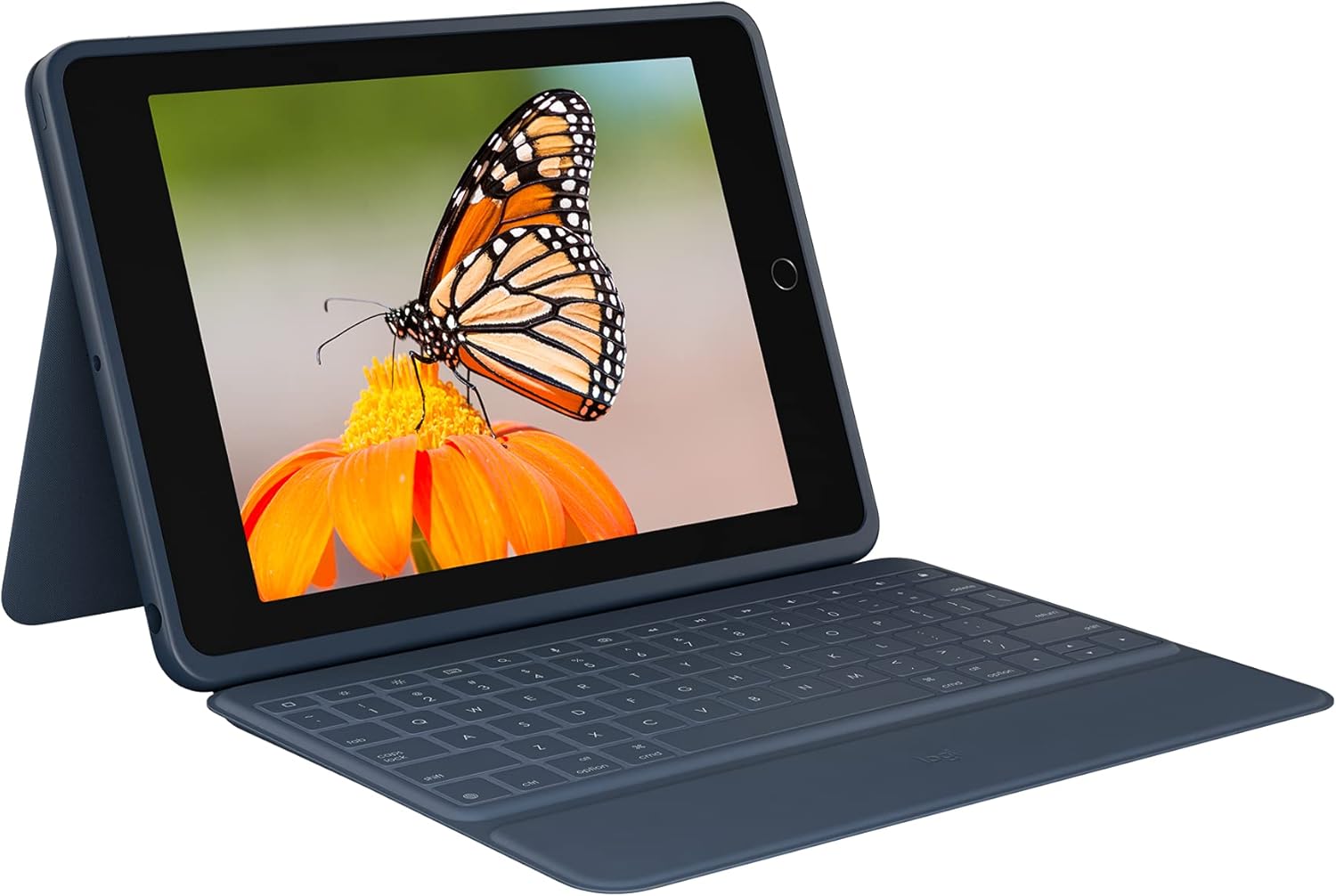
Figure 1.1: The Logitech Rugged Combo 3 with an iPad in typing mode, showcasing the integrated keyboard and adjustable stand.
2. Налада і падключэнне
The Logitech Rugged Combo 3 utilizes Apple's Smart Connector technology for a seamless and instant connection to your compatible iPad. No Bluetooth pairing or separate charging is required for the keyboard.
2.1. Падключэнне iPad
- Выраўнуйце iPad: Carefully align your iPad with the protective case portion of the Rugged Combo 3. Ensure the camera cutout and ports match the case openings.
- Замацаваць на месцы: Gently press the iPad into the case until it securely snaps into all corners. The durable design provides a snug fit.
- Connect the Smart Connector: Once the iPad is seated in the case, align the Smart Connector on the edge of the iPad with the corresponding pins on the keyboard. The magnetic connection will automatically snap into place, establishing the connection.
The keyboard will instantly power on and be ready for use. There is no need to manually turn the keyboard on or off, as it draws power directly from the iPad via the Smart Connector.

Figure 2.1: The Logitech Rugged Combo 3 in its closed position, providing full protection for the iPad.
3. Кіраванне корпусам клавіятуры
The Rugged Combo 3 offers multiple modes of use and a full-sized keyboard for efficient interaction with your iPad.
3.1. Use Modes
The adjustable kickstand and foldable keyboard allow for five distinct use modes:
- Рэжым тыпу: Для зручнага набору тэксту размясціце iPad вертыкальна з выцягнутай клавіятурай.
- View рэжым: Fold the keyboard back and adjust the kickstand to an optimal angle for watching videos or presentations.
- Рэжым эскіза: Lower the kickstand to a shallow angle, ideal for drawing or writing with a stylus.
- Рэжым чытання: Fold the keyboard completely behind the iPad, allowing you to hold the tablet like a book.
- Рэжым камеры: The design ensures the iPad camera remains unobstructed in all modes, allowing for easy photo and video capture.

Малюнак 3.1: бок view illustrating the adjustable kickstand, enabling various viewныя вуглы.
3.2. Keyboard Functionality
The integrated keyboard provides a comfortable and responsive typing experience. It includes a full row of iPadOS shortcut keys for quick access to common functions:
- Дом: Вяртаецца на галоўны экран.
- Яркасць экрана: Рэгулюе яркасць дысплея.
- Пошук: Activates the iPad's search function.
- Віртуальная клавіятура: Toggles the on-screen keyboard.
- Элементы кіравання мультымедыя: Прайграванне/паўза, папярэдні трэк, наступны трэк.
- Рэгулятары гучнасці: Выключыць гук, паменшыць гучнасць, павялічыць гучнасць.
- Блакаванне экрана: Locks the iPad display.

Малюнак 3.2: Зверху ўніз view of the keyboard, highlighting the dedicated iPadOS shortcut keys for enhanced productivity.
4. Тэхнічнае абслугоўванне і догляд
To ensure the longevity and optimal performance of your Logitech Rugged Combo 3, follow these maintenance guidelines:
- Уборка: Выкарыстоўвайце мяккі, damp тканінай, каб праціраць вонкавыя паверхні корпуса і клавіятуры. Пазбягайце выкарыстання агрэсіўных хімічных рэчываў або абразіўных матэрыялаў.
- Устойлівасць да разліву: The keyboard features sealed keys designed to resist spills. In case of a spill, immediately wipe off any liquid and allow the keyboard to air dry before continued use.
- Сыход за ключамі: The keys are pry-resistant, but avoid excessive force when cleaning or handling to prevent damage.
- захоўванне: When not in use, keep the case closed to protect both the iPad and the keyboard from dust and potential damage.

Figure 4.1: The keyboard's spill-resistant design helps protect against accidental liquid exposure.
5. Выпраўленне непаладак
If you encounter issues with your Logitech Rugged Combo 3, refer to the following common troubleshooting steps:
5.1. Клавіятура не рэагуе
- Check Smart Connector: Ensure the iPad is correctly seated in the case and the Smart Connector on the iPad is firmly connected to the keyboard. Remove and re-attach the iPad to ensure a proper connection.
- Перазапусціце iPad: Часам просты перазапуск iPad можа вырашыць праблемы з падключэннем.
- Чысты разумны раз'ём: Inspect the Smart Connector pins on both the iPad and the keyboard for any debris or dust. Gently clean them with a soft, dry cloth.
5.2. Keys Not Functioning Correctly
- Праверце смецце: Пераканайцеся, што пад клавішамі няма старонніх прадметаў.
- Шкода ад разліву: If the keyboard has been exposed to a significant liquid spill, allow it to dry completely. If issues persist, contact support.
5.3. iPad Not Fitting Securely
- Праверце сумяшчальнасць: Ensure your iPad model (7th or 8th Generation) is compatible with the Rugged Combo 3.
- Правільная ўстаўка: Make sure the iPad is inserted correctly and all corners are snapped into place.
6. Тэхнічныя характарыстыкі
| Асаблівасць | Дэталь |
|---|---|
| Марка | Logitech |
| серыял | Трывалы комба 3 |
| Нумар мадэлі | 920-009320 |
| Сумяшчальныя прылады | iPad (7th Generation: A2200, A2197, A2198), iPad (8th Generation: A2270, A2428, A2429, A2430) |
| Тэхналогія падлучэння | Разумны раз'ём |
| Апісанне клавіятуры | Мембрана |
| Крыніца харчавання | iPad via Smart Connector (no battery required for keyboard) |
| Вага прадмета | 1.33 фунта |
| Памеры прадукту (ДxШxВ) | 10.24 х 7.44 х 0.94 цалі |
| Колер | Сіні |
| Матэрыял | Пластыкавыя |
| Асаблівасць | Foldable, 4.5 ft. Drop Protection (MIL SPEC 810G), Pry-resistant keys, Integrated stylus storage |
| Уключаныя кампаненты | Keyboard case, Documentation |
7. Гарантыя і падтрымка
For warranty information, technical support, or further assistance with your Logitech Rugged Combo 3, please visit the official Logitech support webсайт або звярніцеся ў службу падтрымкі кліентаў. Захоўвайце чэк аб куплі як пацвярджэнне пакупкі для прэтэнзій па гарантыі.
Падтрымка Logitech: www.logitech.com/support
Ask a question about this manual
Ask about setup, troubleshooting, compatibility, parts, safety, or missing instructions. Manuals+ will review the question and use this page’s manual context to help answer it.