
1. Уводзіны
This manual provides comprehensive instructions for the setup, operation, and maintenance of your DIGITUS 2D Barcode Scanner (Model: DA-81002). This device is designed for efficient and accurate scanning of 1D and 2D barcodes, including QR codes, supporting bi-directional scanning at 200 scans/sec. Please read this manual thoroughly before using the scanner to ensure proper functionality and longevity.
2. Што ў скрынцы
Пасля адкрыцця ўпакоўкі пераканайцеся, што ўсе кампаненты наяўныя і не пашкоджаныя:
- 1 x 2D barcode hand scanner, QR code compatible
- 1 x scanner holder
- 1 x cable, USB - RJ45, 2 m
- 1 х Кіраўніцтва па хуткай усталёўцы (QIG)
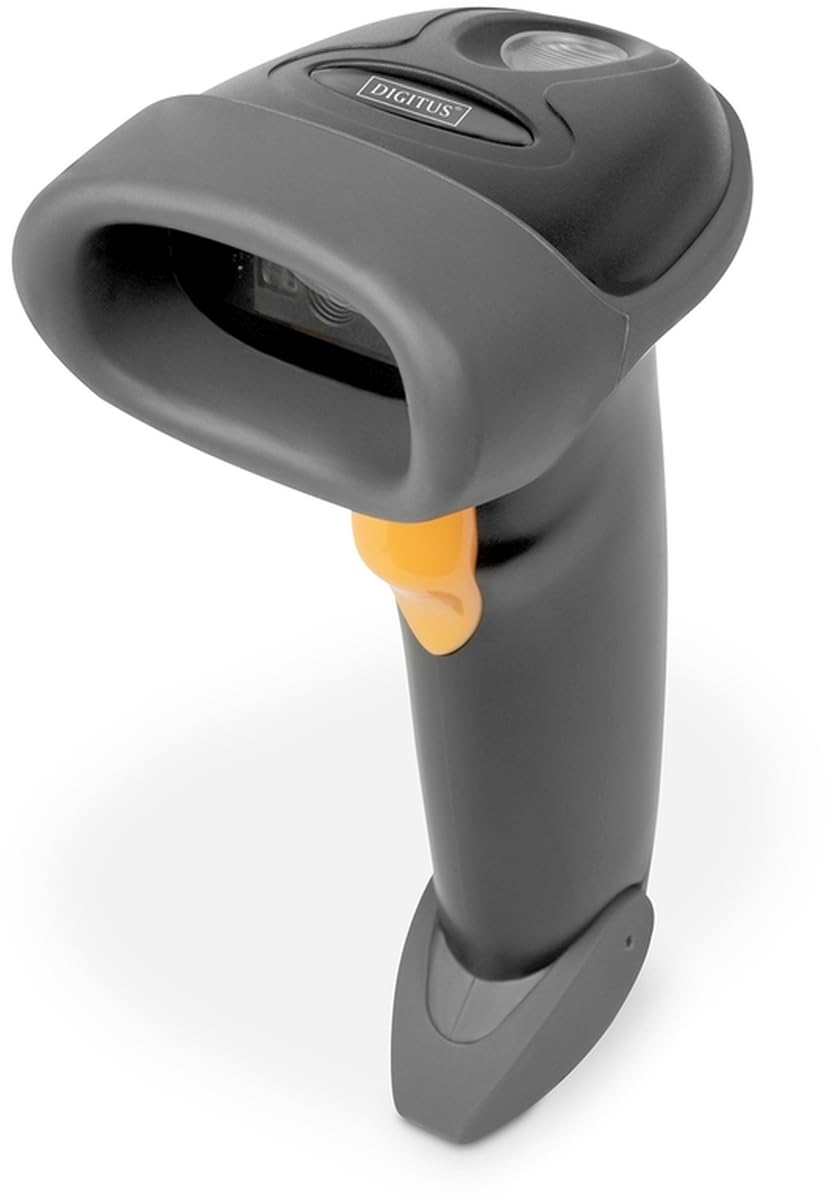
Image: The DIGITUS 2D Barcode Scanner, shown with its included stand and USB-RJ45 cable. The scanner is dark grey with an orange trigger button.
3. Настройка
- Падключыце кабель: Insert the RJ45 end of the provided cable into the port at the base of the barcode scanner. Ensure it clicks securely into place.
- Падключэнне да хост-прылады: Plug the USB end of the cable into an available USB port on your computer or point-of-sale (POS) system.
- Усталёўка драйвера (падключы і працуй): The scanner is typically plug-and-play and should be recognized automatically by most operating systems (Windows, macOS, Linux). No specific driver installation is usually required. If prompted, allow the system to install necessary drivers.
- Размясціце сканер: Place the scanner in its holder for hands-free operation, or hold it comfortably for handheld scanning.
- Тэставае сканаванне: Open a text editor (e.g., Notepad, Word) or a compatible application. Scan a known barcode. The data should appear in the open application.
4. Інструкцыя па эксплуатацыі
The DIGITUS 2D Barcode Scanner is designed for ease of use. Follow these steps for effective scanning:
- Уключэнне: The scanner powers on automatically when connected to a powered USB port. A successful power-on is usually indicated by a short beep and/or a light indicator.
- Прыцэльванне: Point the scanning window towards the barcode you wish to scan. Ensure the entire barcode is within the scanner's field of view.
- Сканаванне: Press and hold the trigger button (orange button on the handle). A red aiming beam or illumination light will appear. Position the scanner so the aiming beam crosses the center of the barcode.
- Successful Scan: Upon a successful scan, the scanner will emit a short beep and/or the indicator light will flash. The scanned data will be transmitted to your connected device as if typed via a keyboard.
- Bi-Directional Scanning: The scanner supports bi-directional scanning, meaning it can read barcodes regardless of their orientation, improving scanning efficiency.
- QR Code Compatibility: This scanner is fully compatible with QR codes, allowing for versatile data capture.
5. Тэхнічнае абслугоўванне
Proper maintenance ensures the longevity and optimal performance of your barcode scanner:
- Ачыстка акна сканавання: Regularly clean the scanning window with a soft, lint-free cloth. For stubborn smudges, slightly dampen the cloth with water or a mild, non-abrasive cleaner. Avoid harsh chemicals or abrasive materials that could scratch the window.
- Генеральная ўборка: Wipe the exterior of the scanner with a soft, dry cloth to remove dust and dirt.
- Сыход за кабелем: Пазбягайце празмернага згінання або скручвання USB-кабеля, бо гэта можа пашкодзіць унутраныя правады.
- захоўванне: Калі сканер не выкарыстоўваецца, захоўвайце яго ў чыстым, сухім месцы, удалечыні ад экстрэмальных тэмператур і прамых сонечных прамянёў.
- Пазбягайце кропель: While designed for durability, avoid dropping the scanner, as impact can damage internal components.
6. Выпраўленне непаладак
If you encounter issues with your DIGITUS 2D Barcode Scanner, refer to the following common problems and solutions:
| праблема | Магчымая прычына | Рашэнне |
|---|---|---|
| Сканер не ўключаецца. | No power from USB port; loose cable connection. | Ensure USB cable is securely connected to both scanner and host device. Try a different USB port or host device. |
| Сканер не счытвае штрых-коды. | Barcode damaged/unreadable; incorrect aiming; scanner not configured for barcode type. | Ensure barcode is clear and undamaged. Aim the scanner correctly. Refer to the QIG for advanced configuration options if specific barcode types are not recognized. |
| Адсканаваныя дадзеныя няправільныя або няпоўныя. | Partial scan; software/application issue. | Ensure the entire barcode is within the scanning area. Test with a simple text editor to rule out application-specific issues. |
| Сканер падае гукавы сігнал, але дадзеныя не адлюстроўваюцца. | Host device not receiving data; application not in focus. | Ensure the cursor is active in the target input field. Restart the application or host device. |
7. Тэхнічныя характарыстыкі
Key technical specifications for the DIGITUS 2D Barcode Scanner (Model: DA-81002):
- Памеры прадукту: 1.1 х 9.7 х 6.5 цалі
- Вага прадмета: 3.88 унцыі
- Нумар мадэлі тавару: DA-81002
- вытворца: ЛІЧБА
- Сумяшчальныя прылады: Scanner (general purpose)
- Крыніца харчавання: Электрычны шнур (праз USB)
- Тэхналогія падключэння: Кабель USB
- Хуткасць сканавання: 200 кадраў у секунду (кадраў у секунду)
- Сумяшчальнасць штрых-кодаў: 1D and 2D barcodes, including QR Code
- Даўжыня кабеля: 2 meters (USB - RJ45)
8. Гарантыя і падтрымка
For warranty information and technical support, please refer to the Quick Installation Guide (QIG) included in your product package or visit the official Digitus webсайт. Захоўвайце чэк аб куплі як пацвярджэнне пакупкі для гарантыйных прэтэнзій.
For further assistance, you may contact Digitus customer support through their official channels. Details are typically provided in the product documentation or on the manufacturer's webсайт.