
1. Уводзіны
Thank you for choosing the MAXXMEE Cordless Screwdriver Model 2112. This manual provides essential information for the safe and efficient operation, maintenance, and troubleshooting of your new tool. Please read these instructions carefully before first use and keep them for future reference.
2. Інструкцыі па тэхніцы бяспекі
Заўсёды выконвайце асноўныя меры бяспекі пры выкарыстанні электраінструментаў, каб знізіць рызыку пажару, паражэння электрычным токам і траўмаў.
- Бяспека ў рабочай зоне: Падтрымлівайце чысціню і добрае асвятленне працоўнага месца. Захламленыя або цёмныя месцы могуць прывесці да няшчасных выпадкаў. Не выкарыстоўвайце электраінструменты ў выбуханебяспечных асяроддзях, напрыклад, у прысутнасці лёгкаўзгаральных вадкасцей, газаў або пылу.
- Электрабяспека: Пазбягайце кантакту цела з заземленымі паверхнямі, такімі як трубы, радыятары, пліты і халадзільнікі. Не падвяргайце электраінструменты ўздзеянню дажджу або вільготных умоў.
- Асабістая бяспека: Заўсёды апранайце ахоўныя акуляры. Пры неабходнасці выкарыстоўвайце адпаведныя сродкі бяспекі, такія як пылаахоўныя маскі, неслізгальны ахоўны абутак, каскі або сродкі абароны слыху. Апранайцеся належным чынам; пазбягайце свабоднага адзення або ювелірных вырабаў.
- Выкарыстанне інструмента і догляд за ім: Не перагружайце электраінструмент. Выкарыстоўвайце адпаведны электраінструмент для вашай задачы. Адключыце вілку ад крыніцы сілкавання і/або акумулятарную батарэю ад электраінструмента перад тым, як рабіць якія-небудзь рэгуляванні, замяняць аксэсуары або захоўваць электраінструмент.
- Бяспека акумулятара: This tool contains an integrated rechargeable battery. Do not incinerate the battery even if it is severely damaged or completely worn out. Batteries can explode in a fire. Do not short-circuit the battery.
3. Змесціва ўпакоўкі
Калі ласка, праверце наяўнасць усіх прадметаў і іх стан:
- 1 x MAXXMEE Cordless Screwdriver Model 2112
- 1 x 30-piece Bit Set (various screwdriver bits and drill bits)
- 1 х кабель для зарадкі (USB)
- 1 х Кіраўніцтва карыстальніка

Малюнак 3.1: The included 30-piece bit set, featuring various screwdriver and drill bits for diverse applications.
4. Прадукт скончыўсяview
Familiarize yourself with the components of your MAXXMEE Cordless Screwdriver.
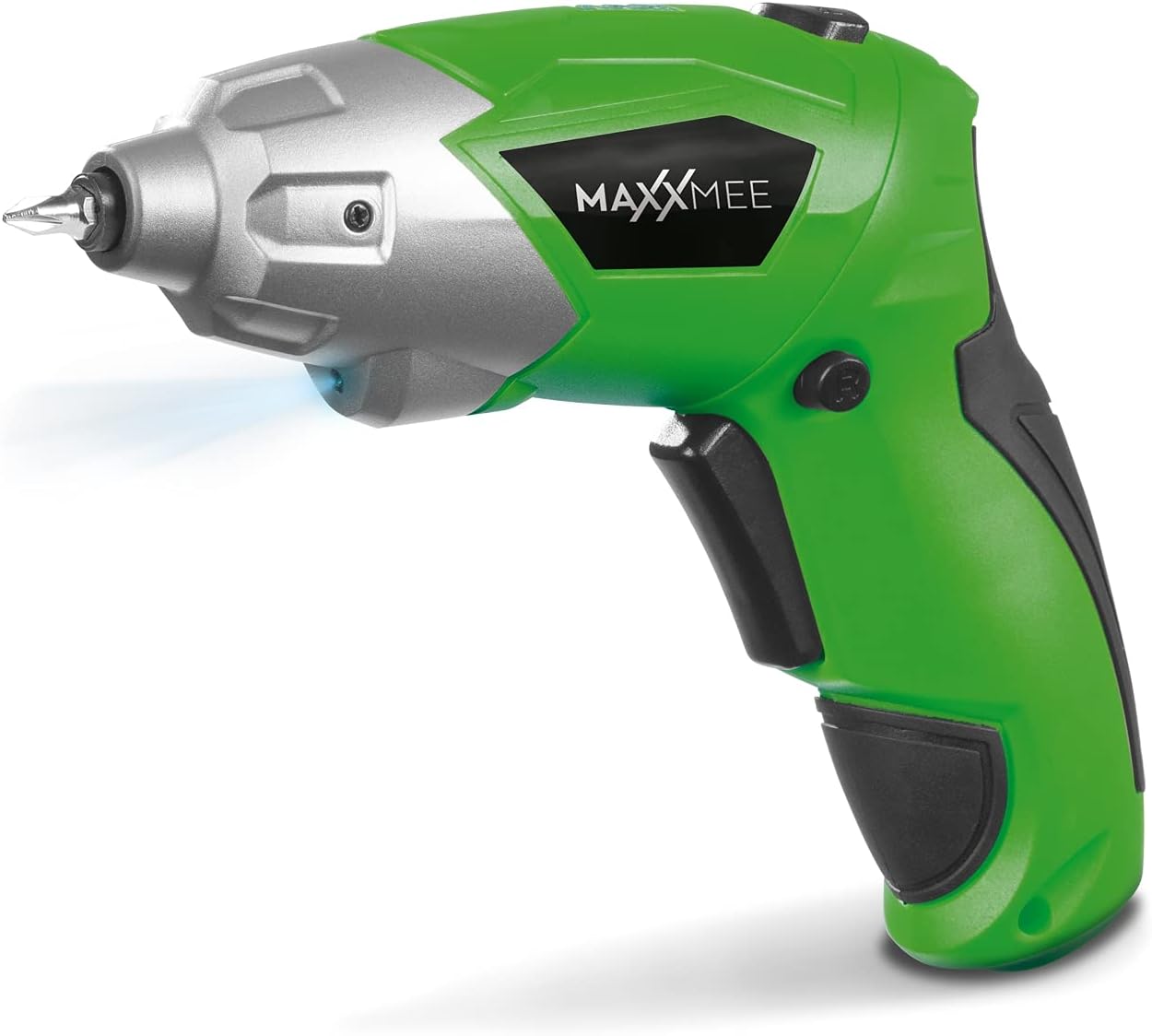
Малюнак 4.1: Фронт view of the MAXXMEE Cordless Screwdriver, highlighting its compact design.

Малюнак 4.2: The cordless screwdriver demonstrating its flexible handle position, integrated LED light, and forward/reverse rotation switch.
- Bit Holder (Magnetic)
- Святлодыёдны працоўны свяцільня
- Пераключальнік кручэння наперад/назад
- Flexible Handle Release Button
- Курок перамыкача
- Порт для зарадкі
- Індыкатар ўзроўню зарада батарэі
5. Настройка
5.1. Charging the Screwdriver
Before first use, fully charge the screwdriver's integrated battery. The battery is not fully charged at the time of purchase.
- Connect the provided charging cable to the charging port on the screwdriver.
- Connect the other end of the USB charging cable to a suitable USB power adapter (not included) or a powered USB port.
- The battery indicator lights will show the charging status. Allow several hours for a full charge.
- Пасля поўнай зарадкі адключыце зарадны кабель.
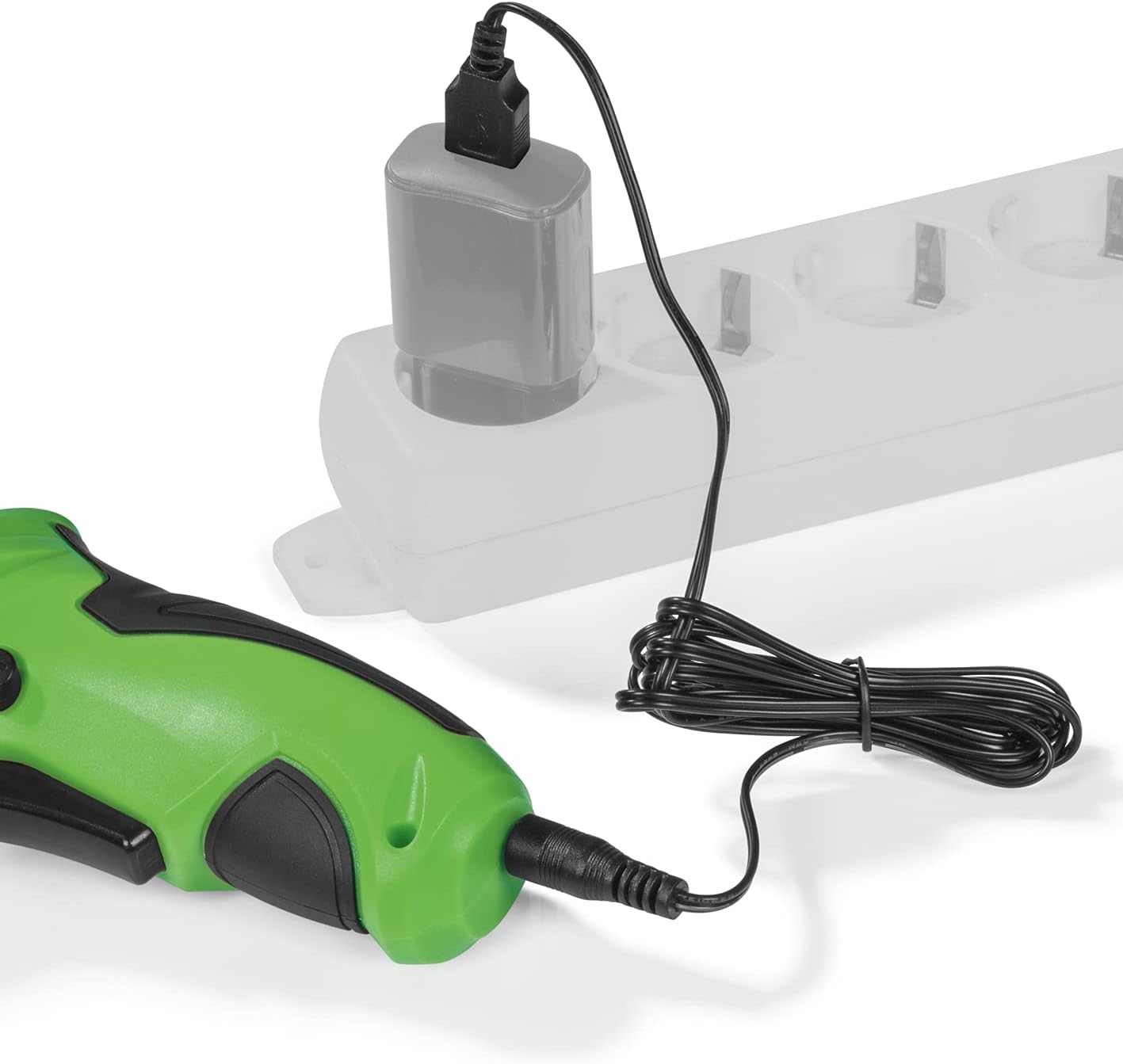
Малюнак 5.1: Connecting the charging cable to the screwdriver and a power source.
5.2. Inserting Screwdriver Bits
The screwdriver features a magnetic bit holder for quick and easy bit changes.
- Пераканайцеся, што адвёртка выключана, а перамыкач наперад/назад знаходзіцца ў нейтральным (заблакіраваным) становішчы.
- Select the appropriate bit from the 30-piece set.
- Insert the bit firmly into the magnetic bit holder until it is securely seated.
- Каб зняць, проста выцягніце наканечнік.
6. Інструкцыя па эксплуатацыі
6.1. Powering On/Off and Rotation Direction
The trigger switch activates the screwdriver, and the forward/reverse switch controls the rotation direction.
- To drive screws (forward rotation), push the forward/reverse switch to the left.
- To remove screws (reverse rotation), push the forward/reverse switch to the right.
- To lock the trigger and prevent accidental activation, place the switch in the center position.
- Press the trigger switch to operate the screwdriver. Release to stop.
6.2. Adjusting the Flexible Handle
The screwdriver features a variable curved handle for optimal comfort and access in different working conditions.
- Пераканайцеся, што адвёртка выключана.
- Press the flexible handle release button (refer to Figure 4.2 for location).
- Adjust the handle to the desired position (straight or pistol grip).
- Release the button to lock the handle in place. Ensure it is securely locked before use.
6.3. Выкарыстанне святлодыёднага працоўнага асвятлення
The integrated LED work light illuminates the work area for improved visibility, especially in dark or confined spaces.
- The LED light automatically activates when the trigger switch is pressed.
- It turns off when the trigger is released.
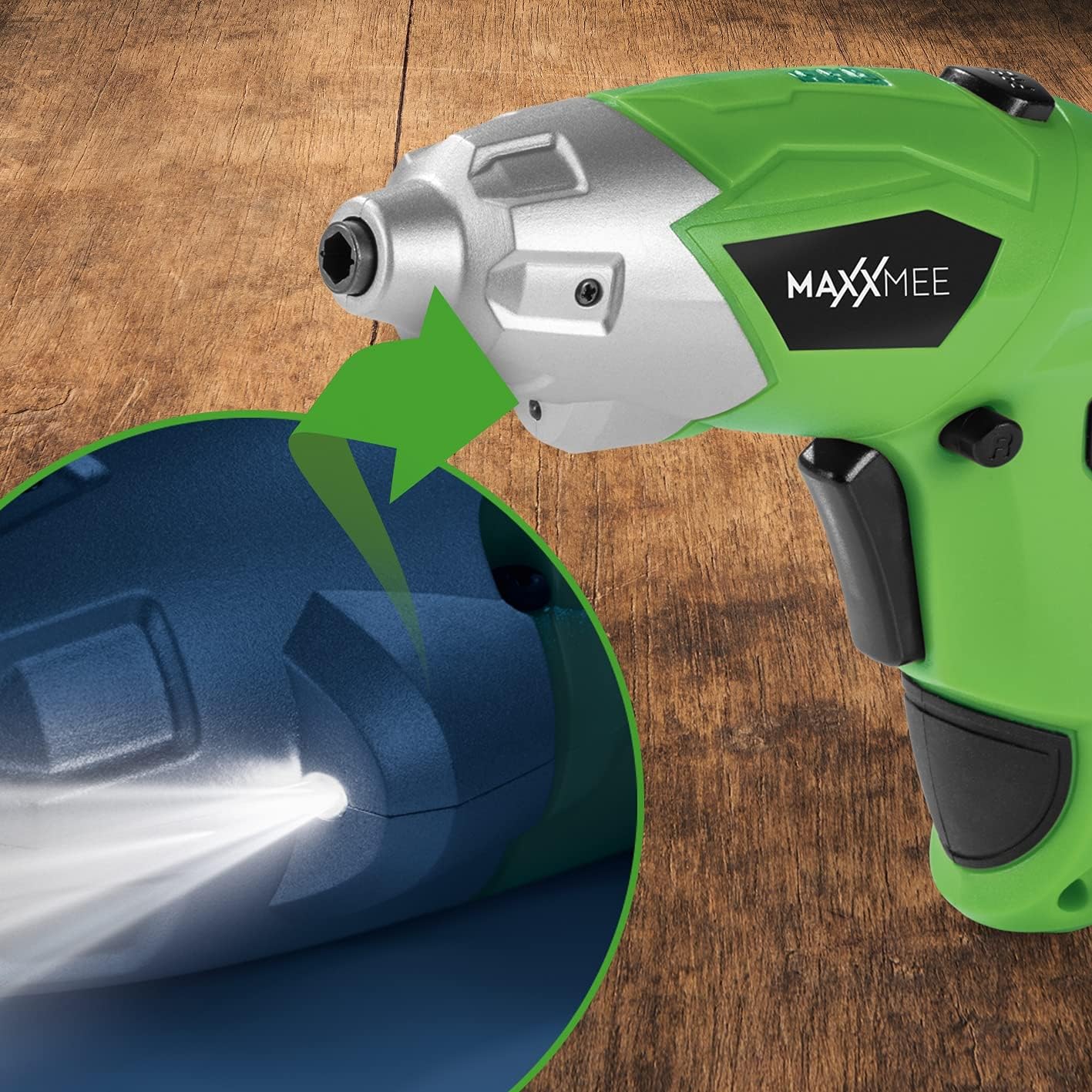
Малюнак 6.1: Буйны план view of the LED work light illuminating the work surface.
6.4. Індыкатар узроўню зарада батарэі
The battery level indicator provides a visual representation of the remaining battery charge.
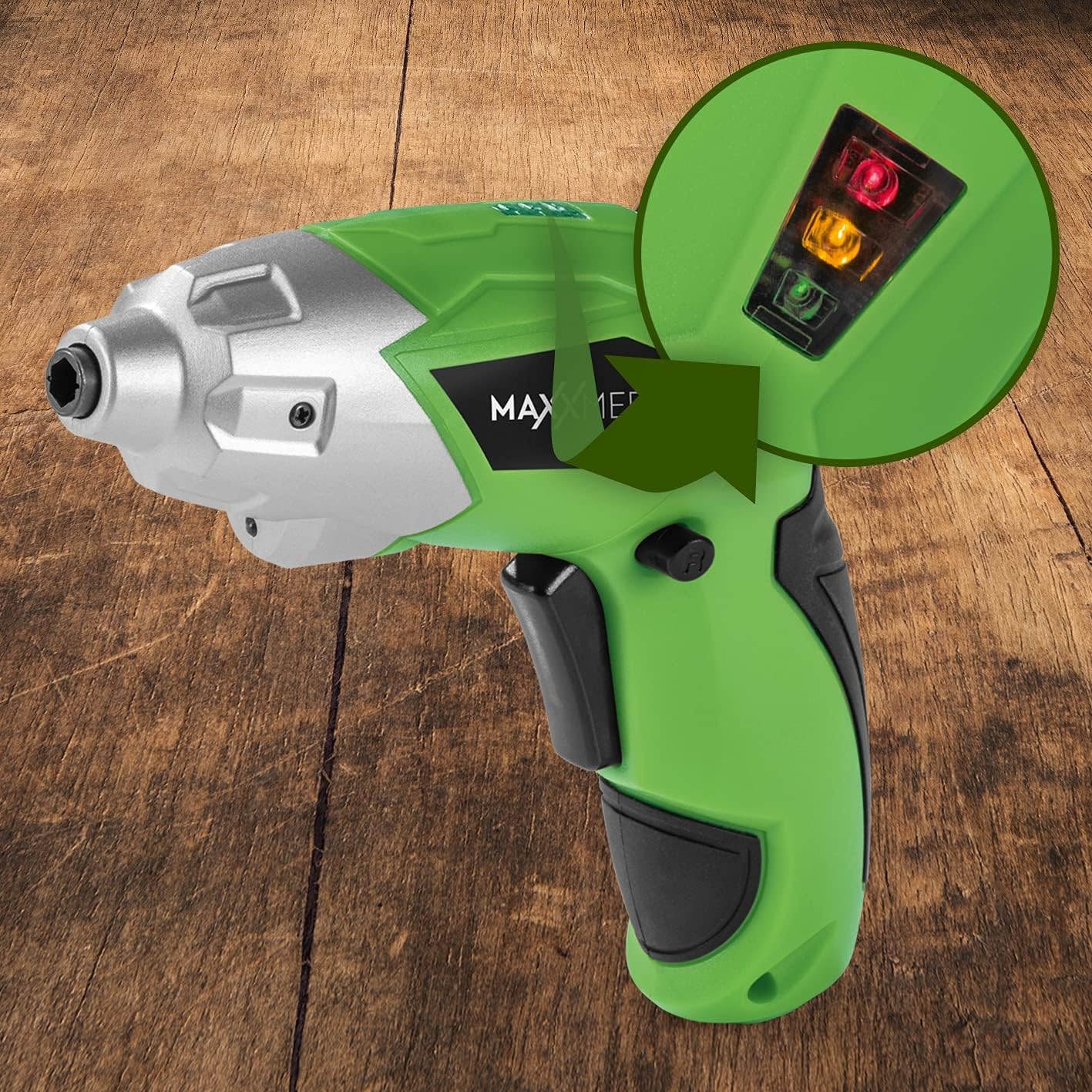
Малюнак 6.2: The battery level indicator showing the charge status with colored lights.
- Green light: High charge.
- Yellow light: Medium charge.
- Red light: Low charge, recharge soon.
For optimal performance, recharge the screwdriver when the indicator shows a low charge.
7. Тэхнічнае абслугоўванне
Правільнае абслугоўванне забяспечвае даўгавечнасць і аптымальную прадукцыйнасць вашай адвёрткі.
- Уборка: Always disconnect the screwdriver from any power source before cleaning. Use a soft, damp cloth to wipe down the exterior. Do not use harsh chemicals or abrasive cleaners. Keep ventilation openings free from dust and debris.
- захоўванне: Store the screwdriver and its accessories in a dry, cool place, away from direct sunlight and moisture. Keep it out of reach of children.
- Сыход за батарэяй: For long-term storage, it is recommended to charge the battery to approximately 50% every few months to maintain battery health.
8. Выпраўленне непаладак
Калі ў вас узніклі праблемы з адвёрткай, звярніцеся да наступных распаўсюджаных праблем і іх рашэнняў:
| праблема | Магчымая прычына | Рашэнне |
|---|---|---|
| Шуруповерт не ўключаецца. | Акумулятар разраджаны. | Зарадзіце акумулятар цалкам. |
| Адвёртцы не хапае магутнасці. | Нізкі зарад батарэі. | Перазарадзіце акумулятар. |
| Bit is loose or falls out. | Bit not fully inserted or incorrect bit size. | Ensure the bit is fully inserted into the magnetic holder. Use appropriate bit size. |
| Handle does not lock in place. | Release button not fully engaged or debris preventing lock. | Ensure the release button is fully pressed and released. Check for obstructions. |
Калі праблема не знікне пасля выкарыстання гэтых рашэнняў, звярніцеся ў службу падтрымкі кліентаў.
9. Тэхнічныя характарыстыкі
| Асаблівасць | Спецыфікацыя |
|---|---|
| Нумар мадэлі | 2112 |
| Марка | МАКСМІ |
| тtage | 3.6 вольт |
| Максімальны крутоўны момант | 4 Нм |
| Крыніца харчавання | Battery-powered (Rechargeable) |
| Матэрыял | Метал |
| Асаблівасці | Cordless, Flexible Handle, LED Work Light |
| Уключаныя кампаненты | 1 Cordless Screwdriver, 30-piece Bit Set, Charging Cable |
| Памеры ўпакоўкі | 15 х 15 х 7.2 см |
| Вага | 800 грамаў |
10. Гарантыя і падтрымка
MAXXMEE products are manufactured to high-quality standards. In the unlikely event of a defect or malfunction, please refer to your purchase documentation for warranty details. For technical support, spare parts, or service inquiries, please contact your retailer or the MAXXMEE customer service department. Please have your model number (2112) and purchase date available when contacting support.