
1. Уводзіны
Thank you for choosing the Minoston Outdoor Smart Plug (MP22W). This device allows you to control your outdoor electrical appliances remotely via Wi-Fi, voice commands, or scheduled timers. Designed with IP65 weatherproof housing, it is suitable for various outdoor and indoor applications, providing convenience and energy efficiency for your smart home setup.
2. Прадукт скончыўсяview
Асноўныя характарыстыкі:
- Пульт дыстанцыйнага кіравання і галасавое кіраванне: Control the smart plug from anywhere using the Smart Life App (iOS/Android) or voice commands with Amazon Alexa and Google Assistant. Requires a 2.4Ghz Wi-Fi network.
- Выкарыстанне на адкрытым паветры і ў памяшканні: IP65 weatherproof housing makes it ideal for gardens, patios, kitchens, bathrooms, porches, balconies, garages, basements, and for controlling outdoor lighting, sprinklers, and other electric appliances.
- Schedule and Timer Functions: Program the plug to turn on/off automatically. Supports dusk and sunset timers for energy saving.
- Fast & Easy Setup: No special bridges, gateways, or hubs required. Connects directly to your Wi-Fi network.
- Child Lock and Device Sharing: Activate a child lock to prevent accidental operation. Share control of the smart plug with family and friends.
- Association Controls and Scene Settings: Integrate with other smart devices for one-click control and create custom scenes.
Што ў скрынцы:
- Minoston Outdoor Smart Plug (MP22W)
- Кіраўніцтва карыстальніка
- Мантажныя шрубы і анкеры

Image: Minoston Outdoor Smart Plug (MP22W) and its packaging.
3. Інфармацыя па бяспецы
Калі ласка, уважліва прачытайце і выконвайце ўсе інструкцыі па бяспецы, каб пазбегнуць траўмаў або пашкоджанняў.
- Не апускайце прыладу ў ваду і не падвяргайце яе ўздзеянню экстрэмальных тэмператур.
- Ensure the plug is securely connected to a grounded outdoor outlet.
- Не перавышайце максімальную грузападымальнасць 15 Ampс / 1800 Вт.
- Keep children away from the device during operation.
- Адключыце электрычнасць перад чысткай або тэхнічным абслугоўваннем.
- Выкарыстоўвайце прыбор толькі па прызначэнні.
4. Настройка
Follow these steps to set up your Minoston Outdoor Smart Plug:
- Спампуйце праграму Smart Life: Пошук "Smart Life" in the App Store (iOS) or Google Play Store (Android) and download the app.
- Рэгістрацыя/Уваход: Open the Smart Life App and register for a new account or log in if you already have one.
- Падключыце разумную разетку: Connect the Minoston Outdoor Smart Plug to an outdoor electrical outlet. Ensure the outlet is protected from direct heavy rain or snow, even with the IP65 rating.

Image: The Minoston Smart Plug being connected to an outdoor power source.
- Дадаць прыладу ў праграму: In the Smart Life App, tap the "+" icon in the top right corner to add a device. Select "Electrical Outlet" or "Socket (Wi-Fi)" from the device list.
- Падключыцеся да Wi-Fi: Follow the in-app instructions to connect the smart plug to your 2.4Ghz Wi-Fi network. Ensure your phone is also connected to the same 2.4Ghz network during setup.
- Перайменаваць прыладу: Once connected, you can rename the smart plug (e.g., "Garden Lights," "Patio Fan") for easier identification and voice control.

Image: Visual guide for connecting the smart plug via the Smart Life App.
5. Інструкцыя па эксплуатацыі
Кіраванне ўручную:
Press the physical button on the smart plug once to manually turn the connected appliance ON or OFF.
Кіраванне праграмамі:
Open the Smart Life App, select your smart plug, and tap the ON/OFF button to control the power remotely.
Планаванне і таймеры:
Within the Smart Life App, navigate to the device settings to set up schedules or countdown timers. You can program the plug to turn on or off at specific times, including dusk and sunset, to automate your devices and save energy.

Малюнак: Example of setting schedules and timers for the smart plug.
Галасавое кіраванне:
Integrate your Minoston Smart Plug with Amazon Alexa or Google Assistant through the Smart Life App. Once linked, use voice commands such as:
- "Alexa, turn on Garden Lights."
- "Hey Google, turn off Patio Fan."
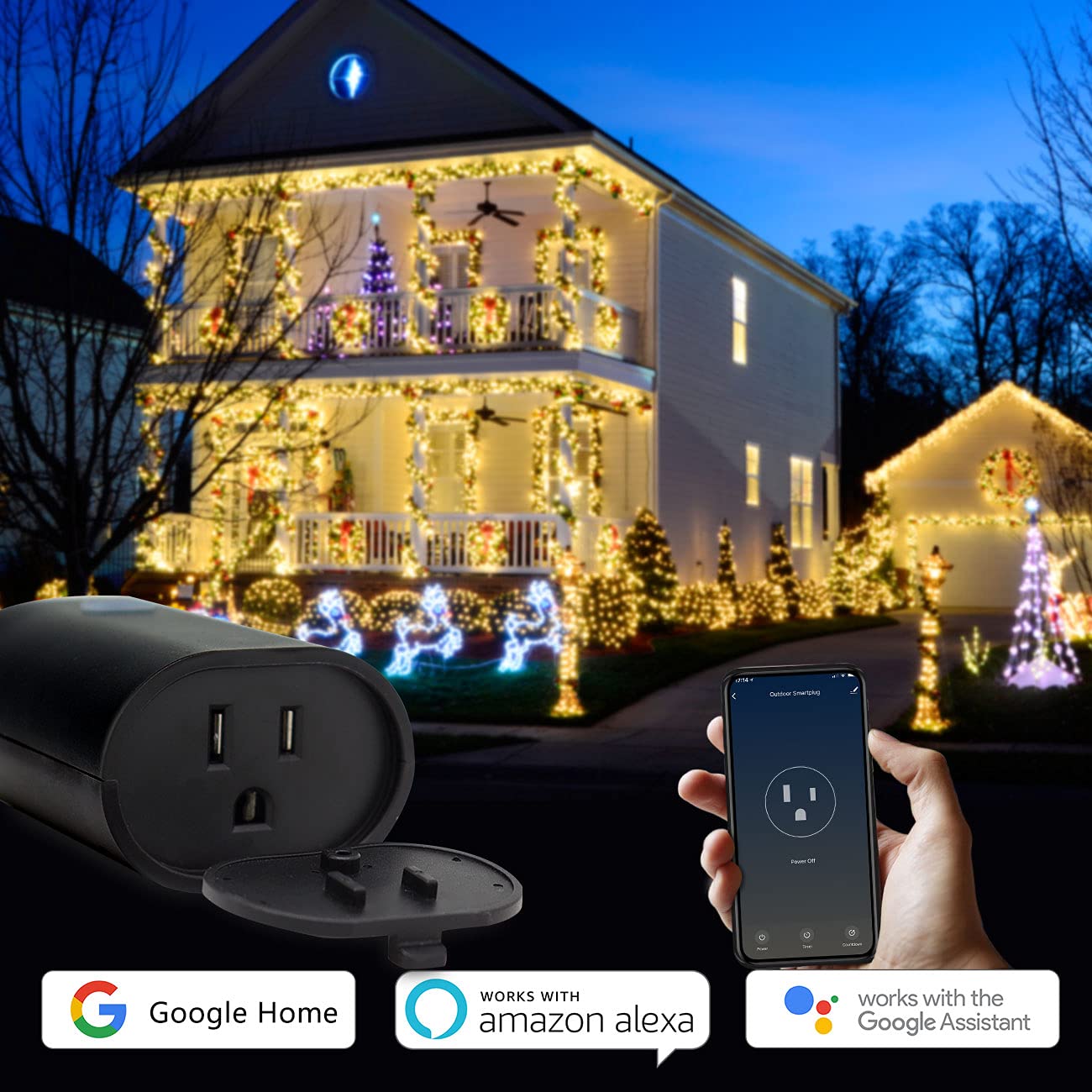
Image: Minoston Smart Plug showing compatibility with Google Home and Amazon Alexa.
6. Пашыраныя магчымасці
Блакіроўка ад дзяцей:
To prevent accidental activation or deactivation, enable the Child Lock feature in the Smart Life App settings for your device. When activated, the physical button will require multiple presses (e.g., four times) to toggle the power, making it harder for children to operate.
Сумеснае выкарыстанне прылады:
Share control of your smart plug with family members. In the Smart Life App, go to the device settings and select "Share Device" to invite others to control it.
Association Controls and Scene Settings:
Create custom scenes and automations within the Smart Life App. For example, you can set a scene where multiple smart devices turn on or off simultaneously, or trigger the smart plug based on other smart home events.
7. Тэхнічныя характарыстыкі
| Спецыфікацыя | Каштоўнасць |
|---|---|
| Нумар мадэлі | MP22 Вт |
| Марка | Мінастон |
| Ampэраж | 15 Amps |
| тtage | 120 вольт |
| Фармат убудовы | Тып Б |
| Колькасць правадоў | 3 |
| Колькасць палякаў | 3 |
| Матэрыял | Полікарбанат (ПК) |
| Колер | Чорны |
| Ацэнка ўстойлівасці да надвор'я | IP65 |
| Сумяшчальнасць з разумным домам | Smart Home Compatible (Alexa, Google Assistant, Smart Life App) |
| Сертыфікаты | UL, FCC |
| Вага прадмета | 12.6 унцыі |
| Памеры ўпакоўкі | 5.91 х 4.06 х 3.43 цалі |
8. Выпраўленне непаладак
If you encounter issues with your Minoston Outdoor Smart Plug, try the following:
- Няма харчавання: Ensure the smart plug is securely plugged into a working outlet. Check the circuit breaker.
- Не магу падключыцца да Wi-Fi:
- Verify your Wi-Fi network is 2.4Ghz. The plug does not support 5Ghz networks.
- Пераканайцеся, што ваш пароль Wi-Fi правільны.
- Перамясціце разумную разетку бліжэй да вашага Wi-Fi маршрутызатара.
- Reset the smart plug by holding the power button for 5-10 seconds until the indicator light flashes rapidly, then try pairing again.
- Галасавое кіраванне не працуе: Ensure the Smart Life App is correctly linked to your Alexa or Google Assistant account. Check the device name for clarity and avoid special characters.
- Schedules Not Activating: Verify the time zone settings in the Smart Life App are correct. Ensure the smart plug has a stable Wi-Fi connection.
9. Гарантыя і падтрымка
For warranty information, technical support, or further assistance, please visit the official Minoston webсайт або звярніцеся ў службу падтрымкі кліентаў. Захоўвайце чэк аб куплі для прэтэнзій па гарантыі.
Мінастон Webсайт: Visit Minoston Store on Amazon