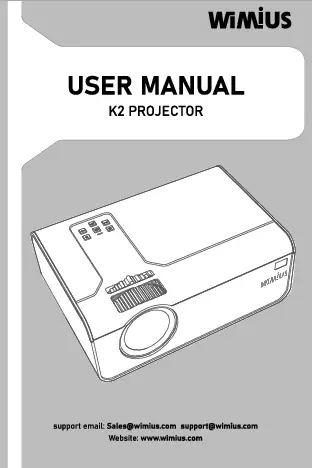
1. Уводзіны і большview
This manual provides detailed instructions for the setup, operation, and maintenance of your WiMiUS K5 WiFi Bluetooth Projector. Please read this manual thoroughly before using the product to ensure optimal performance and safety.

Image 1.1: The WiMiUS K5 Projector and its included carrying bag.
The WiMiUS K5 is a portable projector designed for versatile use, offering Full HD 1080P resolution and a maximum projection size of 300 inches. It features multiple connectivity options including HDMI, VGA, USB, and AV, along with WiFi and Bluetooth capabilities for seamless integration with various devices.

Image 1.2: The WiMiUS K5 Projector is suitable for various entertainment and presentation needs.
2. Што ў скрынцы
Upon unboxing your WiMiUS K5 Projector, please ensure all the following items are present:
- WiMiUS K5 Projector Unit
- Сумка для пераноскі
- Пульт дыстанцыйнага кіравання
- Шнур харчавання
- AV-кабель
An HDMI cable is not included and may need to be purchased separately if you intend to connect directly to a computer or other HDMI-only devices.
Відэа 2.1: Оверview of the WiMiUS K5 Projector, demonstrating its components and basic operation.
3. Асаблівасці і кампаненты прадукту
3.1 Пярэдняя панэль
The front of the projector features the projection lens. A lens cap is provided to protect the lens from dust and scratches when not in use. Ensure the lens cap is removed before operation.
3.2 Верхняя панэль
The top panel includes manual focus and keystone correction wheels, allowing you to adjust the image clarity and shape. It also features a control panel with buttons for power, menu navigation, and volume control.

Малюнак 3.1: Верх view of the projector, highlighting the focus/keystone adjustment and control buttons.
3.3 Задняя і бакавыя панэлі
The rear and side panels house various input/output ports and ventilation grilles. These include HDMI, USB, VGA, and AV ports for wired connections, as well as an audio output jack.

Малюнак 3.2: Збоку view of the projector displaying its connectivity ports.
3.4 Ніжняя панэль
The bottom of the projector features an adjustable foot for angle correction and mounting points for compatible stands or ceiling mounts.
4. Настройка
4.1 Падключэнне харчавання
- Падключыце шнур харчавання да ўваходнага порта харчавання праектара.
- Падключыце другі канец шнура харчавання да звычайнай электрычнай разеткі.
- Націсніце кнопку харчавання на праектары або пульце дыстанцыйнага кіравання, каб уключыць прыладу.
4.2 Placement and Screen Adjustment
Размясціце праектар на ўстойлівай, роўнай паверхні. Для аптымальнага viewing, position the projector directly in front of your projection surface (wall or screen). Adjust the adjustable foot on the bottom of the projector to achieve the desired vertical angle.

Image 4.1: Recommended projection distances for various screen sizes (e.g., 2.5m for 70 inches, 3m for 100 inches, 6m for 200 inches).
The projector supports a flexible screen size from 50 to 300 inches, depending on the projection distance. For best results, ensure the room is sufficiently dark.
5. Інструкцыя па эксплуатацыі
5.1 Image Adjustment (Focus and Keystone)
- Фокус: Rotate the focus wheel on the top of the projector until the image appears sharp and clear.
- Карэкцыя трапецеідальных скажэнняў: Use the keystone correction wheel to adjust the image if it appears trapezoidal. This corrects vertical distortion. The projector supports up to ±15° keystone correction.
5.2 Правадное падключэнне
The projector supports various wired inputs:
- HDMI: Connect to laptops, TV boxes, gaming consoles (Xbox, PS4), DVD players, or streaming sticks (e.g., Amazon Fire Stick).
- USB: Падключыце USB-флэш-назапашвальнікі для прайгравання медыяфайлаў.
- VGA: Connect to older computers or laptops.
- АВ: Connect to devices using an AV cable (e.g., older DVD players).

Image 5.1: The projector offers wide compatibility with various devices.
5.3 Бесправадное падключэнне (Wi-Fi)
The WiMiUS K5 supports WiFi connectivity for screen mirroring from iOS and Android smartphones or tablets. This allows you to project content from your mobile device wirelessly.
- Пераканайцеся, што ваш праектар і мабільная прылада падключаны да адной сеткі Wi-Fi.
- Select the 'Screen Mirroring' or 'WiFi Display' option on the projector's menu.
- On your mobile device, enable screen mirroring (e.g., 'Screen Mirroring' on Android, 'AirPlay' on iOS) and select the projector from the list of available devices.

Image 5.2: Wireless screen mirroring from a smartphone to the projector.
Video 5.3: Demonstration of the projector's WiFi and Bluetooth capabilities.
5.4 Bluetooth Audio
The projector features Bluetooth 5.0 for connecting to external audio devices such as Bluetooth speakers or headphones. This enhances the audio experience, especially in larger or outdoor settings.
- Turn on your Bluetooth speaker or headphones and set them to pairing mode.
- У меню праектара перайдзіце да налад Bluetooth.
- Select your Bluetooth device from the list to pair.

Image 5.4: Connecting the projector to external Bluetooth audio devices.
6. Тэхнічнае абслугоўванне
6.1 Сыход за лінзамі
Always use the provided lens cap when the projector is not in use to prevent dust accumulation and scratches. Clean the lens gently with a soft, lint-free cloth specifically designed for optical lenses. Avoid using abrasive materials or harsh chemicals.
6.2 Ачыстка корпуса праектара
Працірайце знешнія паверхні праектара мяккай сухой тканінай. Не выкарыстоўвайце вадкія ачышчальнікі або спрэі непасрэдна на прыладзе.
6.3 Вентыляцыя
Ensure the projector's ventilation grilles are clear of obstructions to prevent overheating. Adequate airflow is crucial for the longevity of the device.
7. Выпраўленне непаладак
7.1 Няма выявы або размытая выява
- Праверце, ці знята вечка аб'ектыва.
- Паварочвайце кола факусоўкі, пакуль выява не стане выразнай.
- Пераканайцеся, што адлегласць праекцыі знаходзіцца ў рэкамендаваным дыяпазоне.
- Verify the input source is correctly selected and the cable connections are secure.
7.2 Няма гуку або ціхі гук
- Adjust the volume on the projector and your connected device.
- If using Bluetooth speakers, ensure they are properly paired and charged.
- Праверце падключэнне аўдыёкабеля, калі выкарыстоўваюцца правадныя знешнія дынамікі.
7.3 Перагрэў
- Ensure the projector's ventilation grilles are not blocked.
- Працуйце з праектарам у добра вентыляваным памяшканні.
- Allow the projector to cool down if it automatically shuts off due to overheating.
8. Тэхнічныя характарыстыкі
| Марка | WiMiUS |
| Нумар мадэлі | K5 |
| Дазвол дысплея | 1920 x 1080 (Full HD) |
| Тэхналогія падлучэння | Bluetooth, HDMI, USB, VGA, AV |
| Вага прадмета | 4.18 фунта |
| Тып дынаміка | Built-In, Stereo |
| Асаблівасці | HDMI Connectivity, Portable, USB Connectivity |
9. Гарантыя і падтрымка
For warranty information and customer support, please refer to the documentation included with your purchase or visit the official WiMiUS webсайт. Захоўвайце пацвярджэнне пакупкі для прэтэнзій па гарантыі.