
1. Уводзіны
The AULA S603 is a wired gaming headset designed for an immersive audio experience. It features a lightweight and comfortable design, noise isolation, a highly sensitive microphone, and vibrant RGB lighting. This manual provides essential information for setting up, operating, maintaining, and troubleshooting your headset.
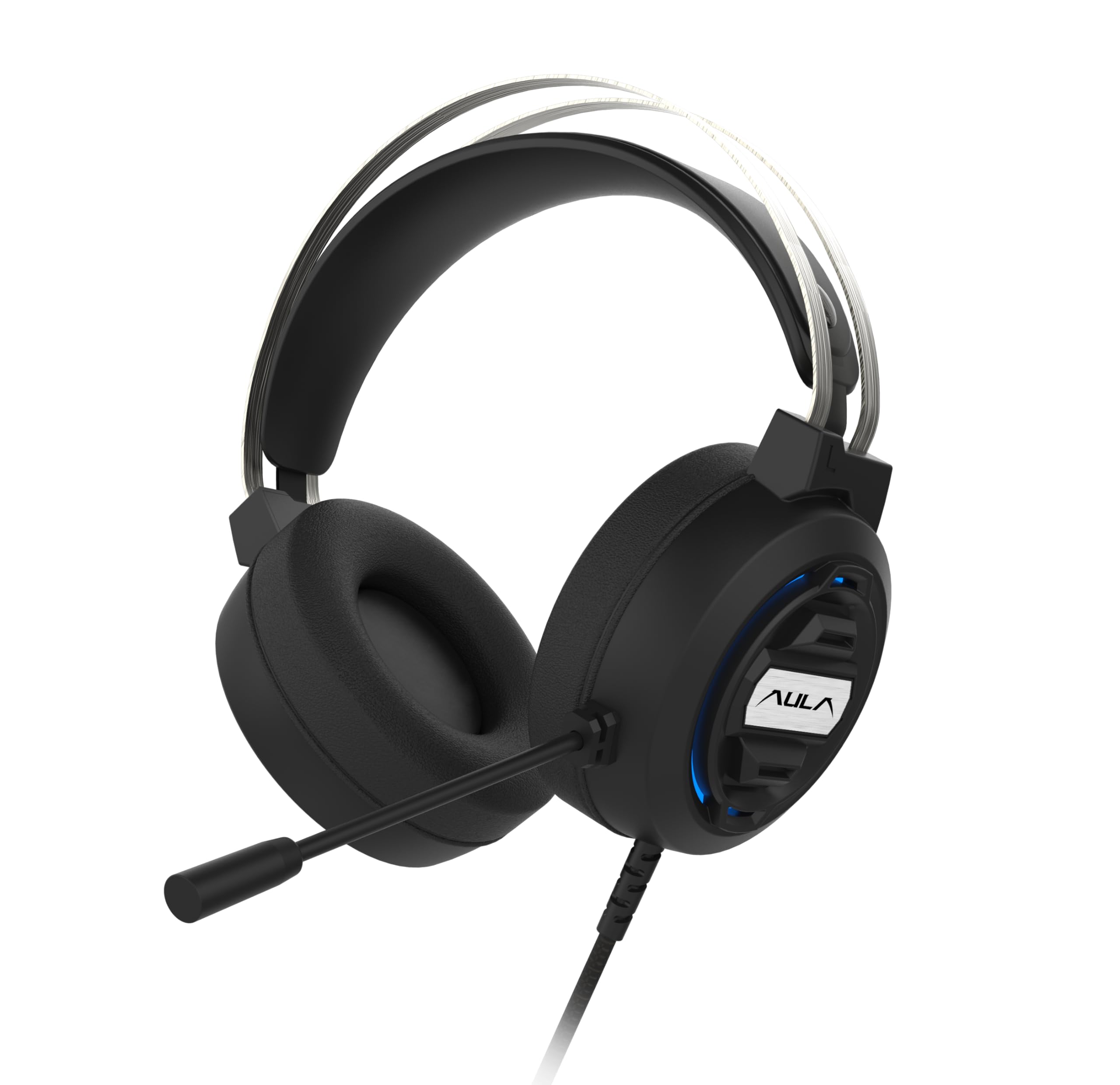
Image 1: AULA S603 Wired Gaming Headset with microphone extended.
Асноўныя характарыстыкі:
- Эрганамічны дызайн: Features a soft adaptive suspension headband and breathable, skin-friendly earmuffs for comfortable wear during extended use.
- Звышлёгкі: Designed for comfort during long gaming sessions, offering high-quality sound and an adjustable headband for a custom fit.
- HD Noise Cancelling: Built-in technology ensures clear voice pickup and reduces background noise, facilitating clear communication.
- RGB асвятленне: Integrated RGB LED provides a dynamic backlight effect, cycling through various colors for an enhanced aesthetic.
- High-sensitivity Microphone: Captures your voice effectively while filtering out ambient noise, ideal for gaming and video calls.
- Multi-Platform Compatible: Connects to various consoles and PCs without hassle, including a converter jack for device versatility.
2. Інструкцыі па ўсталёўцы
Follow these steps to set up your AULA S603 Gaming Headset:
- Падключэнне аўдыёраздыма: Plug the 3.5mm audio jack into the corresponding port on your computer, console controller, or smartphone.
- Connect USB (for RGB Lighting): Insert the USB connector into an available USB port on your device. This powers the RGB lighting feature.
- Адрэгулюйце павязку на галаву: Place the headset on your head and adjust the adaptive suspension headband for a comfortable and secure fit.
- Пазіцыя мікрафона: Adjust the flexible microphone boom to position the microphone near your mouth for optimal voice capture.
- Праверце злучэнне: Ensure both the 3.5mm jack and USB are fully inserted. Your device should recognize the headset automatically.
Video 1: This video demonstrates the features of the AULA S603 headset, including its lightweight design, adaptive headband, skin-friendly earmuffs, anti-wrap wires, noise reduction capabilities, and ergonomic design. It also shows the headset in use during a gaming session.
3. Інструкцыя па эксплуатацыі
Using your AULA S603 headset is straightforward:
- Рэгулятар гучнасці: Use the inline volume control wheel located on the headset cable to adjust the audio output level. Rotate it up to increase volume and down to decrease.
- Выкарыстанне мікрафона: The microphone is automatically active when connected. Ensure it is positioned correctly for clear voice transmission.
- RGB асвятленне: The 7-color breathing light will activate automatically when the USB is connected. There is no manual control for changing colors or turning off the light directly on the headset.
- Выкарыстанне некалькіх платформаў: For devices requiring separate audio and microphone inputs, use the included converter jack.
Video 2: This video highlights the ultra-lightweight design, HD noise-cancelling microphone, RGB lighting effects, high-sensitivity microphone, and multi-platform compatibility of the AULA S603 headset.
4. Тэхнічнае абслугоўванне
To ensure the longevity and optimal performance of your AULA S603 headset, follow these maintenance guidelines:
- Уборка: Use a soft, dry cloth to clean the headset. Avoid using harsh chemicals or abrasive materials. For earmuffs, gently wipe with a damp cloth if necessary, and allow to air dry completely.
- захоўванне: Store the headset in a cool, dry place away from direct sunlight and extreme temperatures. Avoid tangling the cable; use the tangle-free feature to keep it neat.
- Сыход за кабелем: Не цягніце за кабель, каб адключыць гарнітуру. Заўсёды трымайце вілку моцна. Пазбягайце празмернага згінання або скручвання кабеля.
- Сыход за мікрафонам: Акуратна звяртайцеся са штангай мікрафона. Пазбягайце празмерных намаганняў пры рэгуляванні яе становішча.
5. Выпраўленне непаладак
If you encounter issues with your AULA S603 headset, refer to the following common solutions:
| праблема | Магчымая прычына | Рашэнне |
|---|---|---|
| Няма гуку з гарнітуры |
|
|
| Не працуе мікрафон |
|
|
| Не працуе RGB-асвятленне |
|
|
| Якасць гуку дрэнная |
|
|
6. Тэхнічныя характарыстыкі
Detailed technical specifications for the AULA S603 Gaming Headset:
- Назва мадэлі: S603
- Марка: АЎЛА
- Тэхналогія падключэння: Правадная
- Раз'ём для навушнікаў: 3.5 мм Jack
- Сумяшчальныя прылады: Laptops, Personal Computer, Smartphone
- Тып кіравання: Рэгулятар гучнасці
- Характарыстыка кабеля: Блытанне бясплатна
- Вага прадмета: 270 грам
- матэрыял: Пластыкавыя
- стыль: Над вухам
- Форма навушніка: Надвушныя
- Тып аўдыё драйвера: Дынамічны драйвер
- Кантроль шуму: Гукаізаляцыя
- Памеры прадукту (ДxШxВ): 19.1 х 20.7 х 10.3 сантыметраў
7. Гарантыя і падтрымка
Каб атрымаць інфармацыю аб гарантыі і падтрымцы кліентаў, звярніцеся да дакументацыі, якая прыкладаецца да вашай пакупкі, або звярніцеся да прадаўца. Захоўвайце пацвярджэнне пакупкі для любых гарантыйных прэтэнзій.
If you require further assistance or have questions not covered in this manual, please reach out to AULA customer support through their official channels or the point of purchase.