
Геній A17179
DR-HO'S MotionCiser Foot Massager User Manual
Мадэль: A17179
Уводзіны
Thank you for choosing the DR-HO'S MotionCiser. This innovative foot massager combines vibration and heat functions to provide a soothing and relaxing experience. This manual provides important information on how to set up, operate, and maintain your MotionCiser for optimal performance and longevity. Please read it thoroughly before first use.

Image: The DR-HO'S MotionCiser foot massager unit with its accompanying remote control, showcasing its compact design and user-friendly interface.
Змест пакета
Пераканайцеся, што ўсе прадметы прысутнічаюць у пасылцы:
- 1 x DR-HO'S MotionCiser Main Unit
- 1 х адаптар сілкавання
- 1 х пульт дыстанцыйнага кіравання
- 1 х Кіраўніцтва карыстальніка (гэты дакумент)

Image: A visual representation of the MotionCiser package contents, including the main unit, power adapter, and remote control.
Настройка
- Распакаванне: Асцярожна выміце ўсе кампаненты з упакоўкі. Захавайце ўпакоўку для наступнага захоўвання або транспарціроўкі.
- Размяшчэнне: Place the MotionCiser on a flat, stable surface in a comfortable seating area. Ensure there is enough space around the unit for proper ventilation.
- Падключэнне сілкавання: Insert the power adapter cable into the DC input port located on the side of the MotionCiser unit. Plug the other end of the power adapter into a standard electrical outlet.
- Пульт дыстанцыйнага кіравання: Ensure the remote control has batteries installed (if not pre-installed, refer to the battery compartment on the back of the remote).
Інструкцыя па эксплуатацыі
Пачатак працы
Once the unit is plugged in, you can begin using your MotionCiser.
- Sit comfortably in a chair with your feet placed flat on the footpads of the MotionCiser.
- Націсніце ВКЛ/ВЫКЛ button on the remote control or the main unit to power on the device. The display will illuminate.
Выкарыстанне пульта дыстанцыйнага кіравання
The remote control allows for convenient adjustment of settings:
- Хуткасць вібрацыі: Выкарыстоўвайце + і - buttons under "Speed" to increase or decrease the vibration intensity. There are 10 speed levels available.
- Функцыя цяпла: Выкарыстоўвайце + і - buttons under "Degree of heat" to activate and adjust the heat therapy. The heat function operates between 30°C and 50°C.
- Каб выключыць прыладу, націсніце ВКЛ/ВЫКЛ кнопку зноў.

Image: A user's feet resting on the MotionCiser footpads, demonstrating the proper usage position for the device.
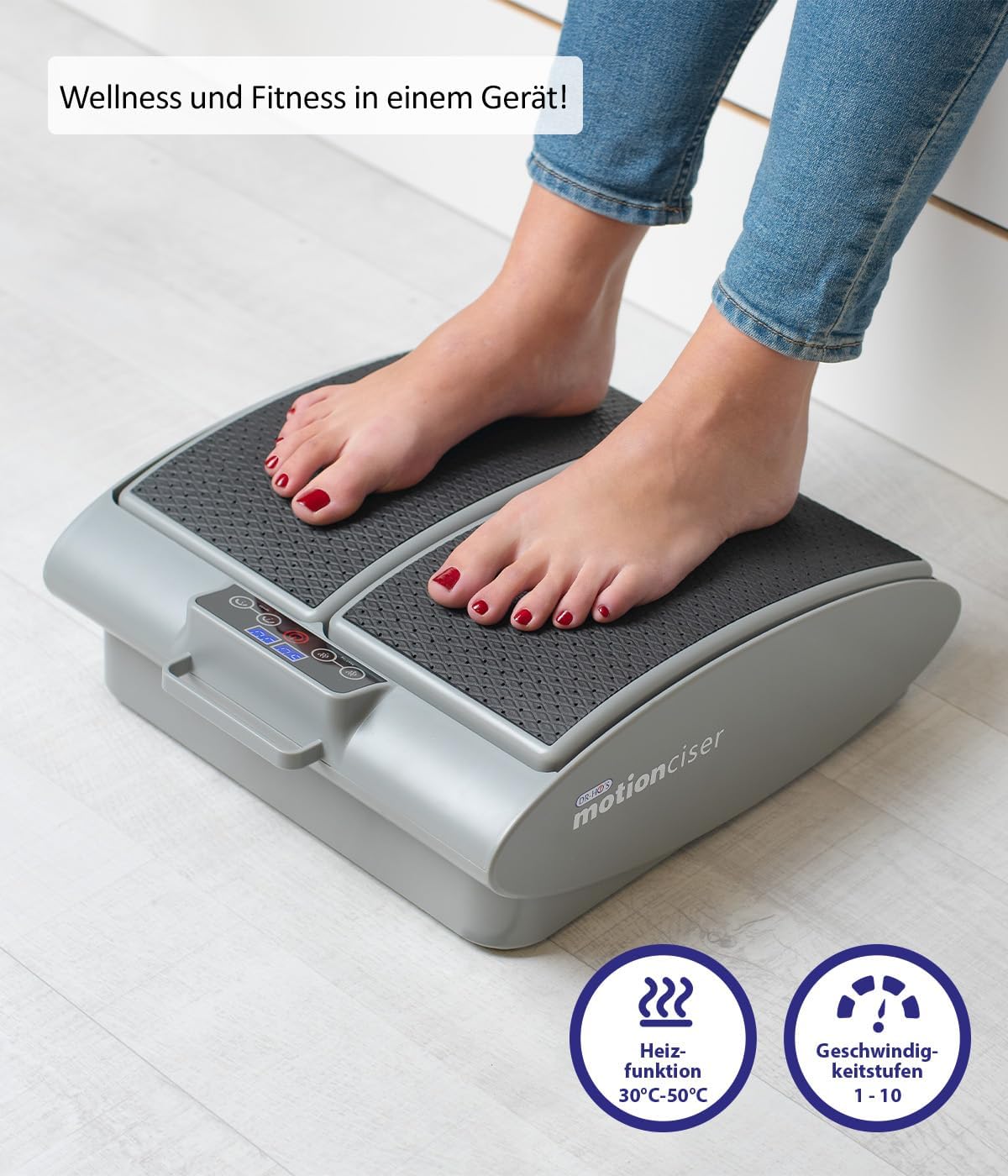
Выява: буйны план view of the MotionCiser's control panel and footpads, highlighting the heat function (30°C-50°C) and speed levels (1-10).

Выява: Падрабязная view of the MotionCiser's control interface, showing the digital display and buttons for adjusting heat and speed settings.
Тэхнічнае абслугоўванне
Уборка
- Always unplug the MotionCiser from the power outlet before cleaning.
- Пратрыце паверхню прылады мяккай, damp тканіна. Не выкарыстоўвайце абразіўныя ачышчальнікі або агрэсіўныя хімікаты.
- Не апускайце прыладу ў ваду ці іншую вадкасць.
Захоўванне
- Store the MotionCiser in a cool, dry place, away from direct sunlight and extreme temperatures.
- If storing for an extended period, it is recommended to place the unit back in its original packaging to protect it from dust and damage.
Ліквідацыю непаладак
| праблема | Магчымая прычына | Рашэнне |
|---|---|---|
| Прылада не ўключаецца. | Not plugged in correctly; Power outlet issue; Remote control batteries low. | Ensure power adapter is securely plugged into the unit and outlet. Test the outlet with another device. Replace remote control batteries. |
| Няма вібрацыі. | Speed setting is too low or off; Internal malfunction. | Increase the vibration speed using the remote control. If the issue persists, contact customer support. |
| Няма цяпла. | Heat function is off; Internal malfunction. | Activate and increase the heat setting using the remote control. If the issue persists, contact customer support. |
| Пульт дыстанцыйнага кіравання не рэагуе. | Батарэйкі разраджаныя або няправільна ўстаўленыя; паміж пультам дыстанцыйнага кіравання і прыладай ёсць перашкода. | Замяніце батарэйкі, сачыце за правільнай палярнасцю. Выдаліце любыя перашкоды. Накіруйце пульт непасрэдна на прыладу. |
Тэхнічныя характарыстыкі
| Асаблівасць | Дэталь |
|---|---|
| Нумар мадэлі | A17179 |
| Марка | Геній |
| Памеры (Д х Ш х У) | 41 х 18 х 38 см (16.1 х 7.1 х 15 цалі) |
| Вага | 3.75 кг (8.27 фунтаў) |
| Крыніца харчавання | Электрычны |
| Матэрыял | Метал |
| Колер | White (as per product image, though spec says Blanc.) |
| Асаблівасць | Easy to use, remote temperature adjustment |
| Heat Function Range | 30°C - 50°C |
| Vibration Speed Levels | 1-10 |

Image: Diagram illustrating the dimensions of the MotionCiser unit: 36 cm length, 33 cm width, and 12.5 cm height.
Гарантыя і падтрымка
For warranty information and customer support, please refer to the contact details provided with your purchase documentation or visit the official Genius product webсайт. Захоўвайце пацвярджэнне пакупкі для любых гарантыйных прэтэнзій.
If you encounter any issues not covered in the troubleshooting section, please contact our customer service team for assistance.
Ask a question about this manual
Ask about setup, troubleshooting, compatibility, parts, safety, or missing instructions. Manuals+ will review the question and use this page’s manual context to help answer it.