
Simply45 DO-D003
SimplyAV The Dongler ProAV 4K USB Type-C Pigtail Dongle Adapter with Harness
Model: DO-D003
Прадукт скончаныview
The SimplyAV The Dongler ProAV 4K USB Type-C Pigtail Dongle Adapter with Harness (Model DO-D003) is designed to provide high-performance video and audio connectivity. This adapter facilitates the connection of USB Type-C enabled devices to HDMI displays, supporting ultra-high-definition 4K video with HDR and an 18 Gbps bandwidth for seamless data transfer.

Figure 1: The SimplyAV The Dongler ProAV 4K USB Type-C Pigtail Dongle Adapter, showcasing its compact design and integrated harness.
Асноўныя характарыстыкі:
- Высокая прадукцыйнасць: Delivers ultra-high-definition 4K video with HDR for vibrant colors, deep contrast, and smooth playback in professional AV setups.
- Fast 18 Gbps Bandwidth: Ensures high-speed data transfer for seamless video and audio output, eliminating lag and enhancing performance for gaming, streaming, and presentations.
- Pigtail Dongle with Secure Harness: Designed for a secure and reliable connection, reducing strain on ports and preventing accidental disconnection during use.
- USB Type-C Compatibility: Works with USB-C-enabled laptops, tablets, and smartphones, connecting seamlessly to HDMI displays, projectors, and monitors.
- Трывалая і надзейная канструкцыя: Engineered for longevity with high-quality materials, making it a trusted choice for Pro AV professionals, content creators, and IT setups.

Малюнак 2: Закончанаview of the SimplyAV The Dongler's key features, including 4K HDR support, 18Gbps bandwidth, and USB-C to HDMI conversion.
Настройка і падключэнне
This section provides instructions for setting up and connecting your SimplyAV The Dongler adapter.
Падключэнне адаптара:
- Identify the USB Type-C (Male) input on the dongle. This is the connector that plugs into your source device (laptop, tablet, smartphone).
- Locate the HDMI (Female) output on the dongle. This is where you will connect your HDMI cable leading to your display device (HDTV, monitor, projector).
- Ensure your source device supports Альтэрнатыўны рэжым DisplayPort over its USB Type-C port for video output. This is essential for the adapter to function correctly.
- Connect the USB Type-C (Male) end of the dongle to the USB Type-C port on your source device.
- Connect a standard HDMI cable (not included) from the HDMI (Female) port on the dongle to the HDMI input on your display device.
- If using the secure harness, attach it to your existing HDMI cable or other secure point to prevent accidental disconnection or theft. The harness features a wide spacer for adding new dongles and an extra secure mechanism that can be adjusted with a hex tool.

Figure 3: Diagram illustrating the USB Type-C input, HDMI output, wide spacer, and secure harness features of The Dongler adapter.
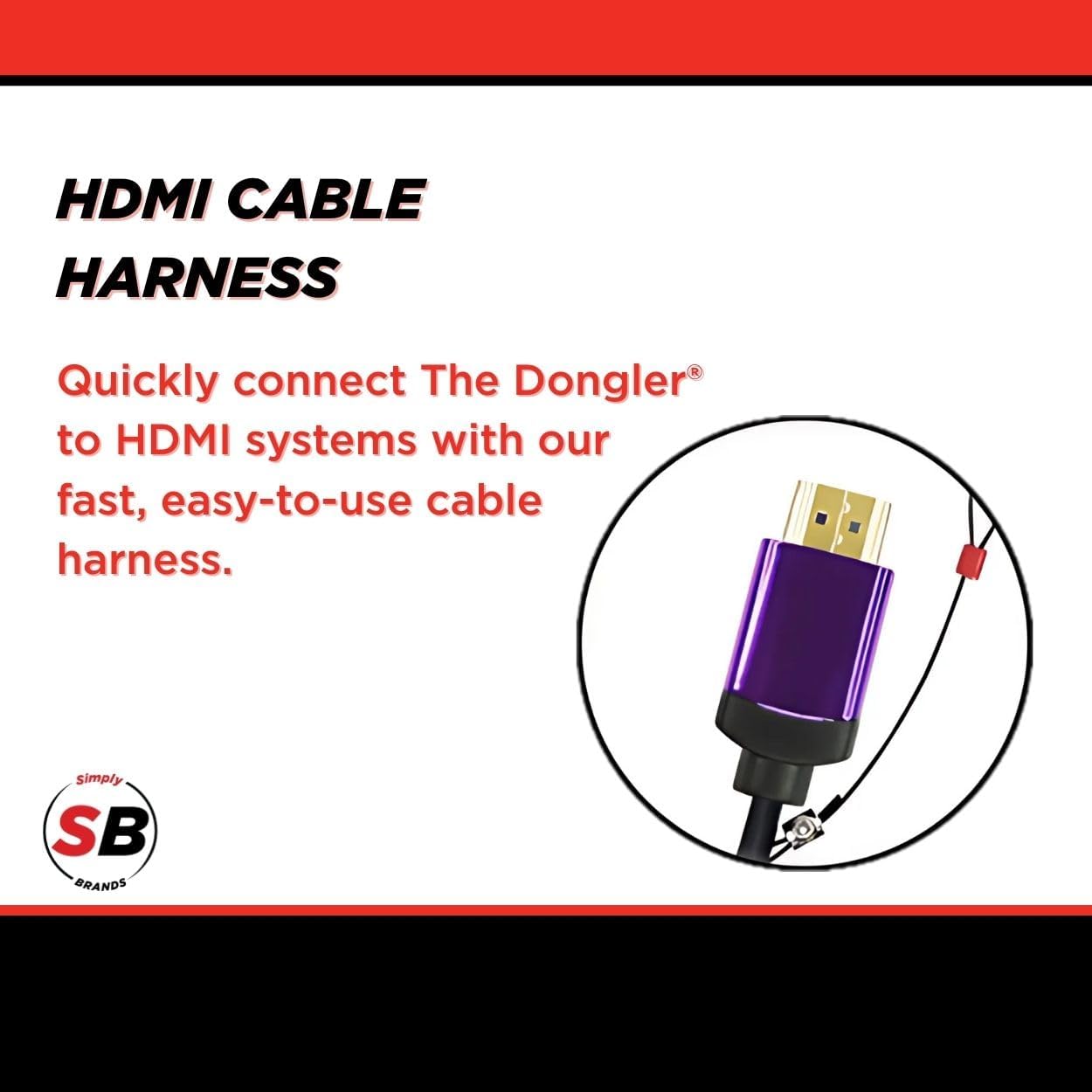
Малюнак 4: Буйны план view of the HDMI cable harness, designed for quick and easy connection to HDMI systems.
Інструкцыя па эксплуатацыі
Once connected, the SimplyAV The Dongler adapter operates automatically. No additional drivers or software are typically required for most operating systems.
Displaying Content:
- After connecting the adapter and display, your source device should automatically detect the external display.
- Adjust your display settings on your source device (e.g., laptop, smartphone) to extend, duplicate, or project your screen as desired.
- The adapter supports 4K resolution at 60Hz with HDR, ensuring high-quality video output for compatible content and displays.
- For optimal performance, ensure your HDMI cable and display device also support 4K resolution and HDR.
Тэхнічнае абслугоўванне і догляд
To ensure the longevity and optimal performance of your SimplyAV The Dongler adapter, follow these maintenance guidelines:
- Уборка: Для чысткі адаптара выкарыстоўвайце мяккую сухую тканіну. Пазбягайце выкарыстання вадкіх ачышчальнікаў або абразіўных матэрыялаў.
- захоўванне: Захоўвайце адаптар у прахалодным, сухім месцы, калі ён не выкарыстоўваецца. Пазбягайце экстрэмальных тэмператур і прамых сонечных прамянёў.
- Апрацоўка: Handle the adapter by its body, not by the cables, to prevent strain on the connectors.
- Бяспечны рэмень бяспекі: Regularly inspect the secure harness and its connection points for any signs of wear or damage.

Figure 5: The theft-resistant design of The Dongler, featuring a cut-resistant steel ring and combo lock for secure anchoring.
Ліквідацыю непаладак
If you encounter issues with your SimplyAV The Dongler adapter, refer to the following common troubleshooting steps:
| праблема | Магчымая прычына | Рашэнне |
|---|---|---|
| Няма відэа- або аўдыёвыхаду. |
|
|
| Low resolution or flickering display. |
|
|
| Перарывістае злучэнне. |
|
|
Тэхнічныя характарыстыкі
| Атрыбут | Дэталь |
|---|---|
| Фірмовае найменне | Проста45 |
| Нумар мадэлі | DO-D003 |
| Вага прадмета | 1.44 унцыі |
| Памеры прадукту (Д х Ш х У) | 8.6 х 5.7 х 0.2 цалі |
| Колер | Чорны |
| Сумяшчальныя прылады | Projector, Television (any HDMI display) |
| Канкрэтнае выкарыстанне прадукту | Streaming, Gaming, Presentations |
| Тып раздыма | USB Type C (Input), HDMI (Output) |
| Прапускная здольнасць | 18 Гбіт/с |
| Падтрымка відэа | 4K HDMI, HDR |
| Падтрымка HDCP | HDCP 2.2 |
Гарантыя і падтрымка
Information regarding the specific warranty period and direct customer support contacts for the SimplyAV The Dongler ProAV 4K USB Type-C Pigtail Dongle Adapter (Model DO-D003) is not available in the provided product data. Please refer to the manufacturer's official website or your point of purchase for detailed warranty terms and support options.
Па агульных пытаннях або для атрымання тэхнічнай дапамогі вы можаце наведаць Simply45 Store on Amazon or search for "Simply45" online to find their official support channels.