
1. Уводзіны
This manual provides detailed instructions for the installation, operation, and maintenance of your Ctronics 4G LTE PTZ Outdoor Security Camera, Model 285C-4G. This camera is designed for outdoor surveillance in areas without Wi-Fi access, utilizing 3G/4G LTE cellular networks. It features pan-tilt-zoom capabilities, advanced human detection, color night vision, and two-way audio communication.
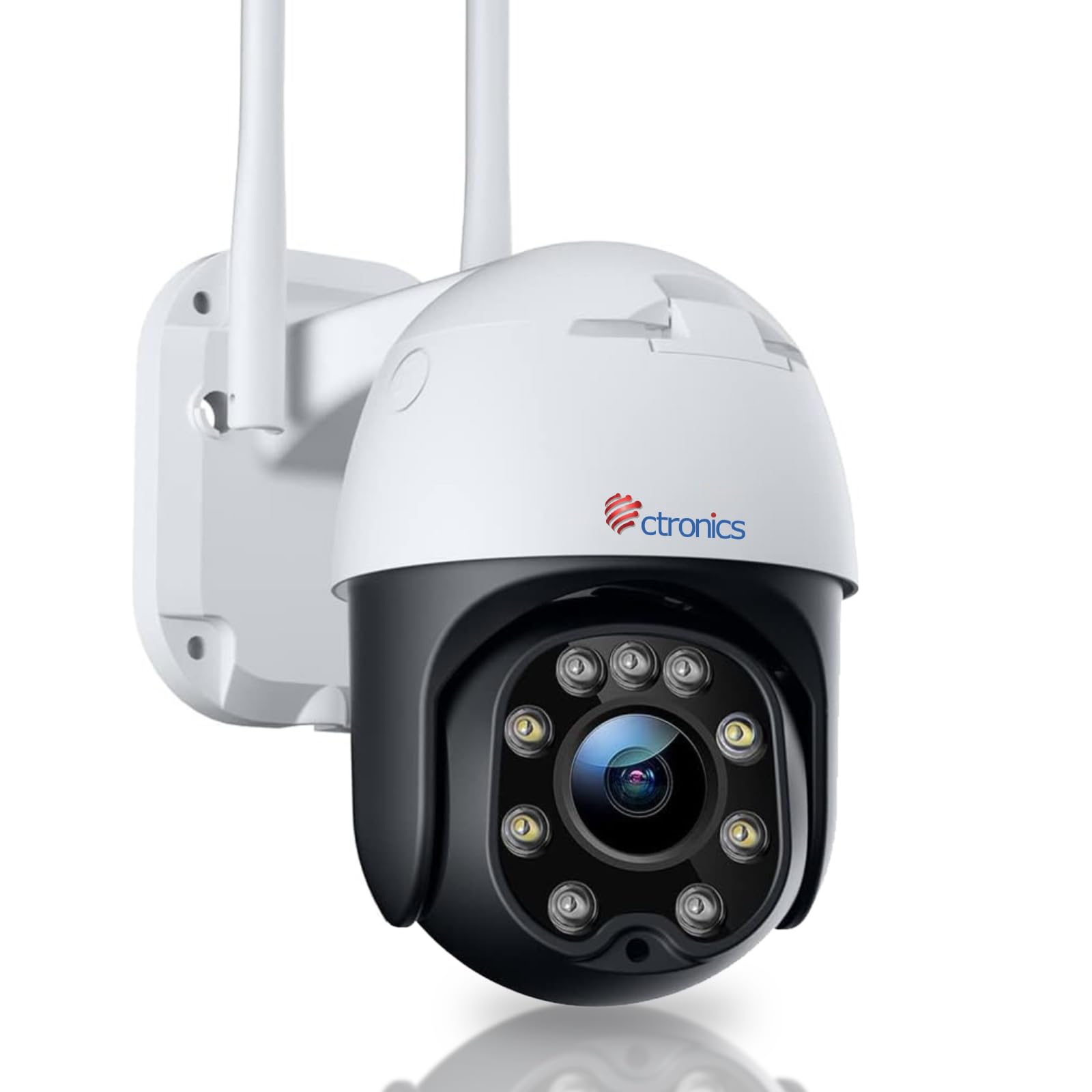
Image: The Ctronics 4G LTE PTZ Outdoor Security Camera, showcasing its dual antennas and robust design, suitable for outdoor environments with 3G/4G LTE connectivity.
2. Настройка
2.1 Уключаныя кампаненты
- Ctronics 4G LTE PTZ Outdoor Security Camera
- Кіраўніцтва па эксплуатацыі
- Крапежныя шрубы
- Stand/Mounting Bracket
- Адаптар сілкавання
- NANO 300M SIM card (for 7 days, included in some packages)
2.2 Усталёўка SIM -карты
- Locate the SIM card slot on the camera. This is typically protected by a waterproof cover.
- Carefully open the cover using a screwdriver if necessary.
- Insert a NANO SIM card into the designated slot. Ensure the SIM card is correctly oriented according to the diagram near the slot.
- Close the waterproof cover securely to prevent water ingress.
2.3 Падключэнне харчавання
Connect the provided power adapter to the camera's power input port and then plug it into a suitable power outlet. The camera will power on automatically.
2.4 Мантаж камеры
The camera is designed for wall mounting. Choose a location that provides optimal viewing coverage and has a stable surface for installation.
- Use the mounting template (if provided) or the camera's base to mark the drill holes on the wall.
- Прасвідруйце адтуліны і пры неабходнасці ўстаўце ў сцяну анкеры.
- Замацуйце мантажны кранштэйн да сцяны з дапамогай прадугледжаных шруб.
- Attach the camera to the mounting bracket, ensuring it is firmly in place.

Image: The Ctronics camera mounted on a wall, illustrating its pan and tilt capabilities for wide area coverage.
2.5 Усталёўка праграмы і пачатковая налада
Download the "HiP2P" or "CTRONICS" application from your mobile device's app store (iOS/Android) or install the PC client for Windows. Follow the in-app instructions to add your camera by scanning the QR code or manually entering the device ID.

Image: The Ctronics camera interface displayed on a laptop, tablet, and smartphone, demonstrating remote access capabilities across various devices.
3. Аперацыйная
3.1 Кіраванне панарамаваннем, нахілам і маштабаваннем (PTZ)
Through the mobile app or PC client, you can remotely control the camera's movement:
- Пан: Rotate the camera horizontally up to 355 degrees.
- Нахіл: Adjust the camera vertically up to 90 degrees.
- Маштаб: Use digital zoom features within the app to magnify the view.
3.2 Human Detection and Auto Tracking
The camera features an integrated AI algorithm for intelligent human recognition. This minimizes false alarms caused by environmental factors like rain, leaves, animals, or insects. When a human is detected, the camera can automatically track their movement within its field of view.
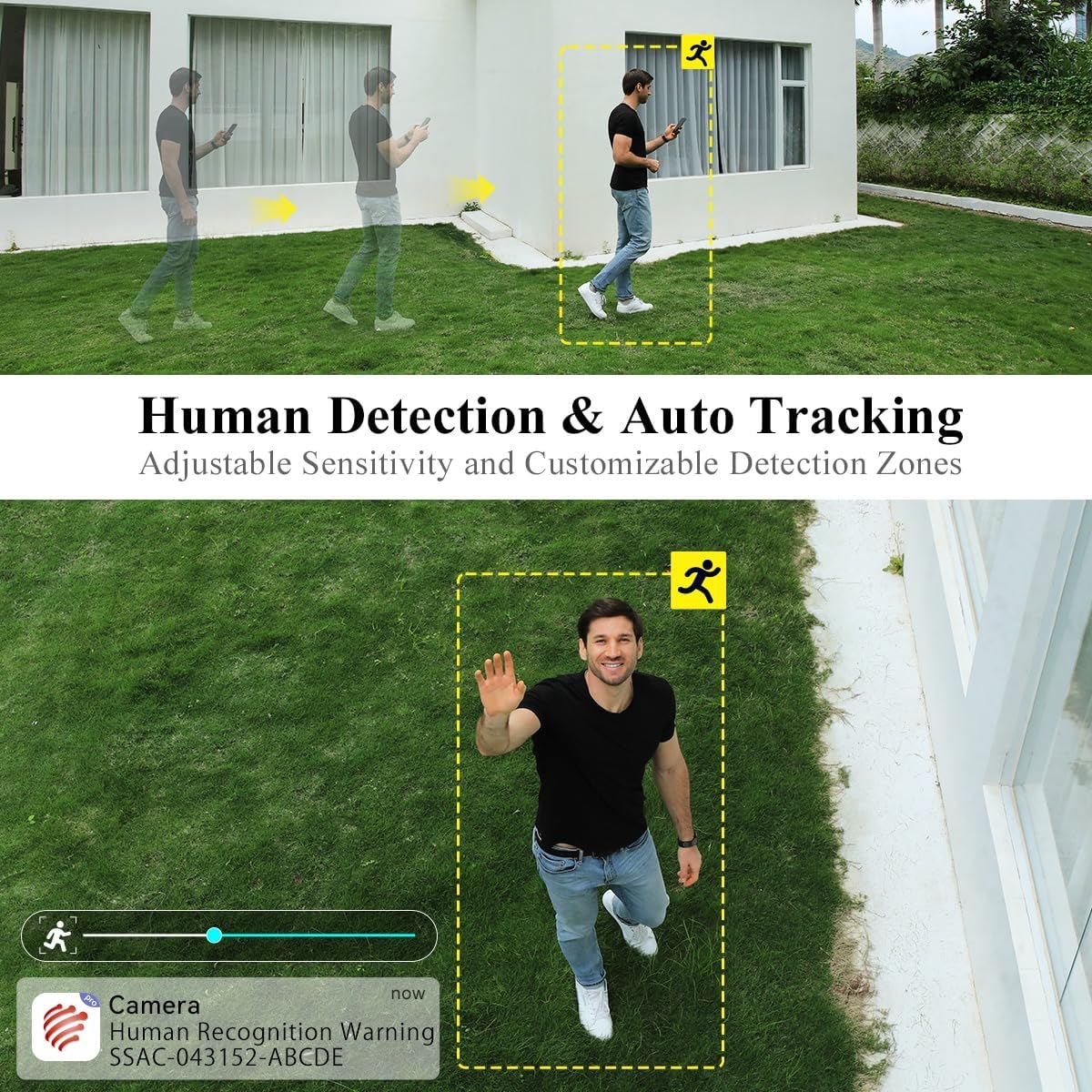
Image: A person walking in the camera's view, with a yellow box highlighting human detection and an arrow indicating auto-tracking functionality.
3.3 Рэжымы начнога бачання
Камера прапануе два рэжымы начнога бачання:
- Каляровы начны бачанне: With a dual light source design (4 spotlights and 5 infrared lights), the camera can display vivid color images in complete darkness up to 20 meters.
- Інфрачырвонае начное бачанне: Provides clear black and white images in low-light conditions.

Image: The Ctronics camera illuminating a dark outdoor scene with its spotlights, demonstrating its color night vision capability.
3.4 Двухбаковае аўдыё
The built-in microphone and speaker enable real-time two-way communication. You can listen to the camera's surroundings and speak through the camera to visitors or intruders.
3.5 Варыянты захоўвання
The camera supports multiple storage methods:
- SD-карта: Supports local storage on an SD card up to 64GB (not included).
- Воблачнае сховішча: Optional cloud storage services may be available (check app for details).
- FTP/NAS: Supports FTP and NAS for external storage solutions.
3.6 Аддалены доступ
The camera utilizes P2P (Peer-to-Peer) service, allowing you to access live video feeds and recorded footage from your mobile phone or PC anytime, anywhere, as long as the camera has 4G connectivity.
4. Тэхнічнае абслугоўванне
4.1 Устойлівасць да ўздзеяння надвор'я
The Ctronics 4G LTE PTZ camera has an IP66 rating, indicating it is weatherproof and protected against dust and powerful water jets. This ensures reliable operation in various outdoor weather conditions.

Image: The Ctronics camera being exposed to rain, illustrating its IP66 water resistance for outdoor use.
4.2 Ачыстка
To maintain optimal image quality, periodically clean the camera lens and housing. Use a soft, damp cloth. Avoid abrasive cleaners or solvents that could damage the camera's surface or lens coating.
4.3 Абнаўленне прашыўкі
Check the Ctronics app or official website regularly for firmware updates. Keeping your camera's firmware updated ensures optimal performance, security, and access to new features.
5. Выпраўленне непаладак
5.1 No 4G Signal or Connectivity Issues
- Ensure the NANO SIM card is correctly inserted and activated with a data plan.
- Check the 4G signal strength in the camera's location using your mobile phone. If the signal is weak, consider relocating the camera or using a 4G signal booster.
- Verify the APN settings in the camera's app configuration match your SIM card provider's settings.
- Restart the camera by disconnecting and reconnecting the power.
5.2 Camera Not Connecting to App
- Ensure the camera is powered on and the 4G signal is stable.
- Verify you have entered the correct device ID or scanned the correct QR code.
- Абнавіце праграму да апошняй версіі.
- Try resetting the camera to factory defaults (refer to the specific reset button location in the quick start guide).
5.3 Frequent False Alarms
- Адрэгулюйце налады адчувальнасці выяўлення руху ў дадатку.
- Вызначце пэўныя зоны выяўлення, каб выключыць зоны з частым рухам, не звязаным з чалавекам (напрыклад, хістанне дрэў).
- Ensure the human detection feature is enabled if you only want alerts for people.
5.4 Poor Night Vision Quality
- Ачысціце аб'ектыў камеры, каб выдаліць бруд або плямы.
- Ensure there are no obstructions blocking the infrared lights or spotlights.
- Check if the night vision mode is set correctly in the app (color or infrared).
6. Тэхнічныя характарыстыкі
| Марка | Ctronics |
| Назва мадэлі | 285C-4G |
| Тып мацавання | Насценнае мацаванне |
| Дазвол запісу відэа | 1080p |
| Колькасць каналаў | 1 |
| Тэхналогія бесправадной сувязі | Cellular (3G/4G LTE) |
| Формаў-фактар | Купал |
| Эфектыўнае дазвол відэа | 1080 |
| Viewing кут | 90 градусаў |
| Тып ўстаноўкі | Ўкручванне |
| Дыяпазон начнога бачання | 30 метраў |
| Частата кадраў | 15 кадраў у секунду |
| Матэрыял | Акрыланітрылбутадыенстырол (АБС) |
| тtage | 12 вольт |
| Ватtage | 12 ват |
| Памеры прадмета (Д х Ш х У) | 30 х 30 х 30 міліметраў |
| Узровень воданепранікальнасці | Воданепранікальны (IP66) |
| Вытворца | Ctronics |
| Нумар мадэлі тавару | 285C-4G |
| Памер | 1 адзінкі (упакоўка з 1) |
| Выкарыстанне | 360-degree coverage, Surveillance |
| Батарэі ў камплекце? | няма |
| Патрабуюцца батарэі? | няма |
| Рэкамендуемае прымяненне прадукту | Ахова на адкрытым паветры |
| Тэхналогія падлучэння | Бесправадная сувязь |
| Асаблівасці | Night Vision, PTZ, Human Detection, Two-Way Audio |
| Выкарыстанне ў памяшканні/на вуліцы | На адкрытым паветры |
| Сумяшчальныя прылады | Смартфон (iOS/Android), ПК (Windows) |
| Крыніца харчавання | Правадная электрычная |
| Пратакол злучэння | P2P |
| Тып кантролера | Android, iOS, Windows App |
7. Гарантыя і падтрымка
7.1 Інфармацыя аб гарантыі
Please refer to the warranty card included with your product or visit the official Ctronics website for detailed warranty terms and conditions. Warranty coverage typically includes manufacturing defects for a specified period from the date of purchase.
7.2 Падтрымка кліентаў
For technical assistance, troubleshooting, or any product-related inquiries, please contact Ctronics customer support. You can usually find contact information (email, phone, or live chat) on the official Ctronics website. When contacting support, please have your product model number (285C-4G) and purchase details ready.
For additional resources, including FAQs and updated manuals, visit the Ctronics official webсайт: www.ctronics.com