
1. Уводзіны і большview
The usogood DL502 Trail Camera is a reliable and feature-rich device designed for observing wildlife, monitoring property, and various outdoor surveillance applications. It captures high-resolution photos and videos with sound, both day and night, utilizing advanced technologies like infrared night vision and motion detection. This manual provides essential information for setting up, operating, and maintaining your camera.
2. Асаблівасці прадукту
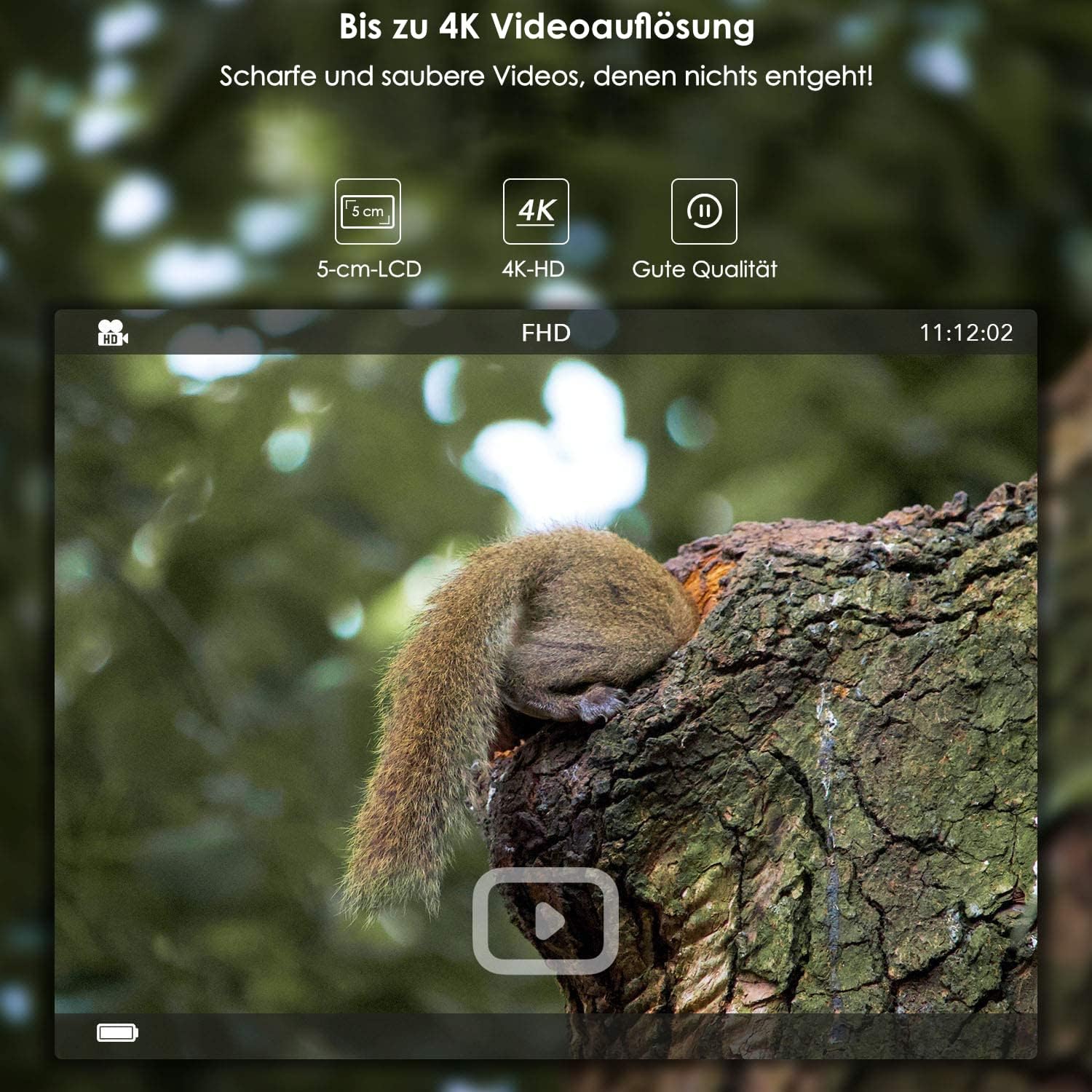
- Высокаразрозная візуалізацыя: Captures photos up to 24 MP (interpolated) and videos up to 4K (3840 x 2160).
- Інтэграваны Wi-Fi і Bluetooth: Allows for wireless settings adjustment, control, and image transfer via a smartphone application (Android and iOS). Bluetooth activates WiFi for energy efficiency.
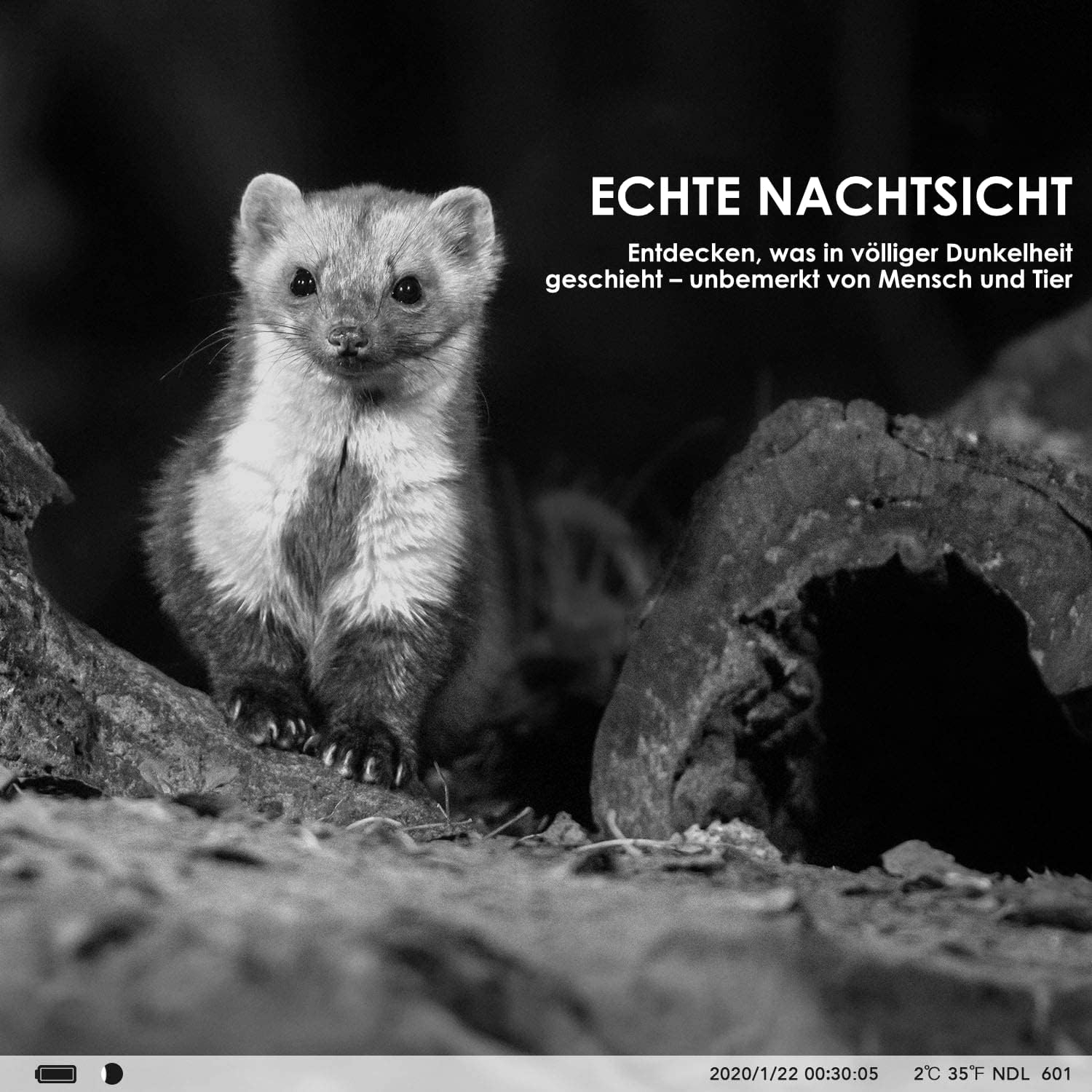
- Пашыранае начное бачанне: Features invisible 940nm IR LEDs for illumination up to 20 meters, ensuring clear black and white images in complete darkness without disturbing animals.
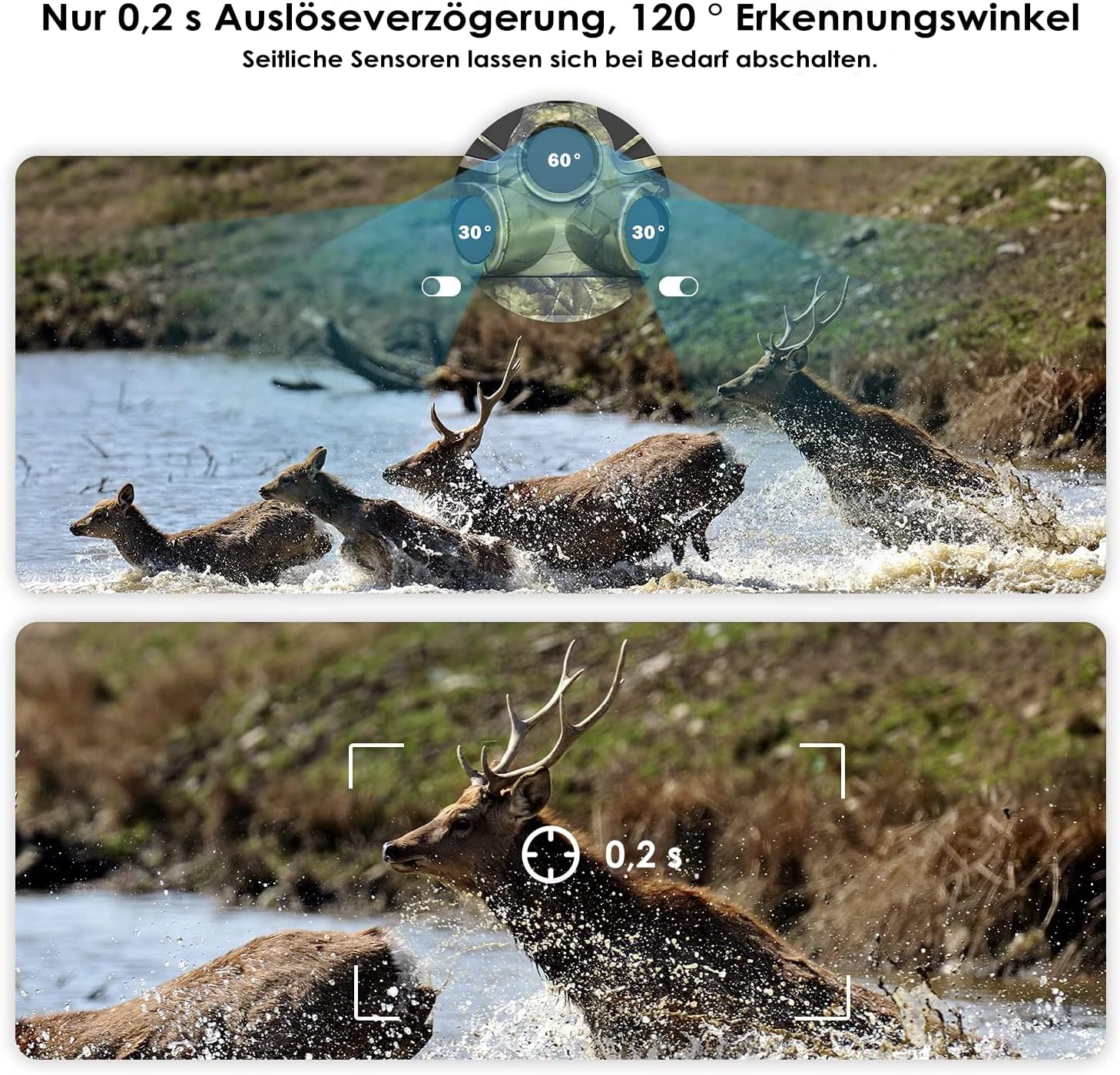
- Fast Motion Detection: Equipped with three separate PIR motion detectors, offering a rapid 0.2-second trigger delay and a wide 120° detection angle.
- Трывалы дызайн: IP66 dust and water-resistant, suitable for various weather conditions.
- Integrated LCD Screen: A protected 5 cm (2-inch) LCD screen for easy menu navigation and playback.
- Гнуткія параметры харчавання: Operates on 8 standard AA batteries or can be connected to an external power supply (3.5 x 1.35 mm).
- Time-Lapse Function: Ideal for monitoring plant growth, construction progress, or other long-term events.
- Часamp: Photos and videos include a timestamp with time, date, temperature, and moon phase.
- захоўванне: Supports SD memory cards up to 128 GB (card sold separately).
3. Змесціва ўпакоўкі
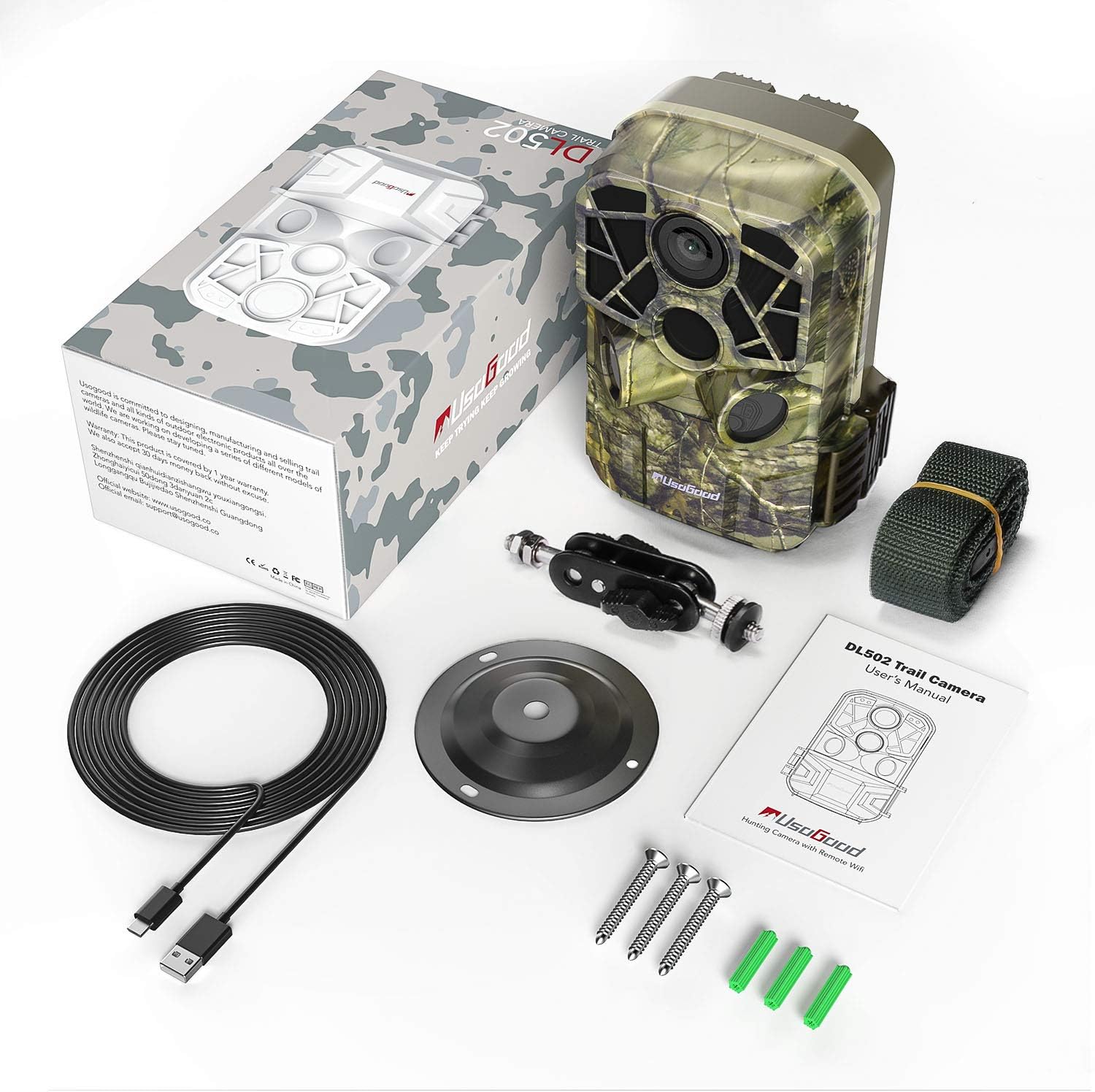
Калі ласка, пераканайцеся, што ўсе прадметы прысутнічаюць у вашай упакоўцы:
- usogood DL502 Trail Camera
- Мантажны рэмень
- Wall/Tree Mount
- Шрубы і дзюбелі
- Кабель USB
- Кіраўніцтва карыстальніка

4. Настройка
4.1 Устаноўка батарэі
- Open the camera housing and locate the battery compartment.
- Устаўце 8 новыя батарэйкі тыпу АА, сачыце за правільнай палярнасцю (+/-).
- Close the battery compartment securely to maintain the camera's waterproof rating.
4.2 Усталяванне SD-карты
- Знайдзіце слот для SD-карты ўнутры корпуса камеры.
- Insert a formatted SD card (up to 128 GB) into the slot until it clicks into place.
- Пераканайцеся, што карта ўстаўлена правільна, каб пазбегнуць пашкоджанняў.
4.3 Мантаж камеры
The camera can be mounted using the provided strap or wall/tree mount.
- Мацаванне рамянём: Thread the mounting strap through the slots on the back of the camera and secure it around a tree or pole.
- Wall/Tree Mount: Use the included screws and wall plugs to attach the mount to a desired surface. Then, attach the camera to the mount using the adjustable screw.

5. Інструкцыя па эксплуатацыі
5.1 Уключэнне/выключэнне сілкавання
Locate the power switch inside the camera housing. Slide it to the 'ON' position to power on the camera. To turn off, slide the switch to 'OFF'.
5.2 Навігацыя па меню
Use the buttons next to the 5 cm LCD screen to navigate through the camera's menu. The screen allows you to adjust settings, review captured media, and select operating modes.
5.3 Рэжымы фота і відэа
Select your desired capture mode (photo, video, or photo+video) from the menu. Adjust resolution settings for photos (up to 24MP) and videos (up to 4K) as needed.

5.4 WiFi and Bluetooth Connection (App)
To connect your camera to a smartphone:
- Download the dedicated usogood app from your smartphone's app store (Android or iOS).
- Пераканайцеся, што Bluetooth уключаны на вашым смартфоне.
- On the camera, activate Bluetooth. This will then enable the camera's WiFi.
- Open the app on your smartphone and follow the instructions to connect to the camera's WiFi network.
- Once connected, you can adjust settings, view live feed, and transfer images/videos wirelessly.

5.5 PIR Sensor Settings
The camera features three PIR sensors with an adjustable detection angle from 60° to 120°. You can configure the sensitivity and detection range in the camera's menu to optimize for your specific monitoring area.
5.6 Начное бачанне
The camera automatically activates its infrared filter and 940nm invisible IR LEDs in low-light conditions, providing clear black and white images and videos at night without emitting a visible red glow that could alert animals.
5.7 Time-Lapse Function
Enable the time-lapse function in the settings to capture images at set intervals over an extended period. This is useful for observing slow processes like plant growth or construction projects.
6. Тэхнічнае абслугоўванне
- Уборка: Regularly clean the camera lens and PIR sensors with a soft, dry cloth to ensure optimal performance. Avoid abrasive materials or harsh chemicals.
- Замена батарэі: Replace all 8 AA batteries when the low battery indicator appears or when performance degrades.
- Кіраванне SD-картай: Periodically format your SD card to prevent data corruption and ensure sufficient storage space. Back up important files перад фарматаваннем.
- захоўванне: Калі камера не выкарыстоўваецца працяглы час, выміце батарэйкі і захоўвайце яе ў прахалодным, сухім месцы, удалечыні ад прамых сонечных прамянёў.
7. Выпраўленне непаладак
- Камера не ўключаецца: Ensure batteries are inserted correctly with proper polarity and are fully charged. Check for any corrosion in the battery compartment.
- Нізкая якасць выявы/відэа: Clean the camera lens. Ensure the camera is stable and not vibrating. Check resolution settings. For night images, ensure IR LEDs are not obstructed and the subject is within range.
- Няма выяўлення руху: Adjust PIR sensor sensitivity in the settings. Ensure the detection angle covers the desired area. Clear any obstructions in front of the sensors.
- Праблемы з падключэннем да Wi-Fi/Bluetooth: Ensure Bluetooth is enabled on your smartphone and the camera. Follow the app's connection steps carefully. Try restarting both the camera and your smartphone. Ensure you are within range of the camera's WiFi signal.
- Памылкі SD-карты: Ensure the SD card is properly inserted and formatted. Try using a different, compatible SD card.
8. Тэхнічныя характарыстыкі
| Асаблівасць | Спецыфікацыя |
|---|---|
| Дазвол фота | Да 24 MP |
| Дазвол відэа | Да 4K (3840 x 2160) |
| Сувязь | WiFi, Bluetooth |
| Начное бачанне | 940nm Invisible IR LEDs, 20m Range |
| Спускавая хуткасць | 0.2 секунд |
| Кут выяўлення PIR | 120 degrees (Adjustable) |
| Дысплей | 5 cm (2-inch) LCD Screen |
| Захоўванне | SD Card up to 128 GB |
| Крыніца харчавання | 8x AA Batteries or External 3.5 x 1.35 mm Power Supply |
| Рэйтынг воданепранікальнасці | IP66 |
| Рэкамендуемае выкарыстанне | Motion Detection, Hunting, Night Vision, Wildlife Monitoring |
9. Інфармацыя аб гарантыі
For detailed warranty information regarding your usogood DL502 Trail Camera, please refer to the warranty card included in your product packaging or visit the official usogood webсайт. Захоўвайце пацвярджэнне пакупкі для любых гарантыйных прэтэнзій.
10. Падтрымка
If you encounter any issues or require further assistance with your usogood DL502 Trail Camera, please contact usogood customer support. You can typically find contact information on the official usogood webна сайце або ў дакументацыі да вашага прадукту.