
1. Уводзіны
This manual provides detailed instructions for the safe and effective operation, setup, and maintenance of your YIHUA 939D+ Digital Soldering Station and YIHUA 305D-IV Regulated DC Lab Power Supply bundle. Please read this manual thoroughly before using the equipment.
Інфармацыя па бяспецы
- Always operate the units in a well-ventilated area.
- Карыстайцеся адпаведнымі сродкамі індывідуальнай абароны, у тым ліку ахоўнымі акулярамі.
- Не дакранайцеся да наканечніка паяльніка або награвальнага элемента, калі яны гарачыя.
- Ensure the power supply is disconnected before making or changing connections.
- This equipment operates on 110-127V AC. Ensure your power source matches this requirement.
- Захоўваць у месцах, недаступных дзецям.
2. Змесціва ўпакоўкі
Праверце, ці ёсць у вашай упакоўцы ўсе пералічаныя ніжэй прадметы:
- YIHUA 939D+ Digital Soldering Station
- YIHUA 305D-IV Regulated DC Lab Power Supply
- Soldering Iron with Heat-Resistant Handle and Cord
- Soldering Iron Holder (integrated or separate)
- 3 x Assorted Solder Tips
- 1 х ачышчальная губка
- 1 x 50g 0.8mm Solder Wire
- 1 x Solder Wick
- 1 x Cleaning Kit (Brass Ball)
- Шнуры харчавання для абедзвюх прылад
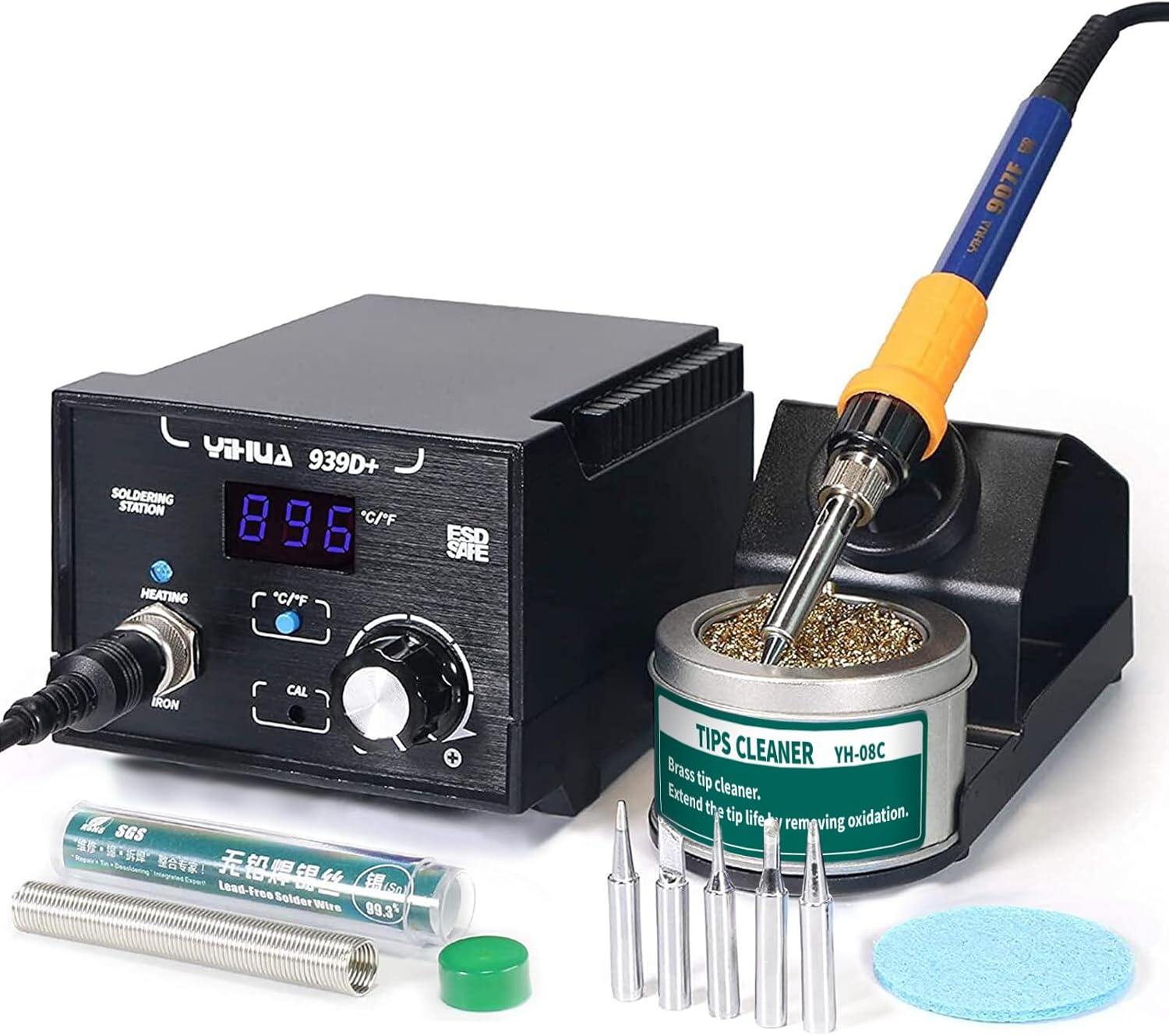
Image 2.1: YIHUA 939D+ Digital Soldering Station with included accessories.

Image 2.2: YIHUA 305D-IV Regulated DC Lab Power Supply.
3. Прадукт скончыўсяview
3.1 YIHUA 939D+ Digital Soldering Station
The YIHUA 939D+ is a digital soldering station designed for precision soldering tasks. It features a digital display for real-time temperature readout and a temperature stabilization function to maintain a steady iron temperature during operation. The station is ESD-safe to protect sensitive electronic components.

Image 3.1: Labeled components of the YIHUA 939D+ Soldering Station.
3.2 YIHUA 305D-IV Regulated DC Lab Power Supply
The YIHUA 305D-IV is a regulated DC lab power supply offering variable output from 0-30V and 0-5A. It includes automatic Constant Voltage (CV) and Constant Current (CC) modes, along with short-circuit and overcurrent protection to safeguard connected devices and the unit itself.

Image 3.2: YIHUA 305D-IV Power Supply display and reading accuracy.
4. Інструкцыі па ўсталёўцы
4.1 YIHUA 939D+ Soldering Station Setup
- Размясціце паяльную станцыю на ўстойлівай, цеплаўстойлівай паверхні.
- Connect the soldering iron handle to the 'IRON' receptacle on the front panel of the 939D+ station. Ensure a secure connection.
- Place the soldering iron into its holder.
- Insert the cleaning sponge into the sponge tray and dampen it slightly with water. Alternatively, place the brass ball cleaner in its designated area.
- Connect the power cord to the back of the soldering station and then to a 110-127V AC power outlet.
4.2 YIHUA 305D-IV DC Lab Power Supply Setup
- Position the power supply on a stable surface, ensuring adequate ventilation around the unit.
- Connect the power cord to the back of the power supply and then to a 110-127V AC power outlet.
- For output, connect your test leads or device to the output terminals (red for positive, black for negative, yellow for ground) on the front panel.
5. Інструкцыя па эксплуатацыі
5.1 YIHUA 939D+ Digital Soldering Station Operation
- Уключэнне: Flip the ON/OFF power switch. The digital display will illuminate, showing the current temperature.
- Рэгуляванне тэмпературы: Rotate the temperature adjustment knob to set the desired temperature. The range is 392-896°F (200-480°C). The display will show the set temperature briefly, then return to the actual tip temperature.
- Выбар адзінак вымярэння тэмпературы: Press the °C/°F button to switch between Celsius and Fahrenheit display modes.
- Каліброўка: If necessary, use the CAL adjustment point for temperature calibration. Refer to advanced user guides for detailed calibration procedures.
- Пайка: Once the desired temperature is reached and stabilized, clean the soldering iron tip using the damp sponge or brass ball. Apply solder to the joint, not directly to the iron tip.
- Выключэнне: After use, turn off the power switch and allow the iron to cool completely in its holder before storing.
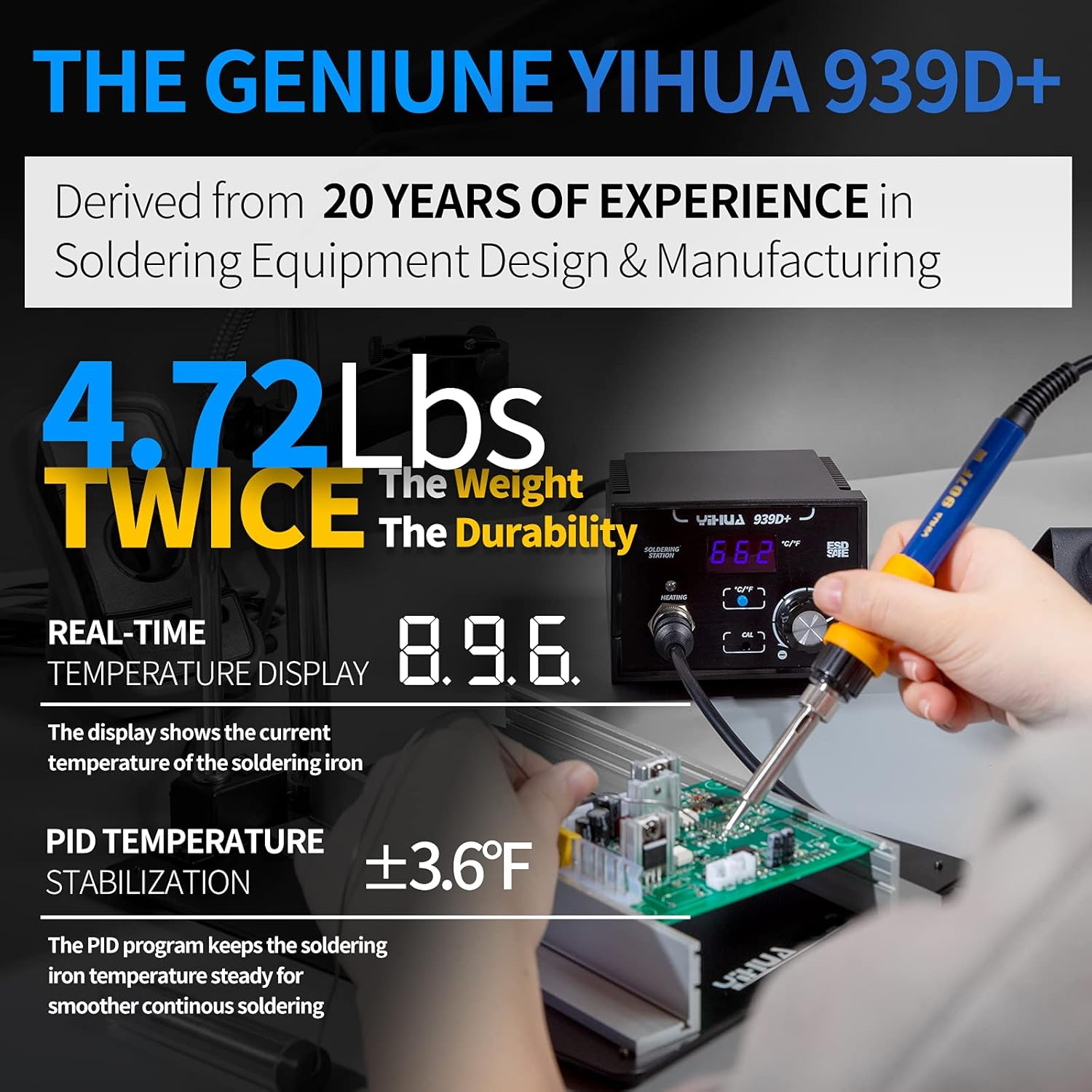
Image 5.1: YIHUA 939D+ in operation, highlighting temperature display and stabilization.

Image 5.2: The 939D+ heating quickly and maintaining temperature.
5.2 YIHUA 305D-IV Regulated DC Lab Power Supply Operation
- Уключэнне: Press the 'POWER' button on the front panel. The LCD display will light up.
- тtage Рэгуляванне: Use the 'VOLTAGE' coarse and fine adjustment knobs to set the desired output voltage (0-30V). The display shows the current voltagэлектронная ўстаноўка.
- Бягучая карэкціроўка: Use the 'CURRENT' coarse and fine adjustment knobs to set the desired current limit (0-5A). This acts as a maximum current draw for the connected device.
- Канстанта Voltage (CV) / Constant Current (CC) Modes: The unit automatically switches between CV and CC modes. When the load draws less current than the set limit, it operates in CV mode (maintaining set voltage). If the load attempts to draw more current than the set limit, it switches to CC mode (maintaining set current, voltagе кроплі).
- Асаблівасці абароны: The 305D-IV includes short-circuit protection and overcurrent protection. In case of a fault, the unit will limit output to protect itself and the connected device.
- Выключэнне: Press the 'POWER' button again to turn off the unit.
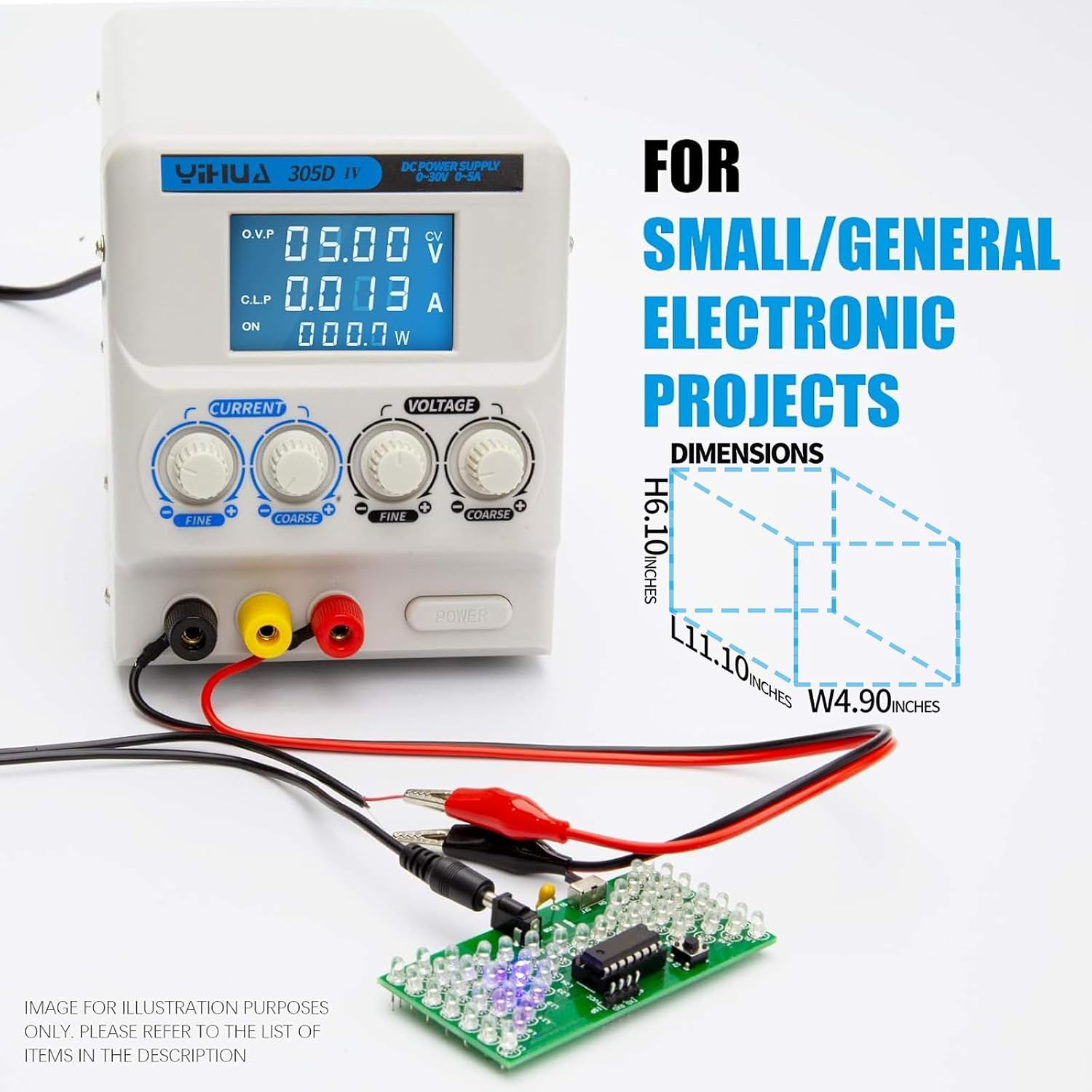
Image 5.3: YIHUA 305D-IV powering a small electronic project.

Image 5.4: YIHUA 305D-IV used for charging or powering applications.
6. Тэхнічнае абслугоўванне
6.1 Soldering Iron Tip Maintenance
- Уборка: Regularly clean the soldering iron tip using the damp sponge or brass ball cleaner. This removes oxidation and old solder, extending tip life and improving heat transfer.
- Tinning: Пасля ачысткі і перад захоўваннем нанёс на наканечнік невялікую колькасць свежага прыпою (луджэнне). Гэта абароніць наканечнік ад акіслення.
- Замена наканечніка: If a tip becomes excessively worn or damaged, replace it with a new compatible YIHUA tip. Ensure the iron is cool before changing tips.
6.2 Агульная чыстка блока
- Ensure both units are powered off and unplugged before cleaning.
- Wipe the exterior surfaces of the soldering station and power supply with a soft, dry cloth.
- Не выкарыстоўвайце абразіўныя ачышчальнікі або растваральнікі, бо яны могуць пашкодзіць casing або дысплей.
- Трымайце вентыляцыйныя адтуліны чыстымі ад пылу і смецця.
7. Выпраўленне непаладак
| праблема | Магчымая прычына | Рашэнне |
|---|---|---|
| Soldering iron not heating | Power switch off, loose connection, faulty heating element/iron. | Check power switch. Ensure iron cable is securely connected. Contact support if issue persists. |
| Poor solder joints | Dirty or oxidized tip, incorrect temperature, old solder. | Clean and tin the tip. Adjust temperature. Use fresh solder. |
| Power supply no output | Power switch off, output terminals not connected, protection activated. | Check power switch. Ensure connections are secure. Reduce load or check for short circuit. |
| Выхад крыніцы харчавання абtagняўстойлівы электронны ток | Loose connections, faulty load, internal issue. | Check all connections. Test with a different load. Contact support if issue persists. |
8. Тэхнічныя характарыстыкі
8.1 YIHUA 939D+ Digital Soldering Station
- Дыяпазон тэмператур: 392-896°F (200-480°C)
- Дысплей: ВК
- Тэмпературная стабільнасць: PID controlled, ±3.6°F (±2°C)
- Бяспечны ESD: так
- Уваходны кнtage: 110-127V AC
8.2 YIHUA 305D-IV Regulated DC Lab Power Supply
- Выхад Voltage: 0-30V DC (Adjustable)
- Выхадны ток: 0-5A DC (Adjustable)
- Дысплей: ВК
- Рэжымы: Канстанта Voltage (CV), Constant Current (CC)
- Абарона: Short-circuit protection, Overcurrent protection
- Уваходны кнtage: 110-127V AC
9. Гарантыя і падтрымка
YIHUA provides a 12-month US-exclusive manufacturer technical coverage for this product bundle. For any technical assistance, troubleshooting, or warranty claims, please contact YIHUA customer support. Professional assistance is available 24/7 via Amazon.
For support, please visit the YIHUA store on Amazon or refer to your purchase documentation for contact details.