
1. Прадукт скончыўсяview
The EnergyCell Pilot 4GS is a 12000mAh portable power bank designed for fast and efficient charging of your mobile devices. Featuring dual 3A high-speed output ports and a slim, durable aluminum body, it provides reliable power on the go. This power bank is compatible with a wide range of devices, particularly optimized for iOS devices, and includes multiple safety protections.

Image 1.1: The EnergyCell Pilot 4GS Portable Charger in Rose Gold, showcasing its sleek design and dual output ports.
Асноўныя характарыстыкі:
- Ёмістасць 12000 мАг: Sufficient power to charge most smartphones 2-3 times.
- Двайны высакахуткасны выхад 3A: Charge two devices simultaneously at up to 5V/3A per port.
- Designed for iOS Devices: Features a Lightning input port for convenient recharging with a single cable (cable included).
- Універсальная сумяшчальнасць: Supports a wide range of smartphones, tablets, and other USB-powered devices.
- Тонкі і кампактны дызайн: Matte metal shell with an arc anti-fingerprint design, making it easy to carry.
- Сістэма бяспекі MultiProtect: Built-in protections against overload, overcurrent, overcharging, overpressure, and short circuits.
- Airline-Approved: Suitable for travel.

Image 1.2: The durable aluminum body design of the power bank, highlighting its anti-scratch and anti-fingerprint properties.

Image 1.3: The slim and lightweight profile of the Pilot 4GS power bank, emphasizing its portability.
2. Інфармацыя па бяспецы
Калі ласка, прачытайце і выконвайце ўсе інструкцыі па бяспецы, каб пазбегнуць траўмаў або пашкоджання прылады.
- Не падвяргайце знешні акумулятар уздзеянню экстрэмальных тэмператур (высокіх або нізкіх), прамых сонечных прамянёў або агню.
- Пазбягайце падзення, праколвання або разборкі прылады.
- Берагчы ад вады і высокай вільготнасці.
- Не выкарыстоўвайце, калі знешні акумулятар пашкоджаны або ўздуты.
- Захоўваць у месцах, недаступных дзецям.
- Утылізуйце знешні акумулят у адпаведнасці з мясцовымі правіламі. Не выкідвайце яго разам з бытавымі адходамі.
The Pilot 4GS features a MultiProtect safety system, including overload, overcurrent, overcharging, overpressure, and short circuit protection functions to ensure the safety of both the power bank and your connected devices.
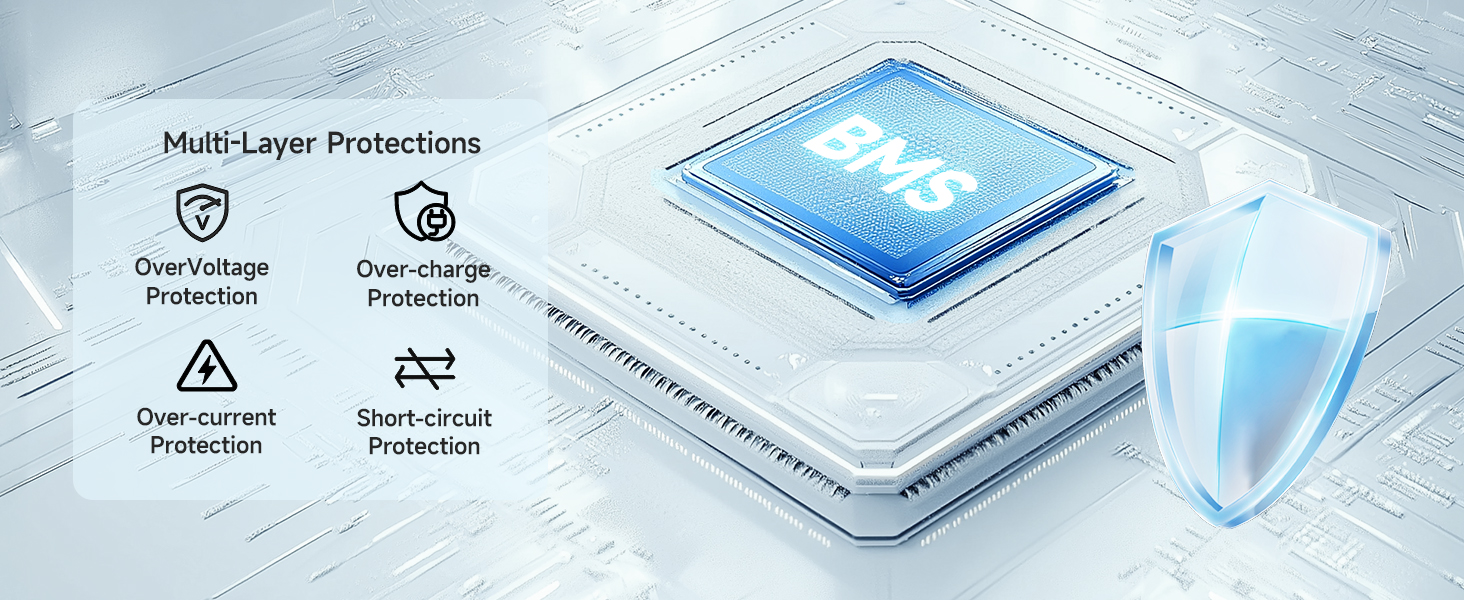
Image 2.1: Visual representation of the multi-layer protection system integrated into the power bank for enhanced safety.
3. Усталёўка і першае выкарыстанне
3.1 Зарадка знешніх акумулятараў
- Connect the included Lightning cable to the input port of the Pilot 4GS power bank.
- Connect the other end of the cable to a 5V/2A (or higher) USB wall adapter (not included).
- Святлодыёдныя індыкатары на знешнім акумулятары загарацца, паказваючы стан зарадкі. Поўная зарадка сведчыць аб тым, што ўсе святлодыёды гараць пастаянна.
For faster recharging, use a 5V/2A adapter, which can reduce recharging time by up to 50% compared to a 5V/1A adapter.
3.2 Праверка ўзроўню зарада батарэі
Націсніце кнопку харчавання адзін раз, каб view бягучы ўзровень зарада батарэі, які паказваецца святлодыёднымі індыкатарамі.
4. Інструкцыя па эксплуатацыі
4.1 Зарадка вашых прылад
- Connect your device's charging cable to one of the USB-A output ports on the Pilot 4GS power bank.
- Падключыце іншы канец кабеля да прылады.
- Паўэрбанк аўтаматычна пачне зараджаць вашу прыладу. Калі не, націсніце кнопку харчавання адзін раз, каб пачаць зарадку.
- You can charge two devices simultaneously using both USB-A output ports.
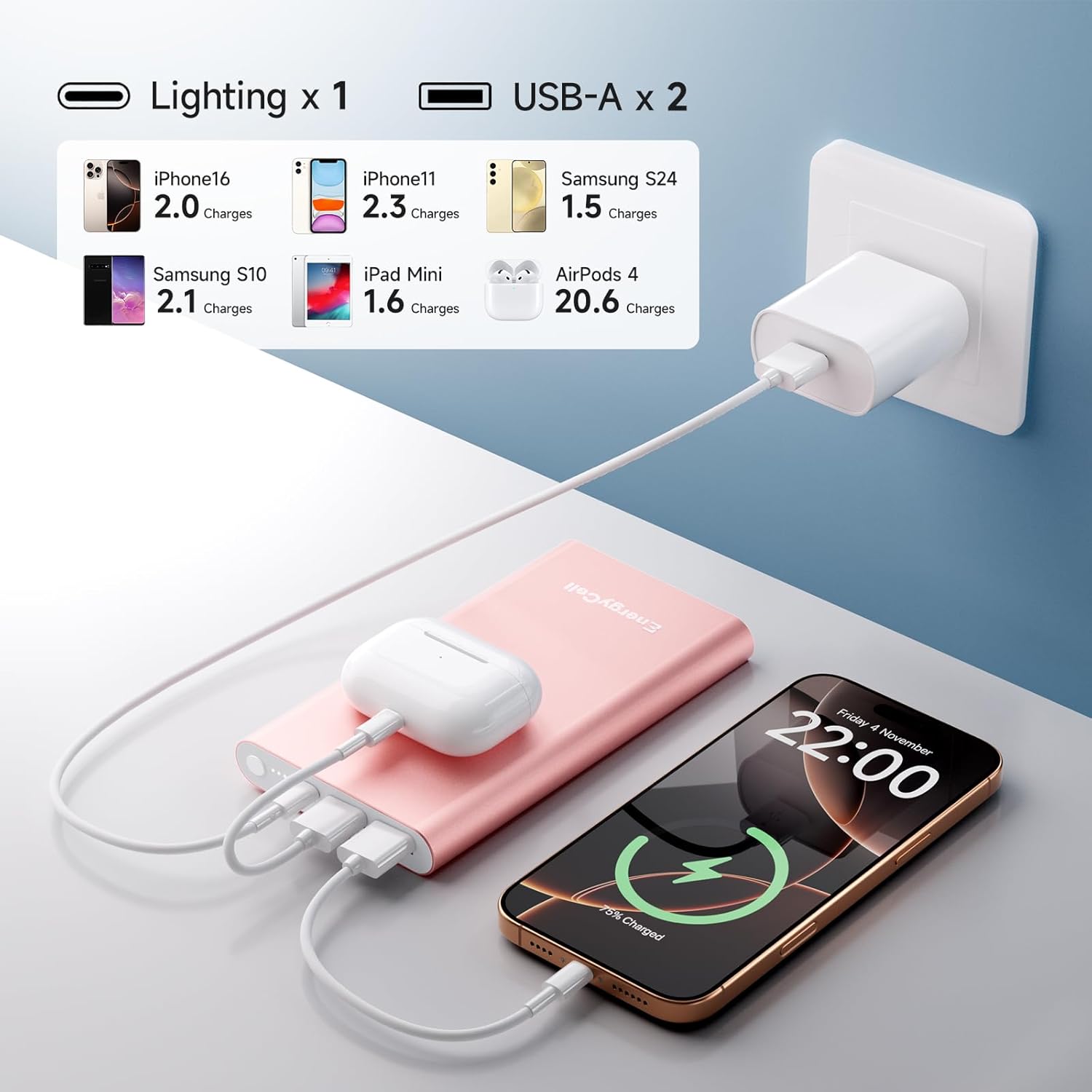
Image 4.1: The power bank simultaneously charging an iPhone, iPad Mini, and AirPods, illustrating its multi-device charging capability and estimated charge counts.

Image 4.2: The Pilot 4GS power bank in various colors, demonstrating its use in charging a smartphone.
4.2 Заўвагі па сумяшчальнасці
- The included Lightning cable can be used to charge the power bank itself and is compatible with iPhone 11, 12, 13, and 14 series devices.
- For iPhone 15 and iPhone 16 series, a USB-C cable (not included) must be used to charge your phone, as these models utilize USB-C ports.
- The power bank is broadly compatible with Apple iPhone XS, XR, 7 Plus, SE, 8 Plus, 6s, and Samsung Galaxy S9, among other devices.

Image 4.3: A compatibility chart illustrating the wide range of devices, including various iPhone, iPad, Samsung, and AirPods models, that can be charged with the Pilot 4GS.
5. Тэхнічнае абслугоўванне
Правільнае абслугоўванне забяспечвае даўгавечнасць і аптымальную працу вашага паўэрбанка.
- Уборка: Выкарыстоўвайце мяккую сухую тканіну для чысткі вонкавай паверхні паўэрбанка. Пазбягайце выкарыстання агрэсіўных хімічных рэчываў або абразіўных матэрыялаў.
- захоўванне: Захоўвайце знешні акумулятар у прахалодным, сухім месцы, удалечыні ад прамых сонечных прамянёў і экстрэмальных тэмператур.
- Зарад батарэі: Каб падтрымліваць акумулятар у належным стане, цалкам зараджайце яго хаця б раз на тры месяцы, калі ён не выкарыстоўваецца рэгулярна.
- Пазбягайце празмернага разраду: Do not allow the power bank to completely drain for extended periods.
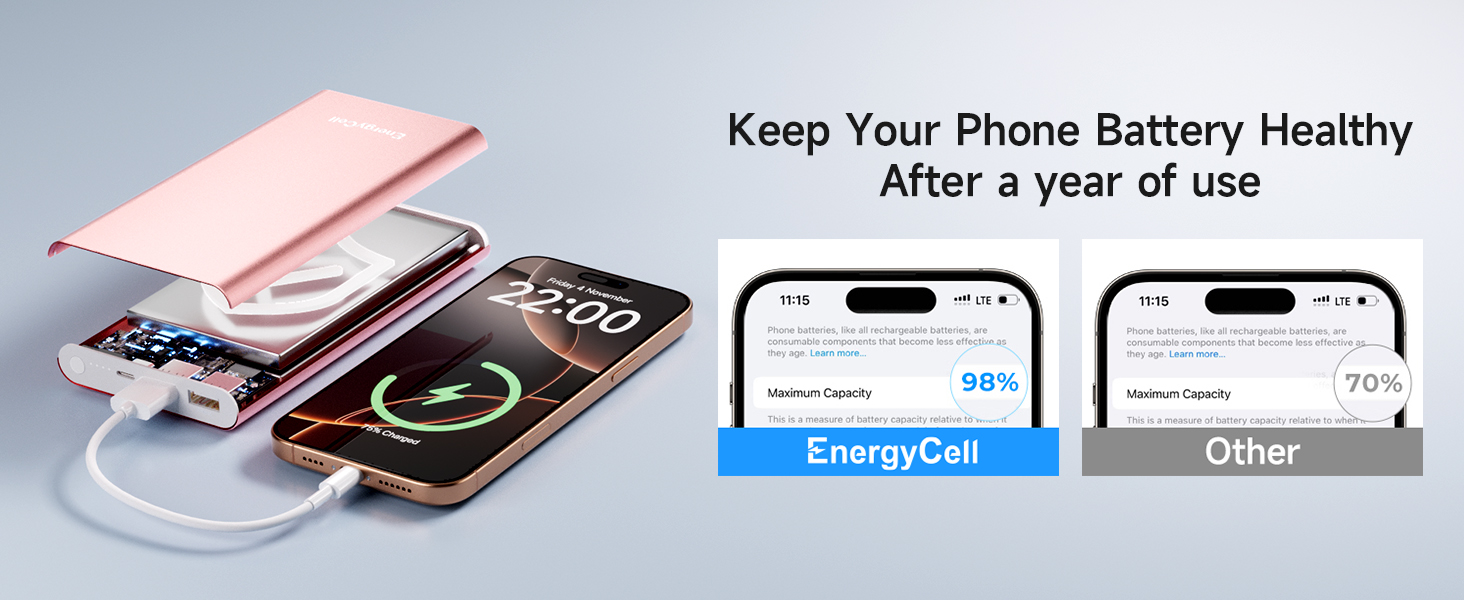
Image 5.1: An illustration highlighting how proper care and the power bank's technology can help maintain phone battery health over time.
6. Выпраўленне непаладак
If you encounter issues with your Pilot 4GS power bank, refer to the following common problems and solutions:
| праблема | Магчымая прычына | Рашэнне |
|---|---|---|
| Power bank не зараджаецца | Кабель падключаны няправільна; няспраўны кабель/адаптар; знешні акумулятар цалкам зараджаны. | Ensure cable is securely connected. Try a different cable or wall adapter. Check LED indicators; if all are solid, it's fully charged. |
| Прылада не зараджаецца ад Power Bank | Power bank battery low; cable not connected properly; device not compatible; power bank in standby. | Recharge the power bank. Ensure cable is securely connected. Press the power button to activate charging. Verify device compatibility. |
| Павольная зарадка | Using a low-power adapter for power bank; device's charging input limit; cable quality. | Use a 5V/2A or higher adapter to charge the power bank. Ensure your device supports fast charging. Use a high-quality charging cable. |
| Паўэрбанк награваецца падчас выкарыстання | Normal operation during charging/discharging. | A slight increase in temperature is normal. If it becomes excessively hot, discontinue use and contact support. |
7. Тэхнічныя характарыстыкі
| Асаблівасць | Дэталь |
|---|---|
| Нумар мадэлі | Пілот 4GS |
| Ёмістасць батарэі | 12000 Міліamp Гадзіны |
| Увод | Lightning (5V/2A recommended for fast recharge) |
| Выхад | 2 x USB-A (5V/3A Max per port) |
| Памеры прадукту | 5.6 х 2.9 х 0.58 цалі |
| Вага прадмета | 10.2 унцыі |
| Колер | Rose Gold (variant) |
| Асаблівасць | Slim design, MultiProtect Safety System |
| Вытворца | Shenzhen Wang Xiong Digital Technology Co., Ltd. |
8. Гарантыя і падтрымка
EnergyCell products are designed for reliability and performance. For specific warranty information, please refer to the warranty card included with your product or visit the official EnergyCell webсайт.
Падтрымка кліентаў:
If you have any questions, concerns, or require technical assistance, please contact EnergyCell customer support through the following channels:
- Webсайт: Наведайце ст EnergyCell Store on Amazon каб атрымаць інфармацыю пра прадукт і рэсурсы падтрымкі.
- электронная пошта: Звярніцеся да ўпакоўкі прадукту або да афіцыйнай webсайт для адраса электроннай пошты службы падтрымкі кліентаў.
9. Відэарэсурсы
No official product videos from the seller were available for embedding in this manual. Please check the product page on Amazon for any available video demonstrations or guides.


